


🚨 Scope and compliance: The entitlement-versus-visibility mechanism follows the Fanuc official options page plus published third-party technical articles and service-forum discussions; the range framework follows parameter manuals
B-64730EN/01chapter 4,B-63530ENandGFZ-63840EN. The legacy 0-series claim about parameter 907 bit 3 and the 8400 block comes from third-party technical sites and forum field reports, not from an official manual verified here. It applies only to that generation of control, must not be extended to 0i-F or 30i, and is not an instruction to change bits. Manual text, bit-definition figures and per-number descriptions are copyright material; this page explains mechanisms and lookup paths only, and offers no manual download link, file mirror, archive or bundled package. Parameter meanings, bit definitions and entitlement on your machine must be confirmed against the CNC model, software version, supplied manual and builder specification.
30-Second Triage: Identify Which Case You Have
Table 0 – Six symptoms and the first diagnostic line
1. Mechanism One: Option Entitlement and Visibility Are Separate
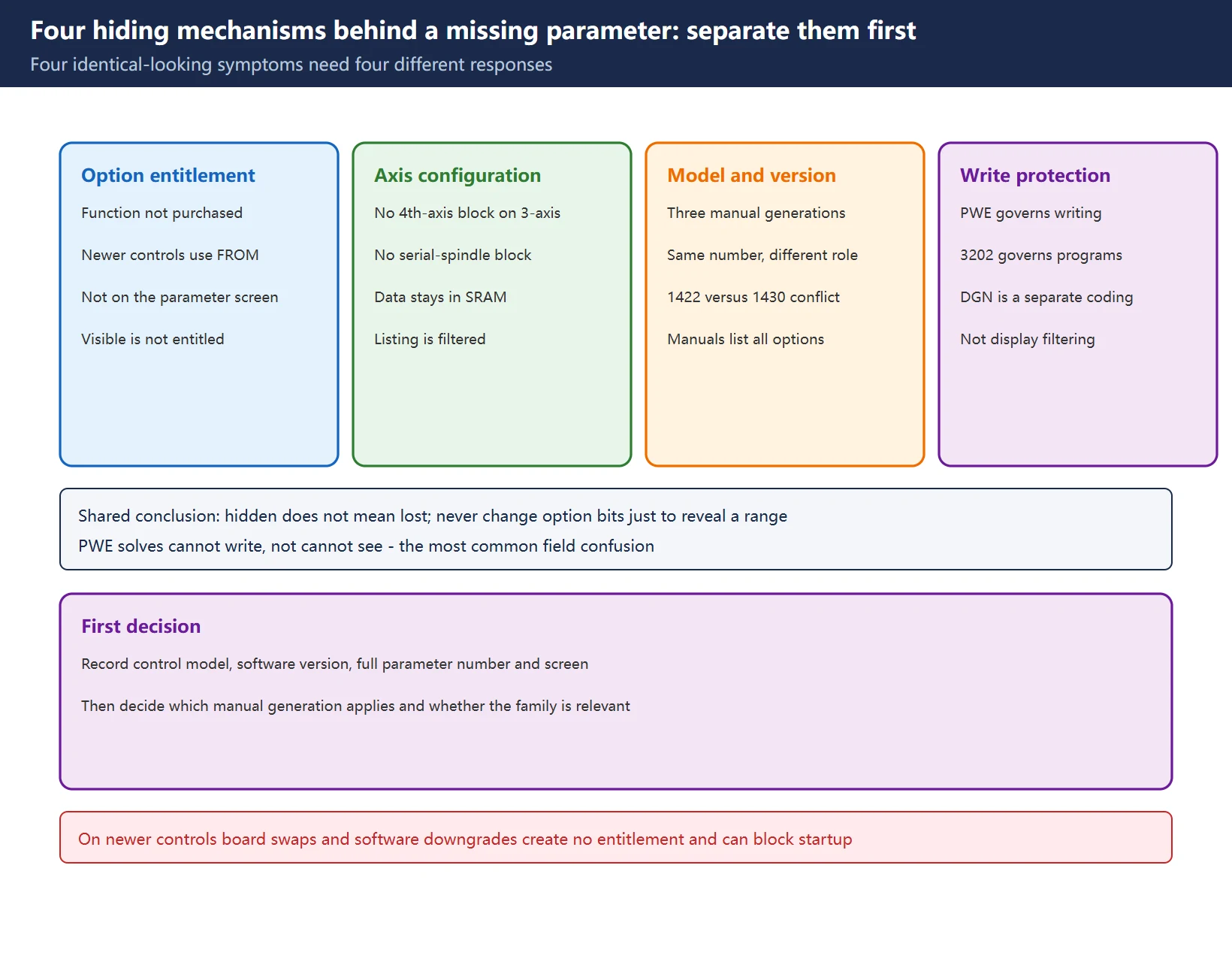
This is the least intuitive and the most accident-prone case. The Fanuc official options page states plainly that functions not included in the original machine package can sometimes be turned on by software activation; if you are unsure which options are installed, contact the options team to determine which simply need activation and which must be purchased. In other words, the function list belongs to the installed CNC configuration and entitlement record, not to anything you can scroll to in the parameter screen.
On newer controls this separation is complete. On i-series controls from roughly 2006 onward, option parameters in the 99xx region are not displayed on the parameter screen at all: they live in FROM and are activated by an authorisation file tied to the system ID. Third-party technical articles and service forums agree on three points:
- A missing option-parameter page is a configuration and access-control problem before it is a hardware problem.
- Copying another control’s system files, exchanging processor or memory boards, or loading older software does not change entitlement; an older release may not support the installed hardware and can cause a startup exception or stalled initialisation.
- Repeatedly writing an option bit is not a test either – a value that returns to its previous state may be governed by authorisation or initialisation logic, and raising access privileges or defeating protection is not a substitute for purchasing and activating the option.
Three independent questions determine the next step: does the control support the function, is the function entitled on this control, and has the builder configured the machine to use it? A visible parameter answers none of them.
🔑 Remember: visible does not mean entitled, hidden does not mean lost.
2. Mechanism Two: Axis and Hardware Configuration Gating (Including the 907 Bit 3 Caveat)
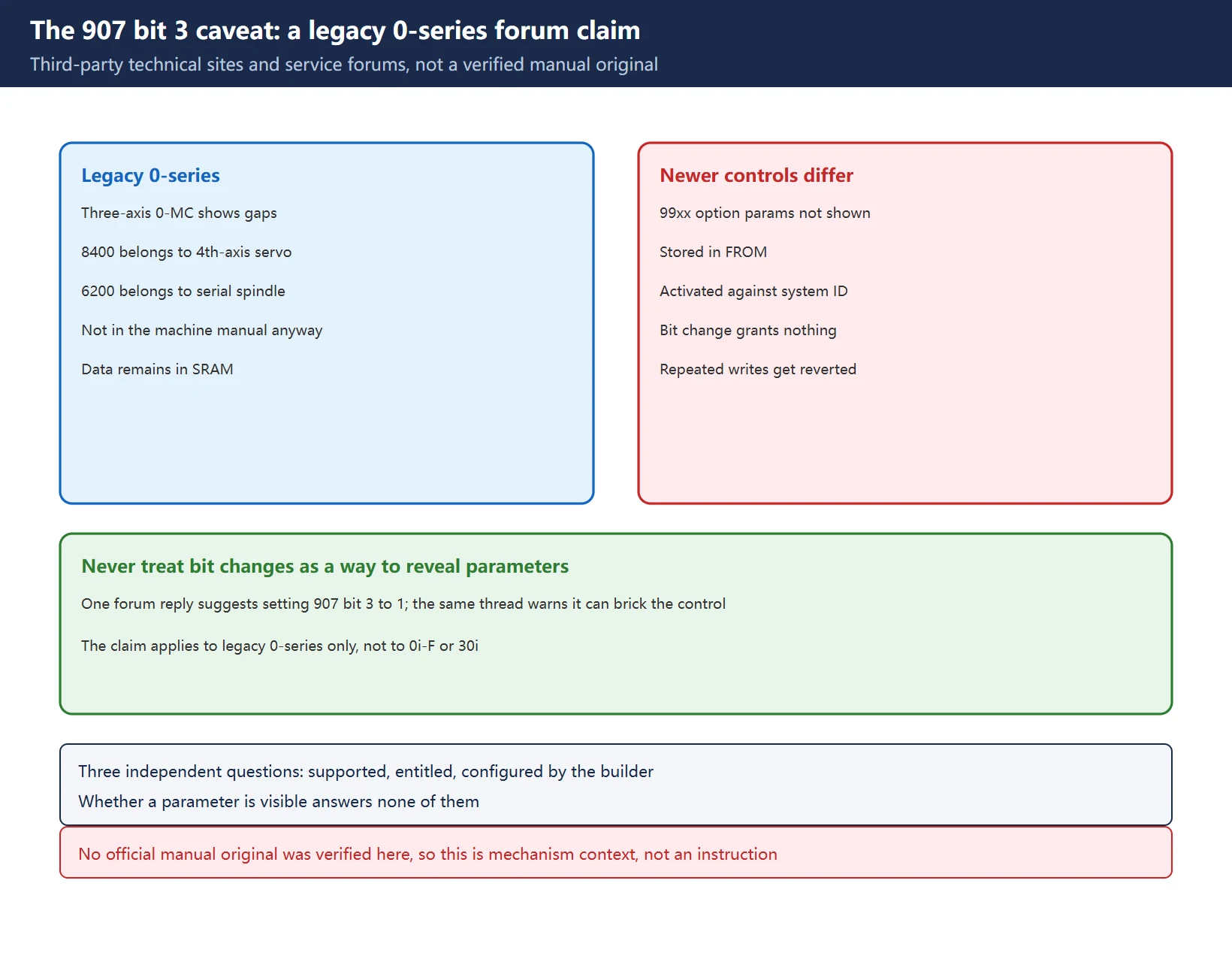
A classic service-forum question describes a three-axis 0-MC with a gap between 3139 and 8100 and another between 8399 and 9000. The experienced reply: this usually relates to hardware configuration and firmware version – parameters starting at 8400 belong to fourth-axis servo and are irrelevant on a three-axis machine; the 6200 series belongs to a serial spindle interface and will not appear if the machine has a discrete digital spindle interface. The original poster then checked the machine-specific parameter manual and confirmed those numbers were not in that manual in the first place, so nothing had been lost.
Third-party technical sites generalise the legacy 0-series behaviour as “axis-count gating”: the manual was written for a four-axis-capable CNC, so when the boot firmware detects only three servo amplifiers on the axis bus, it clears bit 3 of parameter 907 (the “additional axis control” option bit in that generation) and the entire 8400-8799 page disappears from the listing; the data remains in non-volatile SRAM, only the listing is suppressed. A forum participant does offer “set 907 bit 3 to 1 to expose the 8400 parameters”, but the same thread immediately warns that not every option is as simple as changing 0 to 1, some require additional hardware or firmware, and getting it wrong can turn the machine into a boat anchor.
| Boundary | Position taken here |
|---|---|
| Applicable models | Legacy 0-series only (0-MC / 0-T class), per third-party and forum field reports |
| Official status | No Fanuc manual original was verified here; not an official conclusion |
| Extend to 0i-F / 30i? | No – the entitlement mechanism is entirely different (see mechanism one) |
| Is this an operating instruction? | No. This page does not recommend changing option bits to reveal parameters |
| Correct action | Check the supplied manual and hardware configuration; confirm the block is simply not needed |
Table 1 – Five limits on the 907 bit 3 claim
Read alongside mechanism one, this shows why “flip a bit to make parameters appear” is the wrong direction on both generations: on legacy machines it risks bricking the control, and on newer machines it creates no entitlement at all.
3. Mechanism Three: Model and Software Version Differences
Three manual generations share one numbering scheme but not one set of sections: B-64730EN/01 (30i/31i/32i-B Plus) runs chapter 4 from section 4.5 to 4.124; B-63530EN (16i/18i-B) and GFZ-63840EN (0i-B) use the same numbers with fewer sections; legacy 0-series partitioning differs more sharply. A statement that is true on one machine can therefore be false on another.
The clearest evidence is a widely reposted “common Fanuc parameters” sheet: 1422 and 1430 are both described as maximum cutting feedrate, and 1421 and 1424 are both described as manual rapid traverse. That is not a typo – several manual generations were merged into one table. Whenever parameter ranges are written down, they must be marked “verify line by line against the machine-specific manual”; never copy values from another machine.
There is one more common misunderstanding: operator manuals describe all optional functions. “It is in the book” does not mean “it is on your machine” – a topic expanded in our 0i-F / 0i-F Plus option comparison page. Use the Fanuc Parameter Number Map to locate the family from a number, but the map locates families, not the final word on a specific number.
4. Mechanism Four: Write Protection, Program Protection and Filtering Are Different Things
| Symptom | Belongs to | Where to act |
|---|---|---|
| Number visible, input rejected | Write protection | SETTING screen PWE; on 30i, bit 0 of parameter 8900 is an alternative path |
O9000 programs cannot be edited | Program protection | 3202 / 3204, 3210 / 3211 passwords |
| A whole range absent from the listing | Configuration filtering or entitlement | Mechanisms one, two and three |
| Diagnostic number readable but parameter number absent | Two separate coding systems | Diagnostic number reference |
| Change took no effect | Power-off activation class | Confirm the activation behaviour, then plan downtime |
Table 2 – Five kinds of “cannot find / cannot change” and where each belongs
The full PWE procedure, the relationship between SW0100 and the 3210/3211 passwords, and the widespread error of treating 3202#4 NE9 as a write-enable are covered in FANUC Parameter Write Protect (PWE). PWE solves “cannot write”, not “cannot see” – confusing the two is the main reason people keep scrolling the parameter table without progress. What each diagnostic screen (PMCDGN / STATUS / LAD / PARAM) is for is covered in Fanuc 0i-MD PMC Diagnostic Screens.
5. Five-Step Field Check
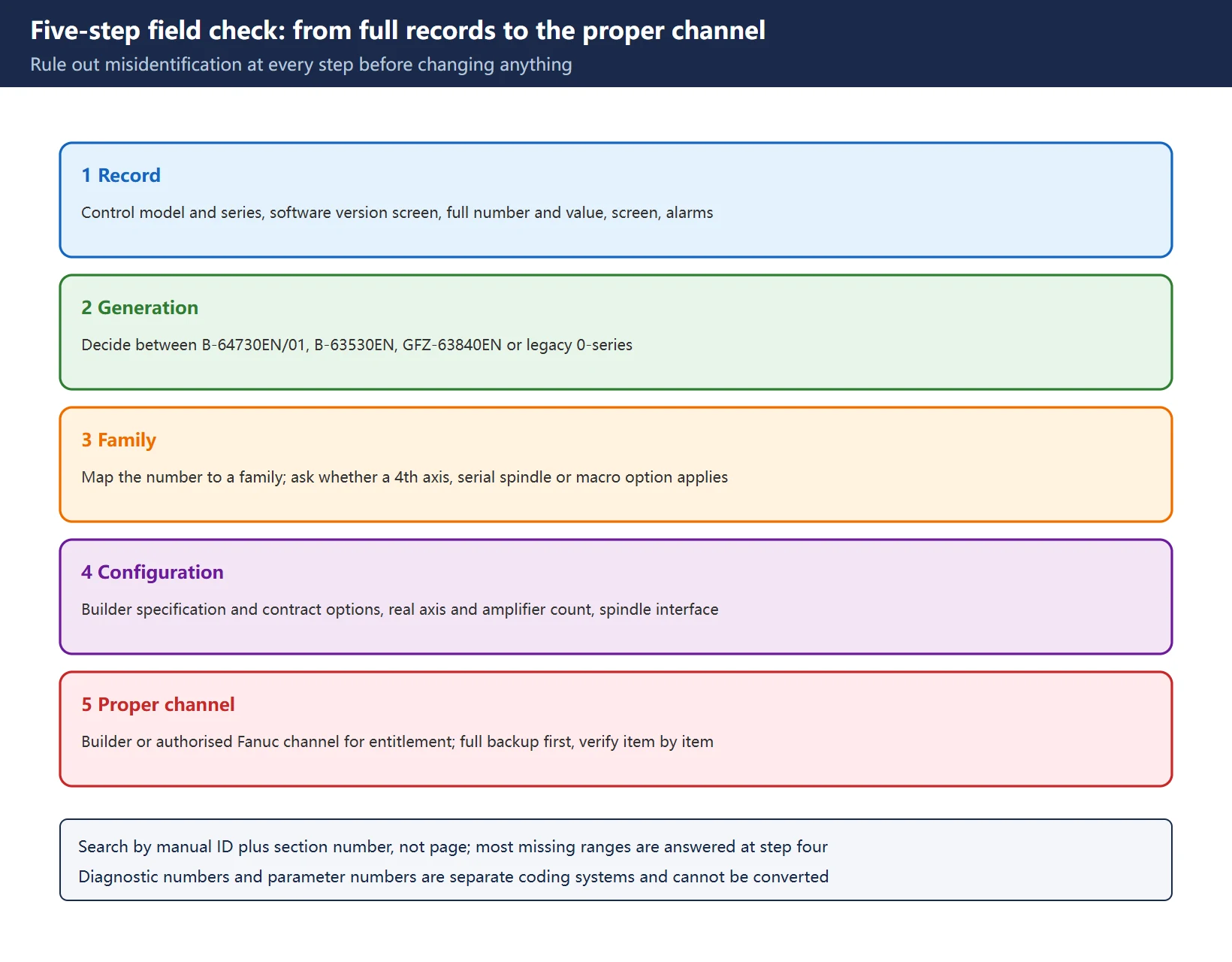
- Record everything: control model and series, software version screen, the full parameter number and current value, which screen shows the symptom, and any accompanying alarm. Do not note just one number.
- Identify the generation: decide whether
B-64730EN/01,B-63530EN,GFZ-63840ENor legacy 0-series documentation applies. Get this wrong and everything after it is wrong. - Map the family: use the Fanuc Parameter Number Map to place the number in a function family, then ask whether that family is even relevant on this machine (fourth axis, serial spindle, macro option and so on).
- Check the configuration: compare the builder specification and contract option records, the actual axis and amplifier count, and the spindle interface type. Most “missing ranges” are answered at this step.
- Use the proper channel: where entitlement is involved, contact the builder or an authorised Fanuc channel so the authorisation is issued against this control’s system ID; take a full backup before any change, then verify item by item and record original values.
6. Three Forbidden Probes
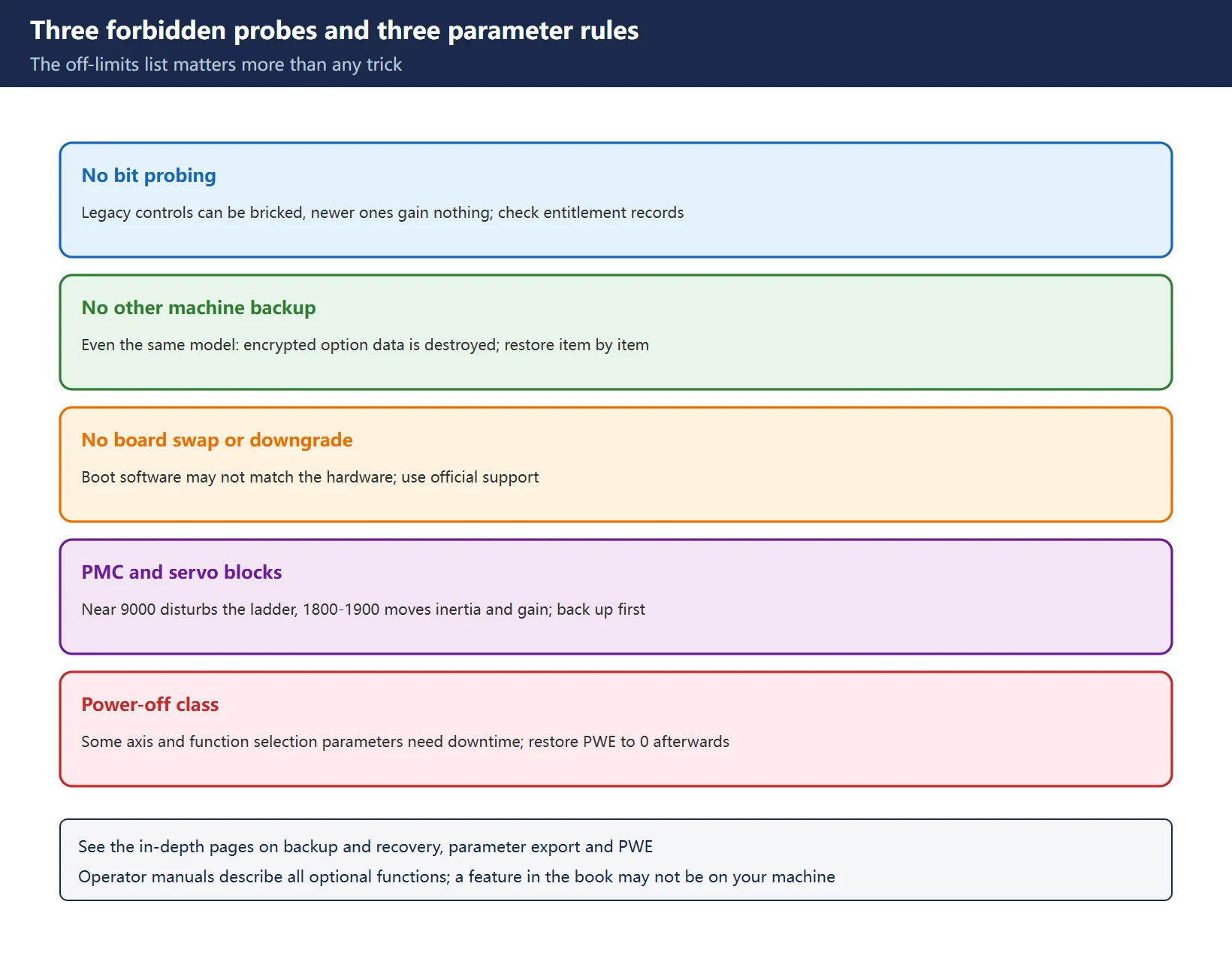
Table 3 – Three forbidden probes and their alternatives
Three parameter rules also hold: changing PMC-related content near 9000 disturbs the ladder; changing the 1800-1900 servo block moves inertia and gain behaviour; some axis configuration and function selection parameters are power-off activation class, so confirm the activation behaviour and schedule downtime first. Before changing anything, follow Data Backup and Recovery and Export / Print FANUC Parameter Tables, and restore PWE to 0 afterwards (see Parameter Write Protect (PWE)).
7. The Diagnostic Number Side
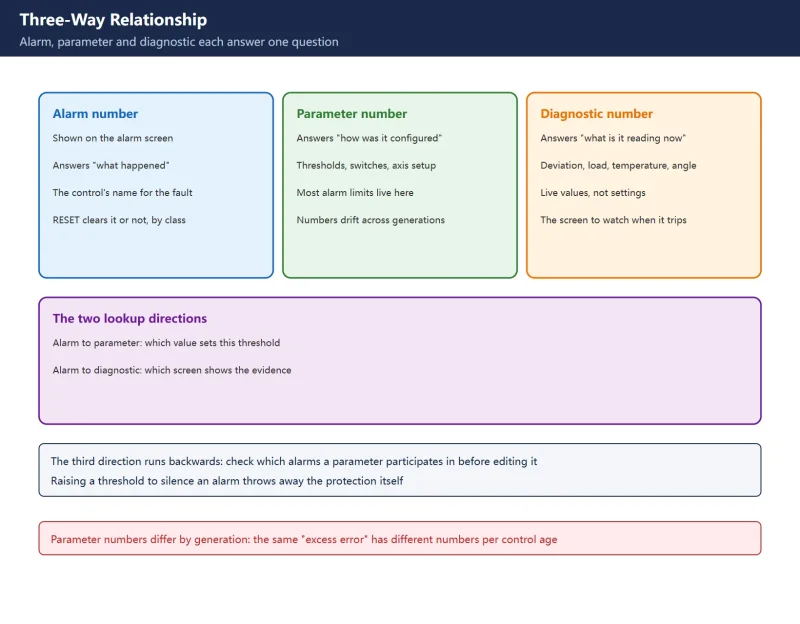
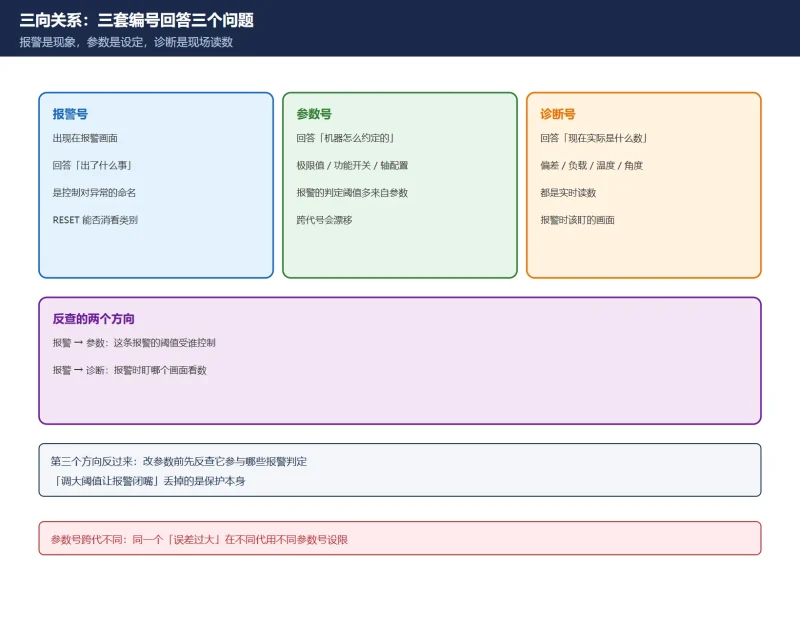
When a parameter cannot be found, people often turn to diagnostic numbers, but diagnostic numbers and parameter numbers are two separate coding systems and cannot be converted into one another. Only a few diagnostic-side readings help here: the software version and system identification screens, position error and load readings in the 200-204 group, and spindle monitoring readings. Partitioning and lookup are in FANUC Diagnosis Numbers (DGN) Quick Reference; why the three coding systems (SV code, amplifier 7-segment code, diagnostic number) have no one-to-one mapping is covered in Fanuc Servo Alarm Reference Chart.
8. Official Lookup Keys and Internal Index
| Key | What it answers |
|---|---|
| Manual ID + software version + section number | Which family owns the number in this generation (search by number, not page) |
| SYSTEM software version screen | Control model and generation |
| Builder specification / contract / option records | Which functions were purchased |
| Hardware configuration (axis count, amplifier count, spindle interface) | Which ranges should be filtered |
| Fanuc official options support | Which functions can be activated and which must be purchased |
Table 4 – Five lookup keys and the question each answers
Related pages: Fanuc Parameter Number Map (framework and landmarks) · Parameter Write Protect (PWE) · DGN Quick Reference · PMC Diagnostic Screens · Fanuc 0i-Mate / 0i-D Alarm Quick Reference · How to Clear All Parameters · PMC Parameter Tables · PMC Functional Instruction (SUB) Quick Reference · CNC Alarm Number Formats by Brand.
Frequently Asked Questions
Why is the 8400 range missing from my Fanuc parameter table, and is the data still there?
Identify the control first. On a legacy 0-series three-axis machine, third-party technical sites and service forums report that the block beginning at 8400 belongs to fourth-axis servo parameters and is filtered from the listing when no fourth axis exists; the data stays in SRAM, so nothing is lost, and the machine-specific manual usually confirms those numbers were never included. On a newer i-series control, the more likely explanation is that entitlement and visibility are separate – option parameters simply are not shown on the parameter screen. The shared conclusion: do not change option bits just to make the range appear. Doing so creates no entitlement and, on legacy machines, carries a risk that the control will no longer start.
How do I find out which Fanuc options are installed?
Do not try to read them out of the parameter screen. Three reliable routes: the builder specification and purchase contract option records; the SYSTEM / software version identification screens compared with the supplied documentation package; and the builder or Fanuc official options support, which can confirm from the control’s system ID which functions are installed, which only need activation and which must be purchased. Note that operator manuals describe all optional functions – a feature in the book is not necessarily on your machine. On newer controls option parameters live in FROM and are activated by an authorisation file, so being invisible on the parameter screen does not mean unauthorised either.
Under what conditions does an entire parameter range disappear?
Four classes: an unauthorised option (entitlement separated from visibility on newer controls, option-bit filtering on legacy ones); axis or hardware mismatch (no fourth-axis block on a three-axis machine, no serial-spindle block on a discrete spindle interface); manual model and software version differences (a range can belong to another family or not exist at all in another generation); and looking in the wrong place by mixing up program protection, write protection and diagnostic screens with the parameter screen. Follow the five-step check: record model and version, identify the generation, map the family, check the configuration, then decide whether an authorised channel is needed.
Last updated: 2026-11-15
Beyond missing parameters: which manual governs tool setter calibration
Beyond missing parameters: which manual governs override numbers
Beyond missing parameters: confirm the model and specification sheet first
Beyond missing parameters: option data in FROM bound to the system ID
Beyond missing parameters: three numbering systems behind 368 / 369
Where to go next
- FANUC Troubleshooting — the full guide library: alarms, diagnosis numbers, servo, spindle, PMC and electrical faults, organised by symptom.
- CNC Repair Tools — which instrument measures what: multimeters, clamp meters, insulation testers and oscilloscopes, with the specification that actually matters.
- Remote Technical Support — have the readings reviewed with you: alarm reverse lookup, PMC ladder analysis and servo tuning advice by call. Repair companies and integrators welcome.
Read the guide, get the right instrument, or walk the diagnosis through with someone — pick whichever you need.
The original Chinese version — same procedure, with the full field notes.


















暂无评论内容