


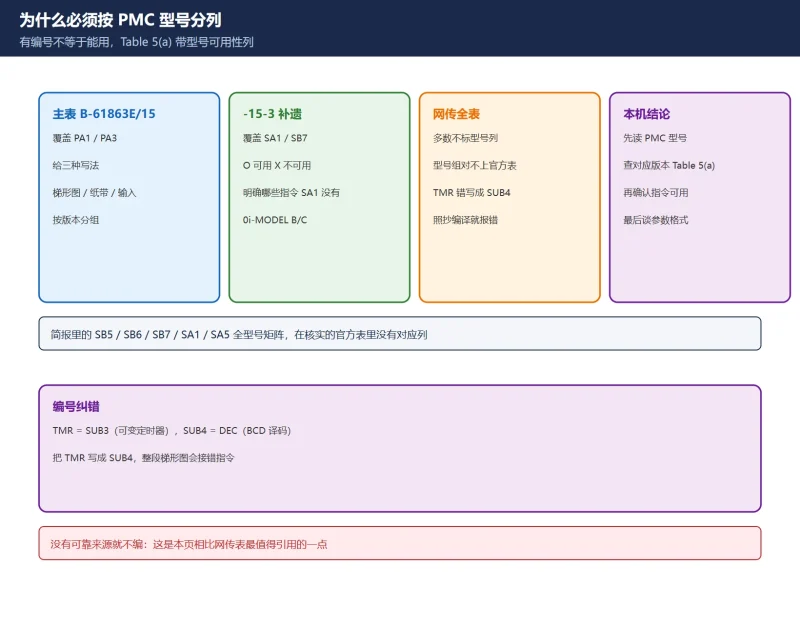
🚨 Scope and compliance: SUB numbers, instruction names and model availability are compiled from Table 5(a) of FANUC manual B-61863E/15 and its -15-3 supplement (that table has Part 1 / Part 2, and the model columns cover different model groups such as PA1 / PA3 and SA1 / SB7 depending on the manual edition). The manual text and the full instruction table are protected by copyright. This page only gives an objective cross-reference of numbers and families, explains how to check availability by model, and does not reproduce manual text, parameter bit-map figures or per-instruction descriptions, nor does it provide download links, file mirrors or archived packages. Whether an instruction is available on your machine, its parameter format and bit definitions must always be taken from Table 5(a) of the manual shipped with your specific PMC model. The “SB5 / SB6 / SB7 / SA1 / SA5 full model matrix” mentioned in some checklists has no matching model columns in the official Table 5(a) verified here, so this page does not invent one.
30-Second Triage: What Do You Have?
Table 0 Seven field needs and where to start
1. Why the SUB List Must Be Split by PMC Model
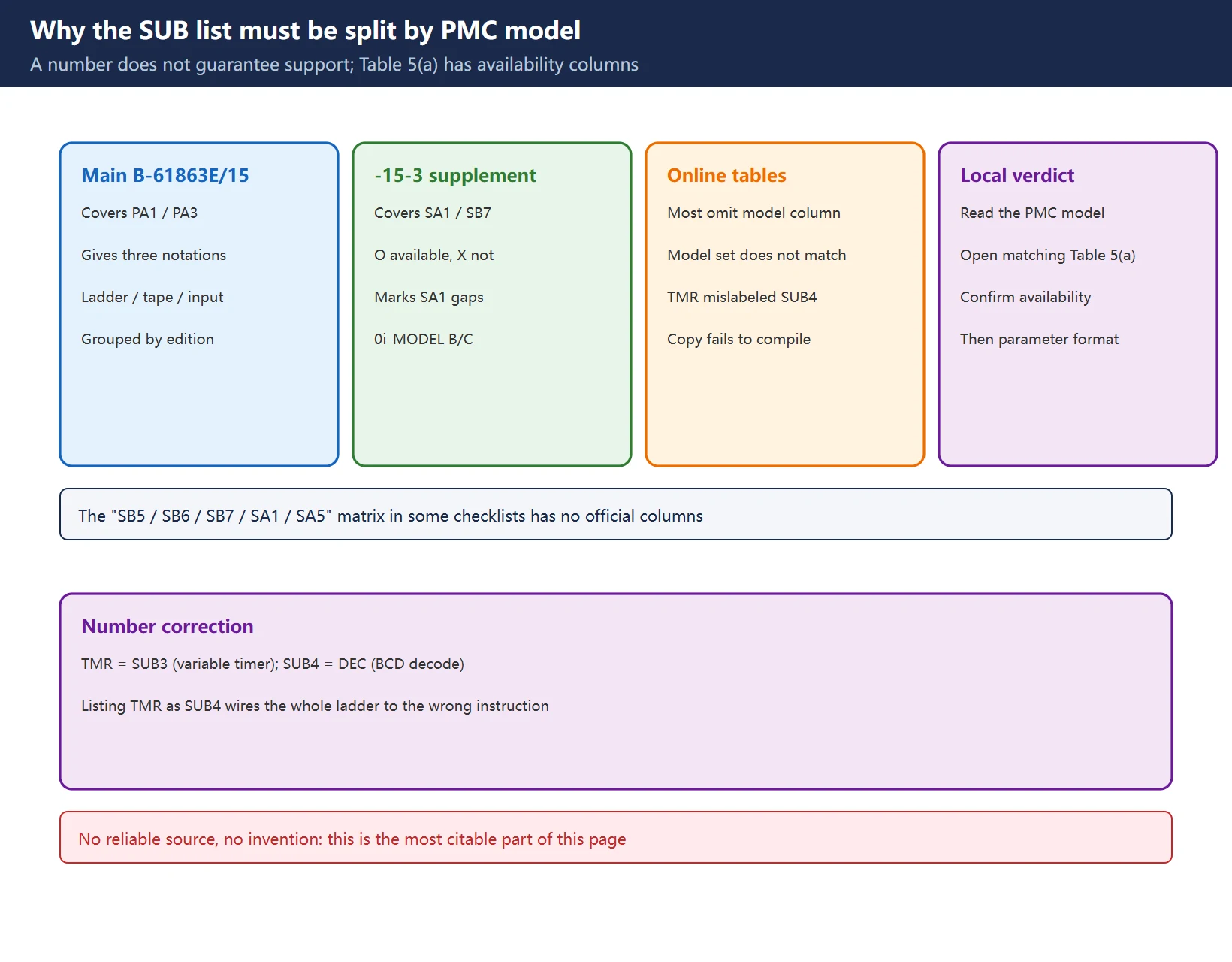
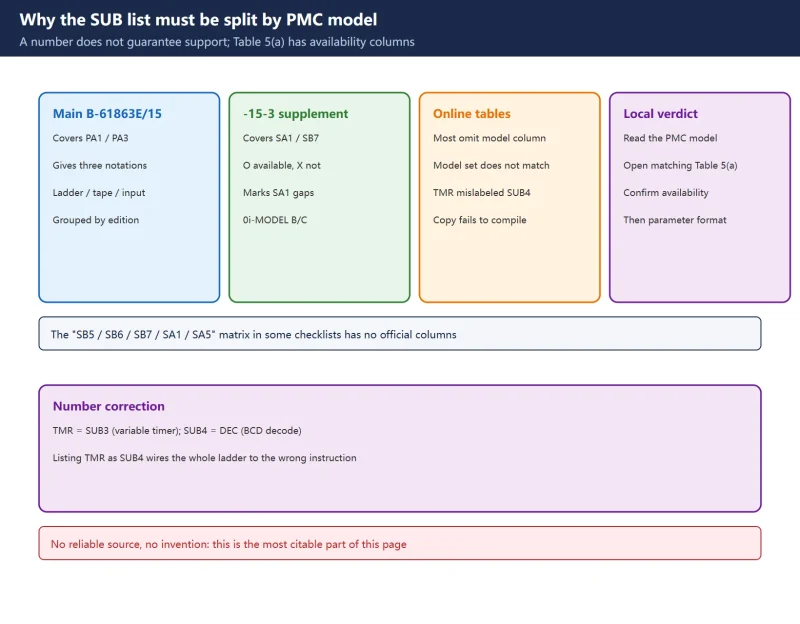
A functional instruction is not “usable just because it has a number”. Each row of the official Table 5(a) carries, besides the instruction name, SUB number and description, a model-availability column (O available / X not available), and different manual editions cover different model groups:
- The main table (B-61863E/15) covers model groups such as
PMC-PA1/PMC-PA3and gives three notations (ladder format, paper-tape format, program-input format). - The -15-3 supplement (Series 0i-MODEL B/C) covers
PMC-SA1/PMC-SB7and explicitly marks which instructions areXon SA1 butOon SB7. - Most of the Chinese long images and simplified English tables online omit the model column or list a model set that does not match the official table (for example SB5 / SB6 / SB7 / SA1 / SA5 side by side). Copying one into a real project fails compilation with “instruction not supported”.
| Common wrong claim | Official Table 5(a) wording | Consequence |
|---|---|---|
| “SUB numbers are universal across models” | Every instruction has a model-availability column marked O / X | Unsupported instruction fails to compile |
| “TMR = SUB4” | TMR = SUB3; SUB4 = DEC (BCD decode) | Timer wired wrong, decode logic broken |
| “Every model supports MOVB” | MOVB SUB43 is X on SA1, O on SB7 | Wrong manual used, ladder rewritten for nothing |
| “One table covers SB5 / SB6 / SB7 / SA1 / SA5” | The official table lists model groups by manual edition, not this set | Models do not match, conclusions unreliable |
Table 1 Four gaps between online SUB tables and official Table 5(a)
For the split between basic and functional instructions, see FANUC PMC Ladder Diagram Beginner Tutorial; this page only handles “locate by number + confirm availability by model”.
2. Functional Instructions by Family
Below is the set of SUB numbers and instruction names verifiable from Part 1 of official Table 5(a), grouped by function family. This is a “framework table + official samples”, not an item-by-item full list: the complete list (including Part 2 and every model column) is in the manual shipped with your machine. Entries marked * have an explicit model difference in the -15-3 supplement, see Model availability.
| Family | Instructions (SUB numbers) | Typical use |
|---|---|---|
| Program structure and flow | END1(1), END2(2), END3(48)*, COM(9), COME(29), JMP(10), JMPE(30), JMPB(68)*, JMPC(73)*, LBL(69)* | First / second / third level program end, common line, jumps and labels |
| Timers and counters | TMR(3), TMRB(24), TMRC(54), CTR(5), CTRC(55), CTRB(56)* | Variable / fixed timers, ring and fixed counters |
| Decode and code conversion | DEC(4), DECB(25), COD(7), CODB(27) | M / T code decode, table look-up conversion |
| Data transfer | MOVE(8), MOVOR(28), MOVB(43)*, MOVW(44)*, MOVD(47)*, MOVN(45)* | Transfer after logical AND / OR, byte / word / double-word transfer |
| Data conversion and parity | DCNV(14), DCNVB(31), PARI(11) | Data width conversion, parity check |
| Rotation control | ROT(6), ROTB(26) | Shortest-path magazine selection, indexing |
Table 2 SUB numbers and family framework verifiable from official Table 5(a) Part 1 (not an item-by-item full list; * marks a model difference)
🚨 Number correction that must be called out: TMR is SUB3 (variable timer, time set in PMC parameters), while DEC is SUB4 (BCD decode). Tables that list TMR as SUB4 will wire the whole ladder to the wrong instruction. Also TMRB(24) is a fixed timer (time written into the instruction), TMRC(54) is an additional timer; they are not the same thing, and choosing wrong means the time cannot be changed on site or does not take effect.
3. How to Read the Parameter Bit Map
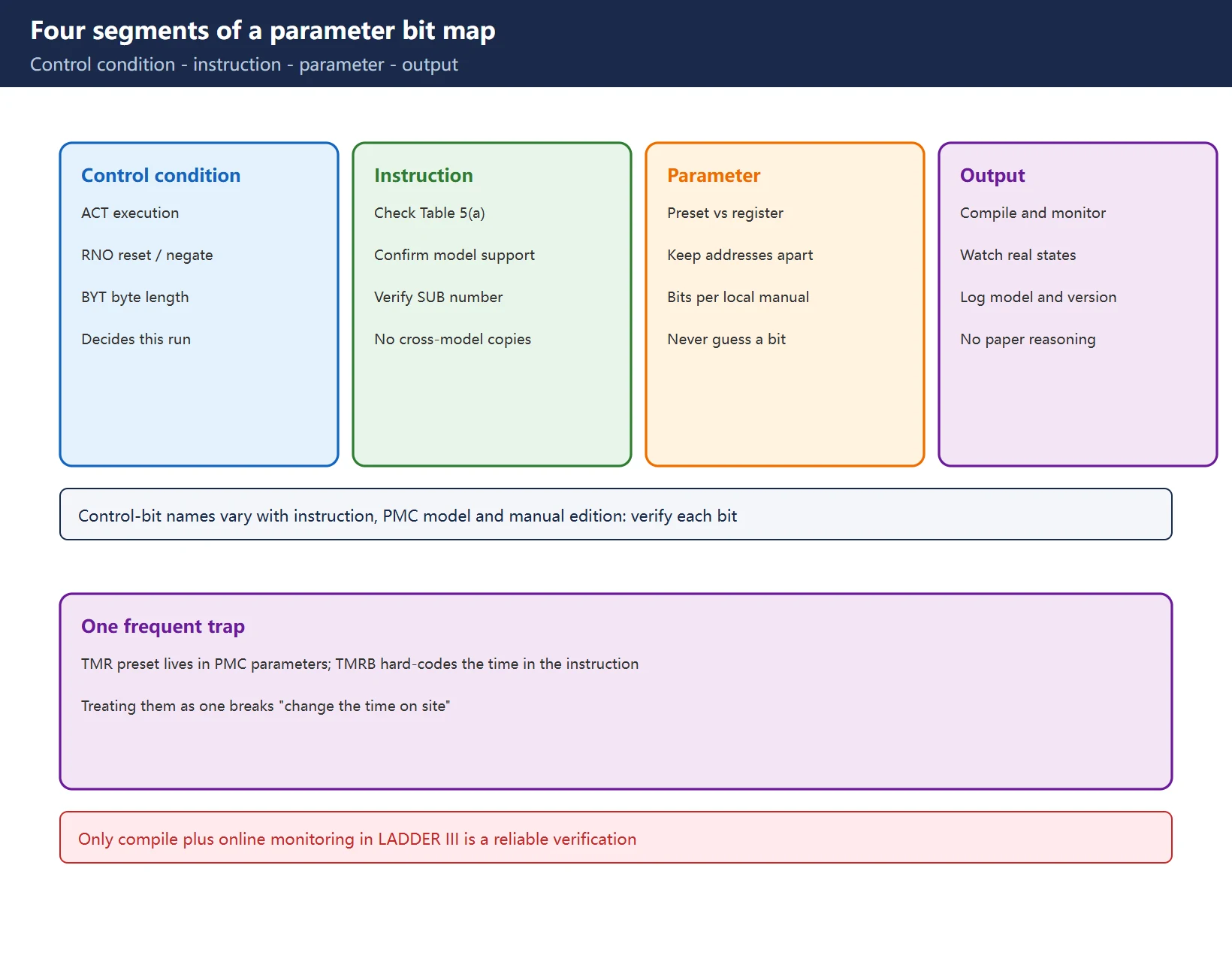
The basic format of a functional instruction is four segments: control condition → instruction → parameter → output. The control bits (ACT execution condition, RNO reset / negate, BYT byte length, DIR direction, POS position, OOC inverted output, INC increment and so on) decide how the instruction runs this time. But control-bit names and meanings vary with the instruction, the PMC model and the manual edition, so:
| When reading a bit map | Correct practice | What not to do |
|---|---|---|
| Confirm instruction and SUB number | First check Table 5(a) for your model: the instruction exists and is available | Do not copy a same-named instruction from another model |
| Read control-condition bits | Confirm each bit against the parameter description of that instruction in your manual | Do not guess that a bit means “hold” |
| Fill parameters and addresses | Distinguish “preset value address” from “register / result address” | Do not mix the two up |
| Compile and monitor online | Compile with LADDER III, then watch the actual state online | Do not rely on paper reasoning alone |
Table 3 Four rules for reading parameter bit maps (using TMR / CTR / COMP class instructions)
For timers, What Is a PMC in Fanuc? explains scan time and where timers fit, and PMC Diagnostic Screens shows how to watch the status live. A TMR preset lives in PMC parameters while TMRB hard-codes the time in the instruction: treating them as one is the classic reason “the time cannot be changed on site”.
4. Model Availability Matrix: SA1 vs SB7 as Evidence
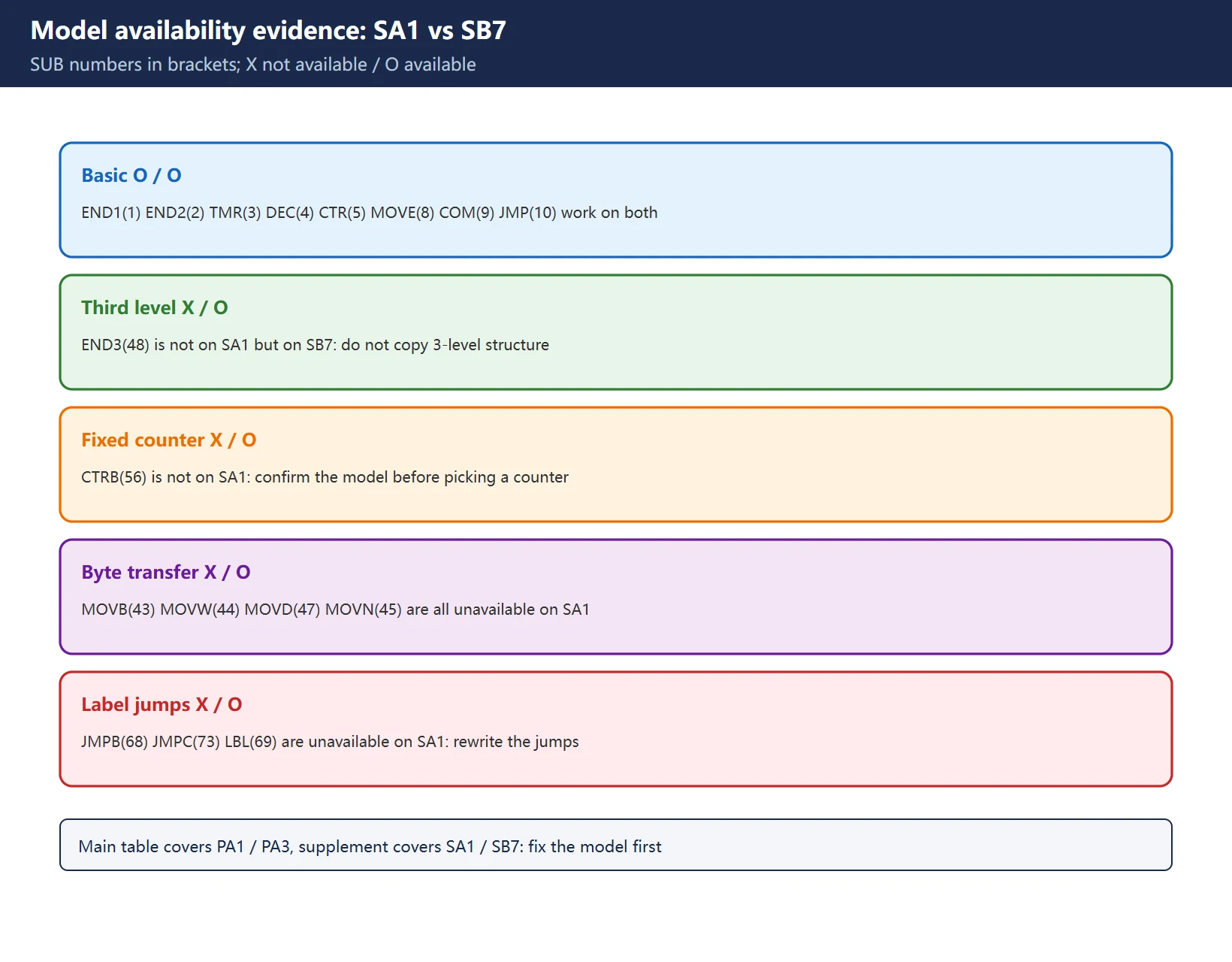
Table 5(a) of the -15-3 supplement directly gives two availability columns, PMC-SA1 and PMC-SB7. These are the entries explicitly marked X / O as different in the official table, shown to demonstrate that “the same SUB number is supported differently on different models”:
| Instruction (SUB number) | PMC-SA1 | PMC-SB7 | Note |
|---|---|---|---|
END1(1) END2(2) TMR(3) DEC(4) CTR(5) MOVE(8) COM(9) JMP(10) | O | O | Basic instructions, available on both |
END3(48) | X | O | Third-level program end, not on SA1 |
CTRB(56) | X | O | Fixed counter, not on SA1 |
MOVB(43) MOVW(44) MOVD(47) MOVN(45) | X | O | Byte / word / double-word / arbitrary-byte transfer, not on SA1 |
JMPB(68) JMPC(73) LBL(69) | X | O | Label jumps and label, not on SA1 |
Table 4 SA1 / SB7 availability differences from official -15-3 supplement Table 5(a) (O available / X not available)
🚨 Use this table as a “how to read” example, not as a verdict for your machine: the main table covers PA1 / PA3 while the supplement covers SA1 / SB7, two different model groups. Find out which PMC model your machine has, then read Table 5(a) of the matching manual edition. The “SB5 / SB6 / SB7 / SA1 / SA5 full model matrix” requested in some checklists has no corresponding columns in the official table verified here, and with no reliable source we do not invent one — this is precisely the part of this page most worth citing.
5. Common Mistakes and Fixes
Table 5 Five common PMC functional-instruction mistakes and related guides
Always make a recoverable backup before changing the PMC. Never download a ladder or remap keys while automatic machining is running; see Backup and Restore a Fanuc PMC Program.
6. Official Manual Search Keys and Compliance Boundary
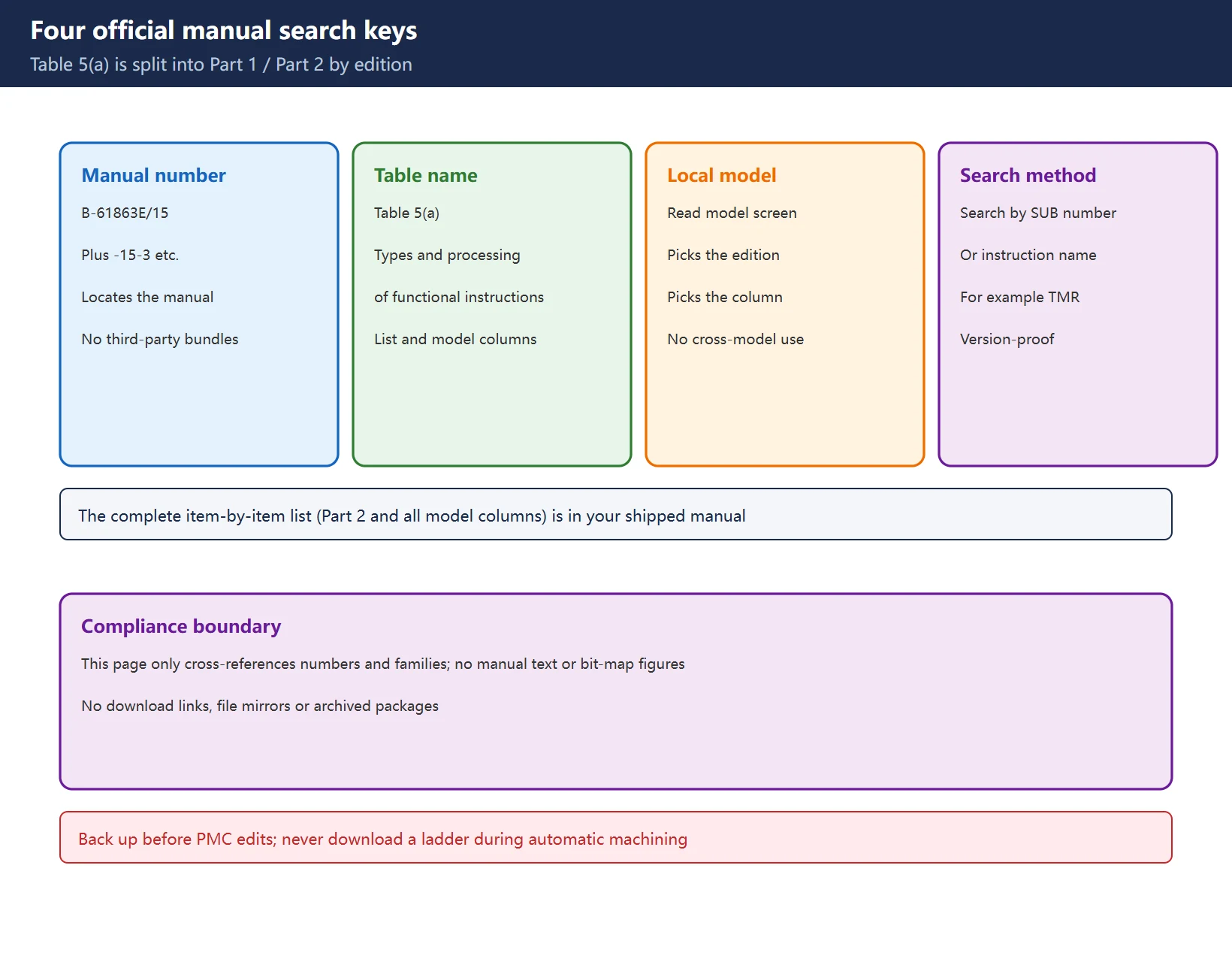
| Search key | Verifiable official wording | Use |
|---|---|---|
| Manual number | B-61863E/15 (and -15-3 supplements) | Locate “PMC Ladder Language Programming Manual” |
| Table name | Table 5(a) Types and processing of functional instructions | Find the instruction list and model-availability columns |
| Local PMC model | Read from the PMC model screen / system configuration | Decides which edition and which column |
| Search method | Full-text search by SUB number or instruction name (e.g. TMR) | Version differences cannot hide the row |
Table 6 Four official manual search keys
The manual text, full instruction table and parameter bit maps are protected by copyright. This page only gives an objective cross-reference of numbers and families; it does not reproduce the manual text, does not provide download links, file mirrors or archived packages. For item-by-item verification, read Table 5(a) of the manual shipped with your machine. LADDER III version selection and Export / Print parameter tables and ladder cover the tooling side, not the instruction definitions.
7. Related Guides on This Site
Table 7 Related in-depth guides on this site
Frequently Asked Questions
Where can I find a complete FANUC PMC functional instruction (SUB) list?
The complete item-by-item list is in Table 5(a) of the official FANUC manual “PMC Ladder Language Programming Manual” (B-61863E/15 and its supplements); locate it through official channels by manual number and search the table by SUB number or instruction name. Chinese long images and simplified English tables online usually omit the model column, and some even mislabel TMR as SUB4, so they cannot serve as the authority for your machine. This page provides the verifiable SUB numbers and family framework, real model-availability differences and the search method, without reproducing manual text.
Are PMC SUB instructions universal across SB5 / SB6 / SB7?
That is the wrong question, and “universal” is not a valid answer. The model columns of official Table 5(a) are grouped by manual edition: the main table verified here covers PA1 / PA3, the -15-3 supplement covers SA1 / SB7, and there is no official full matrix of “which SB5 / SB6 / SB7 / SA1 / SA5 model supports which instruction”. The demonstrated difference is that END3(48), CTRB(56), MOVB(43), MOVW(44), MOVD(47), MOVN(45), JMPB(68), JMPC(73) and LBL(69) are X on SA1 and O on SB7. Read out your local PMC model first, then check Table 5(a) of the matching manual edition.
How do I choose between TMR and TMRB?
TMR(SUB3) is a variable timer whose time is set in PMC parameters, so it can be changed on site and suits commissioning; TMRB(SUB24) is a fixed timer with the time written into the instruction, suited to safety delays that must not change once the machine is signed off; TMRC(SUB54) is an additional timer. Note that TMR is SUB3, not the SUB4 found in some online tables (SUB4 is DEC, BCD decode). Their parameter formats and preset addresses differ, so wire them according to Table 5(a) and the parameter description of that instruction in your own manual; do not misread “time cannot be changed” as “the instruction is faulty”.
Last updated: 2026-11-11
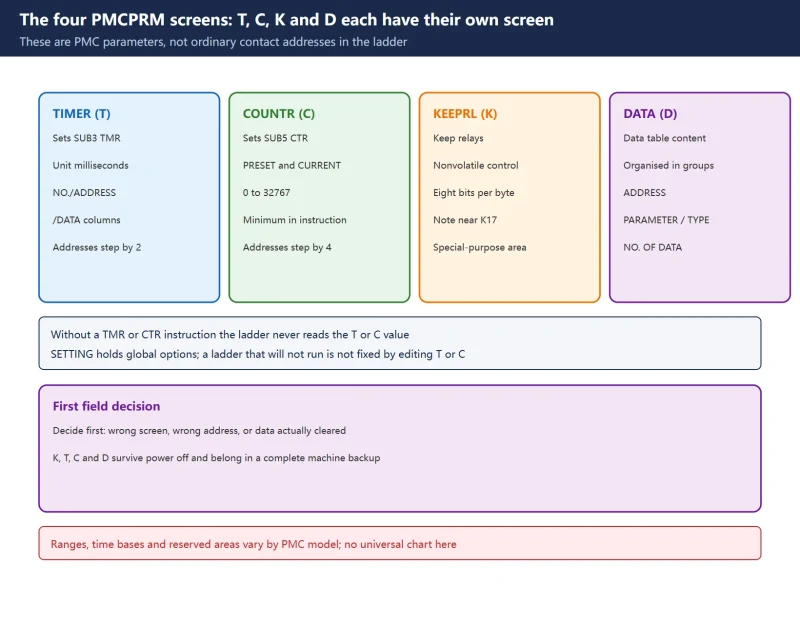
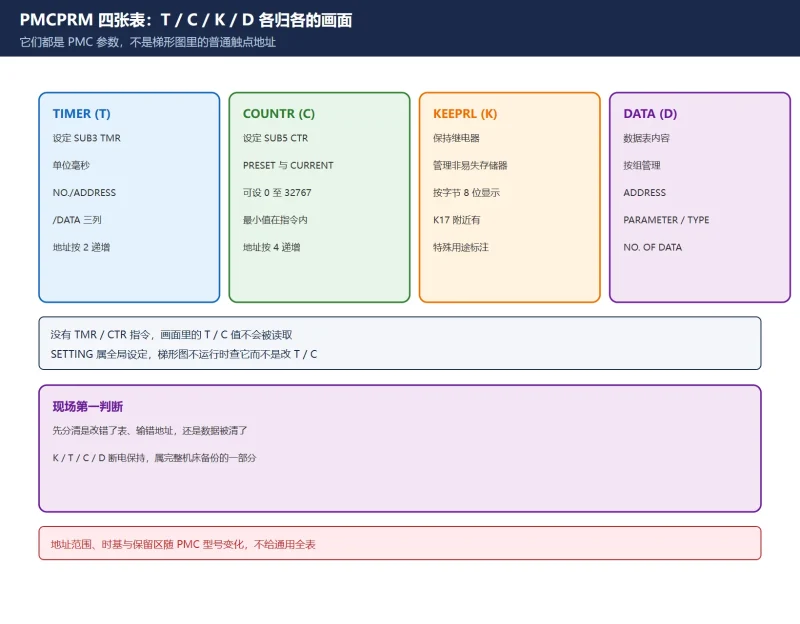
Where SUB3 TMR and SUB5 CTR parameter values are actually set
Where to go next
- FANUC Troubleshooting — the full guide library: alarms, diagnosis numbers, servo, spindle, PMC and electrical faults, organised by symptom.
- CNC Repair Tools — which instrument measures what: multimeters, clamp meters, insulation testers and oscilloscopes, with the specification that actually matters.
- Remote Technical Support — have the readings reviewed with you: alarm reverse lookup, PMC ladder analysis and servo tuning advice by call. Repair companies and integrators welcome.
Read the guide, get the right instrument, or walk the diagnosis through with someone — pick whichever you need.
The original Chinese version — same procedure, with the full field notes.
















暂无评论内容