


一句话答案:FANUC PMC force output (signal FORCE) pins a PMC signal to 1 or 0 to diagnose whether ‘the valve is bad, the wire is broken, or the logic never arrived’ — without depending on ladder logic. Force Y to energize a load or test a solenoid; force G/F to bypass interlocks only with care, and always release after the test.
FANUC PMC force output (signal FORCE) is the most “instant” yet most “dangerous” tool in maintenance and commissioning: without depending on the ladder logic, it pins a PMC signal to 1 or 0 to tell whether “the valve is bad, the wire is broken, or the logic never arrived”. Forcing a Y point to “poke” a stuck tool changer back to position, or forcing a Y to test a solenoid that won’t move – that’s all it.
But forcing a Y point means directly energizing the external load; forcing G/F means bypassing safety interlocks – used wrong, it crashes the machine or hurts someone. This article covers the entry point, which addresses can be forced, the four-step standard procedure, and the safety red lines.
One line: Force is for “diagnosing signal on/off”, not for “replacing logic to run long-term”. Release it after the test.
1. What is PMC force output (signal force)
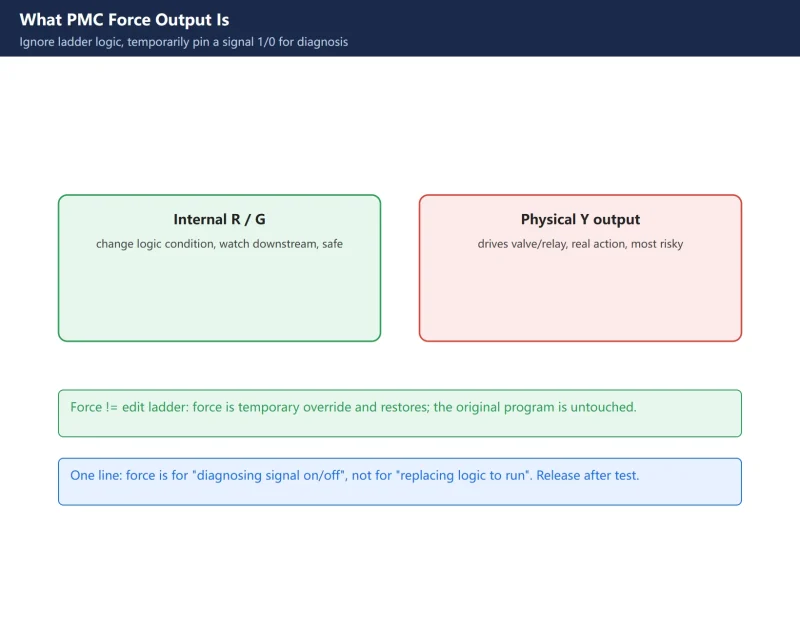
Each PMC scan cycle refreshes signal states from the ladder. Force (FORCE) means “ignore what the logic computed, I pin this address to 1 or 0” – a temporary override for diagnosis.
- Force an R/G internal signal: temporarily rewrite a logic condition and watch the downstream – a safe diagnostic.
- Force a Y output signal: directly drives the external relay/solenoid – physical action, most dangerous.
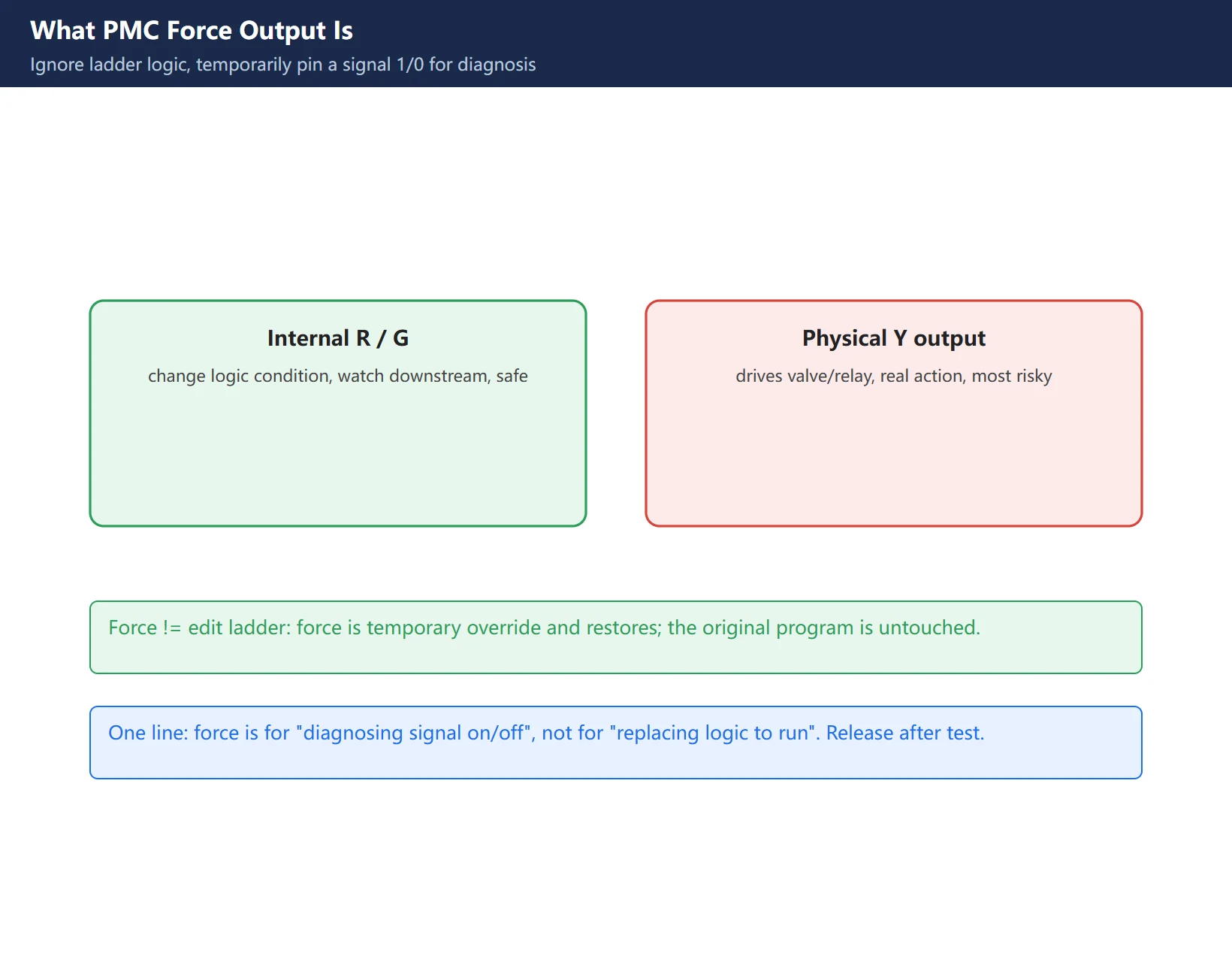
Force is not the same as editing the ladder: editing changes logic permanently; force temporarily overrides and restores, leaving the original program untouched.
2. Where: PMC → PMCDGN → STATUS → FORCE
Standard entry (0i series):
PMC → PMCDGN (diagnosis) → STATUS → soft key [FORCE] → [ON] / [OFF]
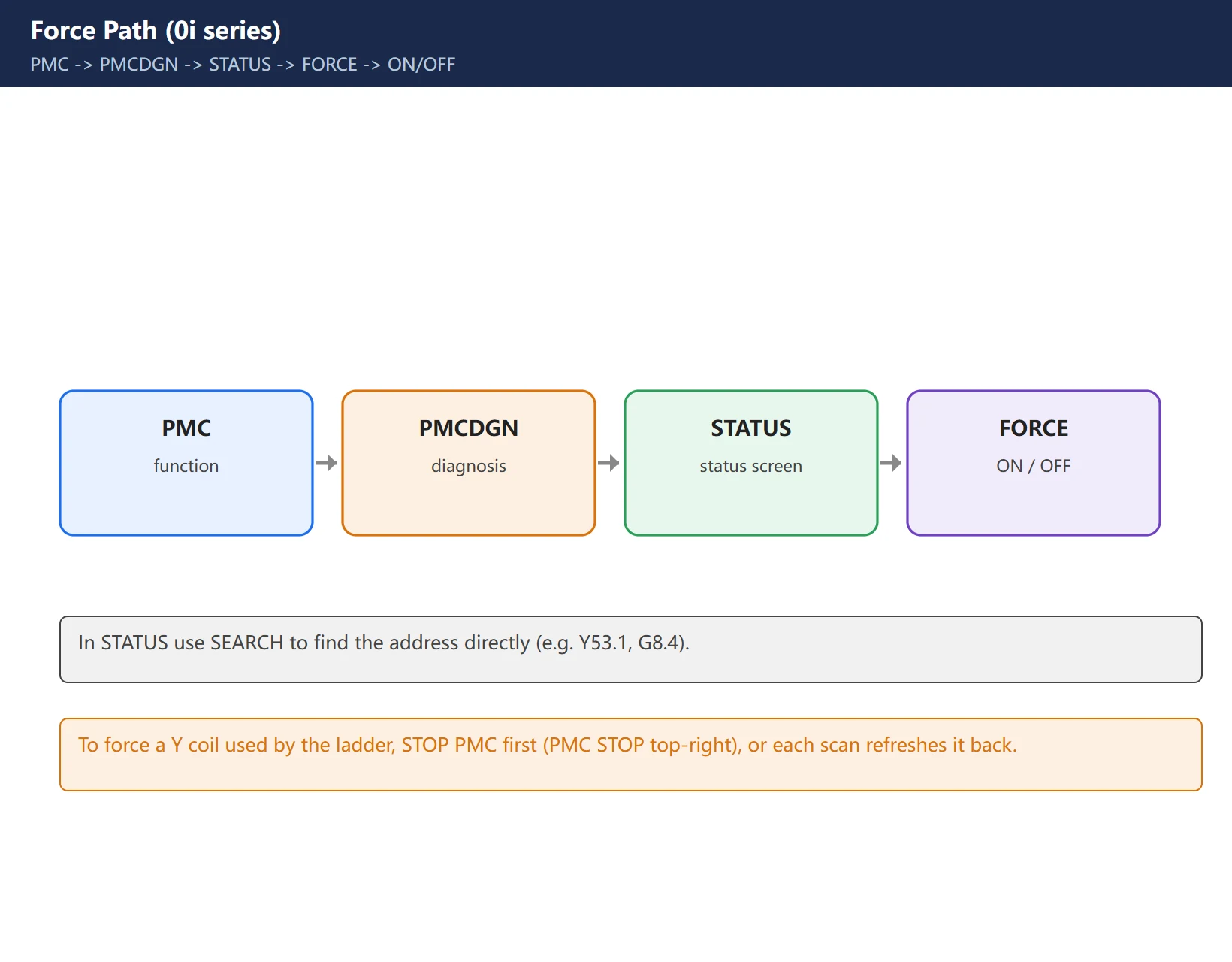
- In STATUS you can
SEARCHthe address directly (e.g. Y53.1, G8.4). - Move cursor to the target, press
FORCE→ONto force on,OFFto force off. - To force an output coil used by the ladder (some Y coil), you must first stop the PMC (otherwise each scan cycle refreshes the signal back and the force is void). Press PMC submenu
STOP→YES; “PMC STOP” appears top-right, then force.
3. Which addresses: G/R/C/A/T/E/D/Y
These PMC addresses can be forced on/off: G, R, C, A, T, E, D, Y (plus X latching force).
| Address | Type | Force use | Risk |
|---|---|---|---|
| Y | physical output | drives valve/relay, real action | High |
| G | CNC→PMC | bypass CNC-side condition (e.g. G7.2 cycle start) | High (safety) |
| R | internal relay | temporarily change logic condition, most used | Low |
| F | PMC→CNC | feedback signal, force lies to CNC | Med |
| A | alarm address | force clear/raise alarm | Med |
| C/T/D/E | counter/timer/data | temporarily change value for test | Low |
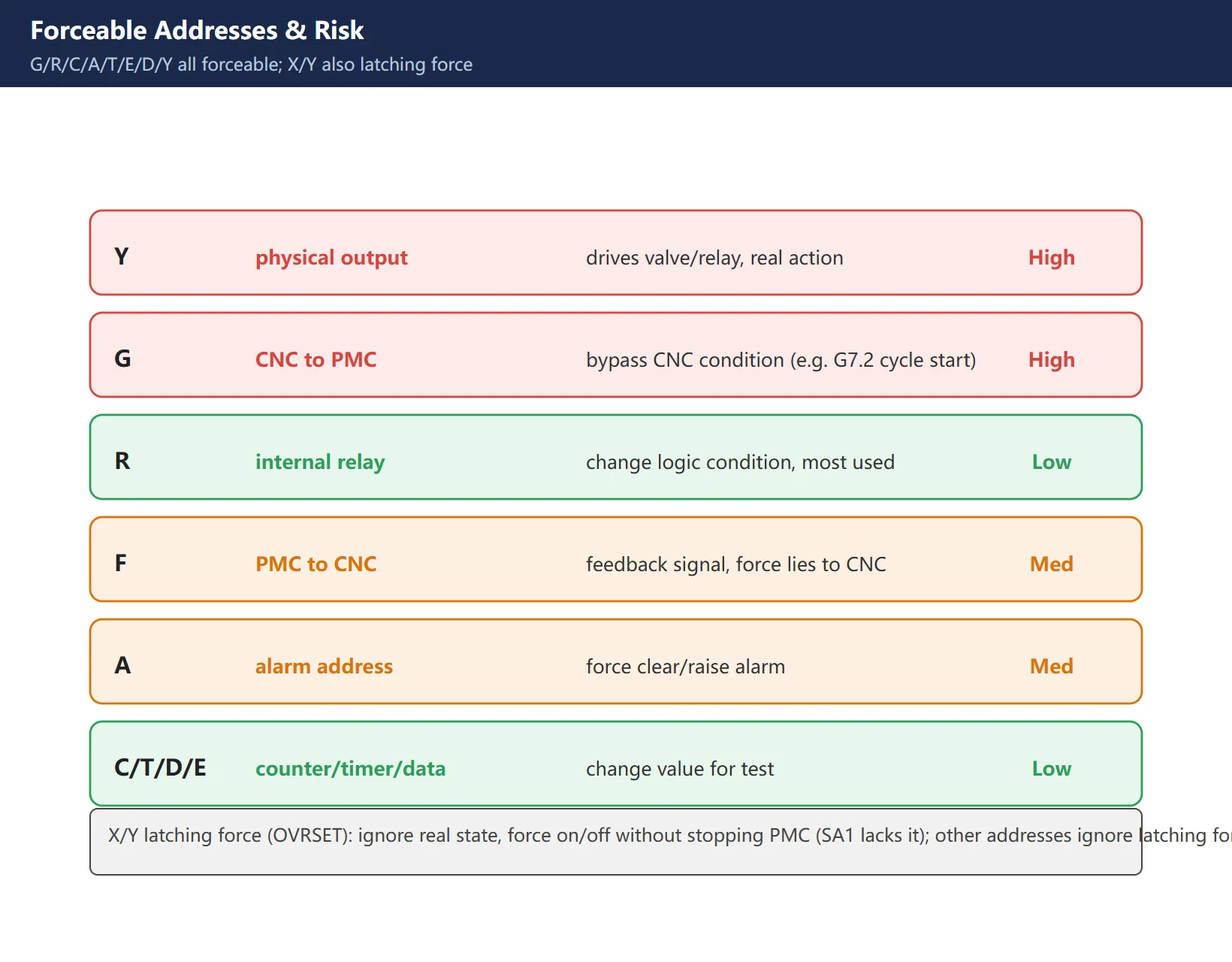
Note: X/Y also have “latching force” (OVRSET) – ignore the real input state and the real PMC output, force on/off without stopping PMC (SA1-type PMC lacks this). For addresses other than X/Y, latching force is invalid; to force them you must stop PMC.
4. Force Y output: most useful, most dangerous
Forcing a Y point = bypass the ladder and directly energize the external load. It’s the magic for telling “valve/wire/card” apart, and the source of accidents.
- Typical use: suspect a solenoid won’t move, force its Y ON and watch if the valve pulls in / cylinder moves – valve dead means valve/wire/power problem, valve moves means logic never reached it. Forcing a Y to “poke” a stuck tool changer back is the same idea.
- Red line: before forcing Y, confirm safe state – machine in E-stop, nobody nearby, driven part won’t hurt/crash, load is harmless (don’t force spindle/feed enable to move an axis). Stand by E-stop during the force.
5. Force G/R internal signals: safe bypass test
Compared with Y, forcing R/G is the safer diagnostic – it only changes conditions in the logic layer, not the physical load.
- Force R: pin an intermediate relay to 1, watch if downstream rungs act as expected – binary-locate “which stage condition is missing”.
- Force G: simulate a CNC-side condition to PMC (some G signal), test if the PMC flow passes. But never force safety-related G like G7.2 (cycle start) – forcing cycle start with the tool unclamped can spin the spindle and crash.
6. Standard procedure (stop PMC / release)
Four recommended steps, clean with no tail:
- Safe state: E-stop the machine, confirm the driven part is harmless.
- Force screen:
PMC→PMCDGN→STATUS→FORCE; search the target address. - Force / observe: if forcing a Y coil used by the ladder,
STOPPMC first thenON/OFF; observe. - Release / restore: single release
OVRST, all releaseINIT; or power off/on also clears force. After release,RUNto resume PMC and confirm no new alarm.
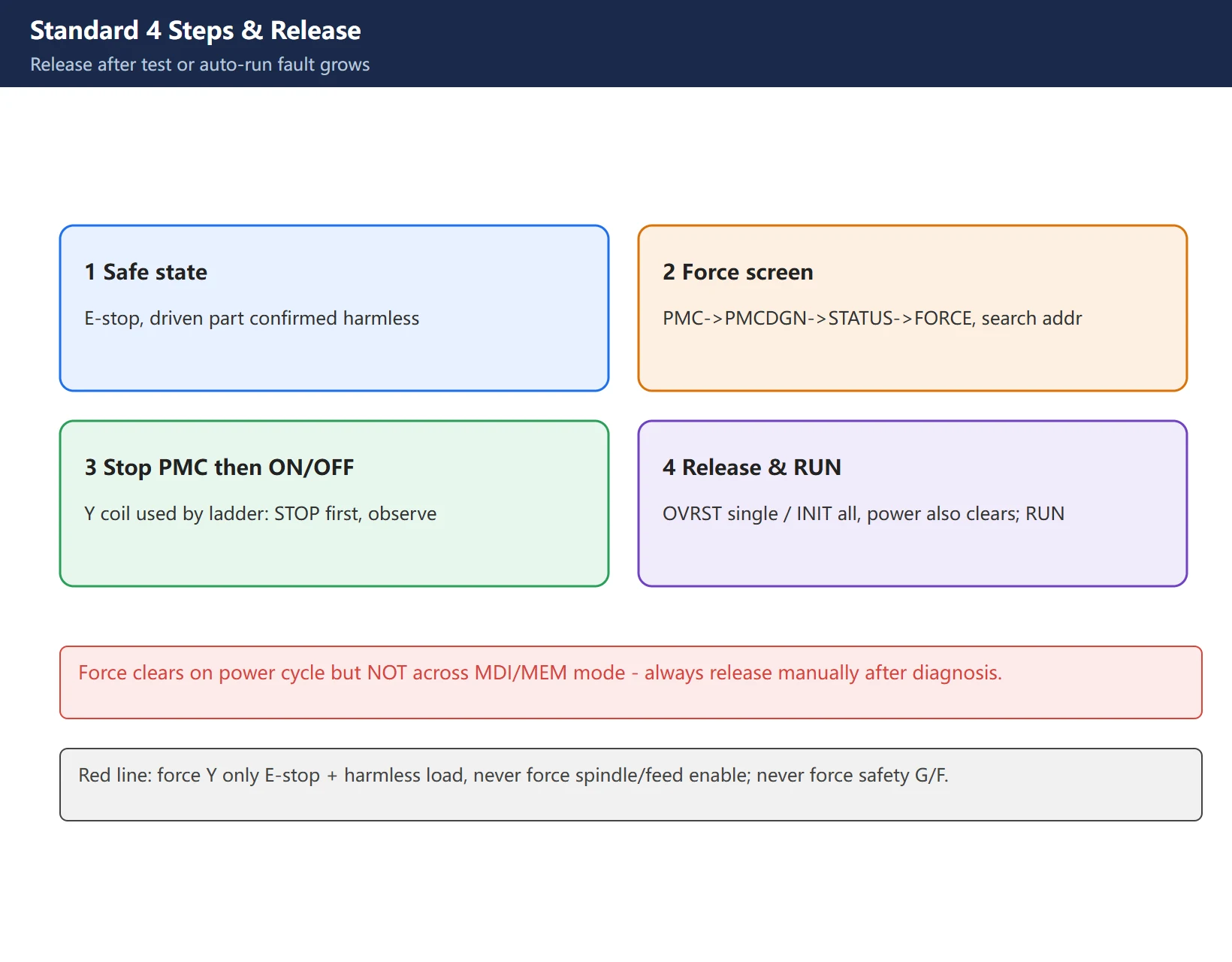
Force clears on power cycle, but does NOT auto-clear across MDI/MEM mode – so always release manually after diagnosis; don’t assume switching mode restores it.
7. Safety red lines and common misuse
- Red line 1: force Y only in E-stop with confirmed harmless load; never force spindle/feed enable to move an axis.
- Red line 2: never casually force safety-related G/F (E-stop, servo enable, cycle start) – it bypasses interlocks.
- Red line 3: release each one after testing; otherwise in auto mode the forced address won’t follow logic and you enlarge the fault yourself.
- Misuse: using force as “temporary logic to run long-term” – force is not logic; it drops on power loss/release and is easy to forget.
- Misuse: forcing a Y coil used by the ladder without stopping PMC, then “it refreshes back right after I force” – that’s not a broken force, you didn’t stop PMC.
FAQ
What is the difference between force output and editing the ladder?
Force (FORCE) temporarily pins an address to 1/0; the ladder is untouched, and releasing restores the original – used to diagnose signal on/off. Editing the ladder permanently changes logic and needs a download to take effect – used for official changes. One line: force is “borrow a signal to see the reaction”, editing is “change the rule”. Prefer force for troubleshooting; only edit the ladder after confirming the root cause.
Can forcing a Y point burn things or crash the machine?
Possibly – so before forcing Y, enter a safe state: E-stop, nobody nearby, driven part confirmed harmless. Forcing Y directly energizes the external load; if you force spindle/feed enable (signals that move axes), the axis moves and crashes; if you force a normal solenoid under line pressure, the valve actuates. Correct practice: only force a “harmless small load” for on/off test, hand on E-stop. Never force safety-interlock signals.
What if I forget to release after forcing?
The forced state stays active while PMC runs; in auto mode that address won’t follow logic – e.g. a Y forced ON keeps energizing as soon as the machine auto-runs, enlarging the fault; a forced R keeps a condition always met/unmet, giving weird hard-to-find symptoms. So after each diagnosis press OVRST (single) or INIT (all) to release, or power cycle to clear, then RUN to resume PMC and confirm no new alarm.
Last updated: 2026-10-30
Related (EN): Homing troubleshooting: how to read the decel switch input (PMC X address) — this page covers PMC force output and signal diagnosis; that one needs to confirm whether the decel switch toggles, which is exactly the X-address check on the PMC diagnostic screen. Use the two together.
Where to go next
- FANUC Troubleshooting — the full guide library: alarms, diagnosis numbers, servo, spindle, PMC and electrical faults, organised by symptom.
- CNC Repair Tools — which instrument measures what: multimeters, clamp meters, insulation testers and oscilloscopes, with the specification that actually matters.
- Remote Technical Support — have the readings reviewed with you: alarm reverse lookup, PMC ladder analysis and servo tuning advice by call. Repair companies and integrators welcome.
Read the guide, get the right instrument, or walk the diagnosis through with someone — pick whichever you need.
The original Chinese version — same procedure, with the full field notes.






















暂无评论内容