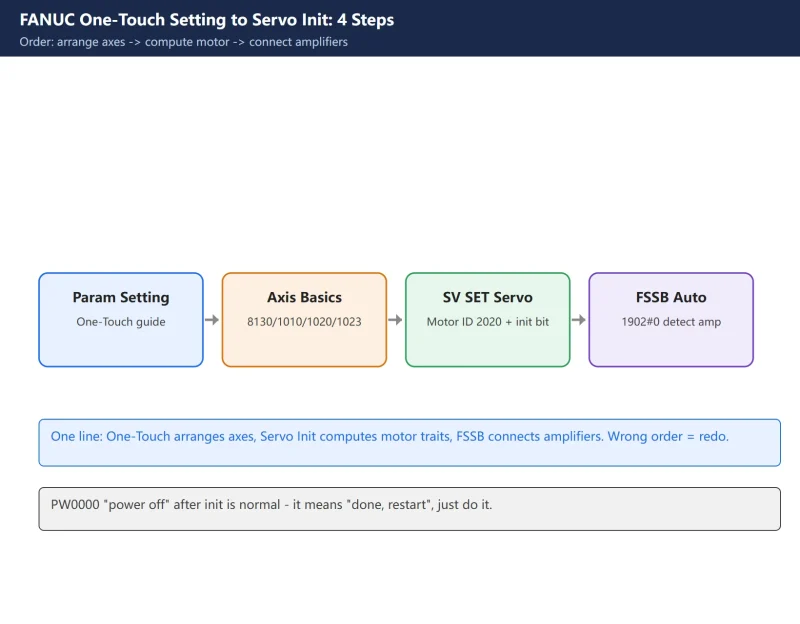



一句话答案:FANUC commissioning uses two distinct auto-configuration steps in a fixed order: One-Touch Setting (Parameter Setting Support, inputs 8130/1010/1020/1023) defines how the axes are arranged, then Servo Initialization (SV SET, 2020/2000#1/1820/2084-2085) lets the system compute servo parameters from the motor type, and FSSB auto-setting then links amplifiers to axes. Get the order wrong and you get alarm 417, 5136 or a reversed axis.
On a new-machine commissioning, after a servo motor swap, or when parameters are lost, FANUC has two “auto-configuration” steps you must know: One-Touch Setting (Parameter Setting Support), which configures the axes and basic parameters in one pass; and Servo Initialization (SV SET servo setting screen), which lets the system compute servo parameters automatically from the motor type.
These two are often confused, or done in the wrong order – resulting in alarm 417 (servo parameter error), 5136 (FSSB), or a reversed axis. This article walks the full chain “One-Touch Setting → Servo Initialization → FSSB auto-setting → post-init handling”, with every parameter number checked against the 0i series.
One line: One-Touch Setting decides “how axes are arranged”; Servo Initialization decides “how motor characteristics are computed”; FSSB decides “how amplifiers connect to axes”. Get the order wrong and you redo it.
1. What One-Touch Setting Is: configure axes and basic parameters first
One-Touch Setting (called “Parameter Setting Support” on 0i-D / 0i-F) is FANUC’s guided screen that fills in the easy-to-mistype basic parameters – axis count, axis names, axis assignment – in one pass.
Path: SYSTEM → Parameter Setting Support → follow the prompts. Under the hood it writes 8130 (total controlled axes), 1010 (CNC controlled axes), 1020 (axis names), 1022 (axis attributes), 1023 (servo axis assignment), 1024 (degrees per revolution for rotary axes), etc.
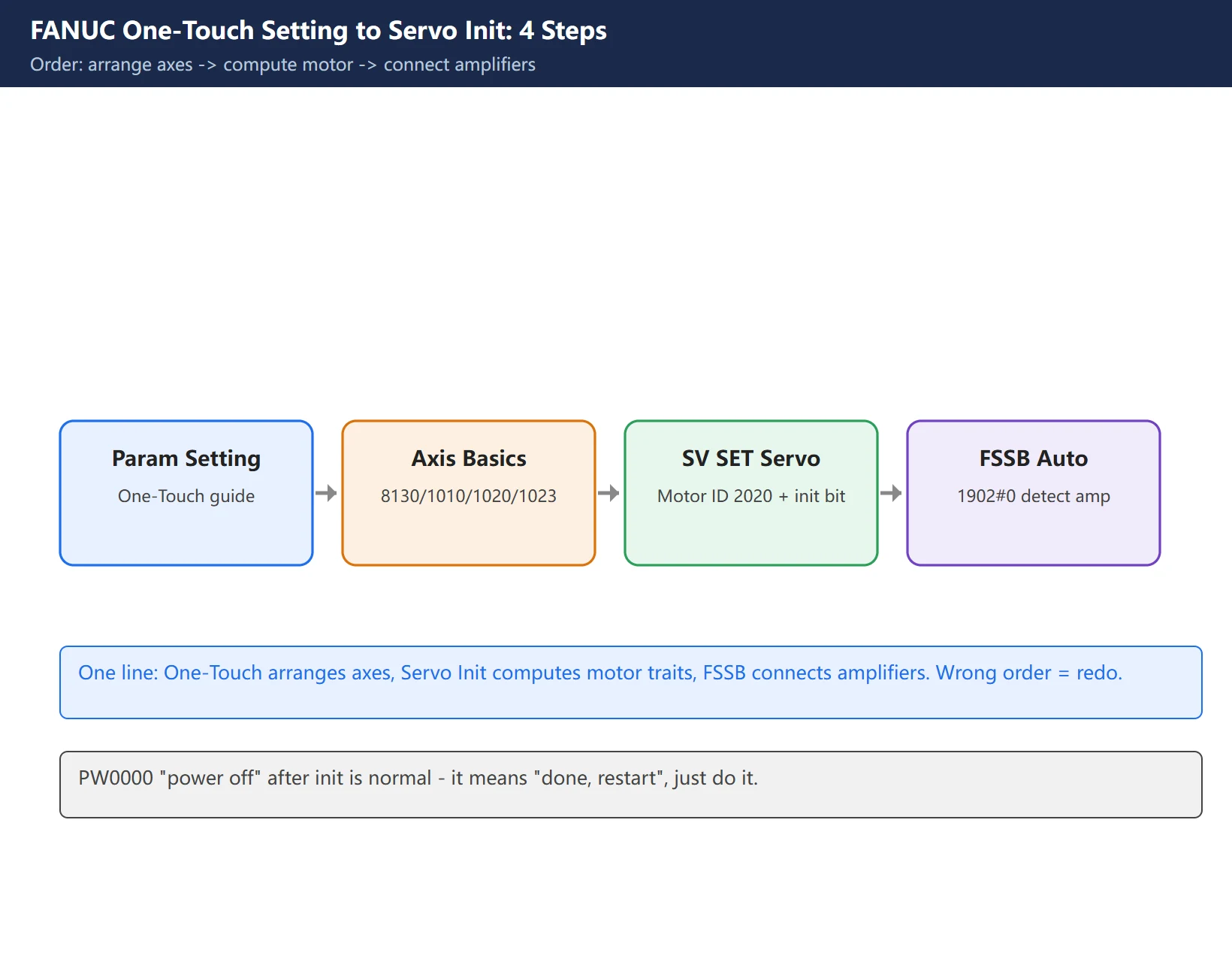
One-Touch Setting only settles “how many axes, what they are called, which servo they map to” – it does not touch motor characteristics. Those (pulse count, gear ratio, direction) come from the next step, Servo Initialization.
2. One-Touch Setting Inputs: 8130 / 1010 / 1020 / 1023
The ones to double-check in One-Touch Setting:
| Parameter | Meaning | Typical value |
|---|---|---|
| 8130 | Total controlled axes | Lathe 2 / Mill 3 or 4 |
| 1010 | CNC controlled axes (incl. spindle C) | match the model |
| 1020 | Axis names | X=88, Y=89, Z=90, A=65… |
| 1022 | Axis attribute | 1=linear, 0=rotary |
| 1023 | Servo axis assignment | axis 1=1, axis 2=2… |
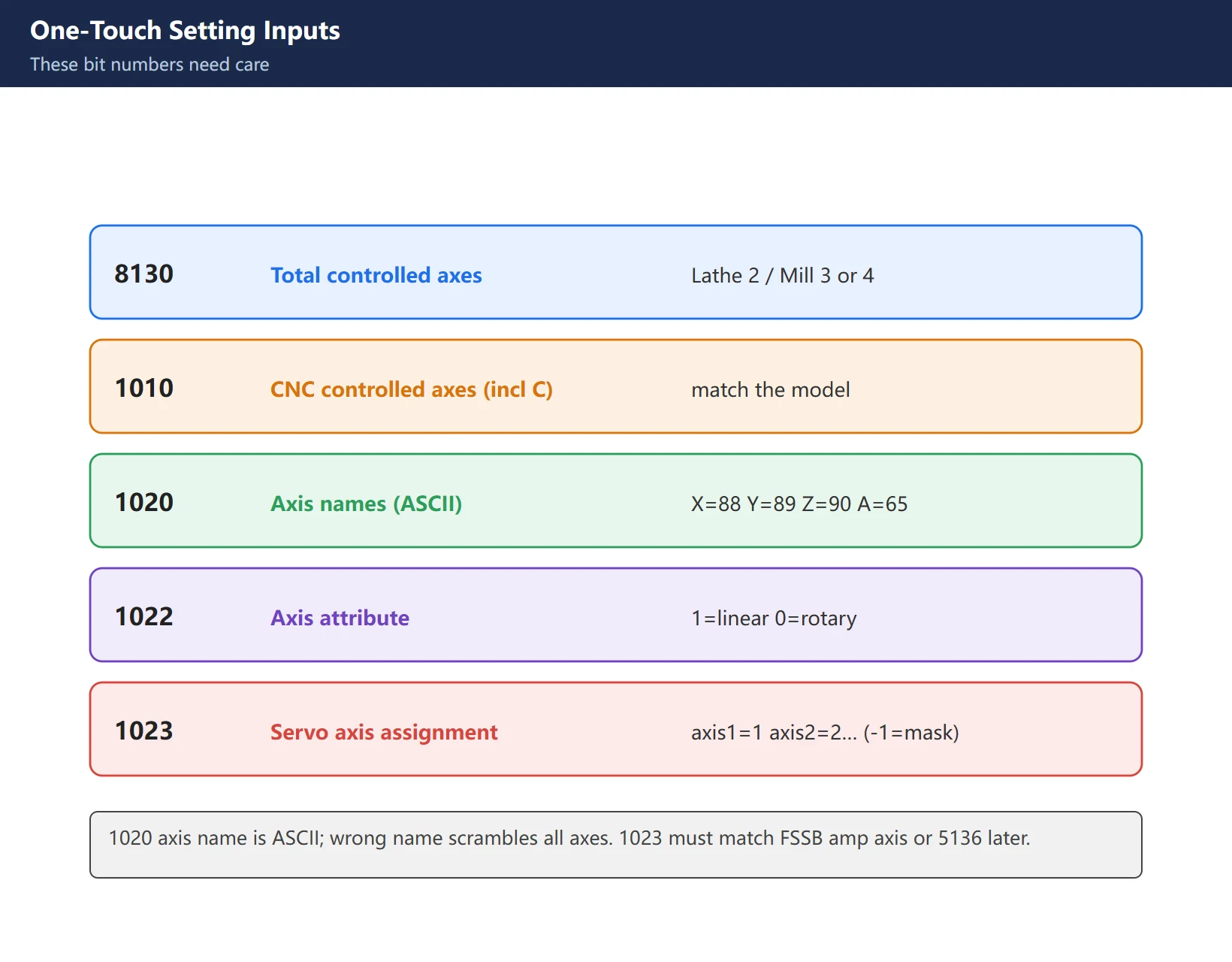
Key points: 1020 axis name is ASCII – X=88, Y=89, Z=90; a wrong name scrambles the whole machine’s axes. 1023 servo axis must match the amplifier axis number in FSSB, otherwise 5136 later. To bench-test without a motor, set 1023 to -1 to mask that axis and clear 5136.
3. Servo Initialization (SV SET): Motor ID + init bit
With axes arranged, open the SV SET servo setting screen (first set 3111#0 = 1 so the servo screen shows; path SYSTEM → ext → SV-PRM). This step makes the system compute servo parameters from the motor type.
Two essentials:
- Motor ID No. 2020: the motor’s type code, looked up from the motor nameplate model (A06B-XXXX format) in the FANUC motor parameter manual – not something the amplifier knows automatically at power-on**. A wrong motor ID means mismatched characteristics, or an alarm right at power-on.
- Init bit No. 2000#1 (DGPRM): set to 0 → power off → power on again. The system auto-initializes the amplifier and motor from the 2020 ID; when done it shows PW0000 “PLEASE TURN OFF POWER” – power cycle as told, and the bit auto-returns to 1.
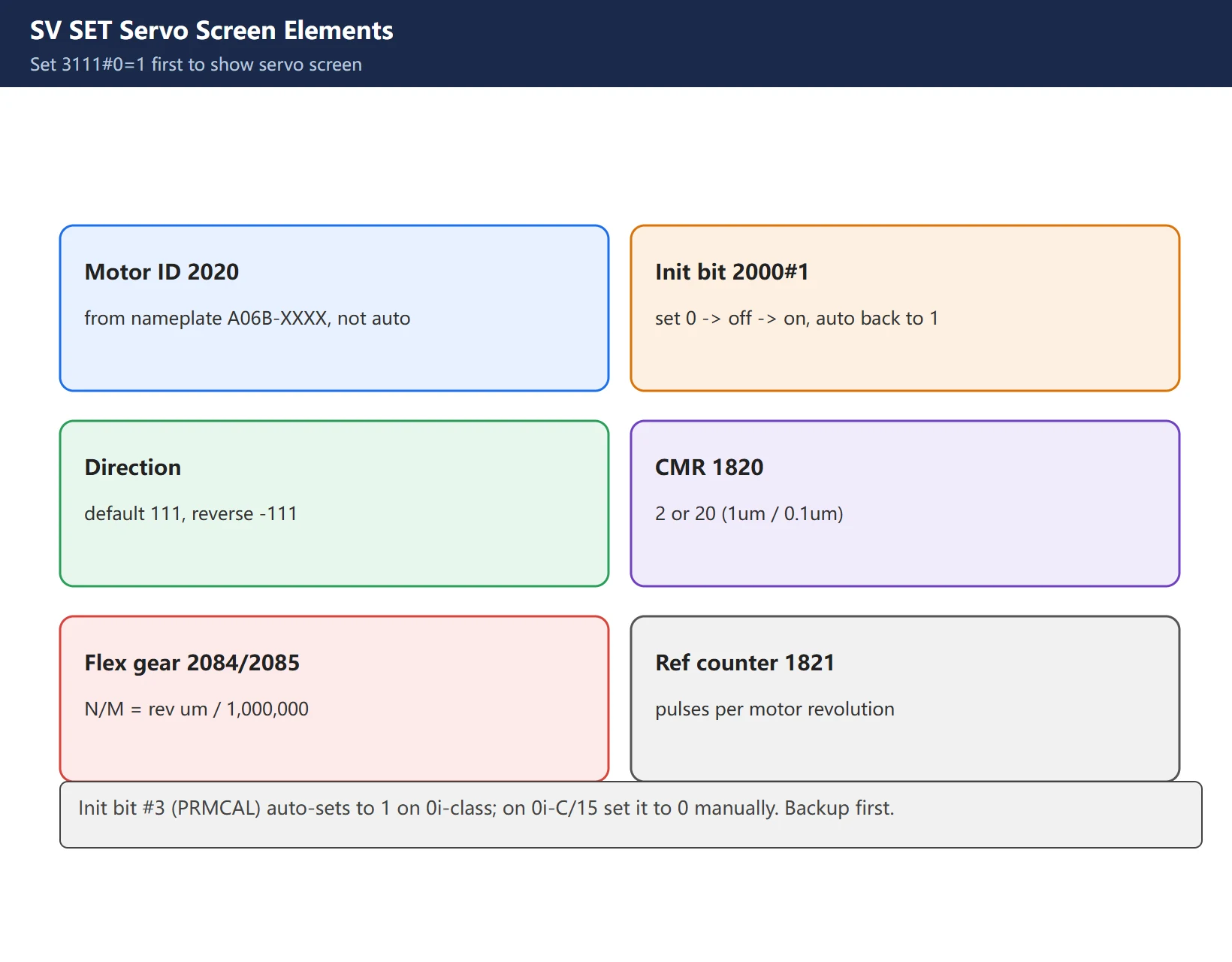
Direction Set: default 111 (CW), reverse to -111. The init bit #3 (PRMCAL) auto-sets to 1 on 0i-class models; on 0i-C / 15 series you must set it to 0 manually.
4. Parameters auto-computed after init: 1820 / 2084-2085 / 1821
On successful init the system auto-writes these motor-characteristic parameters (set half-loop first if you run half-loop):
- 1820 (CMR command multiplier): commonly 2 or 20. 1820=2 → detection unit 1 μm; =20 → 0.1 μm.
- 2084 / 2085 (flexible gear ratio N/M): N/M = travel per motor revolution (in μm) / 1,000,000. E.g. pitch 10 mm, 1 μm unit → N/M = 1/100; pitch 8 mm, 0.1 μm → 8/100.
- 1821 (reference counter capacity): pulses per motor revolution. Pitch 10 mm, 1 μm → 10000; pitch 8 mm, 0.1 μm → 80000.
- 2023 (velocity pulse): α built-in encoder usually 8192; 2024 (position pulse): usually 12500.
- 2001 (AMR): motor rotation direction etc., normally left as-is after init.
Get the flexible gear ratio N/M aligned with pitch and detection unit, or you get “command 10 mm but it actually moves 8 mm” – the classic size-drift fault.
5. FSSB Auto-Setting: 1902#0 detects amplifiers, 5136 alarm
With axes and motors set, the CNC must also recognize “where the amplifiers are and how many”. FSSB is the high-speed serial bus (optical fiber, daisy-chained, directional) between CNC and the per-axis amplifiers.
- Set 1902#0 (FMD) = 1 to run FSSB auto-setting; the system re-detects online amplifier count and axis mapping; the bit returns to 0 when done.
- 5136 alarm (FSSB motor number too small): raised when the amplifier count is less than the 1023 setting on the CNC side. Three causes: optical fiber TX/RX reversed (FSSB fiber is directional), fiber not seated / latch not clicked, or a middle axis module dropped (in a daisy chain, one loose ring loses everything after it).
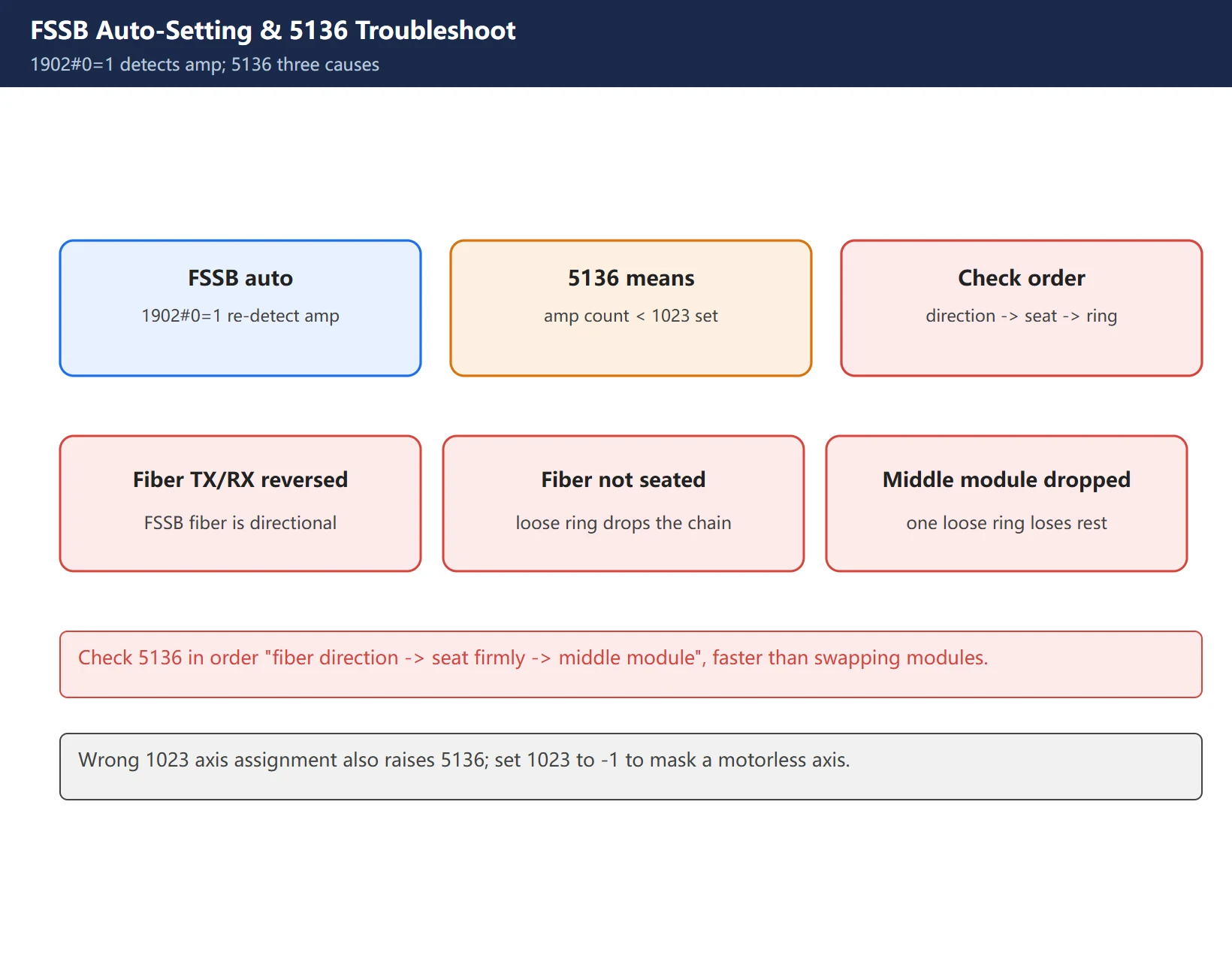
Troubleshoot 5136 in order “fiber direction → seat firmly → middle module”, much faster than swapping modules.
6. Must-do after init: power cycle + servo tuning + alarm check
Init is not the finish line:
- Confirm power cycle: 2000#1 auto-returns to 1 with no PW0000 – init truly complete.
- Servo tuning: init only gets parameters right, not necessarily optimal gain. Use SERVO GUIDE or tune 1825 (loop gain) etc. for servo optimization and vibration suppression.
- Alarm check: common 417 (servo param incorrect, redo init), SV0413 (amplifier not ready), 5136 (FSSB) – trace each back to its step.
- Parameter compare & backup: compare old/new params with SERVO GUIDE or a parameter sheet; confirm no anomaly before production.
7. Common pitfalls
- PW0000 is not a fault: after init it says “power off” – it means “I’m done, restart”, just do it.
- 417 alarm: servo parameters incorrect, usually One-Touch/servo init incomplete or wrong motor ID – redo init.
- Axis reversed: flip that axis’s
Direction Setfrom 111 to -111 (or vice versa). - Size drifts: flexible gear ratio 2084/2085 not aligned with pitch/unit – recompute.
- 5136 keeps coming: check FSSB fiber direction and seating first, then 1023 axis assignment.
FAQ
What is the relationship between One-Touch Setting and Servo Initialization?
One-Touch Setting (Parameter Setting Support) only handles “how axes are arranged” – axis count, names, assignment (8130/1010/1020/1023). Servo Initialization (SV SET) handles “how motor characteristics are computed” – from the motor ID (2020) it auto-computes pulse count, gear ratio, direction. They are sequential: arrange axes with One-Touch Setting, then compute each axis’s motor characteristics with Servo Initialization, with FSSB connecting amplifiers to axes in between. Wrong order or a skipped step yields 417, 5136, or a reversed axis.
Is it normal that the init bit becomes 1 after setting it to 0 and restarting?
Yes, by design. No.2000#1 (DGPRM) set to 0 tells the system “re-initialize from the motor ID at power-on”; once done it auto-sets back to 1 and prompts PW0000 to power cycle. Seeing 2000#1 auto-return to 1 means init succeeded. If it stays 0 and keeps prompting init, check the motor ID (2020) and whether the amplifier is powered.
Can I just change 2020 if I swap in a different motor model?
Don’t change 2020 alone. A different motor model may have different gear ratio, pulse count, direction; changing only 2020 leaves the old servo parameters paired with the new motor – mismatched. Correct: set 2000#1 to 0 and re-run init (it recomputes the full param set from the new ID), then verify 1820/2084/2085/1821/2023/2024 and re-tune if needed. Backup parameters first; compare with SERVO GUIDE after.
Last updated: 2026-10-30
Related (EN): The other two buses besides FSSB: I/O Link and PROFIBUS dropout troubleshooting — this page covers the FSSB fibre ring (one break disables the whole ring); that one covers the I/O Link chain rule and the PROFIBUS terminator/address/shielding five checks. Three buses, same way of thinking – use them together on comms faults.
Related (EN): Homing failure troubleshooting: axis parameters and reference point setup — this page covers one-touch setting and servo initialization (8130/2020/1820 etc.); that one shows which parameters to check for homing failures and in what order – use them side by side for parameter-side faults.
Where to go next
- FANUC Troubleshooting — the full guide library: alarms, diagnosis numbers, servo, spindle, PMC and electrical faults, organised by symptom.
- CNC Repair Tools — which instrument measures what: multimeters, clamp meters, insulation testers and oscilloscopes, with the specification that actually matters.
- Remote Technical Support — have the readings reviewed with you: alarm reverse lookup, PMC ladder analysis and servo tuning advice by call. Repair companies and integrators welcome.
Read the guide, get the right instrument, or walk the diagnosis through with someone — pick whichever you need.
The original Chinese version — same procedure, with the full field notes.






















暂无评论内容