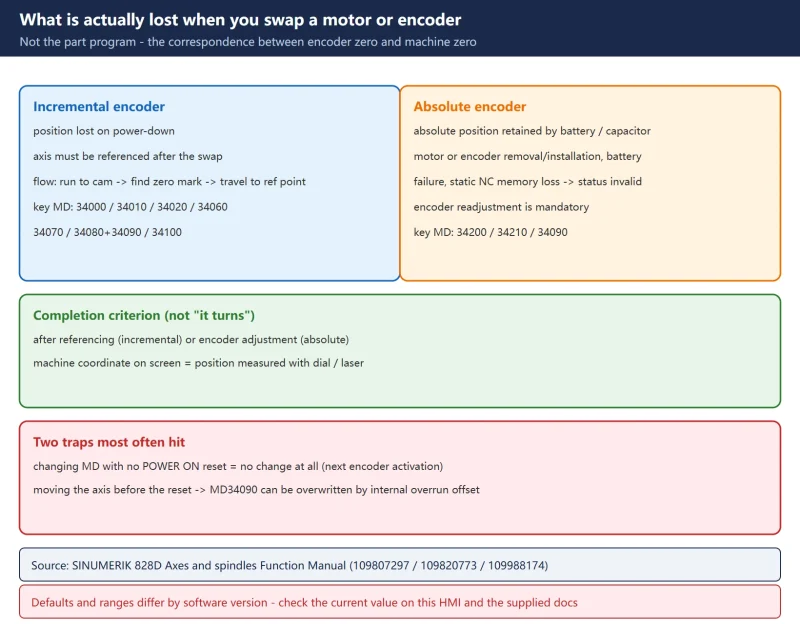



1. First, what is actually lost when you swap a motor or encoder
Plenty of people treat a motor swap as “bolt it on, power up, it moves, done”. In reality, swapping the motor or the encoder loses the correspondence between the encoder zero and the machine zero.
Concretely:
- Incremental encoder: position is lost on power-down. After a motor swap the axis must be referenced (run to the cam, then find the zero mark) before the control knows where it is.
- Absolute encoder: the absolute position is retained by battery / capacitor. After removing/installing the motor, removing/installing the encoder, a battery failure, or loss of data in the static NC memory, the absolute encoder’s “adjusted” status is invalidated and a readjustment is mandatory (the offset between encoder zero and machine zero has to be written in again).
So:
- “It turns” is not the same as “the swap is complete”.
- The real completion criterion: after referencing (incremental) or encoder adjustment (absolute), the machine coordinate on the screen matches the position you measured with a dial indicator or laser interferometer.
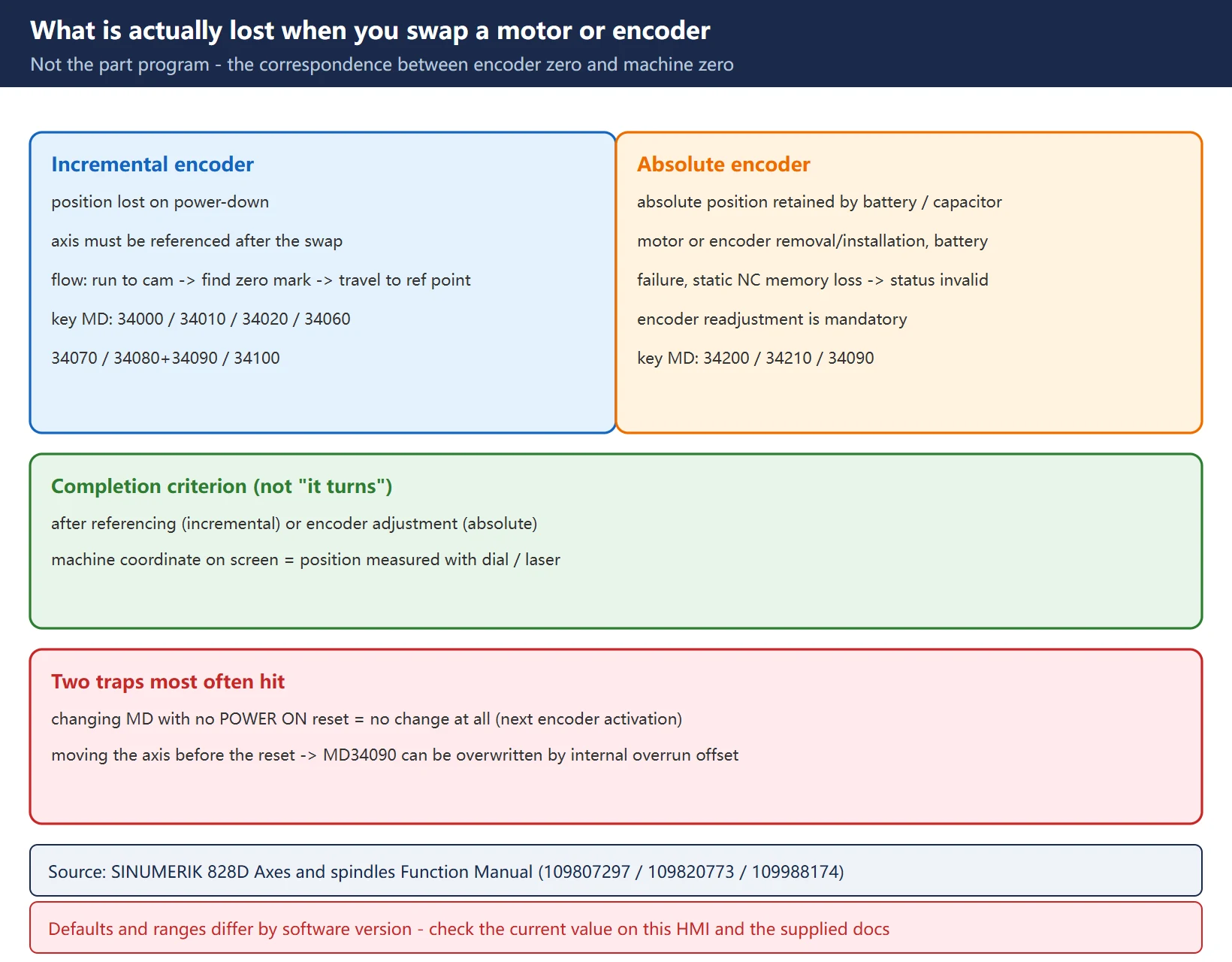
Note: this article follows the official SINUMERIK 828D Axes and spindles Function Manual (documents 109807297 / 109820773 / 109988174). Default values and permissible ranges differ between software versions (e.g. SW 4.x vs newer) — always check the current value of each MD on this machine’s HMI and the documentation supplied with it before changing anything.
2. Step one: decide whether this axis is absolute or incremental
Get this wrong and everything after it is wasted. Three ways to confirm — use any one:
| Method | What to do | How to read it |
|---|---|---|
| Machine data | find MD30240 $MA_ENC_TYPE for that axis | 0 = analog/none; 1 = incremental; 4 = absolute |
| Diagnostic screen | HMI -> Diagnostics -> Service displays -> Axis | an absolute encoder shows absolute-position related entries |
| Power-up behaviour | does it ask for referencing after power-up? | incremental: referencing required; absolute: normally not |
Related machine data worth checking at the same time:
| MD | Name | Note |
|---|---|---|
| 30200 | NUM_ENCS | number of encoders; 0 when there is none |
| 30240 | ENC_TYPE | 1 incremental / 4 absolute / 0 analog or none |
| 31000 | ENC_IS_LINEAR | 0 = rotary measuring; 1 = linear measuring |
| 31040 | ENC_IS_DIRECT | 0 = indirect (motor side); 1 = direct (full closed loop) |
| 34200 | ENC_REFP_MODE | referencing mode; absolute adjustment uses 0 (assume reference-point value) |
| 34210 | ENC_REFP_STATE | absolute encoder adjustment state: 0 not adjusted / 1 adjusting / 2 adjusted |
A common misjudgement: converting an absolute motor to act as an incremental one (setting MD30240 = 1) throws away the “no referencing after power-up” capability. Do not change it unless you specifically need a home run on every power-up to take out backlash.
3. Incremental: the three phases of reference-point approach and their MD
Incremental referencing runs in three phases, each with its own machine data, velocities and alarms.
| Phase | What it does | Key MD | Default / note | Failure alarm |
|---|---|---|---|---|
| Phase 1 find the cam | traverse in the set direction looking for the reference cam | 34000 REFP_CAM_IS_ACTIVE<br>34010 REFP_CAM_DIR_IS_MINUS<br>34020 REFP_VELO_SEARCH_CAM<br>34030 REFP_MAX_CAM_DIST | 1 (cam active)<br>0 = plus, 1 = minus<br>5000 mm/min<br>10000 mm | 20000 reference cam not reached |
| Phase 2 find the zero mark | after the cam trips, reverse and look for the encoder zero mark | 34040 REFP_VELO_SEARCH_MARKER<br>34050 REFP_SEARCH_MARKER_REVERSE<br>34060 REFP_MAX_MARKER_DIST | 300 mm/min<br>0 (1 = reverse search)<br>20 mm | 20002 zero mark missing |
| Phase 3 travel to the reference point | move a fixed distance from the zero mark to the reference point | 34070 REFP_VELO_POS<br>34080 REFP_MOVE_DIST<br>34090 REFP_MOVE_DIST_CORR<br>34100 REFP_SET_POS | 10000 mm/min<br>-2.0 mm<br>0.0 mm<br>0.0 mm | — |
Key points:
- Feedrate override is not active in phases 1 and 2: the control traverses internally at 100%; if you set the override to 0% here, referencing aborts. Override only becomes active in phase 3.
- MD34000 = 0 deactivates the cam: used on axes that have only one reference mark along the entire traversing range and on rotary axes with only one reference mark per revolution.
- Setting MD34060: to guarantee the control always synchronises to the same zero mark (otherwise it identifies the wrong machine zero), the value must not exceed the distance between two reference marks.
- Why MD34080 is often negative: after detecting the zero mark the axis is moved away from it (into the machining area), so that re-referencing while still on the mark does not drive the axis toward the end of the slide.
- MD34100 does not physically move the axis — it is just the value displayed once referencing is complete, for cases where the reference point is not the machine’s mechanical zero.
There are four reference-point values (MD34100[0..3]), selected through the NC/PLC interface DB380x.DBX2.4..7. Once referencing is complete the control sets DB390x.DBX0.4..5 (referenced/synchronized 1/2) = 1 as feedback to the PLC user program.
4. Absolute: the two ways to adjust the encoder
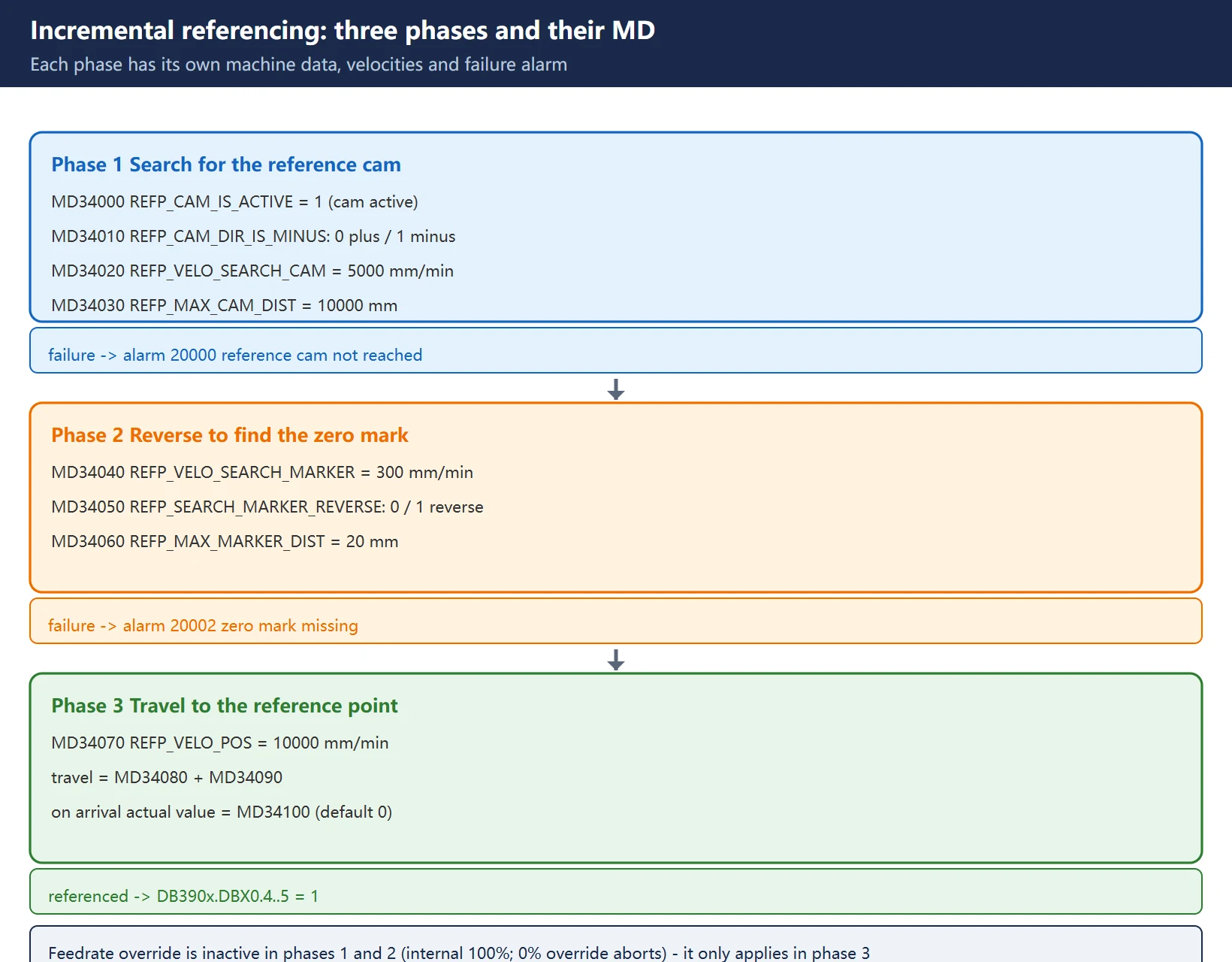
The official documentation gives two routes — complete one of them.
Method A: enter the reference-point offset (write MD34090 directly)
Used when you already know how far to shift (e.g. the previous value was recorded, or you are only fine-tuning).
- Determine the true position of the machine axis relative to the machine zero point:
– by position measurement (e.g. laser interferometer); or
– by traversing the machine axis to a known position (e.g. a fixed stop).
- Read the displayed actual position of the machine axis on the operator interface.
- Calculate the reference-point offset (the difference between the actual positions determined in steps 1 and 2) and enter it in MD34090 $MA_REFP_MOVE_DIST_CORR.
- Mark the absolute encoder as adjusted: MD34210 = 2.
- Carry out a POWER ON reset (power cycle / NCK reset).
- Check the position of the machine axis displayed on the operator interface.
Method B: enter the reference-point value (let the NC compute it)
Used when the offset is unknown after the motor swap — the most common route on site.
- Check whether the referencing mode is set to “assume the reference point value”: MD34200 == 0. If not, enter 0 and trigger a POWER ON reset.
- Traverse the machine axis in JOG mode to the position to be measured (laser interferometer) or to a known position (e.g. fixed stop).
– The machine axis can only be traversed with the direction keys in the referencing direction enabled by MD34010 (REFP_CAM_DIR_IS_MINUS);
– To avoid an invalid position caused by backlash in the drive train, the known position must be approached at low velocity.
- Enter the machine-axis position relative to machine zero as the reference-point value in MD34100 $MA_REFP_SET_POS.
- Operate the same direction key used in step 2 to trigger reference-point approach.
– The machine axis does not move. The NC computes the reference-point offset from the difference between the entered reference-point value and the value delivered by the absolute encoder, and writes the result into MD34090.
- The absolute encoder status is set to “encoder is adjusted”: MD34210 = 2.
- Carry out a POWER ON reset.
- Check the displayed position of the machine axis.
5. The three meanings of MD34090 (the easiest thing to mix up)
MD34090 $MA_REFP_MOVE_DIST_CORR means different things under different measuring systems — this is the single most important thing to remember from this article.
| Case | What MD34090 means | How it is used |
|---|---|---|
| Incremental encoder with zero mark | the correction to the reference-point distance | added to MD34080: the axis travels 34080 + 34090 away from the zero mark and the actual value is then set from MD34100 |
| Absolute encoder | the absolute offset between machine zero and absolute-encoder zero | computed by hand (method A) or by the NC (method B) |
| Distance-coded reference marks | the absolute offset between machine zero and the first reference mark of the linear measuring system | see the calculation below |
Two things you must remember:
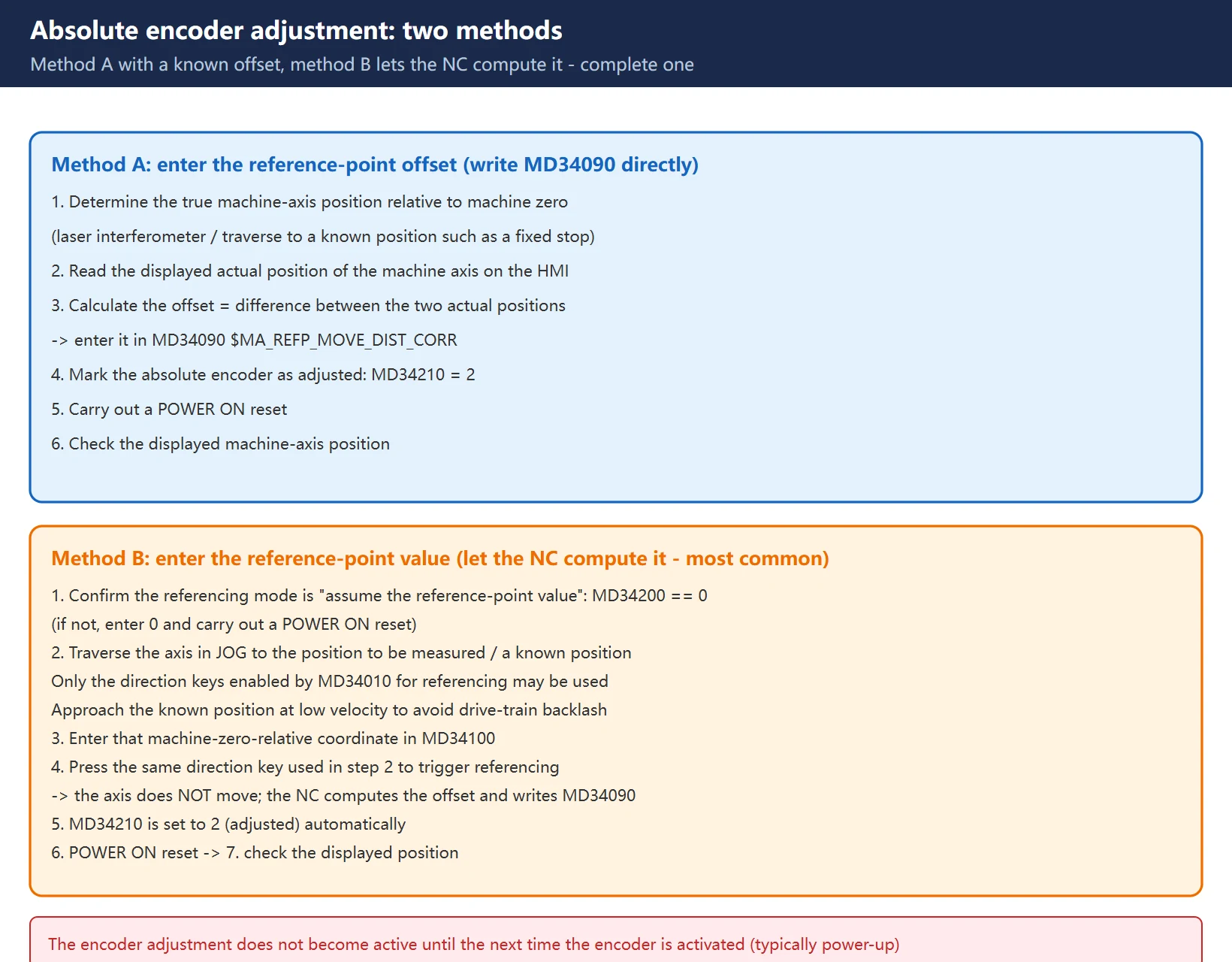
- The encoder adjustment does not become active until the next time the encoder is activated (e.g. when the controller is powered up). Changing the MD without a reset is the same as not changing it.
- The reference-point offset becomes permanently active only after an initial POWER ON reset. If the axis is moved after the adjustment without an interim POWER ON reset, the value written into MD34090 can be overwritten, for example as part of internal overrun offset. So the sequence must be: MD34210 = 2 -> POWER ON reset -> then move the axis.
One more backlash trap: for a measuring system with an absolute encoder, if backlash compensation is parameterized, then no backlash is permitted during travel to the adjusted machine position — otherwise the offset you determined carries its own error.
6. Distance-coded reference marks: a very short travel is enough
On a linear measuring system with distance-coded reference marks, the distance between any two consecutive reference marks is defined. By crossing two consecutive reference marks the control can determine the absolute position of the machine axis.
- Example: with a reference-mark spacing of about 10 mm, a traverse path of about 20 mm is all that is required to reference the machine axis.
- Referencing can be performed from any axis position in the positive or negative direction (exception: end of travel range).
Two items to parameterize:
| MD | Meaning |
|---|---|
| MD34090 $MA_REFP_MOVE_DIST_CORR | the absolute offset between the machine zero point and the first reference mark |
| MD34320 $MA_ENC_INVERS | orientation of the length measuring system (equidirectional or inverse) relative to the machine coordinate system |
Recommended procedure for determining the absolute offset:
- First set MD34090 = 0.
- Perform reference-point approach (at a point where the exact position relative to machine zero is easy to determine, e.g. with a laser interferometer).
- Read the displayed actual position of the machine axis in the machine coordinate system (MCS) from the operator interface.
- Measure the actual position of the machine axis referred to the machine zero point.
- Calculate the absolute offset and enter it in MD34090:
| Measuring-system orientation | Absolute offset |
|---|---|
| Equidirectional | (measured position) + (displayed actual position) |
| Opposite direction | (measured position) – (displayed actual position) |
WARNING (from the official manual): after determining the absolute offset and entering it in MD34090, the reference-point traverse for the machine axis must be carried out once more. Skip it and the coordinates are wrong.
Gantry axes: before the first referencing at start-up set MD37120 GANTRY_POS_TOL_WARNING to 0 so the synchronous compensating movement does not output a warning; the reference points of the leading and following axes must be brought close to agreement; the difference between the zero mark and the reference point must be calculated for each gantry axis and entered in MD34080 and MD34090.
7. When readjustment is mandatory, and when NCK notices
Cases that require readjustment (official list):
| Case | Note |
|---|---|
| Gear change between load and absolute encoder | gear change with a change of gear ratio |
| Removal/installation of the absolute encoder | the encoder-to-shaft relationship changed |
| Removal/installation of the motor with the absolute encoder | motor body swapped |
| Data loss in the static NC memory | SRAM lost power |
| Battery failure | absolute position cannot be retained |
| Setting actual value (PRESETON) | the user changed the actual value deliberately |
But the NCK can only detect the need for readjustment during three events:
- Gear change with change of gear ratio;
- Addressing the zero-mark monitoring;
- A new encoder serial number after changing the absolute encoder.
Once it does detect it, the NCK automatically resets the absolute-encoder status to 0 (encoder not adjusted) and displays:
- Alarm 25022 “Axis Encoder Warning 0”;
- and, if the zero-mark monitoring responds, alarm 25020 “Axis zero-mark monitoring of the active encoder” (SIMODRIVE 611D systems only).
In all other cases (e.g. PRESETON) the NCK cannot detect it — the user must reset the status to 0 and carry out the readjustment themselves. This is the step most often missed on site.
Data-backup warning (from the official manual): when you back up the machine data of machine A, the encoder status of the machine axis (MD34210) is backed up too. Loading that data record into a machine B of the same type (e.g. during serial start-up or after maintenance) makes the NC automatically regard the referenced machine axes as adjusted / referenced. It is the special responsibility of the machine manufacturer / user to undertake a readjustment in such cases. See also: MD30250 $MA_ACT_POS_ABS (absolute encoder position at the time of switch-off).
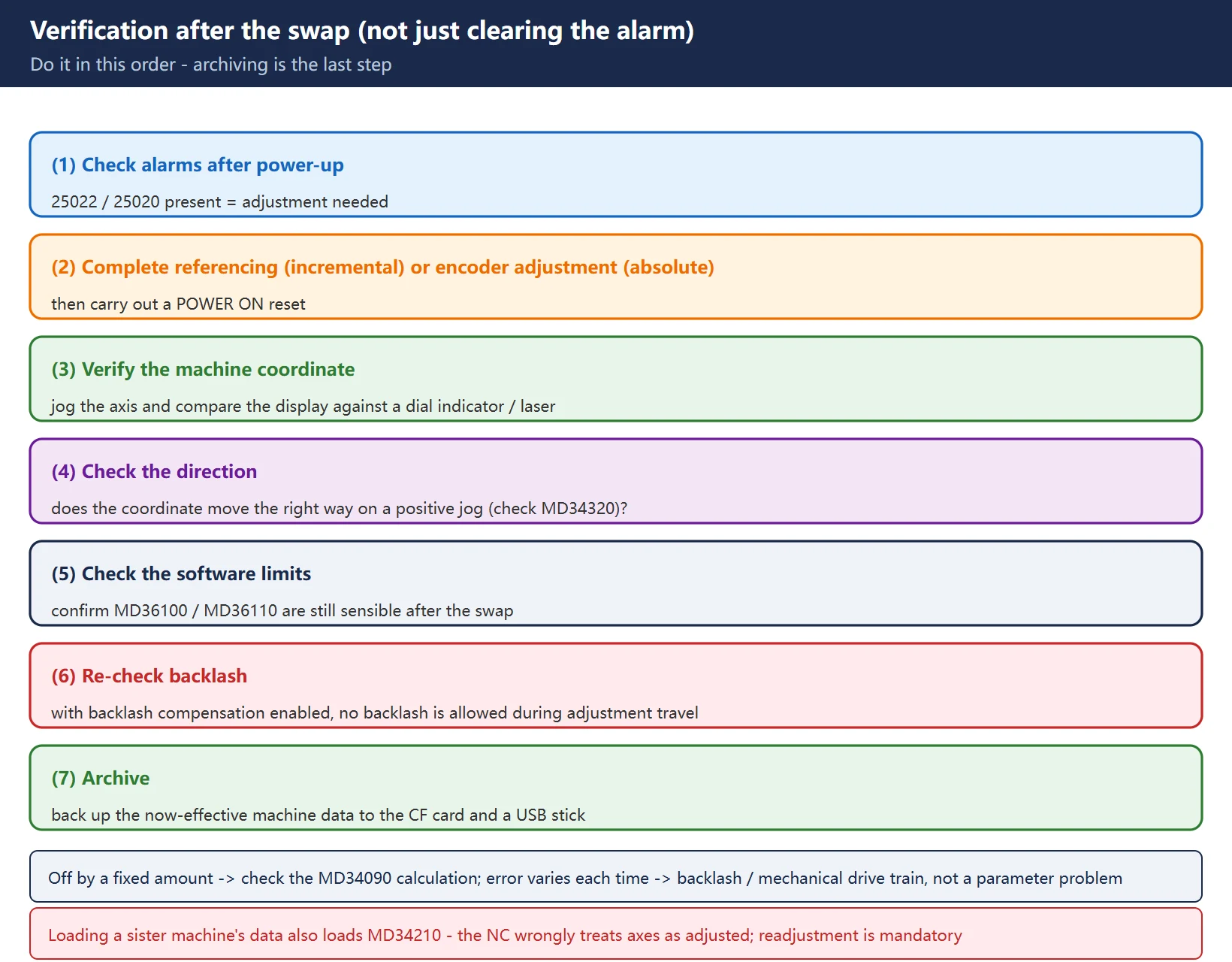
8. Verification after the swap and troubleshooting checklist
Verification — do it in this order, don’t just clear the alarm:
- Check alarms after power-up: does 25022 / 25020 appear? If so, adjustment is needed.
- Complete referencing (incremental) or encoder adjustment (absolute), then perform a POWER ON reset.
- Verify the machine coordinate: jog the axis and compare the displayed value against a dial indicator / laser interferometer.
- Check the direction: when jogging positive, does the displayed coordinate move the right way (check MD34320 if needed)?
- Check the software limits: confirm MD36100 / MD36110 are still sensible — travel relationships can change after a motor swap.
- Re-check backlash: if the absolute encoder has backlash compensation enabled, no backlash is allowed during the adjustment travel.
- Archive: back up the now-effective machine data to the CF card and a USB stick.
Troubleshooting checklist:
- Determine MD30240 first: 1 incremental / 4 absolute. Get this wrong and the rest is wasted.
- Alarm 25022 after a motor swap -> run the absolute encoder adjustment procedure (method A or B).
- Incremental referencing fails -> split it by phase: 20000 means the cam was never found (check 34000 / 34010 / 34020 / 34030); 20002 means the zero mark was never found (check 34040 / 34050 / 34060).
- Override at 0% during referencing -> phases 1 and 2 abort; set the override sensibly before starting.
- Coordinate off by a fixed amount after the swap -> check MD34090 (incremental: the correction added to 34080; absolute: the absolute offset).
- Coordinate off, but by a different amount each time -> investigate backlash and the mechanical drive train; this is not a parameter problem.
- Battery failure / loss of static NC memory -> the absolute encoder must be readjusted.
- Machine data loaded from a sister machine -> the NC wrongly considers the axes “adjusted”; readjustment is mandatory.
- Distance-coded measuring system -> use the “set 0, reference, then calculate” procedure, and reference once more afterwards.
- Always POWER ON reset after changing the MD before moving the axis, or MD34090 may be overwritten.
FAQ
I swapped the servo motor and now get alarm 25022 — must I really readjust?
Yes. The official manual explicitly lists “removal/installation of the motor with the absolute encoder” as one of the cases requiring readjustment. After the swap, the correspondence between the encoder zero and the machine zero no longer holds: the control can still read an absolute value, but that value no longer corresponds to the correct mechanical position. Run the absolute encoder adjustment procedure: either write the offset straight into MD34090 (method A), or jog the axis to a known position, enter that machine coordinate into MD34100, press the referencing direction key and let the NC compute MD34090 (method B); then set MD34210 = 2 and POWER ON reset. Clearing the alarm without readjusting just leaves you with wrong coordinates.
What is the actual difference between MD34090 and MD34100?
MD34100 (REFP_SET_POS) is the value displayed on the screen once referencing is complete, default 0; it does not physically move the axis, and is used where the reference point is not the machine’s mechanical zero. MD34090 (REFP_MOVE_DIST_CORR) means different things depending on the measuring system: for an incremental encoder with a zero mark it is the correction added to MD34080 (the axis travels 34080 + 34090 from the zero mark before the actual value is set); for an absolute encoder it is the absolute offset between machine zero and encoder zero; for a distance-coded system it is the absolute offset between machine zero and the first reference mark. In practice, 34090 is the one you fine-tune; 34100 is the one that sets the displayed value.
I set MD34210 = 2 but the coordinates are still wrong — why?
Most commonly because the axis was moved without doing a POWER ON reset first. The manual states this on two levels: the encoder adjustment does not become active until the next time the encoder is activated (typically power-up), and the offset becomes permanently active only after an initial POWER ON reset — if the axis is moved without an interim reset, the value written to MD34090 can be overwritten, for example as part of internal overrun offset. The correct order is: MD34210 = 2 -> POWER ON reset -> then move the axis -> verify the coordinate. If it is still off by a fixed amount after the reset, re-check the MD34090 calculation; if the error varies each time, look at backlash and the mechanical drive train.
Last updated: 2026-10-28
Related (EN): SD vs MD on SINUMERIK 828D — a motor/encoder swap is machine configuration (MD layer), and the change only takes effect after the activation action required (e.g. NCK reset).
Where to go next
- FANUC Troubleshooting — the full guide library: alarms, diagnosis numbers, servo, spindle, PMC and electrical faults, organised by symptom.
- CNC Repair Tools — which instrument measures what: multimeters, clamp meters, insulation testers and oscilloscopes, with the specification that actually matters.
- Remote Technical Support — have the readings reviewed with you: alarm reverse lookup, PMC ladder analysis and servo tuning advice by call. Repair companies and integrators welcome.
Read the guide, get the right instrument, or walk the diagnosis through with someone — pick whichever you need.
The original Chinese version — same procedure, with the full field notes.























暂无评论内容