


1. First, what the TNC door alarm is actually saying
Heidenhain TNC controls (iTNC 530 / TNC 640 / TNC 320 / and the newer TNC7) implement guard door monitoring as a redundant safety chain between the machine’s safety circuit and the PLC interface.
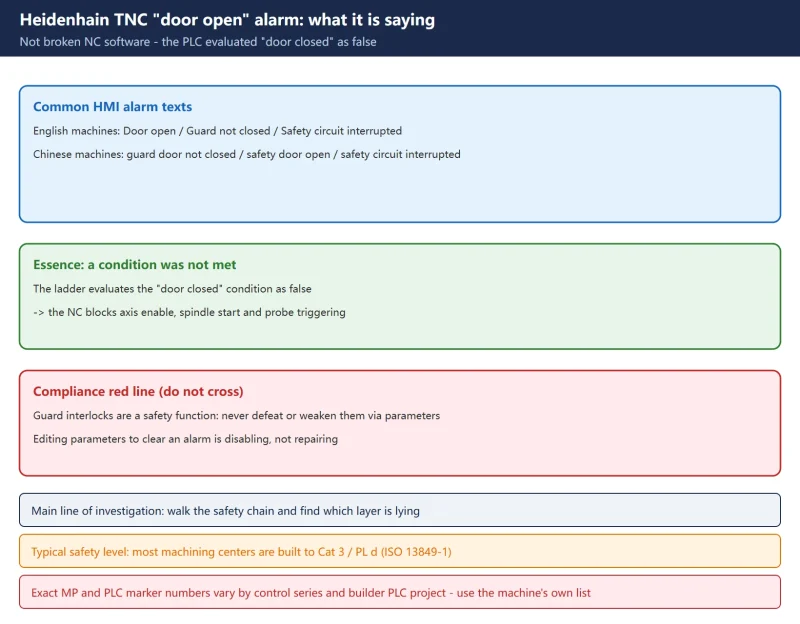
The exact alarm text varies by control model and machine builder. Common variants:
- “Door open” / “Guard not closed” / “Safety circuit interrupted” (English machines)
- “防护门未关”, “安全门打开”, “安全回路中断” (Chinese machines)
In one sentence: this is not broken NC software — the PLC has evaluated the “door closed” condition as false. So the main line of investigation is “walk the safety chain and find which layer is lying”, not “change an NC parameter to silence the alarm”.
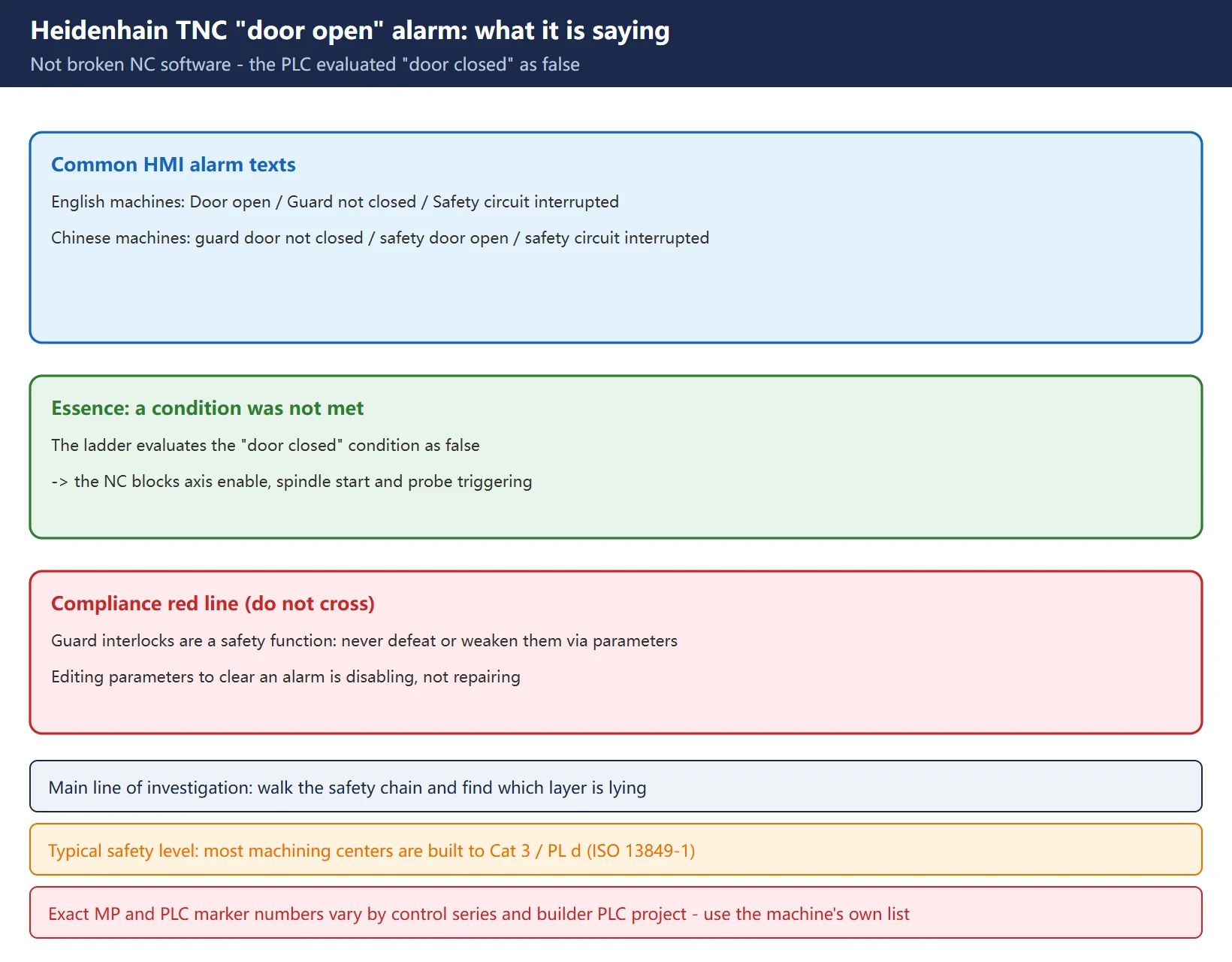
Compliance red line: door / guard interlocks are a safety function. Never weaken or defeat one via machine parameters without the machine builder’s (OEM) written authorization — that can breach the machine’s type approval (e.g. EU Machinery Directive 2006/42/EC), void the warranty, and expose personnel to the very hazards the guard exists to mitigate. Editing parameters to suppress an alarm is not remediation — it is disabling.
2. The four layers of the safety chain: door switch to NC enable
Before isolating anything, understand how the signal climbs the chain. A typical Heidenhain machine center uses a Cat 3 / PL d safety chain per ISO 13849-1:
| Layer | Element | Job | Key traits |
|---|---|---|---|
| 1 | Door switch (mechanical) | detect that the door is really shut | usually dual-channel, normally-closed (NC) contacts, 24 V DC |
| 2 | Safety relay / safety PLC | evaluate dual-channel concordance (category, PL) | force-guided contacts; outputs wired into drive / spindle enable |
| 3 | PLC interface | read door state into the PLC I/O image | 24 V DC digital input, monitored as a bit in the ladder |
| 4 | NC software | check the door-status flag before axis enable / spindle start / probe release | if the flag says “open”, M-functions, axis enable and probing are blocked |
| 5 | MP layer | define behaviour on door-open: hold / controlled stop / immediate stop / reset required | depends on control series and builder PLC project |
The failure can sit at any layer. The correct isolation order is to walk backwards from layer 4 (NC behaviour) to layer 1 (mechanical switch).
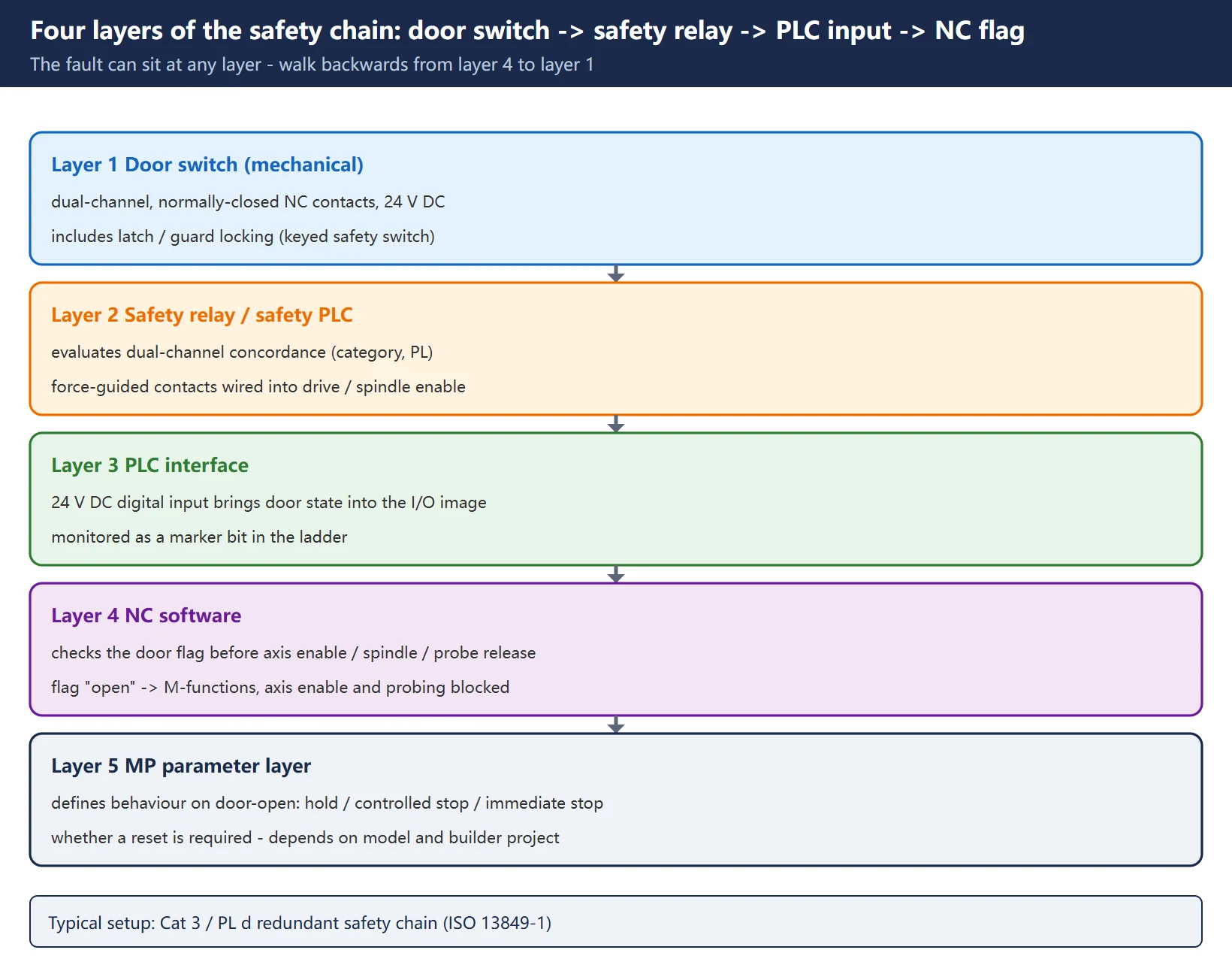
Note: the layer numbers and names above describe the functional structure, not the numbering of any one manual. The specific machine-parameter (MP) numbers and PLC marker numbers vary by control series and by the builder’s PLC project — confirm them against this machine’s own parameter list and PLC program before acting; this article does not replace that check.
3. Locate layer by layer: mechanics -> safety relay -> PLC input -> NC flag
Follow this order — each step yields a verifiable result that narrows the fault window.
Step 1 — look at what the NC does (layer 4)
- Which actions are blocked? Only the spindle, or axes too, or probing as well?
- After closing the door, does the alarm clear itself, or does it need a reset / a new cycle start?
![图片[3]-Heidenhain TNC "Guard Doors Are Open" Alarm: Four-Layer Safety-Chain Isolation and the Four Post-Change Tests-CNCShare | 数控电气技术中心](https://www.cncshare.com/wp-content/uploads/2026/10/DR-en-03.webp)
MOD -> PLC diagnostics; TNC 640 / TNC7: Home -> Diagnostics -> PLC.– No transition → either a sensor wiring fault or a PLC input card failure (not an NC software fault).
– It transitions but the NC still reports door open → the problem is in the NCK-PLC interface or in an MP that gates the flag.
Step 3 — force / monitor online (layer 3)
- Using the PLC online monitor (PLCdesign or the builder’s programming tool), force-toggle the door input bit and watch the NC behaviour.
- If the NC responds to the force but not to the physical switch → the wiring between switch and PLC input is the fault point.
4. Four root causes and how to handle each
| Root cause | Typical symptom | Action |
|---|---|---|
| Door switch contact failure (high-resistance NC contact) | door looks shut but the PLC input does not toggle; common after 5–7 years in service | measure continuity; replace the switch if closed-state resistance > 5 Ω — high contact resistance is the single most common root cause |
| Safety relay output mis-wired (NO vs NC inverted) | alarm appears when the door is shut, or NC thinks it is shut while the door is open | check NO/NC against the electrical diagram; confirm the relay output is in series with drive / spindle enable |
| PLC input card channel failure | forcing works, the real switch does not, yet the switch itself measures fine | verify by swapping to a spare input channel; replace the input card if needed |
| Parameter drift (marker forced true / polarity flipped) | physical switch is perfectly healthy, but the NC door flag is stuck “open” or “closed” | diff parameters against a known-good sister machine; if drift is confirmed, restore the OEM baseline — written OEM authorization required |
About “hold vs controlled stop vs immediate stop” on door-open: which MP governs it varies by control series and builder PLC project, so this article does not invent a specific parameter number. On site, trace the door-related marker back to its source in the builder’s parameter list / PLC program.
5. Interaction with touch probes (TS / TT): trigger inhibit when the door is open
Heidenhain TS (touch trigger probe) and TT (tool touch probe) families communicate with the control over a dedicated interface. The PLC is responsible for gating the probe trigger signal with the door state — a probe triggered while the operator’s hand is inside the work envelope is a serious hazard.
When a door alarm and a probe-related symptom appear together, confirm in this order:
- Probe power LED on the receiver unit (TS module) — must be steady, not flashing.
- Stylus deflection test in MDI with the door closed — should produce a PROBE 1.0 reading or equivalent in the position display.
- Probe-ready bit PLC marker — should toggle 0 → 1 within one IPO cycle of the probe trigger.
- Probe enable flag in the NC software — must show active. If it is inactive while the door is closed, the door-open flag is stuck in the NC even though the physical switch is healthy.
Key point: the probe itself is usually not the fault — the gating logic around it is.
6. The four verification tests after any change (don’t just clear the alarm)
After any change to a door / safety-related function, perform a documented re-validation — clearing the alarm is not the same as fixing the problem.
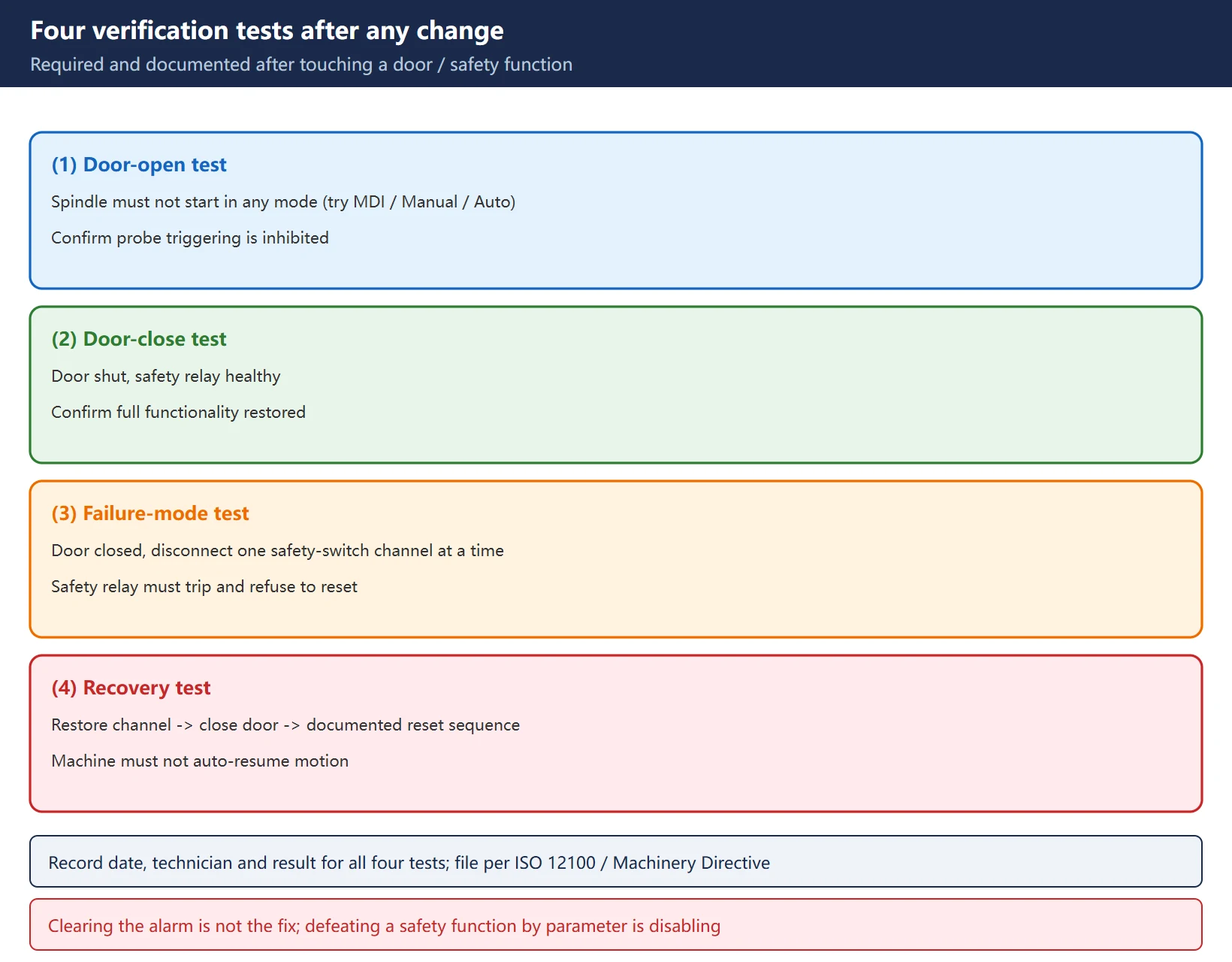
- Door-open test: confirm the spindle cannot start in any mode (try MDI, Manual and Auto); confirm probe triggering is inhibited.
- Door-close test: with the door shut and the safety relay healthy, confirm full functionality is restored.
- Failure-mode test: with the door closed, disconnect one channel of the safety switch at a time — the safety relay must trip and the machine must enter a safe state.
- Recovery test: restore the channel → close the door → run the documented reset sequence. The machine must not auto-resume motion.
Record the date, technician and result for all four tests and keep them in the machine’s technical file.
7. Troubleshooting checklist
- Read the alarm text carefully: “door open” vs “safety circuit interrupted” — the former points at the door switch, the latter at the whole chain.
- Put the control in Manual / Programming mode (never Auto with the door open).
- Open the PLC diagnostic screen and find the door-status flag bit.
- Open/close the door repeatedly and check whether the bit transitions in real time — if not, move to the mechanical layer.
- Force the door input bit online: if the NC responds to the force but not the real switch → the wiring between switch and input is the fault.
- With E-stop active, measure the door-switch contact: open ≥ 1 MΩ; closed > 5 Ω means replace.
- Verify the safety relay shows both channels healthy with contacts closed.
- Diff the parameters against a sister machine; treat any safety-related delta as suspect.
- After the change, run the four tests and file the records.
- Never defeat a safety function with parameters.
FAQ
The TNC always says “door open”, but the switch measures closed — what’s going on?
It means the PLC is reading the door-closed condition as false while the physical switch is fine. The usual causes are: a failed door-switch contact (high resistance on an NC contact, typically after 5–7 years in service), a broken wire between the switch and the PLC input card, or a PLC input channel failure. Measure continuity across the switch (target ≥ 1 MΩ open). Then check the PLC input bit, then the NCK-PLC interface, in that order. Do not force the flag “closed” via parameters to clear the alarm — that removes the protection, it does not fix the machine.
After I replace a door switch or touch the safety circuit, what counts as “done”?
Clearing the alarm is not enough. Run at least the four tests and document them: (1) door-open — the spindle must not start in MDI, Manual or Auto, and probe triggering must be inhibited; (2) door-close — full function restored with the safety relay healthy; (3) failure-mode — with the door closed, disconnect one safety-switch channel at a time; the safety relay must trip and refuse to reset until the fault is cleared; (4) recovery — restore, close the door, perform the documented reset sequence; the machine must not auto-resume motion. Record date, technician and result for each.
The door alarm and a probe alarm appear together — which do I chase first?
The door, not the probe. The PLC gates the probe trigger with the door state, so a set door-open flag inhibits probing. Check in this order: probe power LED on the receiver (must be steady, not flashing) → stylus deflection test in MDI with the door closed (should read PROBE 1.0 or equivalent) → probe-ready PLC bit toggling 0 → 1 → probe enable flag active in the NC. If the probe enable flag is inactive while the door is closed, the door-open flag is stuck in the NC even though the physical switch is healthy. The probe itself is usually fine — the gating logic is the problem.
Last updated: 2026-10-28
Where to go next
- FANUC Troubleshooting — the full guide library: alarms, diagnosis numbers, servo, spindle, PMC and electrical faults, organised by symptom.
- CNC Repair Tools — which instrument measures what: multimeters, clamp meters, insulation testers and oscilloscopes, with the specification that actually matters.
- Remote Technical Support — have the readings reviewed with you: alarm reverse lookup, PMC ladder analysis and servo tuning advice by call. Repair companies and integrators welcome.
Read the guide, get the right instrument, or walk the diagnosis through with someone — pick whichever you need.
The original Chinese version — same procedure, with the full field notes.























暂无评论内容