


1. First, what an analog spindle / analog axis is
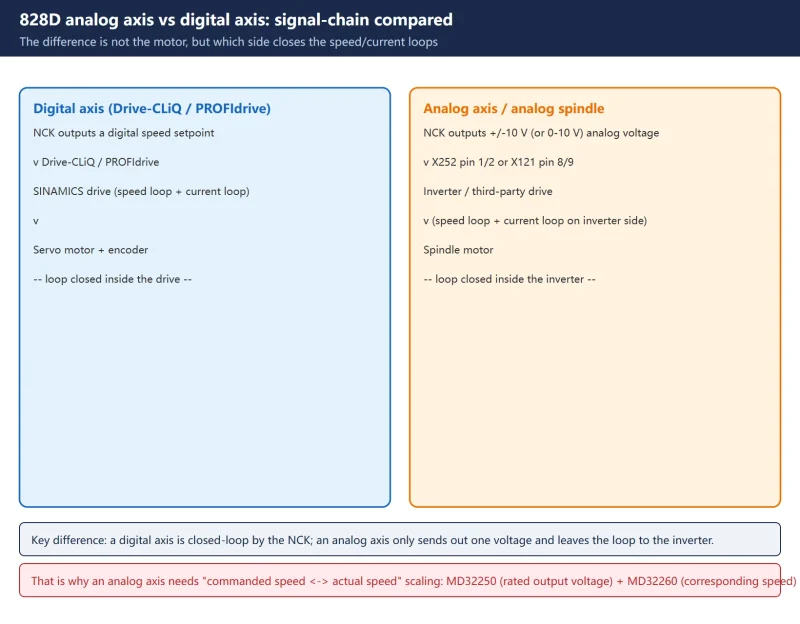
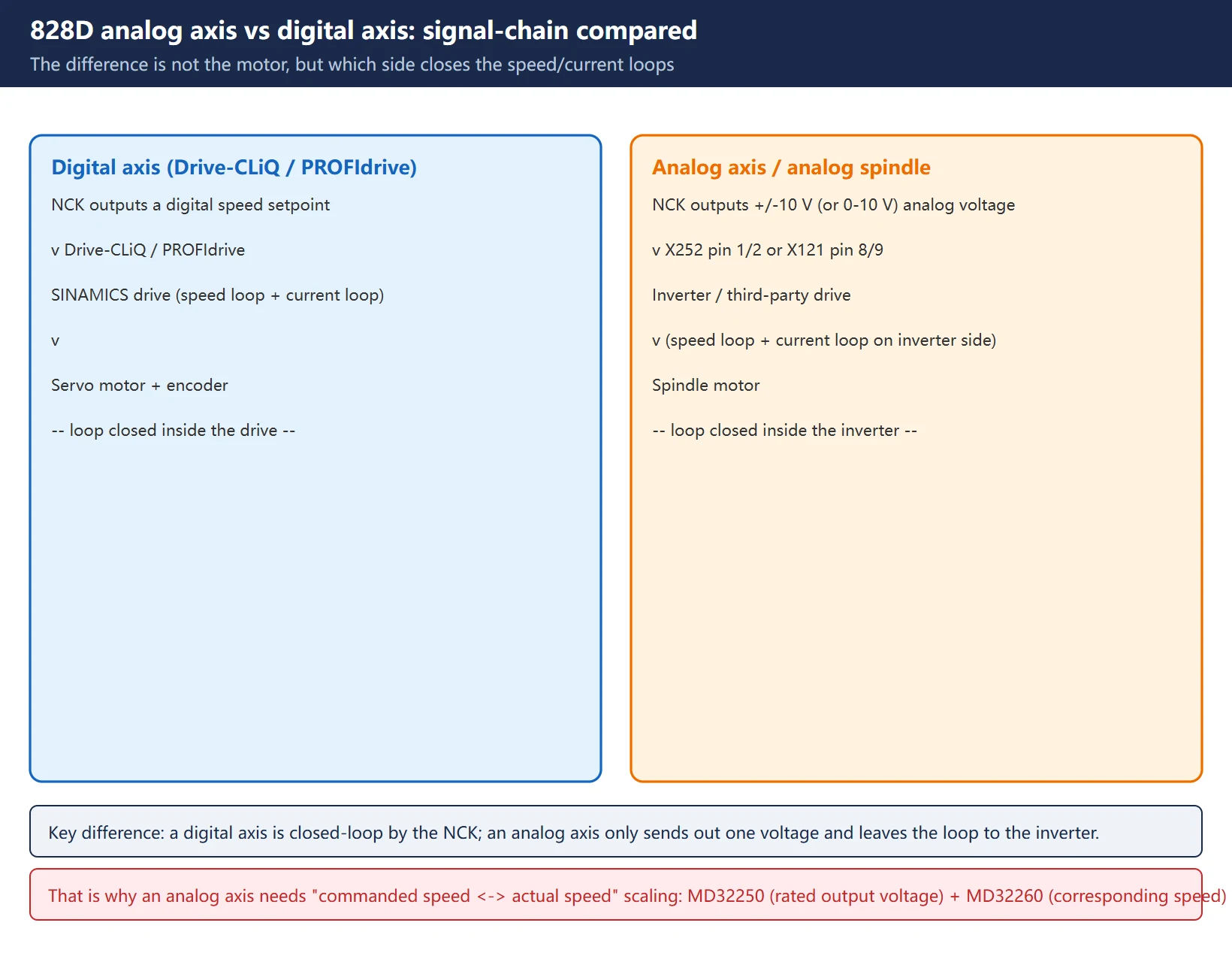
Digital axis: the NCK sends commands directly to a SINAMICS drive over Drive-CLiQ / PROFIdrive; the speed loop and current loop are closed inside the drive.
Analog axis / analog spindle: the NCK outputs only one ±10 V (bipolar) or 0–10 V (unipolar) analog voltage as the speed setpoint, feeding an inverter or third-party drive; the speed and current loops are closed by the inverter or by external circuitry. On the NCK side there is exactly one job — get the “commanded speed” and the “actual speed” scaled correctly against each other.
- Analog spindle: the spindle uses an analog setpoint; typical on retrofit machines keeping the original inverter.
- Analog axis: a feed axis configured the same way, e.g. an added third-party analog servo.
- Both use the same machine-data conventions, so this article covers them together.
Typical situations:
- A retrofit machine keeps its existing inverter rather than switching to SINAMICS.
- The spindle runs from a general-purpose inverter (MM440 / G120 class) where only speed matters, not positioning.
- An auxiliary axis added with a third-party analog servo.
Note: this article follows the SINUMERIK 828D Commissioning Manual and Siemens “Output of setpoints to analog drives – Retrofit Solution” (document 109761423). Interfaces and defaults differ between PPU models and software versions — always verify against the machine’s hardware manual and the current values on the diagnostic screen.
2. Key machine data MD30100–31050 at a glance
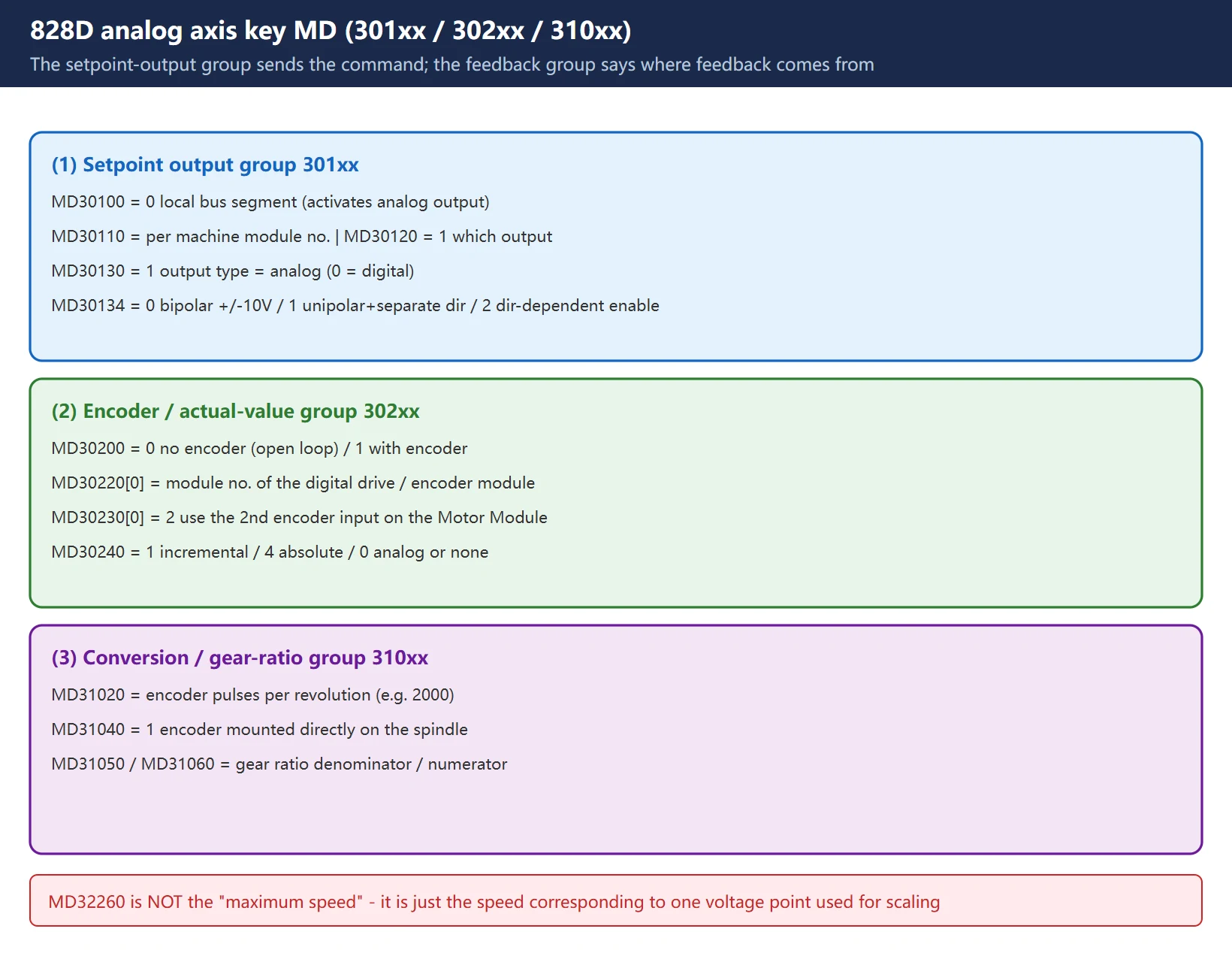
Analog axis configuration rests on two groups: the setpoint output group (301xx) defines how the NCK sends the command out, and the actual-value acquisition group (302xx / 310xx) defines where feedback comes from.
| MD | Name | Typical analog value | Note |
|---|---|---|---|
| 30100 | CTRLOUT_SEGMENT_NR | 0 | Setpoint output segment; =0 uses the local bus segment, i.e. activates analog output |
| 30110 | CTRLOUT_MODULE_NR | per machine (e.g. 1, 4) | Module number on that segment, depends on PPU and interface |
| 30120 | CTRLOUT_NR | 1 | Which output of the selected module |
| 30130 | CTRLOUT_TYPE | 1 | Setpoint output type: 1 = analog, 0 = digital |
| 30134 | IS_UNIPOLAR_OUTPUT | 0 / 1 / 2 | 0 = bipolar ±10 V; 1 = unipolar with separate enable/direction; 2 = unipolar with direction-dependent enable |
| 30200 | NUM_ENCS | 0 or 1 | Number of actual-value encoders; 0 when no encoder |
| 30220[0] | ENC_MODULE_NR[0] | module no. of the digital drive / encoder module | which digital module the direct encoder hangs on |
| 30230[0] | ENC_INPUT_NR[0] | 2 | use the 2nd encoder input on the digital Motor Module |
| 30240 | ENC_TYPE | 1 / 4 | 1 = incremental; 4 = absolute; 0 means analog or none |
| 31020 | ENC_RESOL | pulses per revolution (e.g. 2000) | feedback resolution |
| 31040 | ENC_IS_DIRECT | 1 | =1 means the encoder is mounted directly on the spindle (direct measurement) |
| 31050 / 31060 | gear ratio denominator / numerator | per mechanics | used when the spindle motor is not 1:1 with the spindle |
| 32250 | RATED_OUTVAL | typically 80 (=80% × 10 V = 8 V) | rated output voltage |
| 32260 | RATED_VELO | e.g. 3000 | the motor speed corresponding to the M32250 voltage point |
| 35000 | SPIND_ASSIGN_TO_MACHAX | 0 | spindle assigned to machine axis |
| 35100 | SPIND_DEF_MASTER_AXIS | 1 | spindle defined as master spindle |
| 35110 | GEAR_STEP_CHANGE_ENABLE | 1 | allow gear-step change |
| 36700 | DRIFT_ENABLE | 0 / 1 | automatic drift compensation; related: MD36710 (limit), MD36720 (basic value) |
3. Hardware wiring: analog interface and inverter enable / direction
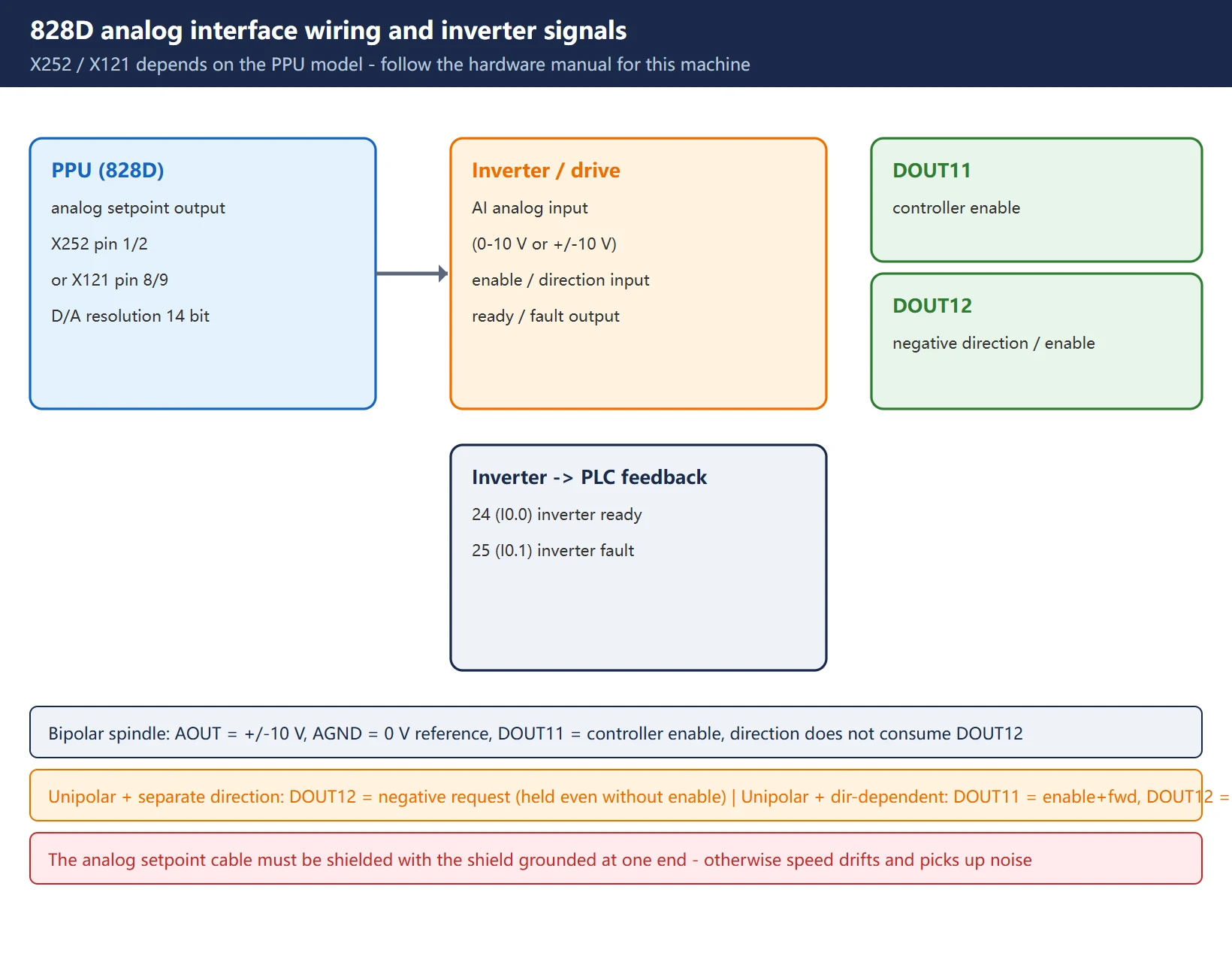
The 828D analog setpoint comes out of a connector on the PPU; which connector depends on the PPU model. On a PPU240.2 it is commonly X252 pins 1 and 2; other documentation gives X121 pin 8 (AO0+) and pin 9 (AO0-). Always follow the hardware manual for the machine in front of you.
The output signals differ by spindle operating mode:
| Spindle type | Analog signal | Enable / direction |
|---|---|---|
| Bipolar spindle | AOUT = ±10 V, AGND = 0 V reference | DOUT11 = controller enable; direction does not consume DOUT12 |
| Unipolar + separate enable/direction | AOUT = +10 V, AGND | DOUT12 = negative direction request (held even without enable) |
| Unipolar + direction-dependent enable | AOUT = +10 V, AGND | DOUT11 = enable + positive; DOUT12 = enable + negative |
Key points:
- D/A conversion resolution is 14 bit.
- The analog setpoint cable must be a shielded cable with the shield grounded at one end — otherwise spindle speed drifts and picks up interference.
- On the inverter side, four signals normally have to line up with the PLC: enable, direction, ready, fault.
4. Scaling: MD32250 / MD32260
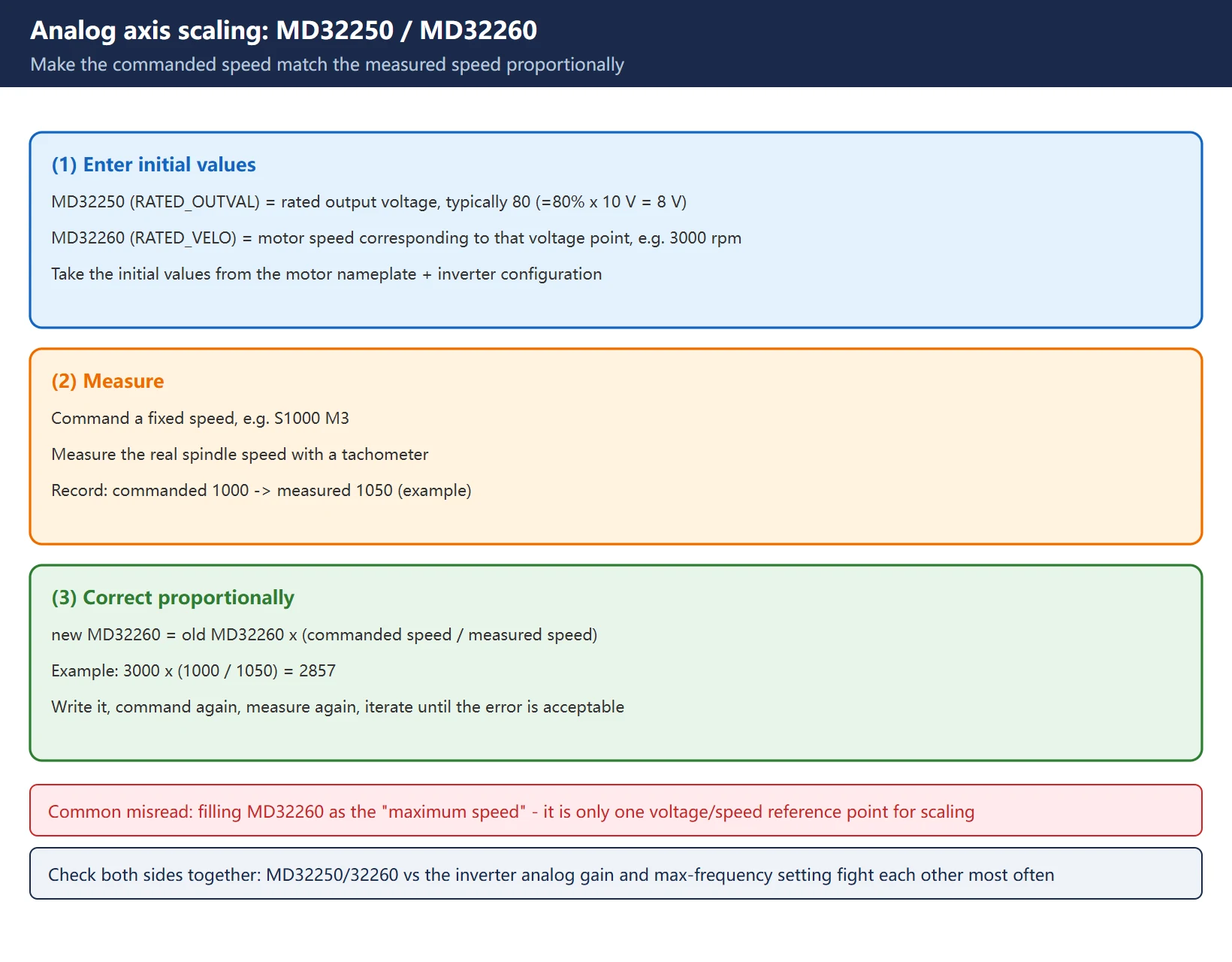
This is the step analog axes most often get wrong, and the one that most affects the workpiece. Principle: make the NCK commanded speed match the actual speed, scaled proportionally by these two parameters.
- MD32250 (RATED_OUTVAL) = rated output voltage. Commonly 80, meaning 80% × 10 V = 8 V; some setups use 100% depending on the inverter-side gain setting.
- MD32260 (RATED_VELO) = the motor speed corresponding to that M32250 voltage point. E.g. 3000 means “8 V corresponds to 3000 rpm”.
Procedure:
- Enter initial values for MD32250 and MD32260 from the motor nameplate and the inverter configuration.
- Command a fixed speed (e.g.
S1000 M3) and measure the actual spindle speed with a tachometer. - Correct proportionally: new MD32260 ≈ old MD32260 × (commanded speed ÷ measured speed).
– Example: commanded 1000, measured 1050 → new value = old × 1000/1050.
- Command again, measure again, until the error is acceptable.
Common traps:
- 🚨 Treating MD32260 as the “maximum speed”. It is not a max speed; it is just the speed corresponding to one voltage point. Getting it wrong shifts the whole range systematically.
- MD32250 fighting the inverter’s analog gain / max-frequency setting. Check both sides together; changing one side alone is the classic cause of weird results.
- When the spindle motor is not 1:1 with the spindle, MD31050 / MD31060 gear ratio must also be right, otherwise a fixed ratio error remains between commanded and actual speed.
5. Encoder configuration: three feedback options
| Option | Key MD | Capability / limit |
|---|---|---|
| No actual-value encoder | MD30200 = 0 | open-loop speed only; cannot do SPOS, rigid tapping or thread cutting |
| Direct encoder (mounted on the spindle) | MD30200 = 1; via SMC30 (TTL / sin) or SMC20 (1Vpp sin-cos) to Drive-CLiQ | enables SPOS, rigid tapping, threading; best accuracy |
| Motor-side encoder (motor not 1:1) | MD30200 = 1; plus MD31050 / MD31060 gear ratio | synchronous functions work, but rely on gear-ratio conversion and do not compensate mechanical backlash |
How to wire in a direct encoder (from the official example): first configure the spindle actual-value encoder as the 2nd encoder of some digital drive — set MD30220[0] equal to that digital drive’s ENC_MODULE_NR[0] (e.g. an SMC30 attached to the Y axis), MD30230[0] = 2 (2nd encoder input), then assign that encoder to the analog spindle as its first encoder.
Encoder type MD30240: 1 = incremental, 4 = absolute, 0 = analog or none.
6. PLC and commissioning order
Recommended order — don’t skip steps:
- Hardware wiring: shielded analog cable, shield grounded at one end; verify enable / direction / ready / fault point to point.
- Set machine data: 30100 / 30110 / 30120 / 30130 / 30134, then 302xx / 310xx.
- NCK reset / power cycle: MD30100 and MD30130 are in the “power-off to take effect” class — a soft reset is not enough; the new controller output type is only sampled at the next power-up or NCK reset.
- Check the analog output: command a speed and measure AOUT against AGND with a multimeter; confirm there is output and that polarity/magnitude match expectations.
- Calibrate: correct MD32260 proportionally as in section 4.
- PLC logic: spindle enable, forward/reverse, gear-step change, alarm handling.
- Trial run: verify step by step from low → medium → high speed.
Safety: before writing axis machine data, stop the drive, inhibit the controller enable, and confirm the spindle is mechanically safe. An analog spindle can start turning as soon as voltage is applied — keep an emergency stop available and someone in attendance on site.
7. Troubleshooting checklist
- Confirm whether this machine uses X252 or X121 (check the PPU model and hardware manual).
- MD30100 = 0 (local bus segment, analog output); MD30130 = 1 (analog).
- Pick MD30134 per the inverter: 0 bipolar ±10 V / 1 unipolar with separate direction / 2 unipolar with direction-dependent enable.
- Fill MD30110 module number and MD30120 output number to match the actual interface — these two are the most common “no output” traps.
- Set MD30200 to 0 / 1 per encoder presence; with an encoder also configure 30220 / 30230 / 30240 / 31020 / 31040.
- After the NCK reset, confirm the analog voltage really is there.
- Commanded ≠ measured speed → correct MD32260 proportionally.
- Speed drift / interference → check single-end shield grounding and MD36700 drift compensation.
FAQ
Does an 828D analog spindle need an encoder at all?
Not necessarily. With no actual-value encoder (MD30200 = 0) the spindle still turns per the applied voltage, but there is no feedback, so it runs open loop — SPOS, rigid tapping and thread cutting, which need position/speed feedback, cannot be used. To get SPOS or rigid tapping you must fit a direct encoder (SMC30 / SMC20 into Drive-CLiQ) and complete the corresponding configuration.
I set the machine data but there is still no analog output — what now?
Check in order: ① MD30130 = 1 (analog output type); ② MD30100 = 0 (local bus segment); ③ whether MD30110 module number and MD30120 output number match the actual interface — these two are the most common “no output” traps; ④ whether the drive is deactivated (the drive must be stopped and the controller enable inhibited before writing MD); ⑤ whether an NCK reset / power cycle was really done — MD30100 and MD30130 take effect only after power off; ⑥ finally, check the wiring and single-end shield grounding.
How exactly do I fill in MD32250 and MD32260?
MD32250 is the rated output voltage, commonly 80, meaning 80% × 10 V = 8 V. MD32260 is the motor speed corresponding to that voltage point, e.g. 3000 meaning 8 V corresponds to 3000 rpm. Start from the motor nameplate and inverter configuration, then command a fixed speed, measure the real speed, and correct using “new MD32260 ≈ old × (commanded ÷ measured)”. Remember MD32260 is not a maximum speed — it is just one voltage/speed reference point used for scaling.
Last updated: 2026-10-28
Related (EN): How SD and MD differ on the 828D — in analog-axis configuration MD30130 / 30240 are configuration items, while JOG velocity and manual spindle speed are setting data (SD): different permissions and different activation.
Where to go next
- FANUC Troubleshooting — the full guide library: alarms, diagnosis numbers, servo, spindle, PMC and electrical faults, organised by symptom.
- CNC Repair Tools — which instrument measures what: multimeters, clamp meters, insulation testers and oscilloscopes, with the specification that actually matters.
- Remote Technical Support — have the readings reviewed with you: alarm reverse lookup, PMC ladder analysis and servo tuning advice by call. Repair companies and integrators welcome.
Read the guide, get the right instrument, or walk the diagnosis through with someone — pick whichever you need.
The original Chinese version — same procedure, with the full field notes.























暂无评论内容