


1. What alarm 459 means
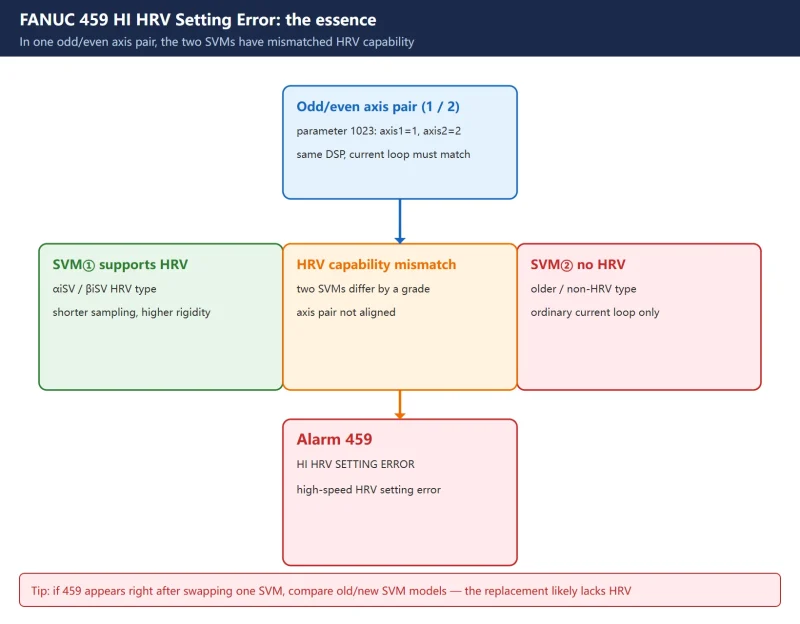
FANUC digital servo alarm 459 = HI HRV SETTING ERROR. Together with 456 / 457 / 458 / 468 it belongs to the “current loop / HRV control” family — the common root is that the high-speed HRV control (High Response Vector) setting does not match the actual hardware.
HRV is a FANUC high-speed current-loop control mode: shorter current-loop sampling, higher rigidity and faster response, good for high-dynamic machining (high-speed/high-accuracy contouring, rigid tapping, etc.). But it requires capable servo amplifier hardware (SVM) — not every SVM supports high-speed HRV.
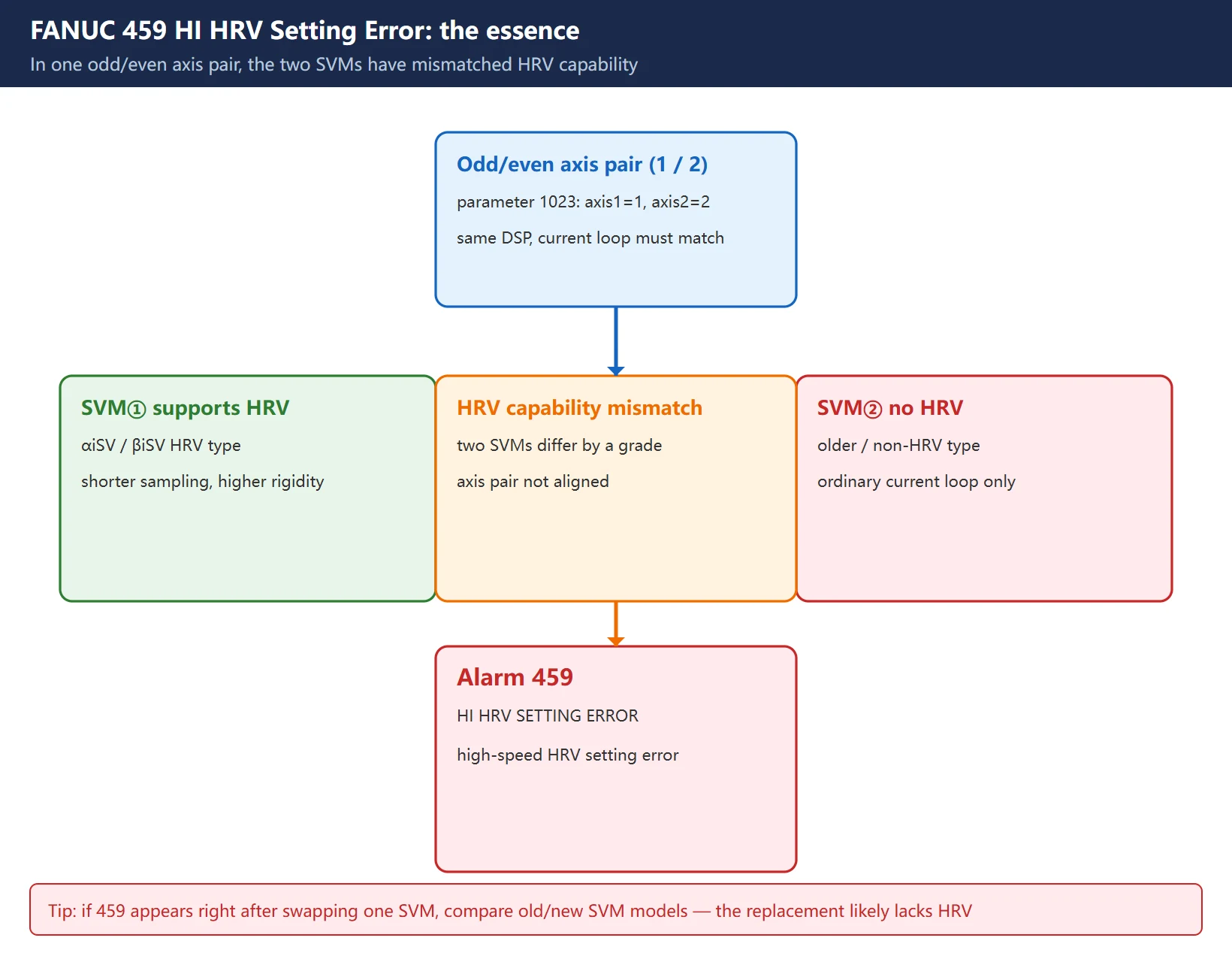
In one sentence: 459 is not a single wrong parameter; it is “two SVMs in the same axis pair have mismatched HRV capability.”
Note: this article follows the alarm definition of the FANUC 0i series (0i-MODEL C Maintenance Manual B-64115EN/02). The alarm numbers and meanings are essentially the same on 31i / 32i / 0i-F, but the parameter bit assignments follow the parameter manual of the specific model.
2. Why alarm 459 occurs (trigger and hardware root cause)
FANUC defines 459 very precisely:
For two axes whose servo axis numbers (parameter No.1023) are an odd number followed by an even number (a pair of axes 1 and 2, or axes 5 and 6, for example), one axis’s SVM supports high-speed HRV control but the other SVM does not — alarm 459 is raised. Refer to the SVM specification.
Unpack the key words:
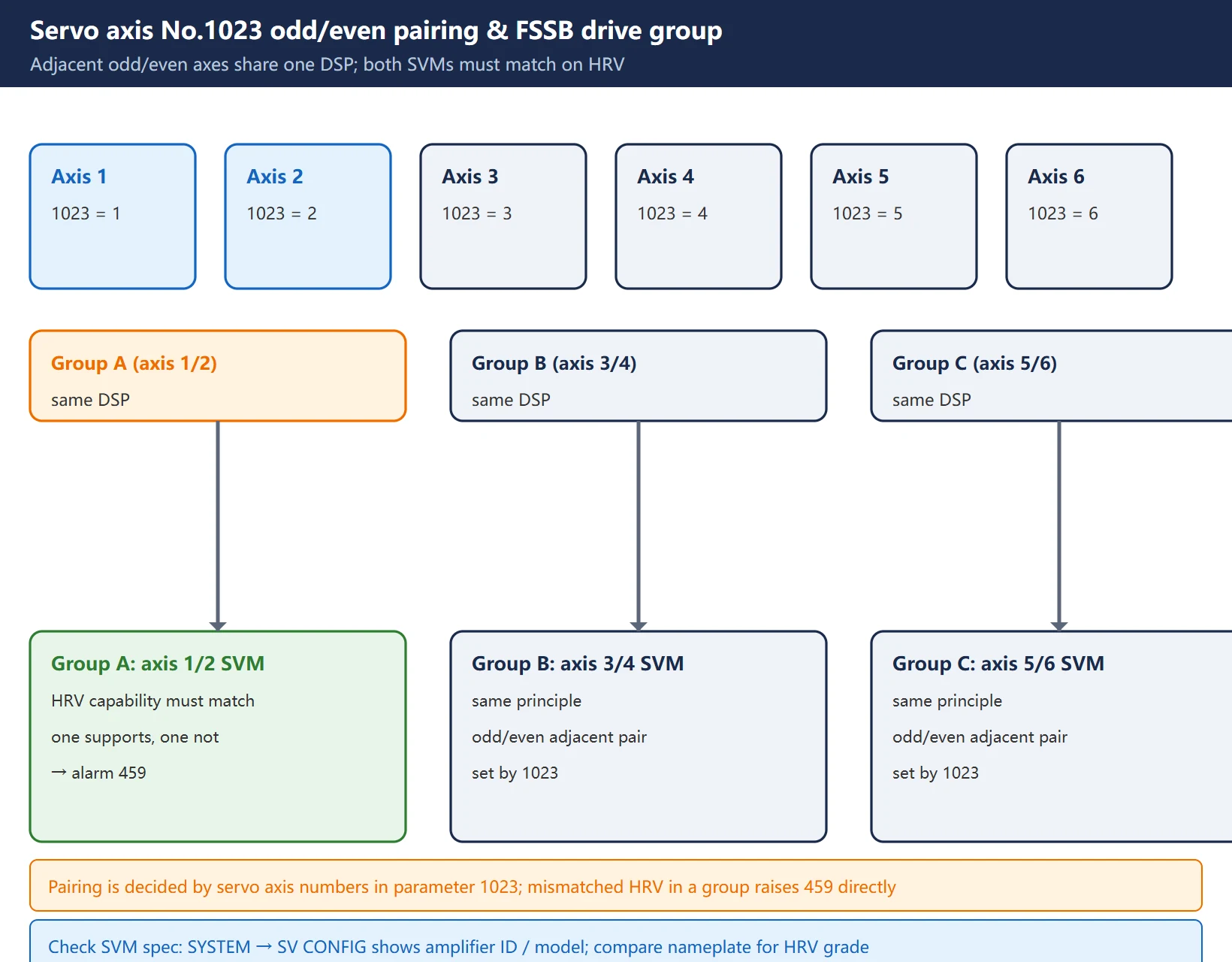
- “Odd/even axis pair”: FANUC assigns two adjacent servo axes (1&2, 3&4, 5&6…) to the same DSP / same drive-processing group, and expects that pair to have matching current-loop capability. The servo axis numbers set in 1023 decide the pairing.
- “SVM supports / does not support high-speed HRV”: SVMs come in generations; older or certain models do not support high-speed HRV. When you enable HRV on the capable axis while the paired SVM cannot do it, the system sees the pair “out of HRV alignment” and raises 459.
- “Refer to the SVM specification”: the alarm points at the hardware combination, not a single parameter to tweak blindly — first confirm whether the two SVMs are the same HRV capability class.
The three most common field triggers:
- One servo amplifier was swapped: a non-HRV SVM (older model or different hardware generation) replaced the paired one, and 459 appears at power-up.
- Servo parameters / SERVO SETTING copied wrongly: parameters copied from another machine, or 2003#0 (HRV select bit) switched on by mistake, forced an unsupported axis into HRV.
- Mixed SVM generations: different-generation amplifier modules plugged into the same drive group → mismatched HRV capability.
3. Locate it fast: which axis pair, which SVM
Step 1 — from the alarm screen, note which axis raised 459 (the number before the alarm, e.g. 459 n AXIS, where n is the axis).
Step 2 — read parameter No.1023 (servo axis numbers) to find its odd/even adjacent partner. If axis 1 = 1 and axis 2 = 2 in 1023, then 1 and 2 are a pair; if axis 5 = 5 and axis 6 = 6, then 5 and 6 are a pair.
Step 3 — check the amplifier ID / SVM specification:
- Go to
【SYSTEM】→【SV CONFIG】(servo setting / amplifier configuration), or the amplifier-ID view on the diagnostic screen, to see each SVM’s model and whether it supports high-speed HRV. - Compare against the amplifier nameplate / order number to confirm the paired SVMs are the same HRV capability class.
Field tip: if 459 appeared “right after you swapped one SVM,” don’t over-investigate — compare the old and new SVM models; nine times out of ten the replacement does not support HRV. For the removal/install and parameter write-back steps, see FANUC Servo Amplifier Replacement.
4. Fix steps: align the HRV level / redo SERVO SETTING
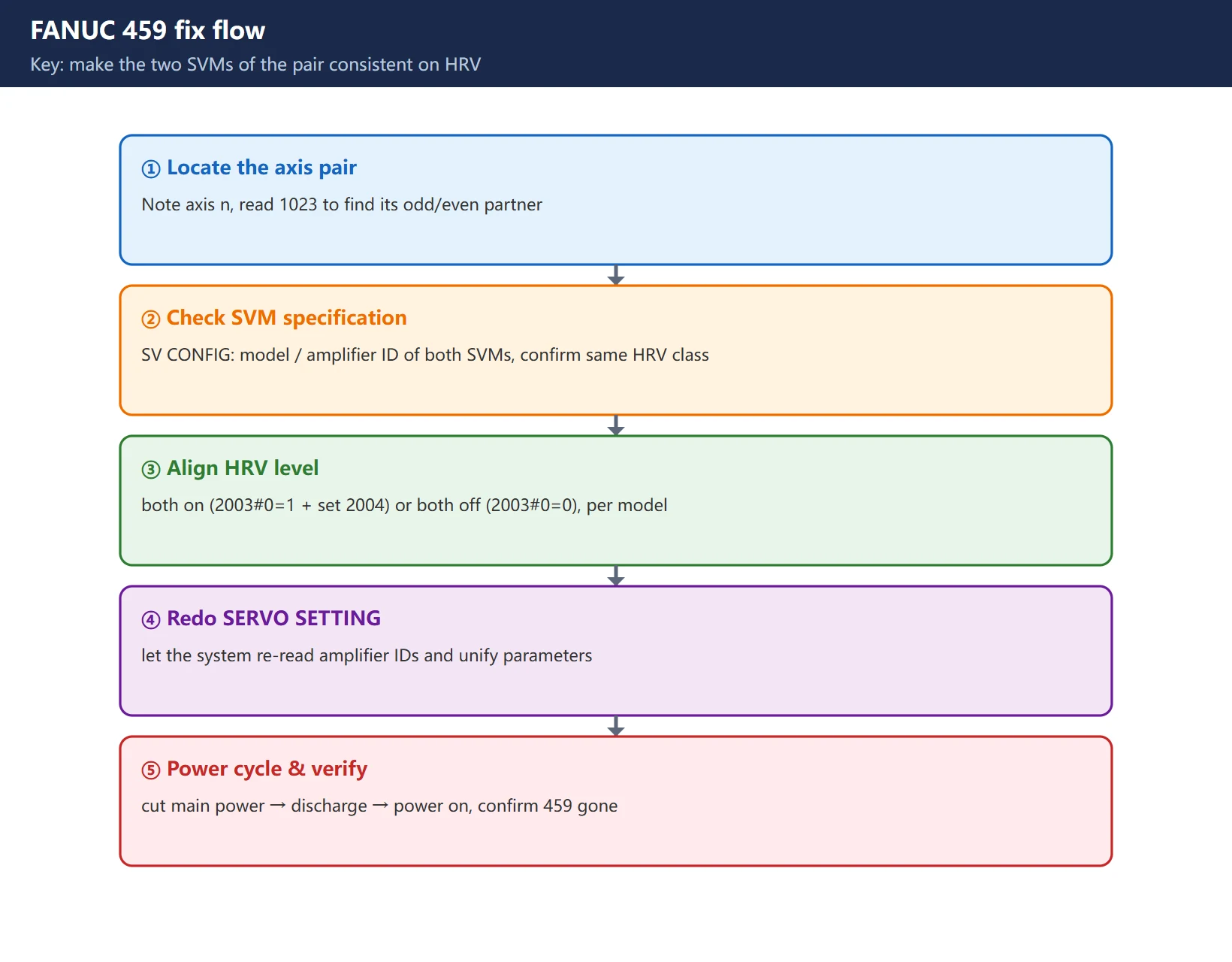
One principle only: make the two SVMs of that axis pair consistent on HRV. Pick one of two paths:
Path A: align to “both use high-speed HRV” (recommended if hardware allows)
- Confirm both paired SVMs are HRV-capable models (check amplifier ID / nameplate).
- Enable high-speed HRV for the pair in servo setting (parameter No.2003#0 = 1) and set the current control cycle per the model (parameter No.2004).
- Re-run SERVO SETTING so the system re-reads the amplifier IDs and unifies parameters.
- Cut the machine main power, wait a few minutes (servo capacitor discharge), then power on. 459 should clear.
Path B: align to “neither uses high-speed HRV” (when the SVM on hand does not support HRV)
- Turn HRV off for the pair: parameter No.2003#0 = 0, and set the No.2004 current control cycle to the non-HRV standard value for that model (per its parameter manual).
- Re-run SERVO SETTING.
- Power cycle. The cost: that pair loses HRV’s high rigidity / fast response, but it runs normally.
Path C: fit a matching SVM (the hardware-level root fix)
- Replace the non-HRV SVM with a same-generation, HRV-capable module of the same type, then walk Path A again.
Reminder: parameters like 2003 / 2004 are “power-off to take effect” — you must power cycle; pressing
RESETalone does nothing. Before changing anything, record the original values, as in FANUC Servo Gain 2021 / 1825 Adjustment, so you can roll back.
5. The 456 / 457 / 458 / 468 family: current loop & HRV alarms
459 is not alone; these siblings share the same technical family — check them together:
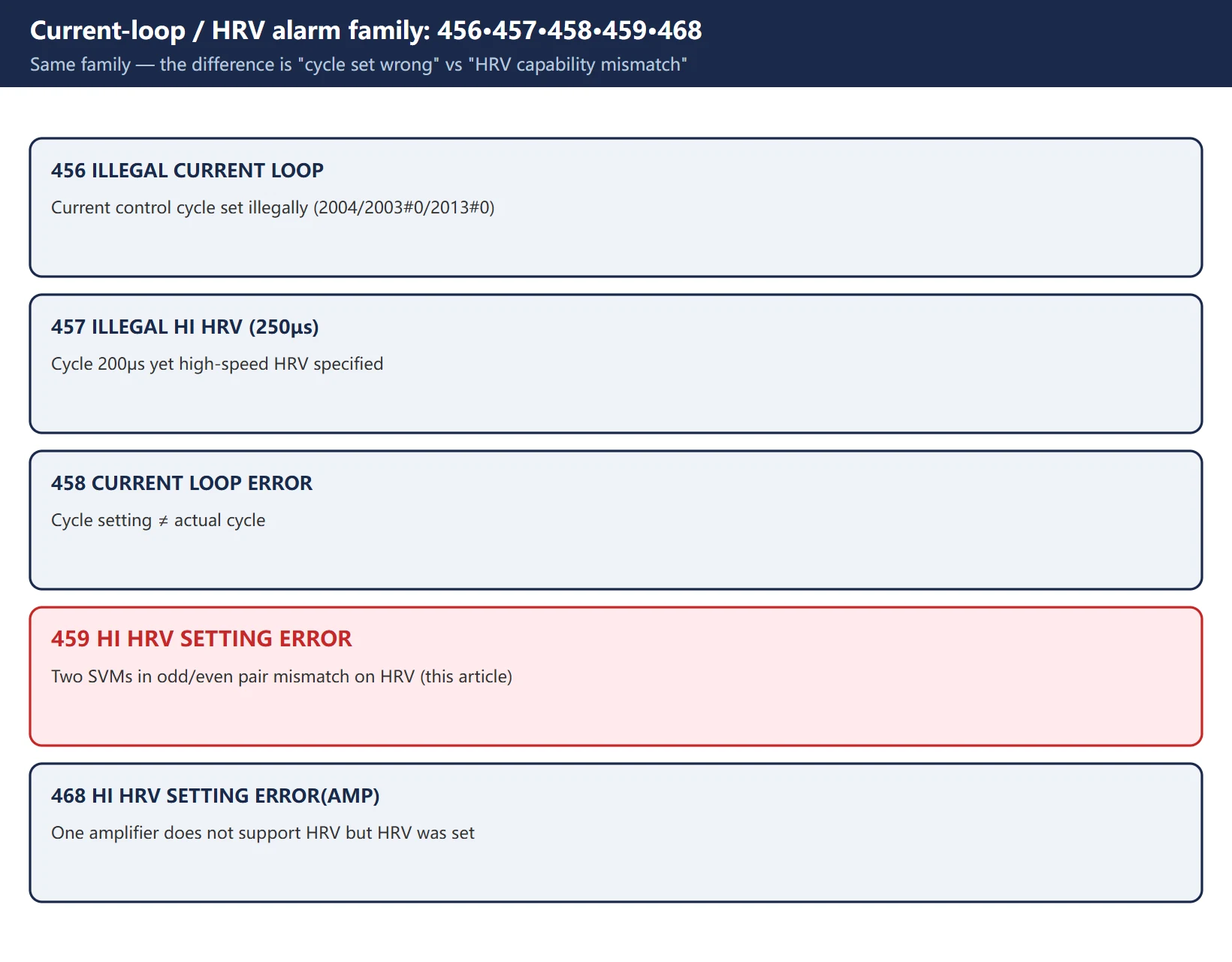
| Alarm | Meaning | How it differs from 459 |
|---|---|---|
| 456 ILLEGAL CURRENT LOOP | Current control cycle set wrongly (2004, 2003#0, 2013#0 combination illegal) | The cycle itself is wrong, not two SVMs mismatched |
| 457 ILLEGAL HI HRV (250μs) | High-speed HRV specified although the current control cycle is 200μs | HRV fights the current-loop cycle |
| 458 CURRENT LOOP ERROR | Current control cycle setting ≠ actual cycle | Setting and reality disagree |
| 459 HI HRV SETTING ERROR | Two SVMs in the odd/even axis pair have mismatched HRV capability | The star of this article: hardware combination mismatch |
| 468 HI HRV SETTING ERROR(AMP) | High-speed HRV specified for an axis whose amplifier does not support it | Single-amplifier level, a more direct “amplifier unsupported” |
A useful triage order: 465 / 466 = amplifier ID not read → 457 / 458 = cycle set wrong → 459 / 468 = HRV capability vs setting mismatch.
6. Common misreads and version differences
- Misread 1: “a power cycle will fix it.” 459 is a hardware / SERVO SETTING combination mismatch; a plain restart usually won’t clear it. Only an occasional amplifier-ID read failure (like 465) may recover on restart.
- Misread 2: “just flip some bit in 2003.” Bit assignments differ by series. This article uses 0i series No.2003#0 = high-speed HRV control select bit; 31i / 32i / 0i-F etc. may differ — always check the parameter manual of the specific model, don’t change bits from memory.
- Misread 3: “same alarm number = same thing.” 459 and 468 are both HI HRV SETTING ERROR, but 459 stresses “between axis pairs” while 468 stresses “single amplifier unsupported” — the handling differs slightly.
- Version differences: the selectable HRV grades (HRV1 / HRV2 / HRV3) vary with the system software and SVM hardware generation; exactly which grade is available depends on the amplifier spec and servo software version. This article does not invent specific grade numbers.
7. Troubleshooting checklist
- Note the axis number that raised 459 (the n before the alarm).
- Read parameter 1023 and find its odd/even adjacent partner axis.
- Go to
【SYSTEM】→【SV CONFIG】and check the two SVMs’ models / amplifier IDs for the same HRV capability. - If an SVM was just swapped: compare old vs new model to confirm the replacement supports HRV.
- Unify one way: both HRV on (2003#0 = 1 + set 2004) or both off (2003#0 = 0), per the model’s parameter table.
- Re-run SERVO SETTING so the system re-reads the amplifier IDs.
- Cut main power → wait for discharge → power on, and confirm 459 is gone.
- Still there: check the FSSB optical cable and the amplifier control board for looseness; fit a matching SVM if needed.
FAQ
Does cycling power clear alarm 459?
Usually not. 459 is a “two SVMs in the odd/even axis pair have mismatched HRV capability” condition — a hardware / SERVO SETTING combination issue, so a plain RESET or restart normally won’t clear it. Only an occasional amplifier-ID read failure (like 465) may recover on restart. The correct fix is to check the SVM specification, align the HRV level or fit a matching SVM, then redo SERVO SETTING and power cycle.
Which parameter selects high-speed HRV?
On the 0i series, high-speed HRV control is selected by parameter No.2003#0 (=1 enables it); the current control cycle is set by parameter No.2004, with No.2013#0 also involved. Note that other models (31i / 32i / 0i-F, etc.) may assign the bits differently — always follow the parameter manual of the specific model, and don’t change bits from memory.
Alarm 459 appeared right after I swapped a servo amplifier — what now?
Most likely the replacement SVM does not support high-speed HRV while the paired one does, so the axis-pair HRV capability is mismatched. First compare the old and new SVM models / order numbers to confirm. If the new SVM lacks HRV, either set the pair to non-HRV mode (2003#0 = 0 + the corresponding 2004), or fit a same-generation HRV-capable SVM of the same type, then redo SERVO SETTING and power cycle. For removal/install and parameter write-back, see the servo amplifier replacement guide.
Last updated: 2026-10-27
Where to go next
- FANUC Troubleshooting — the full guide library: alarms, diagnosis numbers, servo, spindle, PMC and electrical faults, organised by symptom.
- CNC Repair Tools — which instrument measures what: multimeters, clamp meters, insulation testers and oscilloscopes, with the specification that actually matters.
- Remote Technical Support — have the readings reviewed with you: alarm reverse lookup, PMC ladder analysis and servo tuning advice by call. Repair companies and integrators welcome.
Read the guide, get the right instrument, or walk the diagnosis through with someone — pick whichever you need.
The original Chinese version — same procedure, with the full field notes.























暂无评论内容