


1. First, what 828D MD is and how to read it
A common field question is “where do I change this MD, and to what value”. Three things first:
- MD = Machine Data — parameters that describe what this machine’s axes, spindle, drive train and monitoring look like. They are one of three layers: NC MD (the “definition”), drive parameters (p-prefixed, at drive level, the “execution”), and PLC (the “sequence and enabling”).
- How to read them: go to
Diagnostics→Machine data(or the commissioning screen), filter by axis / channel / general; you can also type the MD number directly into the search box. An alarm screen often links the relevant MD as well. - Version differences: 828D and 840D sl share the vast majority of MD numbers, but default values — and occasionally an individual MD — differ by firmware / PPU version. Every value in this article is a common value; before you touch anything, trust the current value shown on this machine’s diagnostics screen and its parameter sheet.
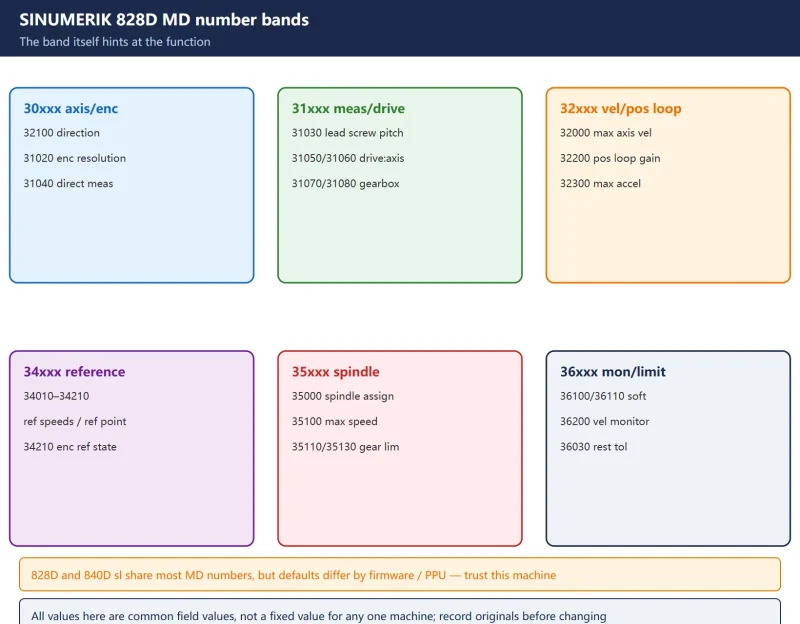
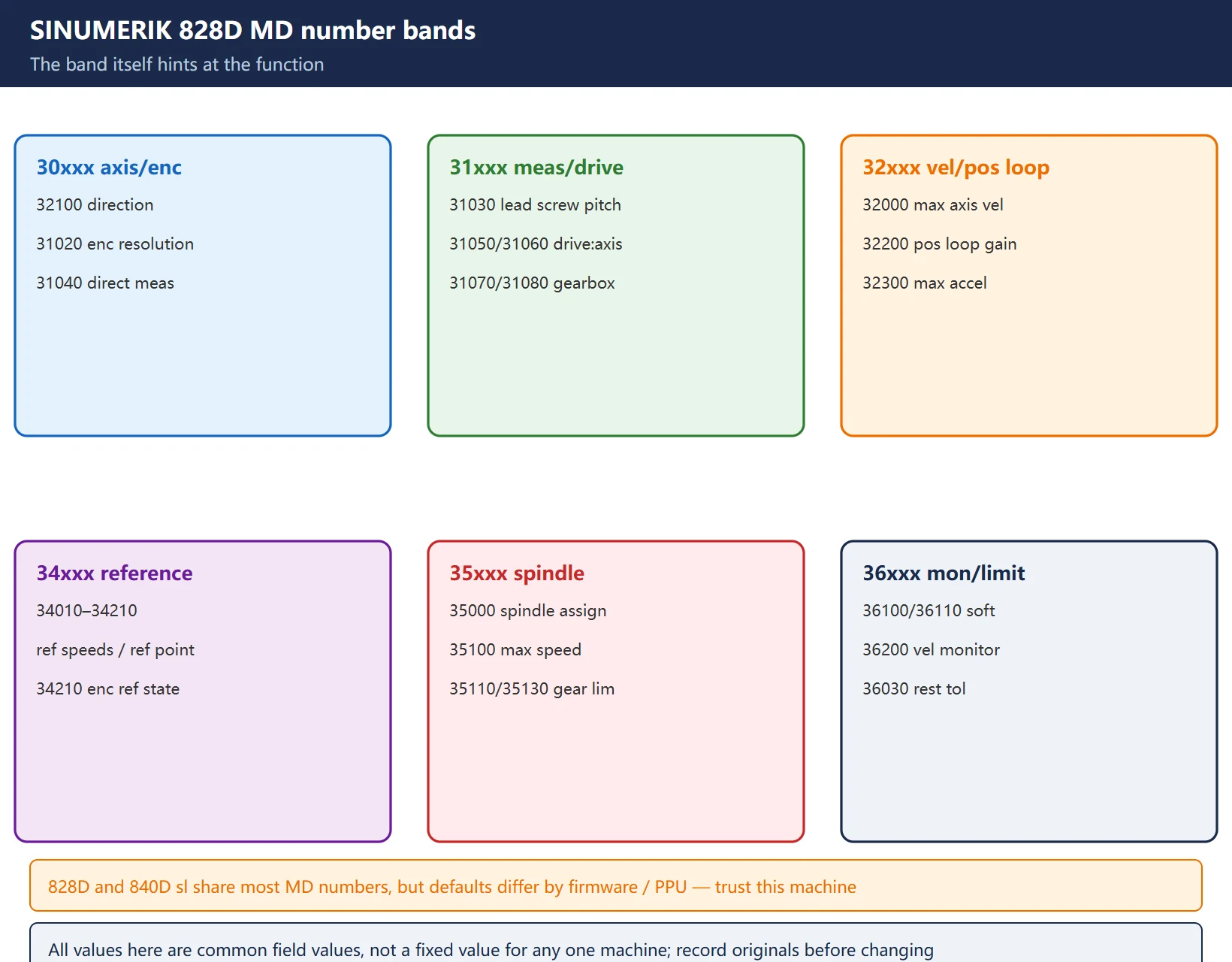
The MD number band itself hints at the function, which helps you locate quickly:
| MD band | Rough function | Typical examples |
|---|---|---|
| 30xxx | axis / encoder basic config | 32100 direction, 31020 encoder resolution, 31040 direct measurement |
| 31xxx | measuring system / drive ratio | 31030 lead screw pitch, 31050/31060 drive:axis ratio, 31070/31080 gearbox ratio |
| 32xxx | velocity / position loop / jerk | 32000 max axis velocity, 32200 position loop gain, 32300 max acceleration, 32431 jerk |
| 34xxx | referencing / zero point | 34010–34210 reference speeds, ref point position, encoder ref state |
| 35xxx | spindle | 35000 spindle assignment, 35100 max speed, 35110/35130 per-gear limits |
| 36xxx | monitoring / soft limit / position tol. | 36100/36110 soft limit, 36200 velocity monitoring, 36030 rest tolerance |
2. Axis basic configuration (drive-train conversion)
These decide “when the motor turns one revolution, how far the table moves and where the system reads”:
| MD | Name (common) | Purpose |
|---|---|---|
| 32100 | AX_MOTION_DIR | Axis motion direction (motor direction, NOT feedback polarity) — wrong value reverses the axis |
| 31020 | ENC_RESOL | Encoder pulses / resolution per revolution (for linear scales, resolution related to grating pitch) |
| 31030 | LEADSCREW_PITCH | Lead screw pitch (linear axis); rotary axis fills 360 or the matching angle |
| 31040 | ENC_IS_DIRECT[0] | Direct measuring system? (1 = scale/direct, 0 = semi-closed motor encoder) |
| 31050 / 31060 | DRIVE_AX_RATIO_NUMERA / DENOMI | Drive-side : axis-side reduction ratio (numerator / denominator) |
| 31070 / 31080 | GEARBOX_RATIO_NUMERA / DENOMI[0] | Gearbox stage reduction ratios (multi-stage gearboxes) |
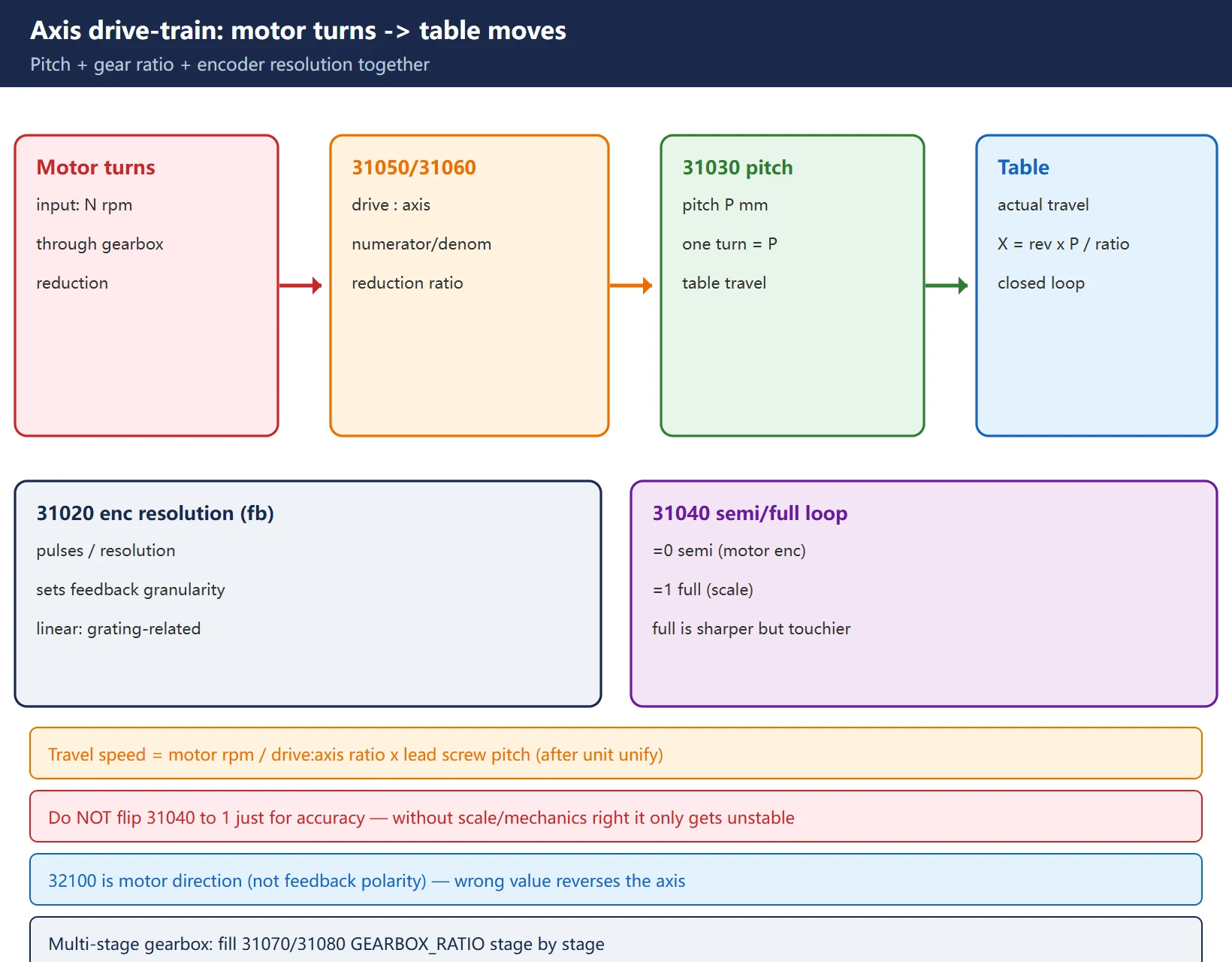
Semi-closed vs full-closed loop: reading only the motor-end encoder is semi-closed (31040=0); adding a scale that reads the table makes it full-closed (31040=1). Full-closed is more accurate but more sensitive to tuning and vibration — do not flip 31040 to 1 just for “better accuracy”; without the mechanics and scale being right it only gets more unstable.
3. Velocity, acceleration and jerk (the most mis-edited section)
| MD | Name (common) | Purpose |
|---|---|---|
| 32000 | MAX_AX_VELO | Maximum axis velocity (geometric hard limit, mm/min) |
| 32010 | JOG_VELO_RAPID | Rapid velocity in jog mode |
| 32020 | JOG_VELO | Jog axis velocity (handwheel excluded) |
| 32200 | POSCTRL_GAIN[0] | Position loop gain Kv (NOT a velocity limit!) |
| 32300 | MAX_AX_ACC | Maximum axis acceleration |
| 32431 | MAX_AX_JERK[0] | Jerk limit in automatic mode |
| 32430 / 32420 | JOG_AND_POS_MAX_JERK / _ENABLE | Jerk value and enable in manual / positioning mode |
🚨 The most important correction: MD32200 is the position loop gain (Kv), often mistaken for a “velocity limit” and edited as such. It sets the stiffness of the position loop — too high follows tightly but oscillates easily, too low is stable but “soft” positioning. The axis velocity limit is MD32000, and the monitoring threshold that “watches whether you overspeed” is MD36200 (see section 6). The three roles are completely different — do not mix them:
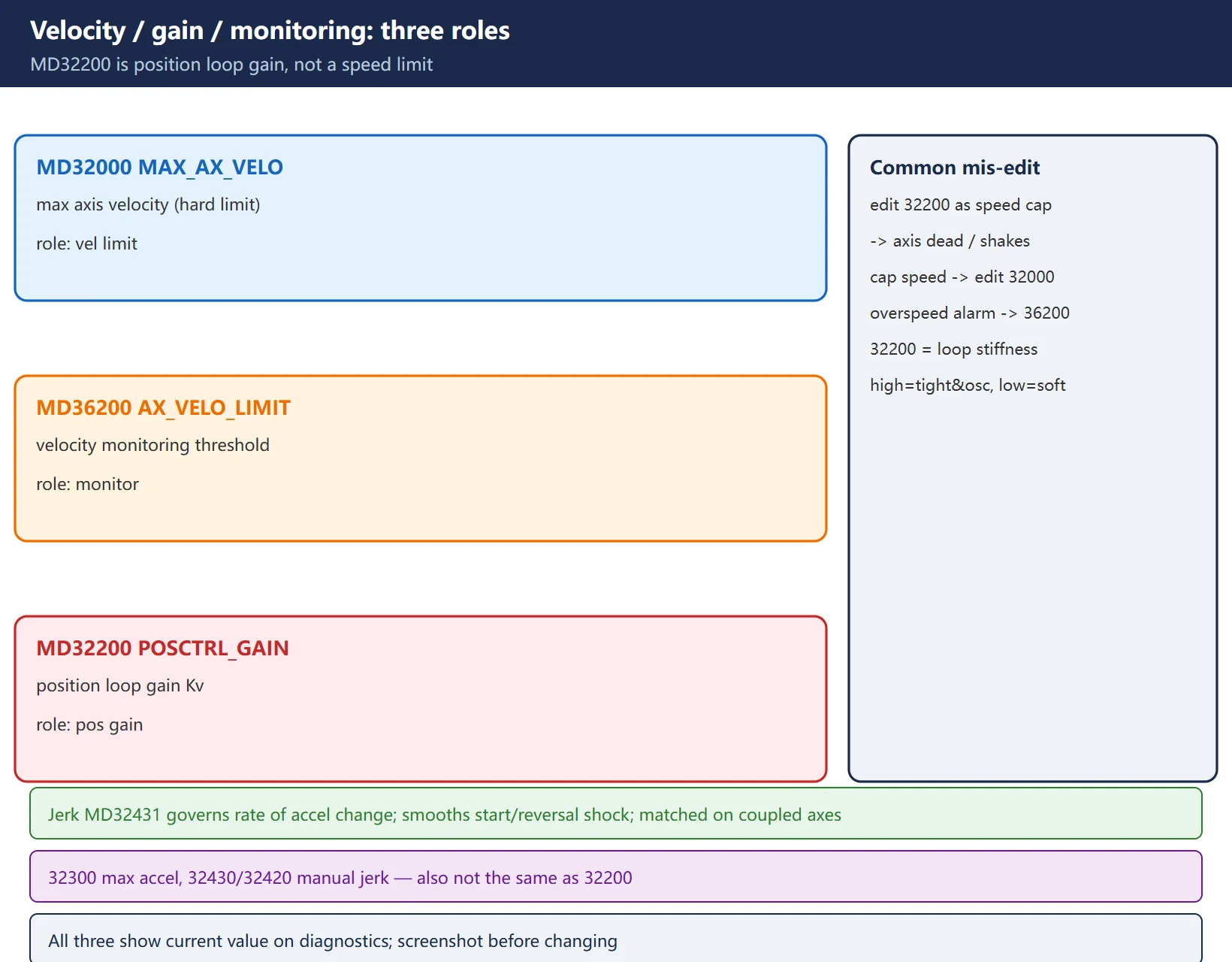
Jerk (MD32431 etc.) is the rate of change of acceleration; tuned well it removes the shock/vibration at start and direction reversal. Axes that interpolate together must have the same jerk performance, or coupled motion feels awkward.
4. Spindle data
| MD | Name (common) | Purpose |
|---|---|---|
| 35000 | SPIND_ASSIGN_TO_MACHAX[0] | Define this axis as spindle (=1 speed-control mode, =0 not spindle) |
| 35010 | GEAR_STEP_CHANGE_ENABLE | Gear-step change enable (multi-gear spindles) |
| 35100 | SPIND_VELO_LIMIT | Maximum spindle speed (must not exceed MD36200) |
| 35110 / 35130 | GEAR_STEP_MAX_VELO / _LIMIT[0] | Per-gear max speed / max speed limit |
| 35120 / 35140 | GEAR_STEP_MIN_VELO / _LIMIT[0] | Per-gear min speed / min speed limit |
| 35400 | SPIND_POSCTRL_VELO_LIMIT | Speed limit during spindle positioning (C-axis / orientation) |
| 35150 | — (speed tolerance) | Allowed deviation of actual vs commanded spindle speed (default 0.1; over it alarms) |
| 35500 | — (feed at speed) | =1 allows feed only after spindle reaches set speed |
Spindle speed has four limits (loosest to tightest): per-gear max MD35110/35130 → velocity monitoring threshold MD36200 → max spindle speed MD35100 (and not above 36200) → plus channel-level SD43220 etc. When the commanded speed is capped, see which number the actual value is stuck at.
5. Referencing and zero point
| MD | Name (common) | Purpose |
|---|---|---|
| 34010 | REFP_CAM_DIR_IS_MINUS | Reference in negative direction? |
| 34020 | REFP_VELO_SEARCH_CAM | Speed to search the reference cam/switch |
| 34040 | REFP_VELO_SEARCH_MARKER | Speed to search the zero pulse (grid) |
| 34060 | REFP_MAX_MARKER_DIST | Max distance to find the reference mark |
| 34070 | REFP_VELO_POS | Positioning speed to the reference point |
| 34100 | REFP_SET_POS | Reference point position relative to machine coordinate system |
| 34210 | ENC_REFP_STATE[0] | Absolute encoder commissioning state (set to “uncalibrated” then reference to write) |
On an absolute encoder (scale / motor absolute) the first power-up must set 34210 to uncalibrated then execute referencing, so the system writes the current position into the encoder. Just editing 34100 without referencing makes the position drift after power loss.
6. Soft limits and monitoring (source of crashes and positioning alarms)
| MD | Name (common) | Purpose |
|---|---|---|
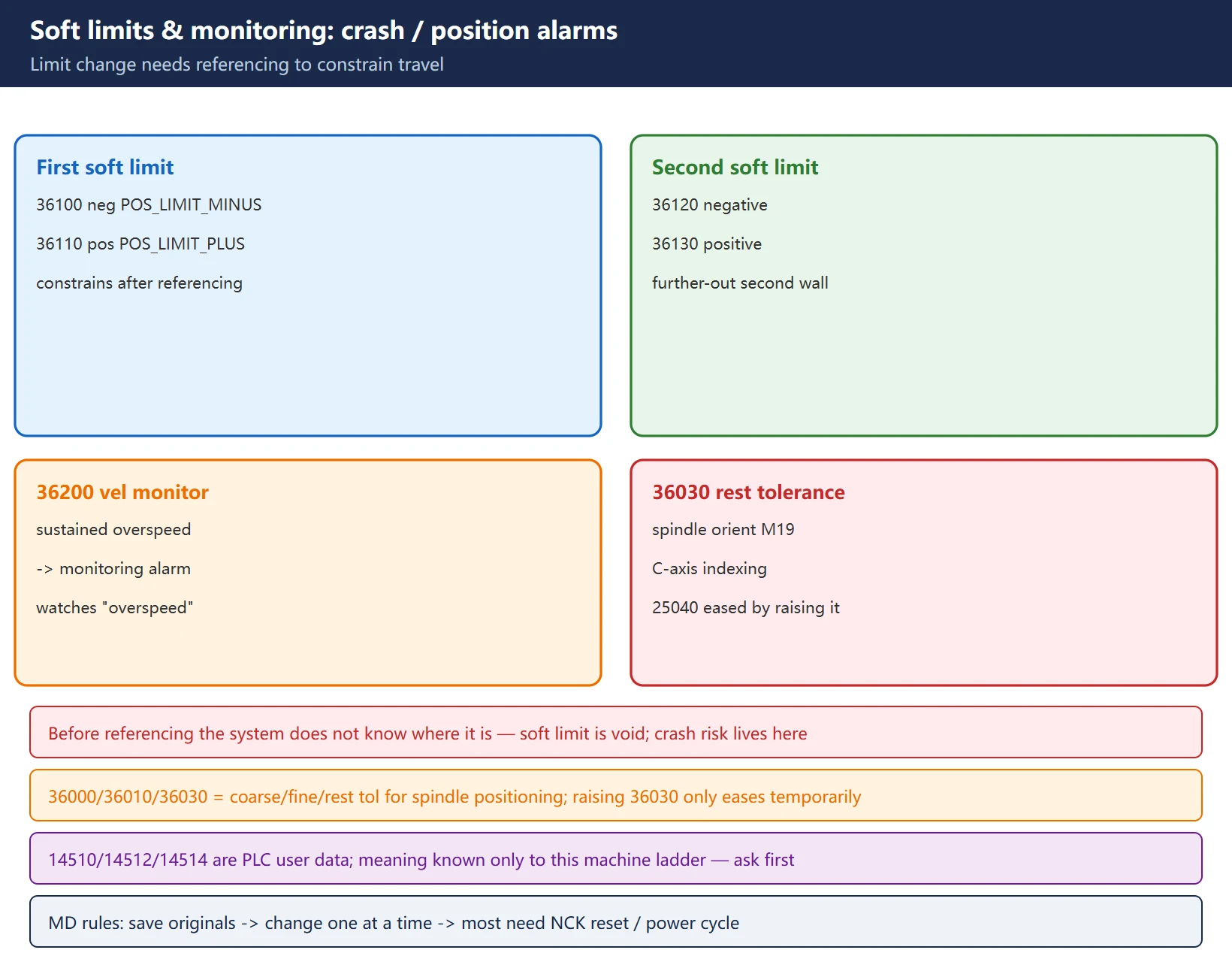
| 36100 | POS_LIMIT_MINUS | First soft limit (negative) |
| 36110 | POS_LIMIT_PLUS | First soft limit (positive) |
| 36120 / 36130 | Second soft limit neg / pos | A second, further-out limit |
| 36200 | AX_VELO_LIMIT[0] | Velocity monitoring threshold (sustained overspeed → monitoring alarm) |
| 36000 / 36010 / 36030 | coarse / fine in-position / rest tol. | Used by spindle orientation (M19) and C-axis indexing; 25040 standstill error alarm is often temporarily eased by raising 36030 |
🚨 A soft-limit change may not take effect until you reference. The first soft limits 36100/36110 only truly constrain travel after referencing; before referencing the system does not know where it is, and the limit is effectively void. That is exactly where crash risk lives.
7. PLC user data and commissioning cautions
- MD14510 / 14512 / 14514 are PLC user data (manufacturer-defined) — machine builders use them for custom panel buttons, magazine levels, coolant delay, etc. What each bit means is known only to this machine’s PLC ladder. Ask what they mean on this machine before changing; do not copy another machine’s table.
- MD change rules: ① record the original value in a “commissioning .md / backup” before changing; ② many MDs need an NCK reset / power cycle to take effect, and soft-limit / spindle ones often need referencing or a PLC reset; ③ change one item at a time and test it; ④ if it breaks, restore from the saved “commissioning .md” or an ALL backup.
- PLC alarm texts (e.g. the 7000-band) live in the PLC alarm help and correspond to A addresses in the ladder — a different layer from the NC MD discussed here.
FAQ
Are 828D MD numbers the same as 840D sl, can I just copy them?
Most MD numbers are shared (the 30xxx/31xxx/32xxx/34xxx/35xxx/36xxx bands are essentially the same across both), but defaults and occasionally an individual MD differ by firmware / PPU version. Never copy a whole table from another machine — use this machine’s current diagnostics value as the baseline, change only the one item you are sure of, and note the original. Every value here is a common field value, not a fixed value for any specific machine.
I changed MD32200 and now the axis will not move or it vibrates — why?
Because MD32200 is the position loop gain Kv, not a velocity limit. Too high makes the position loop too “stiff” and any slight mechanical backlash / insufficient rigidity triggers vibration or overshoot; too low and the axis “does not follow tightly”, positioning is soft and the surface finish suffers. The axis velocity limit is MD32000, and the overspeed monitoring threshold is MD36200 — three different roles, so do not edit 32200 as a speed cap. To cap speed edit 32000; to deal with overspeed alarms edit 36200.
I changed an MD but it did not take effect — why?
Two classes of cause: ① No reset — many MDs need an NCK reset or power cycle to load; soft-limit and spindle related ones often need referencing or a PLC reset to truly constrain. ② Wrong layer — treating an NC MD as a drive p-parameter, or a PLC user data (14510 etc.) as an NC axis parameter. Before changing, confirm which layer the MD belongs to, and save the original in a “commissioning .md” so you can roll back if it breaks.
Last updated: 2026-10-27
Further reading (EN): SINUMERIK 828D After a Servo-Motor / Encoder Swap — the full referencing and encoder-adjustment MD walkthrough (34000-34210), including the MD34210 state machine and the POWER ON reset requirement.
Further reading (EN): Setting Data (SD) vs Machine Data (MD) on SINUMERIK 828D — beyond the common MD list, split “machine configuration” from “running parameters”: the number range carries the scope, and the activation type decides when a change takes effect.
Where to go next
- FANUC Troubleshooting — the full guide library: alarms, diagnosis numbers, servo, spindle, PMC and electrical faults, organised by symptom.
- CNC Repair Tools — which instrument measures what: multimeters, clamp meters, insulation testers and oscilloscopes, with the specification that actually matters.
- Remote Technical Support — have the readings reviewed with you: alarm reverse lookup, PMC ladder analysis and servo tuning advice by call. Repair companies and integrators welcome.
Read the guide, get the right instrument, or walk the diagnosis through with someone — pick whichever you need.
The original Chinese version — same procedure, with the full field notes.























暂无评论内容