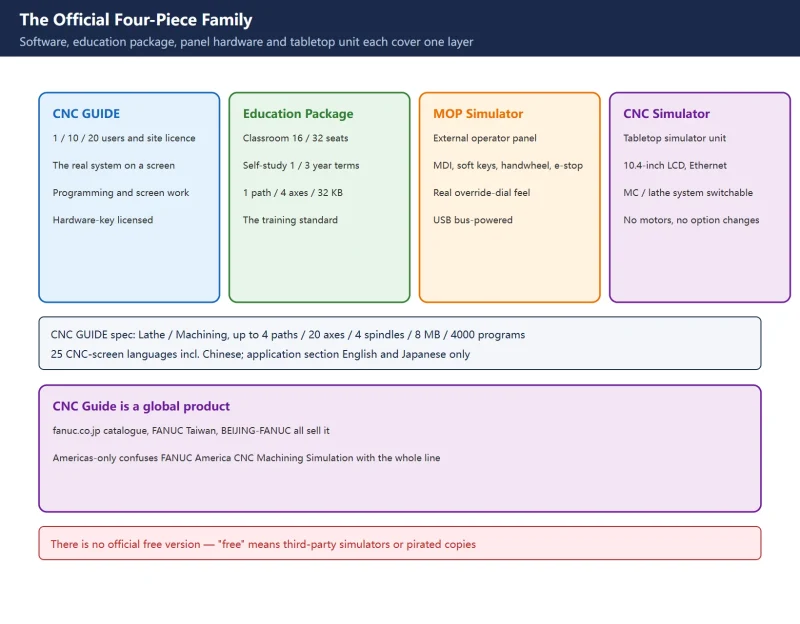



🚨 Scope and compliance: the product forms (1 / 10 / 20 users, site licence, Education Package classroom 16 / 32, self-study 1-year / 3-year), hardware keys (local key / network key), applicable systems (30i-B / 31i-B5 / 32i-B and Plus, 31i-A, 0i-TD / MD, 0i-TF / MF and Plus, 31i-LB / PB / WB, 35i-B, Power Motion i-A), specifications (Lathe / Machining, up to 4 paths / 20 axes / 4 spindles / 8 MB / 4000 programs; education package 1 path / 4 axes / 32 KB / 63 programs), display modes (Picture / Window), 25 CNC-screen languages including Simplified and Traditional Chinese, and the application-section limit to English and Japanese all come from the official FANUC catalogue (CNC GUIDE) and FANUC America training material. Circulating claims — “official simulation is Americas-only”, “180 MB free installer”, “600 MB disk footprint” — are not verified against official text and are not stated as fact. This page offers no cracks, keygens, cloud-drive links or third-party bundles.
Quick check: pick the purpose before the download
| Your goal | Pick | Official channel | Common mistake |
|---|---|---|---|
| Learn screens and programming | CNC Guide (single user or Education Package) | Regional FANUC official channels | Hunting a “free version” |
| Multi-seat classroom | Education Package (16 / 32 seats) or a network key | FANUC education sales | Buying one licence per seat |
| Realistic panel feel | MOP Simulator (external operator panel hardware) | FANUC official channels | Expecting software to replace the panel |
| Full machine 3-D material removal | CAM-toolpath simulation or builder solutions | Respective official channels | CNC Guide does not simulate material removal |
| Robots and load/unload cells | ROBOGUIDE | FANUC official channels | Stretching CNC simulation to cover robots |
Table 0 Five purposes and their products
Sister article: HEIDENHAIN iTNC 530 Manuals: Software Numbers, TNCguide and FCL. For finding out which options your own machine carries, see Fanuc 0i-F / 0i-F Plus Function Options.
1. The official line: CNC Guide is global, not Americas-only
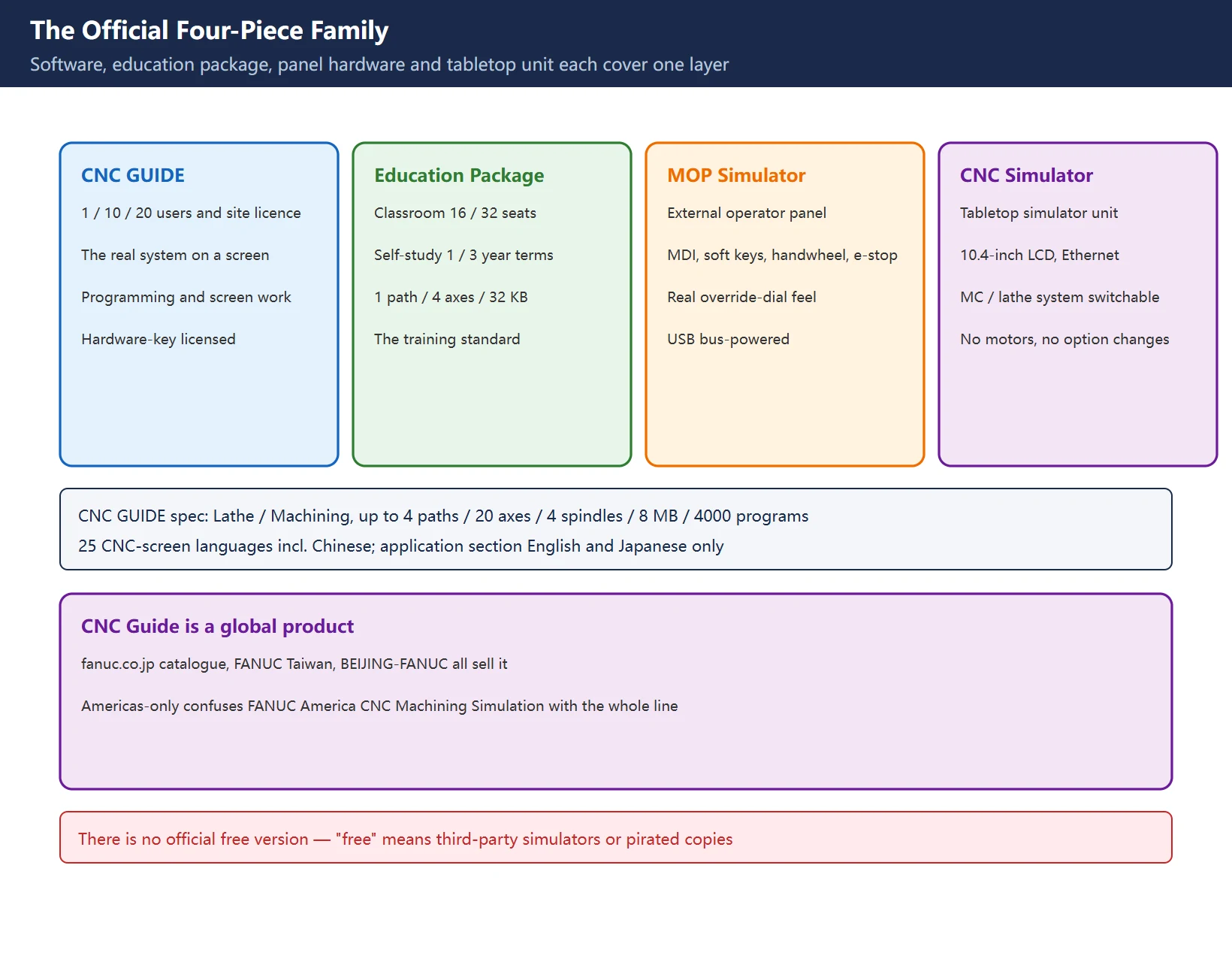
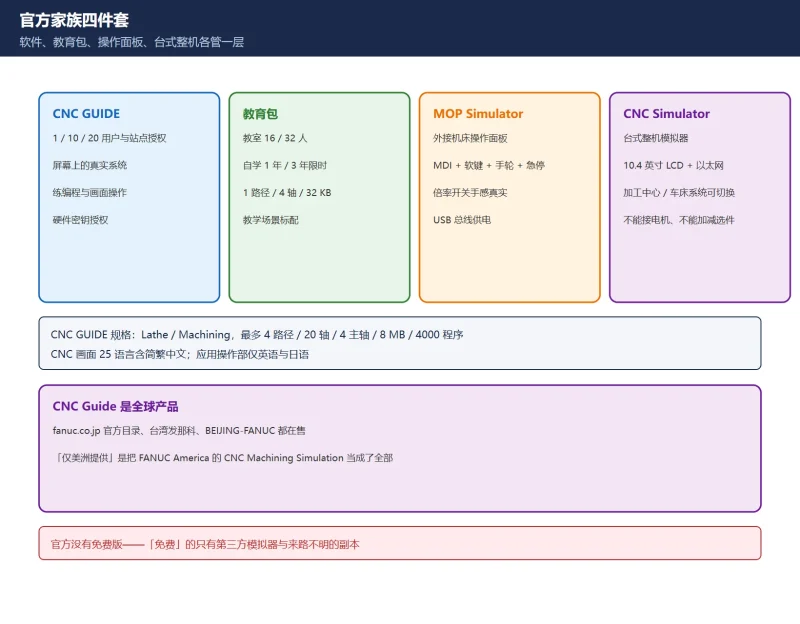
A widely circulated claim says FANUC’s official simulation is exclusive to the Americas. That is wrong. CNC Guide is a global FANUC product: fanuc.co.jp maintains the official catalogue (the CNC GUIDE brochure, updated as of January 2026), FANUC Taiwan lists it with Chinese material, and the brochure’s back page carries contacts for FANUC America, FANUC Europe and BEIJING-FANUC together. The claim probably confuses one real fact: FANUC America runs a product line called CNC Machining Simulation for whole-machine simulation, prominent on its own site — but that line is not the whole of FANUC simulation.
| Circulating claim | Reality |
|---|---|
| “Official FANUC simulation is Americas-only” | CNC Guide is global: Japanese HQ catalogue, FANUC Taiwan, BEIJING-FANUC all sell it |
| “Where is the free download” | No free version exists; Education Package “self-study 1-year / 3-year” is a purchased, time-limited licence |
| “The phone 0i-MF Plus simulator is official” | Panel-simulator apps are third-party works with no FANUC licence relationship |
Table 1 Three circulating claims, verified
2. Licensing and specifications: the hardware key is the core
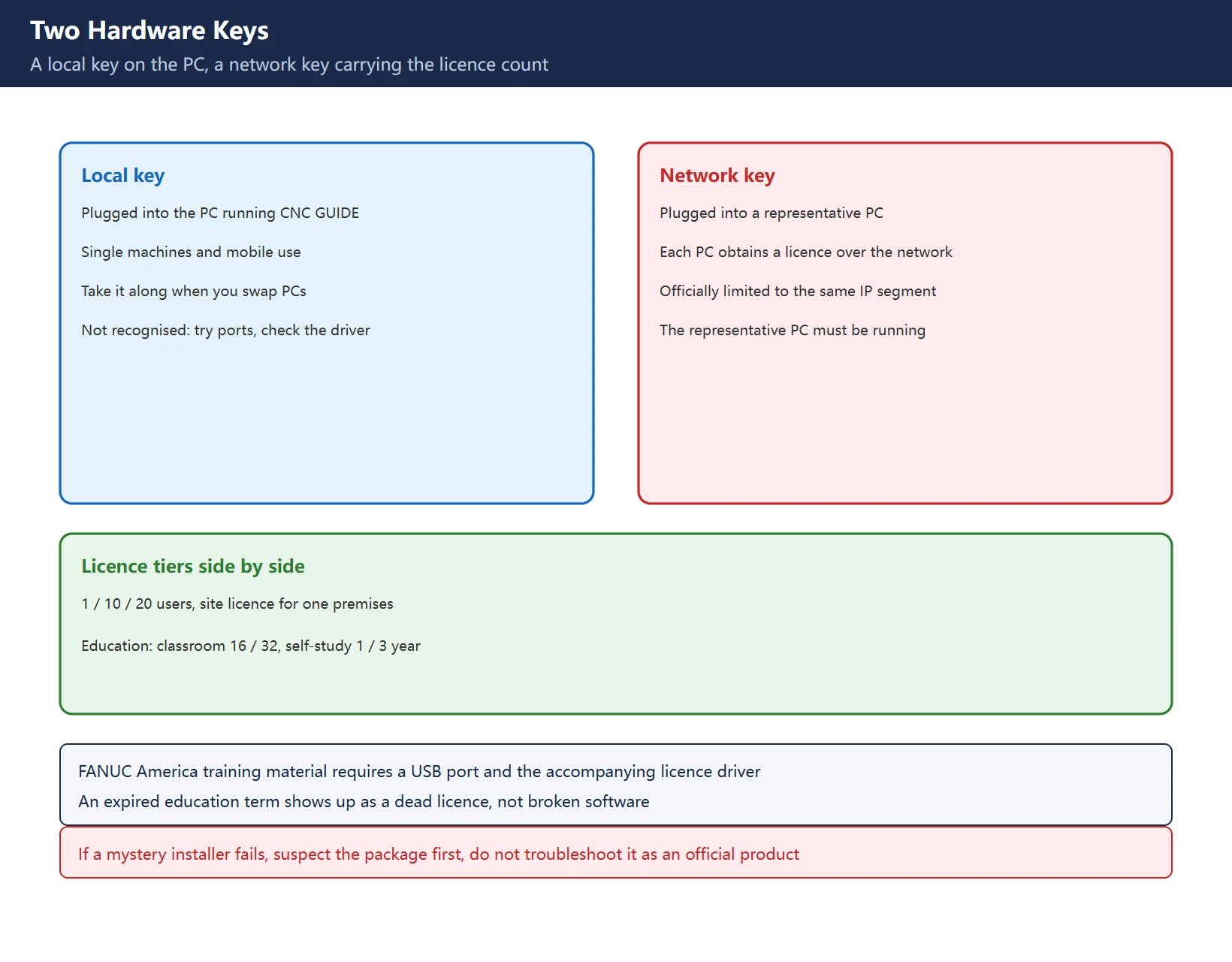
CNC Guide is licensed with a hardware key in two forms:
| Key type | Where it goes | Use case |
|---|---|---|
| Local key | Plugged into the PC running CNC GUIDE | Single machines, mobile use |
| Network key | Plugged into a representative PC; each PC obtains a licence over the network (officially limited to the same IP segment) | Sharing a limited licence count across a room |
Table 2 Local key versus network key
Licence tiers run 1 user, 10 simultaneous users, 20 simultaneous users and a site licence for one business premises. The education line adds the CNC GUIDE Education Package in 16- and 32-seat classroom forms plus self-study 1-year and 3-year timed licences. The specification split matters:
| Item | CNC GUIDE | Education Package |
|---|---|---|
| System | Lathe / Machining | Lathe / Machining |
| Max paths | 4 | 1 |
| Max control axes | 20 | 4 |
| Max spindles | 4 | 1 |
| Program capacity | 8 MB | 32 KB |
| Program count | 4000 | 63 |
Table 3 CNC GUIDE versus Education Package, official numbers
Applicable systems cover the 30i family (30i/31i/32i MODEL B, 31i-B5, the B Plus series, 31i-A), the 0i family (0i-TD/MD, 0i-TF/MF, TF/MF Plus), laser / punch / wire-cut specials (31i-LB/PB/WB), the 35i-B transfer-line CNC and Power Motion i-A. Two display modes exist: Picture mode renders the actual CNC appearance; Window mode separates the CNC screen, MDI keys and operator panel into windows. Languages: the CNC operation screen supports 25 including Simplified and Traditional Chinese, while the application-operation section offers English and Japanese only — a real constraint for Chinese users: the CNC screen can be Chinese, the software menus cannot.
3. The bigger official hardware: MOP Simulator and CNC Simulator
| Product | What it is | Official specification highlights |
|---|---|---|
| MOP Simulator | External machine operator panel | approx. 320 × 260 × 65 mm, approx. 1.1 kg; MDI keys, soft keys, operator panel, emergency stop, override switch, manual pulse generator; USB bus-powered; customizable panel keys |
| CNC Simulator | Tabletop simulator unit | approx. 421 × 220 × 608 mm, approx. 12 kg; 10.4-inch LCD, QWERTY MDI, Ethernet; switchable machining-centre system (3 axes + 1 spindle) and lathe system (2 axes + 1 spindle); officially noted as unable to connect motors and unable to add or remove options |
Table 4 The two official hardware simulators
The positioning differs sharply: CNC Guide is “the system on a screen” for programming and screen work; the MOP Simulator adds physical panel feel (override dial, handwheel, e-stop); the CNC Simulator is a classroom-safe “near-machine”. Budget and training goal decide the pick, and the three can be combined. FANUC America’s training catalogue explicitly uses CNC Guide as the exercise environment for its CNC operation courses and requires a PC with a USB port and the accompanying licence driver — direct evidence that this is the official teaching standard.
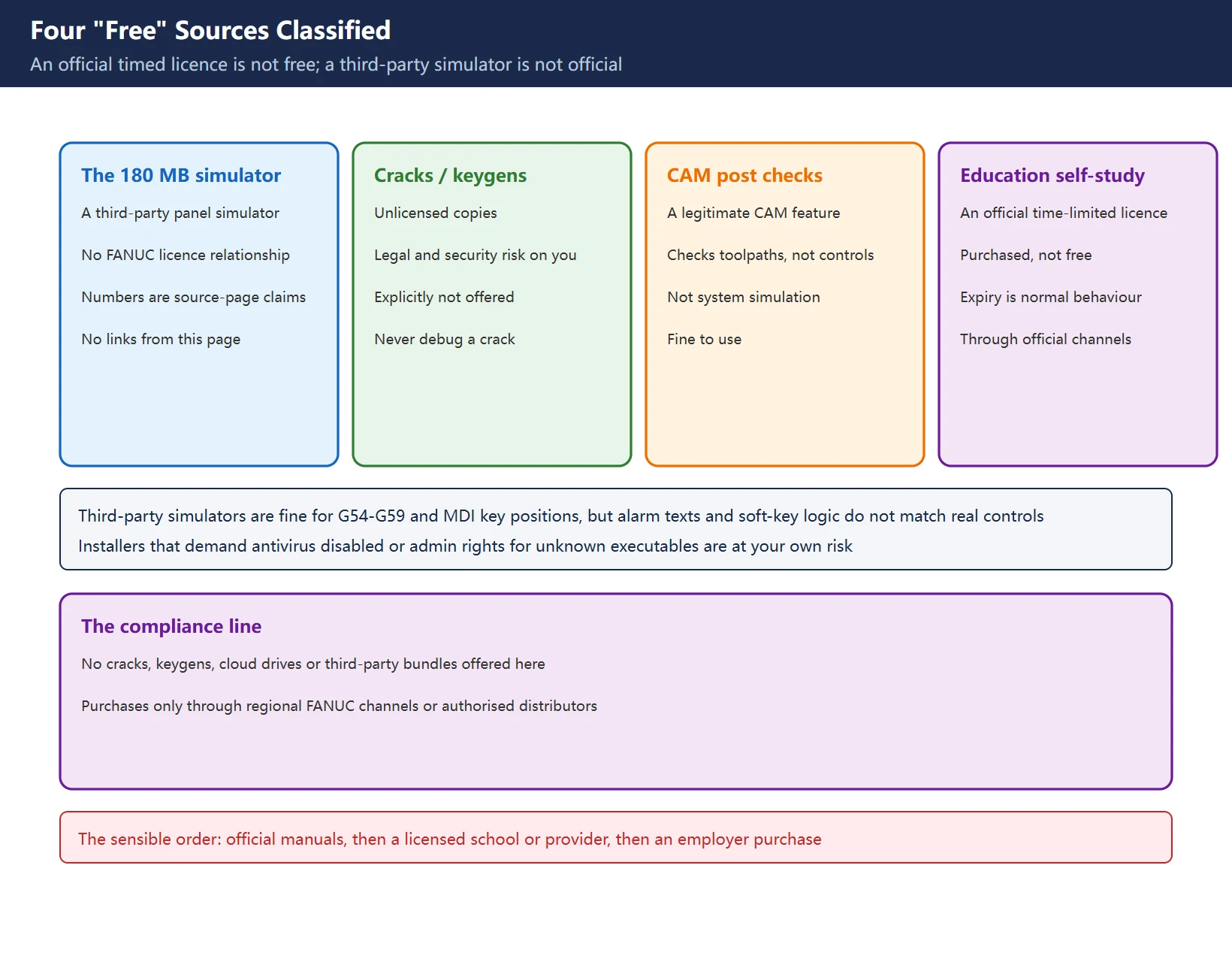
4. The free-version and third-party boundary
| What circulates | What it actually is | This page |
|---|---|---|
| “180 MB free 0i-MF Plus simulator” | A third-party panel simulator, not a FANUC product | No links; installer sizes and system requirements are source-page claims, verify yourself |
| “CNC Guide free / cracked” | Unlicensed copies | Not offered; legal and security risk on the user |
| CAM software FANUC post-checks | Legitimate CAM features | Legal, but they check toolpaths, not the control |
| Education “self-study 1 / 3 year” | An official time-limited licence form | A purchase option inside official channels, not free |
Table 5 Four “free” sources classified
Third-party panel simulators are not worthless — learning G54–G59, MDI key positions and ISO/EIA program entry is fair territory. But two boundaries are firm: their behaviour differs from real controls (screen layout, soft-key logic and alarm texts do not align), and any installer that asks you to disable antivirus or grant unknown executables admin rights is at your own risk. The sensible order for learning the real thing: FANUC official documentation → a school or training provider with a licensed CNC Guide → an employer purchase. For the real BOOT and data-recovery discipline on actual machines see Fanuc Boot System and System Software Recovery.
5. Install troubleshooting directions
The official brochure does not enumerate install errors, so this page gives verifiable directions only, no invented error codes:
| Direction | What to check |
|---|---|
| System environment | Windows-version support for your applicable 30i / 0i system, confirmed with the dealer against the release notes you receive |
| Licence and driver | Whether the hardware key is recognised and the licence driver installed (FANUC America training material requires a USB port and the accompanying driver); try ports and PCs |
| Licence form | Education 1 / 3-year term still valid; network key on the same segment with the representative PC running |
| Source | Errors that only appear with a “mystery installer” point at the package, not the product — do not troubleshoot a pirated copy as if it were official |
Table 6 Four troubleshooting directions
“Windows version compatibility” is the most frequent failure topic in the wild, but which build pairs with which CNC Guide release is a question for the official release notes at purchase time — this page deliberately publishes no compatibility matrix that would be stale tomorrow.
6. Simulation is not verification
| Path | Catches | Misses |
|---|---|---|
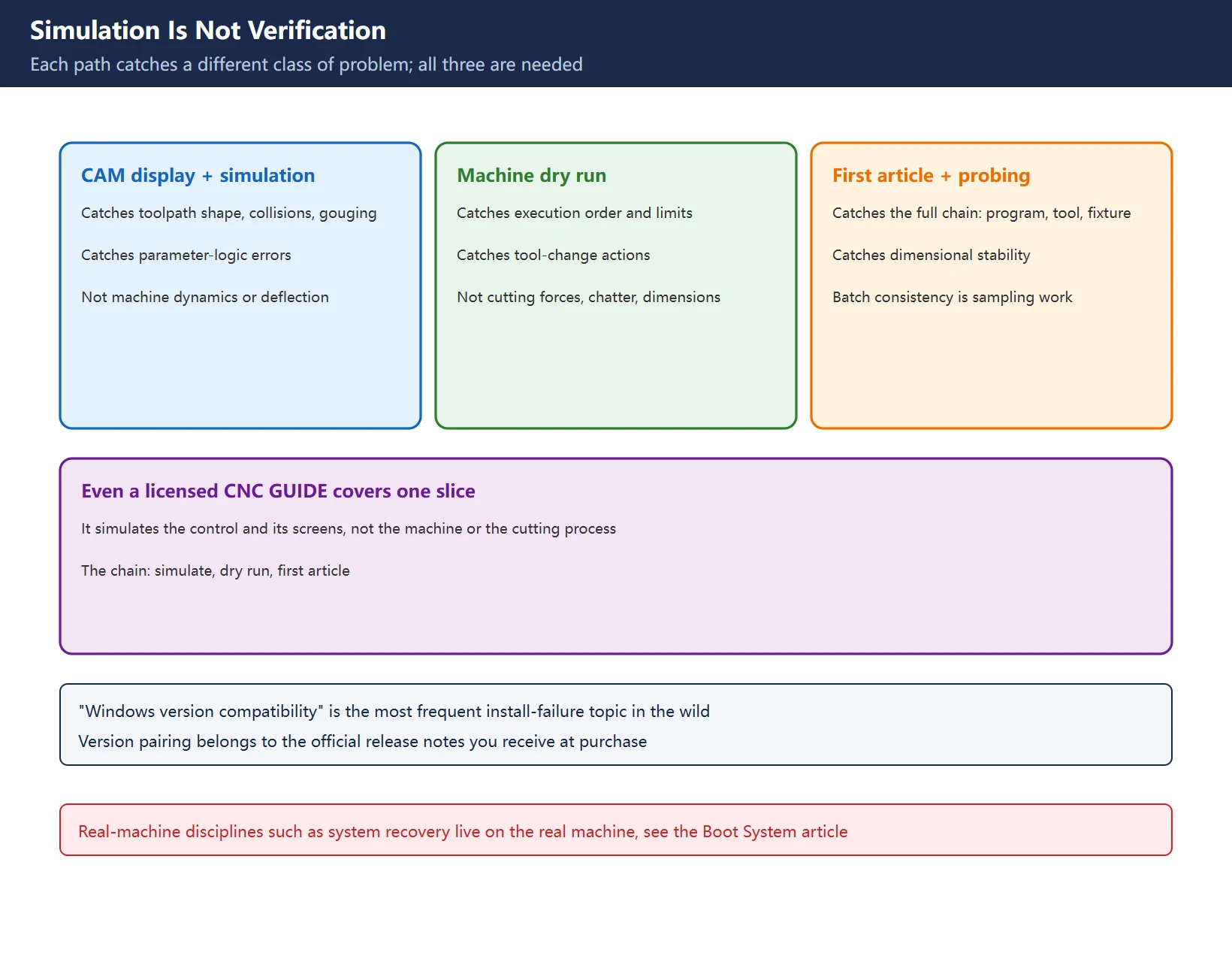
| CAM toolpath display + simulation | Toolpath shape, collisions, gouging, parameter-logic errors | Machine dynamics, fixturing deflection, tool wear |
| Machine dry run | Execution order, limits, tool-change actions, trajectory at override | Cutting forces, chatter, dimensions |
| First-article cut + on-machine probing | The full chain: program, tool, fixturing, dimensional stability | Batch consistency (that is what sampling is for) |
Table 7 Capability boundaries of the three paths
Even a licensed CNC Guide covers only the parameter-logic slice of the first row. Real-machine disciplines such as system software recovery live elsewhere: Fanuc Boot System and System Software Recovery.
Scope and compliance
All product forms, specifications and licence terms on this page come from the official FANUC catalogue and FANUC America training material; unverified items (installer sizes, disk footprints, the “Americas-only” claim) are flagged inline. This page offers no cracks, keygens, cloud-drive links or third-party bundles; CNC Guide and its Education Package are purchased through regional FANUC official channels or authorised distributors. Third-party simulator numbers are source-page claims to verify locally; this page does not endorse them.
Frequently Asked Questions
Is there a free FANUC simulation software? Where do I download it?
Officially, no. CNC Guide is a hardware-key licensed product with 1 / 10 / 20-user, site and education-package forms (classroom 16 / 32, self-study 1 or 3 years), sold through regional FANUC official channels or authorised distributors. Third-party “free 0i-MF Plus simulators” are not FANUC products and behave differently from real controls; this page links none of them.
The simulator will not install, or the display stays blank — what now?
Check four directions: Windows-version support (against the official release notes you received at purchase), hardware-key and licence-driver recognition, licence validity (education term, network-key segment), and whether the installer itself is trustworthy. Do not chase error codes copied from forum posts before confirming your media came from an official channel.
Can simulation replace a test cut on the real machine? What can it not catch?
No. Simulation catches program format, parameter logic, toolpath shape and collision risk. It cannot catch cutting forces and chatter, fixturing deflection, tool wear, real machine dynamics or batch consistency. The standard chain remains simulation + dry run + first-article cut, each catching a different class of problem.
Last updated: 2026-11-15
Where to go next
- FANUC Troubleshooting — the full guide library: alarms, diagnosis numbers, servo, spindle, PMC and electrical faults, organised by symptom.
- CNC Repair Tools — which instrument measures what: multimeters, clamp meters, insulation testers and oscilloscopes, with the specification that actually matters.
- Remote Technical Support — have the readings reviewed with you: alarm reverse lookup, PMC ladder analysis and servo tuning advice by call. Repair companies and integrators welcome.
Read the guide, get the right instrument, or walk the diagnosis through with someone — pick whichever you need.
The original Chinese version — same procedure, with the full field notes.

















暂无评论内容