


🚨 Sources and compliance: block names, OB call structure, the master copy folders and the
ALMSG_DB [DB2]variants come from the official *SINUMERIK STEP 7 Toolbox Configuration Manual* (V15.1 / V17), the *SINUMERIK 840D sl CNC Commissioning Manual* and the *Basic Functions / P3: Basic PLC program* manual. The German mnemonics switch procedure and the Mini HHU verification checks come from published field commissioning notes and are labelled as such. The Toolbox is licensed commercial software: this page describes official channels and structure only, and provides no download link, file mirror or crack. Block numbers and paths vary with control type and Toolbox release; your machine’s delivered documentation and project are authoritative.
30-second triage
Table 0 Seven field questions and where to start
1. What the basic program is: three common misreadings
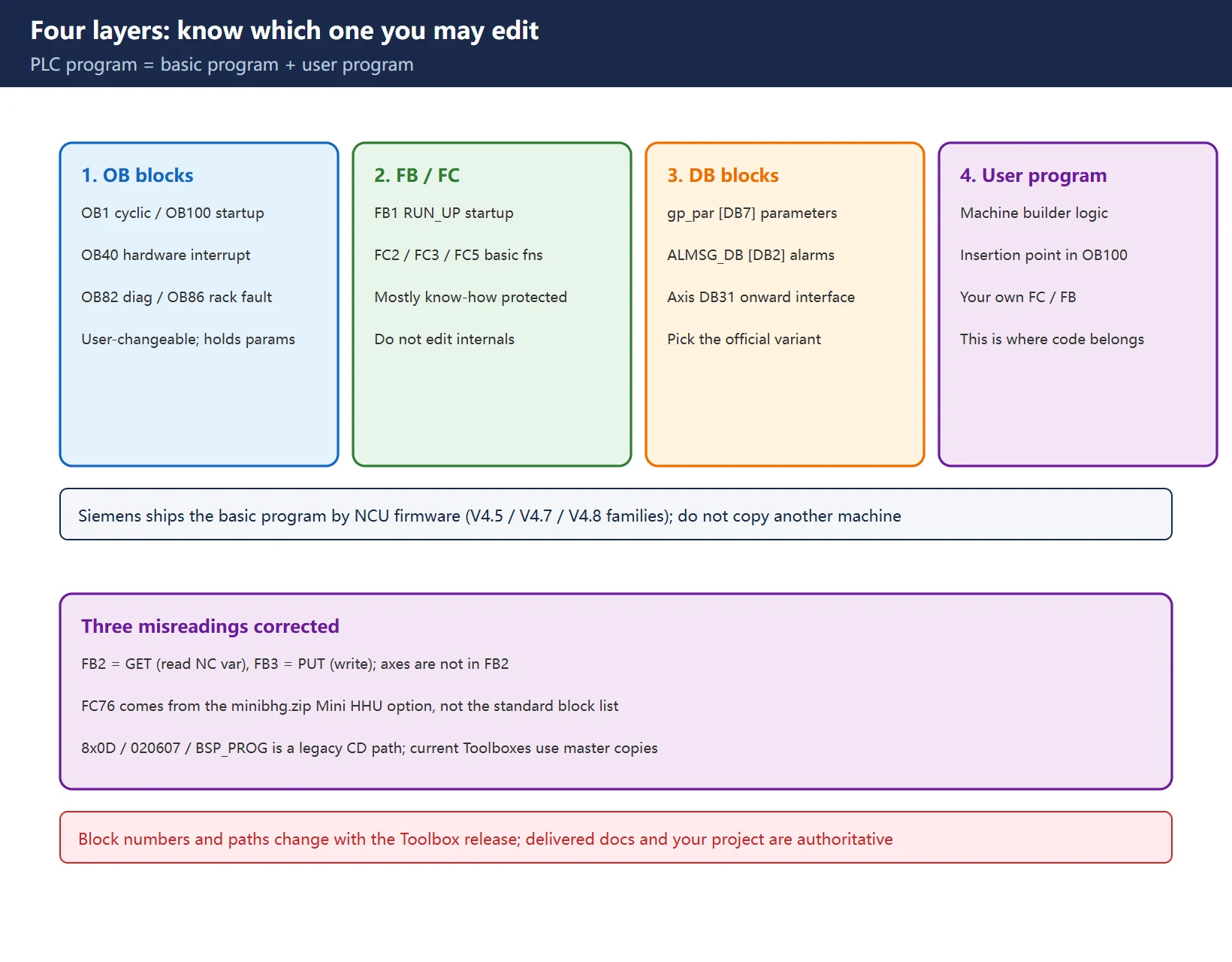
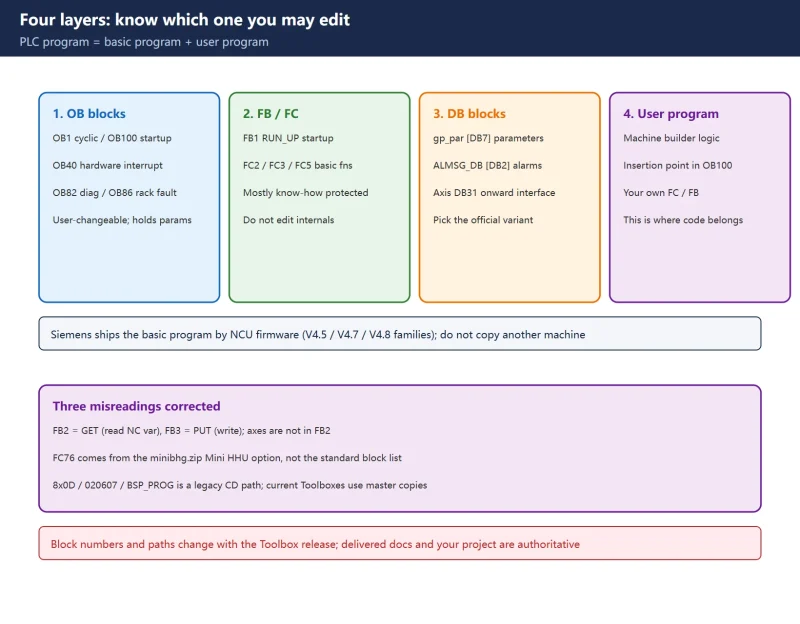
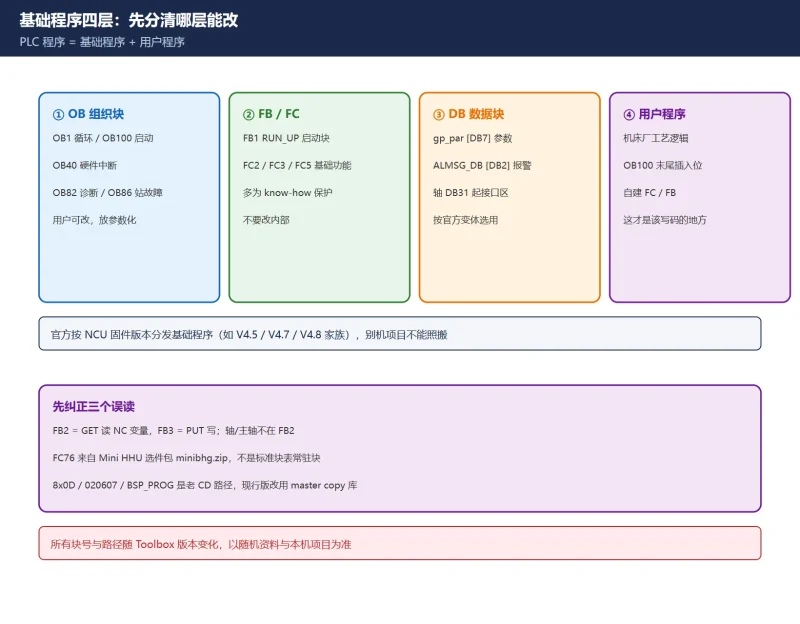
Siemens splits the PLC program into two layers. The PLC basic program organizes the exchange of signals and data between the PLC user program and the NCK, HMI and MCP (machine control panel). The PLC user program is the machine-builder-specific logic added on top. The basic program is part of the SINUMERIK STEP 7 Toolbox and is selected by NCU firmware version (Siemens has listed V4.5.x.x / V4.7.x.x / V4.8.x.x families), so a project copied from another machine is not automatically valid.
| Layer | Official role | Who may change it |
|---|---|---|
| OB (organization blocks) | OB1 cyclic, OB100 cold restart, OB40 hardware interrupt, OB82 diagnostic interrupt, OB86 rack/station failure | User-changeable; OB100 holds parameterization |
| FB / FC | Basic program functions, e.g. FB1 RUN_UP, FC2 GP_HP, FC3 GP_PRAL, FC5 GP_DIAG | Mostly know-how-protected; do not edit internals |
| DB (data blocks) | Interface and parameter areas, e.g. gp_par [DB7], ALMSG_DB [DB2], axis DB31… | Choose the correct official variant; do not hand-edit structure |
| User program | Machine-builder logic; the official OB100 leaves an insertion point for it | This is where your own code belongs |
Table 1 Four layers and who may change what
🚨 Three widespread misreadings, corrected first:
- FB2 is not an “axis / spindle” block. The official block list defines
FB2 = GET(read NC variable),FB3 = PUT(write NC variable),FB4 = PI_SERV,FB5 = GETGUD. Axis and spindle interface signals live in axis DBs and the PLC/NCK interface (for example handwheel enableDB31…DBX4.0-2), not in FB2. - FC76 is not a permanent block of the standard basic program. It appears in the context of sources generated from
minibhg.zip(the Mini HHU option package); in older 840D projects the MCP axis-selection mapping block commonly encountered isFC19. Both are project-specific field conventions, not a universal block list to look for in a new project. 8x0D / 020607 / BSP_PROGis a legacy Toolbox CD path (slashes here stand in for the original separators). Current 840D sl Toolboxes use master copy libraries; the 828D uses the PLC Programming Tool integrated in its Toolbox. Paths change between releases — never copy a hard-coded path from a web page.
The official OB call structure is stable and tells you when each block runs:
| Organization block | Trigger | Basic program block called |
|---|---|---|
| OB1 | Cyclic execution | GP_HP [FC2] |
| OB40 | Hardware interrupt | GP_PRAL [FC3] |
| OB82 | Diagnostic interrupt | GP_DIAG [FC5] |
| OB86 | Rack / station failure | GP_DIAG [FC5] |
| OB100 | Once on STOP to RUN | RUN_UP [FB1] with gp_par [DB7] |
Table 2 Official OB to basic program call map (Toolbox Configuration Manual)
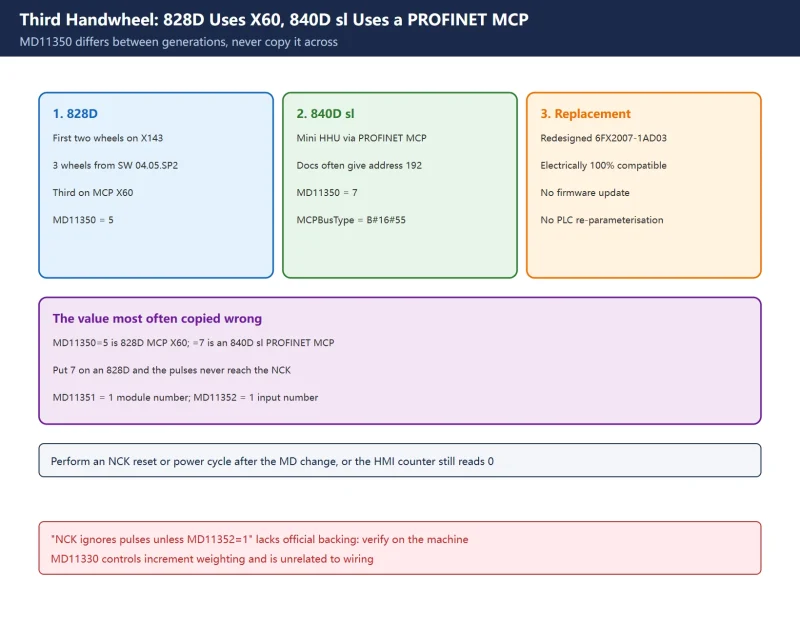
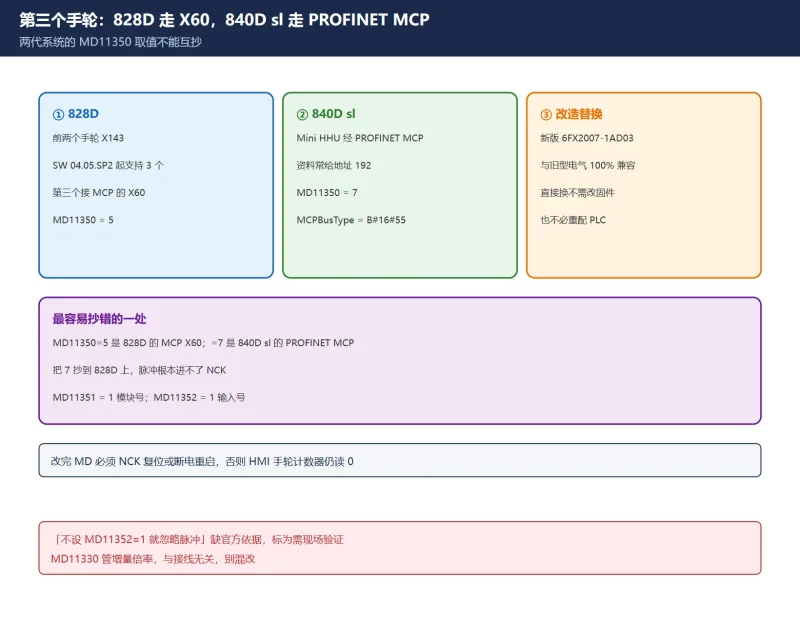
This is why FB1 parameterization belongs in OB100: the PLC reads it once per startup, so any change needs a PLC restart. The same mechanism is at work in 828D third handwheel / Mini HHU commissioning.
2. Official sources: Toolbox master copies and the legacy CD
| Source form | Era / tool | What is inside |
|---|---|---|
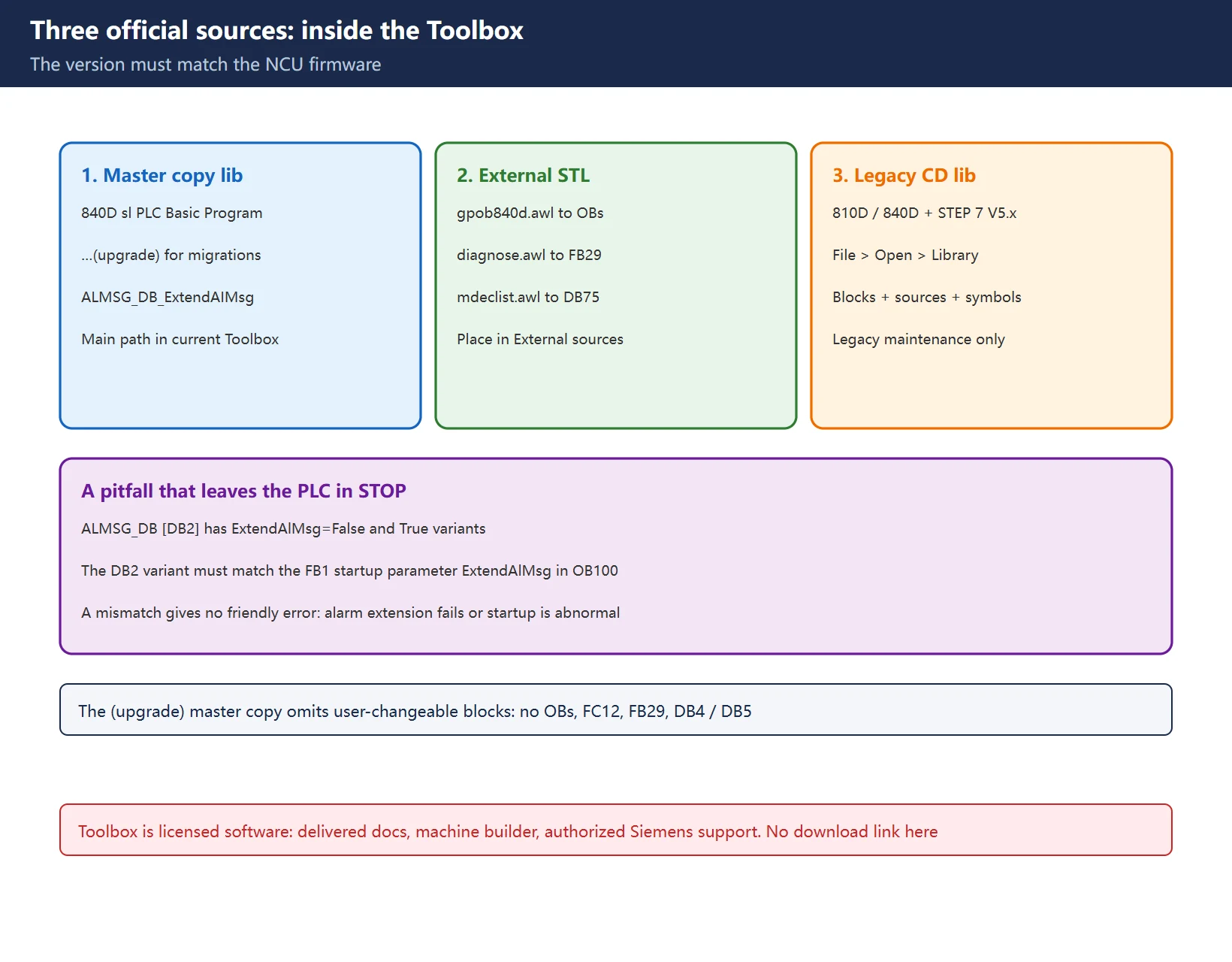
| Master copy library | Current 840D sl STEP 7 Toolbox (V14 SP1 onward) | 840D sl PLC Basic Program, …(upgrade), ALMSG_DB_ExtendAIMsg |
| External STL sources | Same Toolbox, External sources folder | gpob840d.awl, bhg_db_awl, diagnose.awl, mdeclist.awl |
| Legacy CD library | 810D / 840D with STEP 7 V5.x | SIMATIC Manager → File > Open > Library; block container + source container + symbol table |
Table 3 Three official delivery forms and the matching tool
The three master copies are not interchangeable:
| Master copy folder | Use | Key limitation |
|---|---|---|
840D sl PLC Basic Program | Creating a completely new project | All blocks for the maximum configuration (31 axes / 10 channels) |
840D sl PLC Basic Program (upgrade) | Upgrading blocks after an NCU firmware update, device replacement or migration | Does not contain user-changeable blocks: no OBs, no FC12, no FB29, no DB4 / DB5 |
ALMSG_DB_ExtendAIMsg | Required when extending PLC alarms via AL_MSG [FC10] | Supplies the ExtendAlMsg=True DB2 variant |
Table 4 The three master copies and when to use each
🚨 A pitfall that can leave the PLC in STOP: ALMSG_DB [DB2] exists in ExtendAlMsg=False and True variants, and the DB2 variant you use must match the FB1 startup parameter ExtendAlMsg in OB100. Siemens repeats this in both the V15.1 and V17 manuals. A mismatch does not produce a friendly message — it shows up as PLC alarm extension not working, or as an abnormal startup.
The external STL sources regenerate blocks; do not read them as documentation:
| Source file | Blocks it generates |
|---|---|
gpob840d.awl | OB1, OB100, OB40, OB82, OB86 |
bhg_db_awl | strdat [DB<xy>] (handheld unit data) |
diagnose.awl | FB29, DB80, DB81, FC99 |
mdeclist.awl | DB75 (M decoding list) |
Table 5 External STL sources and generated blocks (official Toolbox manual)
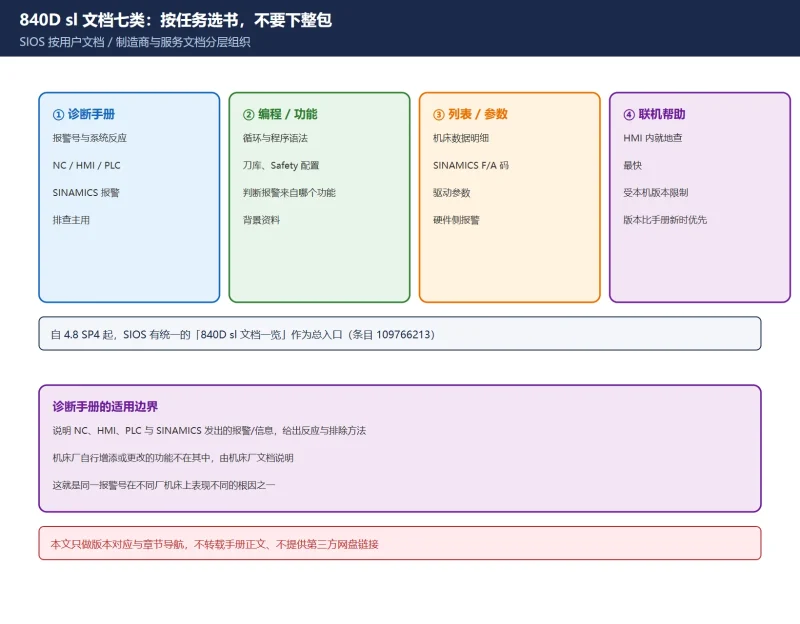
Getting the Toolbox legitimately: the documentation delivered with the machine, the machine builder (quote the machine serial number and request the Toolbox matching your NCU firmware), or an authorized Siemens support channel. Before any change, export parameters and programs for a rollback copy. For how manual versions are aligned to a control, see the 840D sl diagnostics manual entry and chapter index.
3. Import in three steps: from master copy to a compilable project
| Step | Action | Checkpoint |
|---|---|---|
| 1. Match the version | Read the NCU firmware version on the HMI / Startup screen and pick a Toolbox whose SW label is greater than or equal to it | Toolbox older than the NCK software → PLC stays in STOP |
| 2. Copy or regenerate blocks | Copy the required blocks from the master copy library into Program blocks; or place STL sources in External sources and generate blocks | Keep only the axis/channel blocks you need; delete the rest to shorten loading |
| 3. Compile and download | Compile all sources, then download with a cold restart | OB100 reports no error and the PLC reaches RUN cleanly |
Table 6 Three import steps and their checkpoints
The equivalent workflow for legacy 810D/840D projects (STEP 7 V5.x): SIMATIC Manager → File > Open > Library, copy FCs / FBs / DBs / OBs / SFC / SFB / UDT from the block container, GPOB840D from the source container (possibly also MDECLIST and HHU_DB), then the symbol table. The official Function Manual P3 notes the basic program has no dependency on the current STEP 7 version, but moving across NCU firmware versions always requires re-aligning the Toolbox — otherwise the most common symptom is a PLC stuck in STOP after download.
Field rule: when OB100 / FB1 / DB20 versions do not match the running NCK software, do not suspect hardware first. Reload the basic program blocks from a Toolbox whose SW label is at least the NCK software version, then cold restart.
4. The change boundary: what you may parameterize and what you must not touch
| Category | What to do | Risk |
|---|---|---|
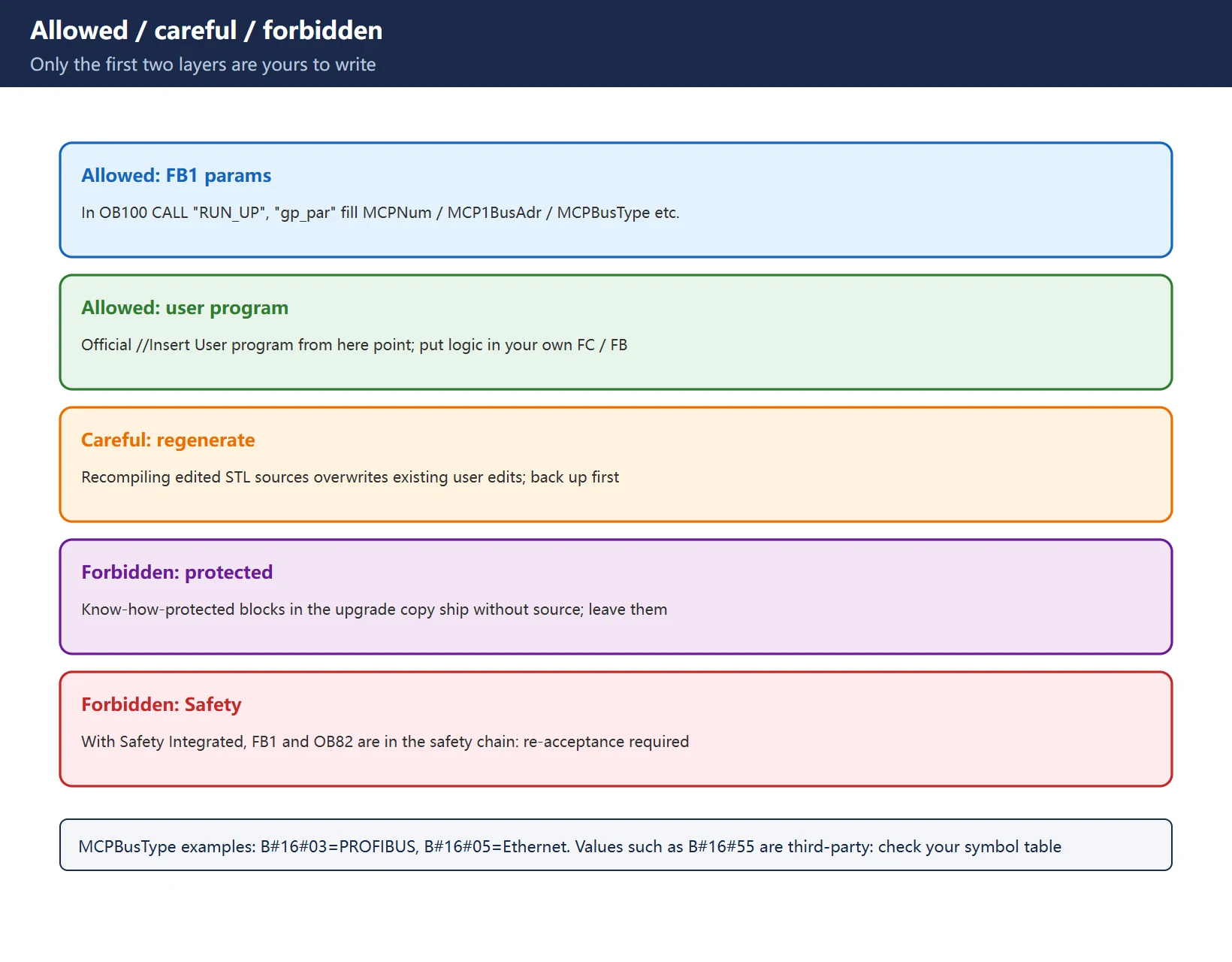
| ✅ Allowed: FB1 parameters | In OB100 CALL "RUN_UP", "gp_par", fill MCPNum, MCP1In/Out/StatSend/StatRec, MCP1BusAdr, MCPBusType and so on | Wrong address → MCP offline, but reversible |
| ✅ Allowed: user program | The official OB100 ends with an //Insert User program from here insertion point; put your logic in your own FC/FB | Low, provided a backup exists |
| ⚠️ Careful: regenerating sources | Edit the STL source and recompile when an OB structure genuinely must change | Overwrites existing user edits |
| ⛔ Forbidden: protected blocks | The upgrade master copy ships know-how-protected blocks with no source | Not editable, and should not be |
| ⛔ Forbidden: safety-related | On machines with SINUMERIK Safety Integrated, FB1 (RUN_UP) and OB82 belong to the safety chain | Any change needs a formal change request and re-acceptance testing |
Table 7 Allowed / careful / forbidden boundaries
The official commissioning manual shows an OB100 parameterization example (structural example only — never copy these values onto a machine): MCPNum := 1 means one MCP; MCP1BusAdr := 6 is a PROFIBUS DP address example, while the Industrial Ethernet example uses 192; MCPBusType := B#16#03 means PROFIBUS DP and B#16#05 means Industrial Ethernet. Field notes also quote B#16#55 (PROFINET / Ethernet MCP carrying a Mini HHU) and B#16#FE (PROFIBUS) — these are third-party values and must be checked against your own Toolbox symbol table and hardware configuration, not copied from a web page.
Likewise, timeout values seen in official and forum examples such as MCP1Timeout := S5T#700MS, MCP1Cycl := S5T#200MS, NCCyclTimeout := S5T#200MS and NCRunupTimeout := S5T#50S are example values, not general recommendations.
5. The German mnemonics trap: U/O/UN/S/R compile errors
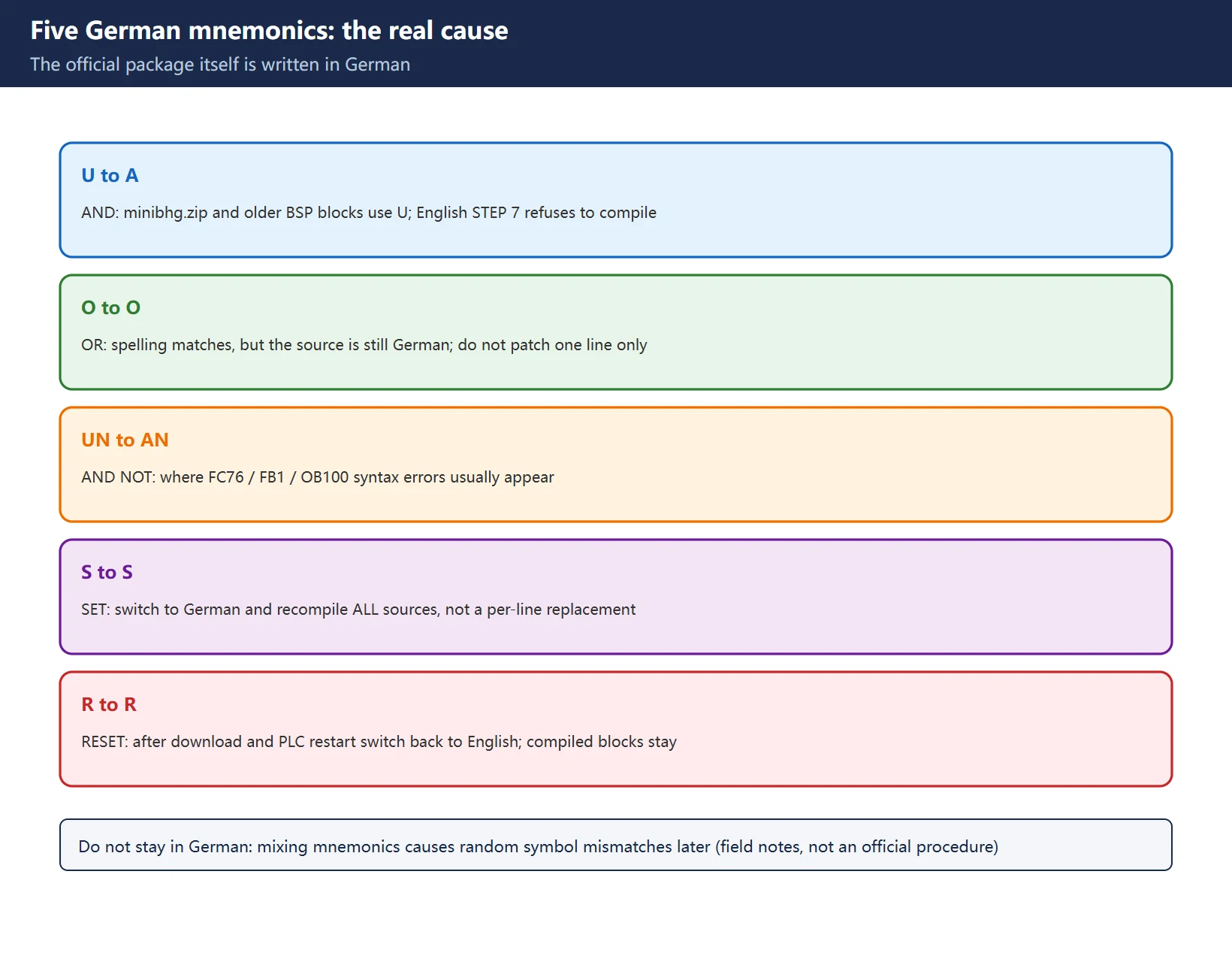
This one catches English-speaking engineers too, because the official package itself is written in German: minibhg.zip (the Mini HHU standard package) and many older BSP blocks use German mnemonics, so a STEP 7 configured for English mnemonics refuses to compile them and reports syntax errors in FC76 / FB1 / OB100.
| German | English | Meaning |
|---|---|---|
| U | A | AND |
| O | O | OR |
| UN | AN | AND NOT |
| S | S | SET |
| R | R | RESET |
Table 8 German to English STL mnemonics
Workaround (field commissioning notes, not an official manual procedure — back up the project first):
- Open the project containing the Mini HHU blocks in SIMATIC Manager →
Options > Customize→Languagetab. - Under
Mnemonics, change English to German, click OK, and restart SIMATIC Manager if prompted. - Recompile all source files from the
minibhg.ziparchive, then download and restart the PLC once compilation is clean. - If the project standard is English, switch back. Already compiled blocks are unaffected.
🚨 Do not leave the project in German: mixing mnemonic languages inside one project causes random symbol mismatches when blocks are inserted later. Switch back to the project standard right after import so all subsequent code follows one convention.
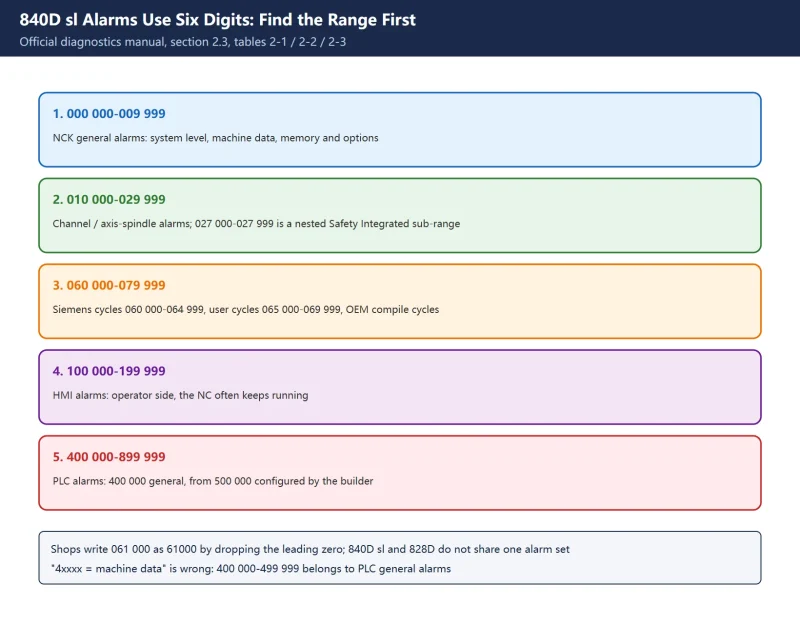
To be clear: this is a compile-time problem and has nothing to do with 840D sl alarm number ranges. It never appears as an alarm number on the HMI — it shows up as a STEP 7 compile error, or a PLC that will not start.
6. Four checks after every change
| Check | How to read it | What failure means |
|---|---|---|
| ① PLC startup | Cycle NCU power and watch the PLC complete startup cleanly with no OB100 error | Block version / DB2 variant / parameterization wrong |
| ② MCP online | HMI Diagnostics > Bus shows the first MCP online | MCP1BusAdr, MCPBusType or message addresses wrong |
| ③ Handwheel counter | JOG → Handwheel, turn it and watch the counter change | NCK-side MD11350/11351/11352 or mapping not active |
| ④ Axis selection mapping | PLC online view shows axis selection active (e.g. DB31.DBX4.0) | Axis-select FC or interface bit wrong |
Table 9 Four startup and signal checks
The official Function Manual handwheel interface signals are a useful cross-check: DB31…DBX4.0-2 enables a handwheel for a machine axis, DB21…DBX12.0-2 / 16.0-2 / 20.0-2 for geometry axes 1/2/3; DB10.DBX100.0-4 / 101.0-4 / 102.0-4 hold the axis number for handwheel 1/2/3, and DBX100.6 / 101.6 / 102.6 flag “handwheel selected”. The HMI can assign at most three handwheels — beyond that you must go through the PLC interface signals. Field notes also cite “FB1 RUN_UP should report MCP1Timeout = FALSE” as a startup indicator; that is third-party wording, so use the actual signal names on your own diagnostic screens.
7. How this connects to other articles on this site
Table 10 Related articles and the division of labour
One-line takeaway: the basic program is an official skeleton; the only layers you should change are parameterization and the user program. The skeleton, the DB2 variant and the NCU firmware version must all agree — then close the loop with four checks after every change.
Frequently Asked Questions
Where is the SINUMERIK 828D PLC basic program?
Not on a download site — it ships inside the licensed SINUMERIK STEP 7 Toolbox delivered with the machine. Current 840D sl Toolboxes provide it through master copy libraries (840D sl PLC Basic Program and others) and STL source files under External sources (gpob840d.awl and others); the 828D uses the PLC Programming Tool integrated in its Toolbox; legacy 810D/840D used a Library on the Toolbox CD. Legitimate channels are the delivered documentation, the machine builder and authorized Siemens support. No download link is provided here.
What should I do if importing Toolbox basic program blocks produces syntax errors?
First check whether it is the German mnemonics issue: minibhg.zip and older BSP blocks use U/O/UN/S/R, so STEP 7 with English mnemonics reports syntax errors in FC76 / FB1 / OB100. The common field practice is to temporarily switch Options > Customize > Language > Mnemonics to German, recompile all sources, download and restart the PLC, then switch back to English. Do not leave the project mixing languages. If the symptom is a PLC stuck in STOP rather than a syntax error, the OB100 / FB1 / DB20 versions most likely do not match the NCK software — reload from a version-aligned Toolbox.
Can OB100 and FB1 be modified?
Yes, but only at the parameterization level: fill in MCP count, message addresses, bus address, MCPBusType and similar formal parameters in the OB100 CALL "RUN_UP", "gp_par", and put your own logic in the official insertion point or in your own FC/FB. Do not edit the internals of know-how-protected blocks, and do not touch the FB1 / OB82 safety chain on machines with Safety Integrated; such changes require a formal change request and re-acceptance testing. Export a rollback copy first, then cold restart and run the four checks.
Last updated: 2026-11-10
Where to go next
- FANUC Troubleshooting — the full guide library: alarms, diagnosis numbers, servo, spindle, PMC and electrical faults, organised by symptom.
- CNC Repair Tools — which instrument measures what: multimeters, clamp meters, insulation testers and oscilloscopes, with the specification that actually matters.
- Remote Technical Support — have the readings reviewed with you: alarm reverse lookup, PMC ladder analysis and servo tuning advice by call. Repair companies and integrators welcome.
Read the guide, get the right instrument, or walk the diagnosis through with someone — pick whichever you need.
The original Chinese version — same procedure, with the full field notes.














暂无评论内容