


Sources:
MD11350=5(828D, MCP X60) withMD11351/11352=1comes from the official Siemens support forum and published commissioning cases;MD11350=7(840D sl PROFINET MCP),MCPBusType := B#16#55and the DB11 / DB21 / DB31 bit definitions come from published 840D sl Mini HHU commissioning material. 🚨 828D and 840D sl, PROFIBUS and PROFINET use different values, and a machine builder may redefine symbol addresses — always check the machine manual and the PLC project symbol table.
30-second triage
| Symptom | Check first | Where it lands |
|---|---|---|
| Third wheel not visible | MD11350/11351/11352 and software version | 828D supports 3 wheels from SW 04.05.SP2 |
| Handwheel counter reads 0 | Was an NCK reset done after the MD change | Load then NCK reset |
| Wheel turns, axis does not move | DB11 mode group + DB21 channel + DB31 axis | JOG + INC + weighting all required |
| No alarm, axis still dead | Two wheels selecting the same axis | Only one wheel per axis at a time |
| Everything fails after a PROFINET MCP swap | MCPBusType and I/O mapping | B#16#55 plus matching slot mapping |
Table 0 Five symptoms and the first check
1. Hardware paths: X143 / X60 / PROFINET MCP
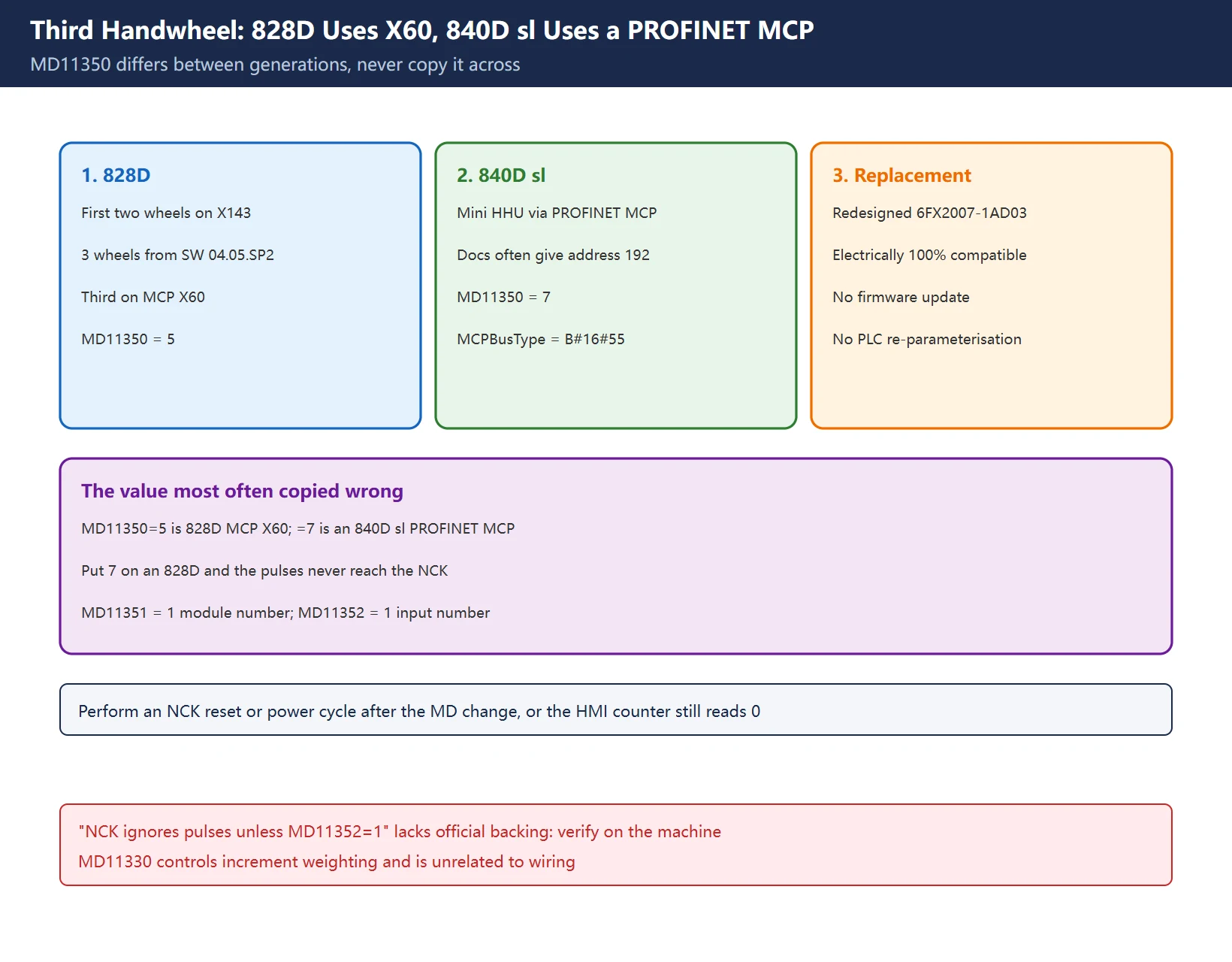
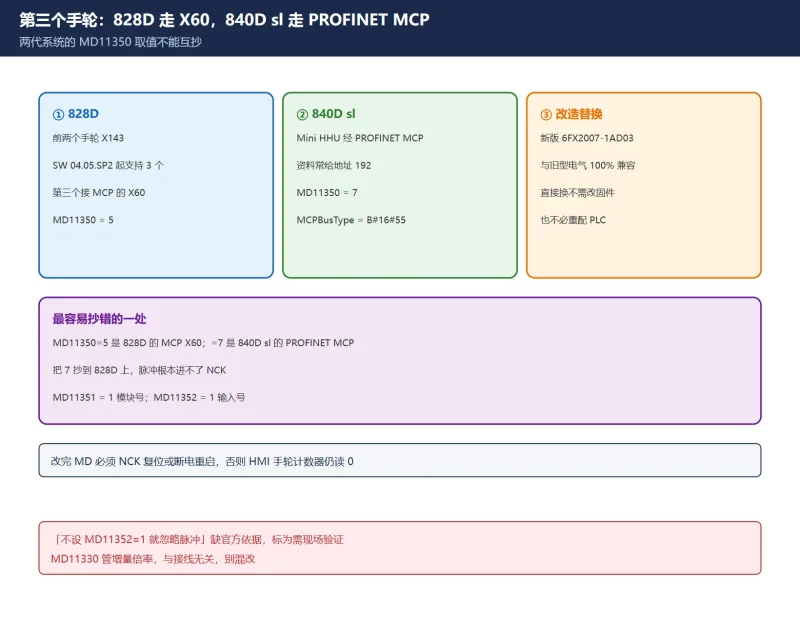
- 828D: the first two handwheels connect to the PPU X143; from software SW 04.05.SP2 a third wheel is supported on the MCP X60 connector. A published case used PPU281.3 / 04.05.SP2.01.
- 840D sl: the Mini HHU connects through a PROFINET MCP (documentation often gives MCP address 192), with different MD values.
- Retrofit / replacement: the redesigned Mini HHU (6FX2007-1AD03) is electrically 100% compatible, so a like-for-like swap needs no firmware update or PLC re-parameterisation — worth knowing before rewriting a working project.
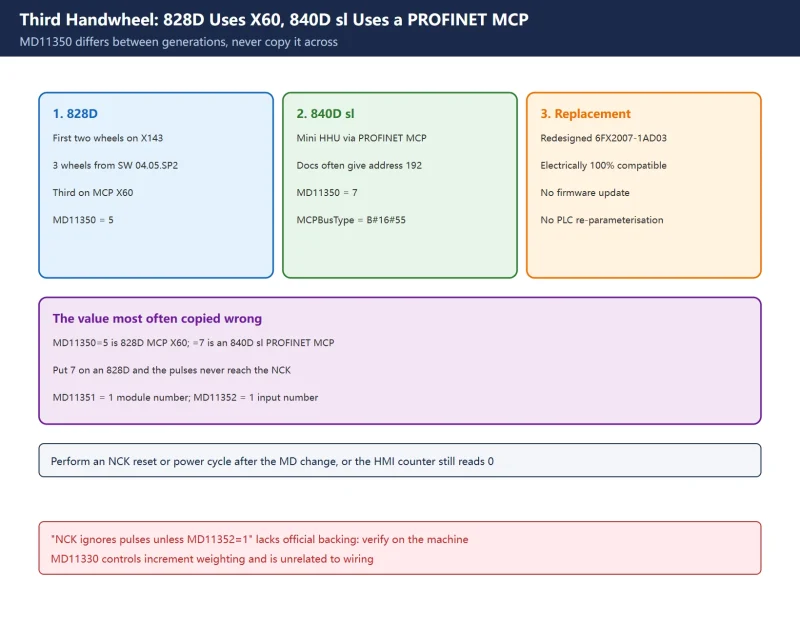
🚨 The value most often copied wrong: MD11350 $MN_HANDWHEEL_SEGMENT is 5 on an 828D with the wheel on MCP X60, but 7 on an 840D sl with a PROFINET MCP. That is a generation difference, not a typo. Put 7 on an 828D and the pulses never reach the NCK.
Table 1 Hardware interfaces and MD11350 across two generations
2. What the three MDs actually do
| MD | Official name | Meaning | Common value |
|---|---|---|---|
MD11350 | $MN_HANDWHEEL_SEGMENT | Segment / bus type the wheel sits on | 828D X60 = 5; 840D sl PROFINET MCP = 7 |
MD11351 | $MN_HANDWHEEL_MODULE | Module number within that segment | 1 |
MD11352 | $MN_HANDWHEEL_INPUT | Input number on that module | 1 (wheel on hardware module / Ethernet interface) |
After changing them you must power-cycle or perform an NCK reset; published material notes that if MDs are loaded but not activated, the HMI handwheel counter still reads 0 even with all three correct.
⚠️ The widely repeated claim that “NCK ignores the pulses unless MD11352=1” is not backed by the official forum or the commissioning cases we checked — they only state that =1 means the wheel is on a hardware module / Ethernet interface. We label it field experience, verify on the machine, not a universal rule. Increment weighting uses MD11330 (×1000 = 10000 and similar), which is unrelated to wiring; do not change it by mistake.
Table 2 The three MDs and the activation step
3. FB1 RUN-up parameters
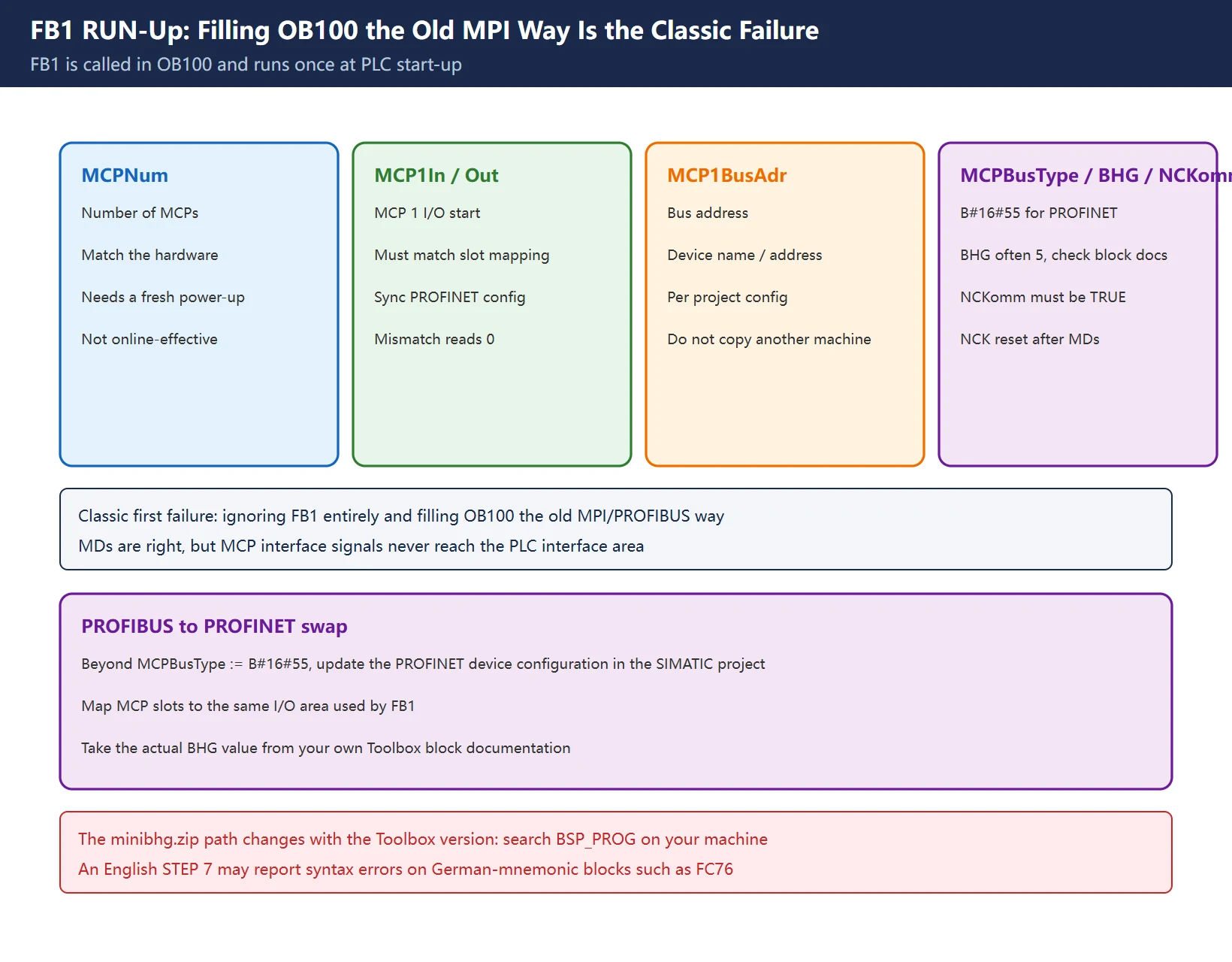
The Basic Program’s FB1 is called in OB100, i.e. once at PLC start-up, so any change to its actual parameters requires a fresh power-up. Parameters relevant to Mini HHU / PROFINET MCP:
| Parameter | Meaning | Note |
|---|---|---|
MCPNum | Number of MCPs | Match the hardware |
MCP1In / MCP1Out | I/O start addresses of MCP 1 | Must match the STEP7 / TIA slot mapping |
MCP1BusAdr | Bus address | PROFINET device name / address must agree |
MCPBusType | Bus type | B#16#55 for a PROFINET MCP |
BHG | Handheld unit configuration | Often given as 5; check the Toolbox block documentation |
NCKomm | NCK-PLC communication enable | Must be TRUE; perform an NCK reset after MD changes |
🚨 The classic first-time failure: filling OB100 the old MPI/PROFIBUS way and ignoring FB1 entirely. The MDs are right, but MCP interface signals are never copied into the PLC interface area, so the wheel always reads 0. Replacing a PROFIBUS MCP with a PROFINET one needs not only MCPBusType := B#16#55 but also an updated PROFINET device configuration in the SIMATIC project, mapping the MCP slots to the same I/O area used by FB1.
Table 3 FB1 parameters and common omissions
4. Three PLC signal areas: DB11 / DB21 / DB31
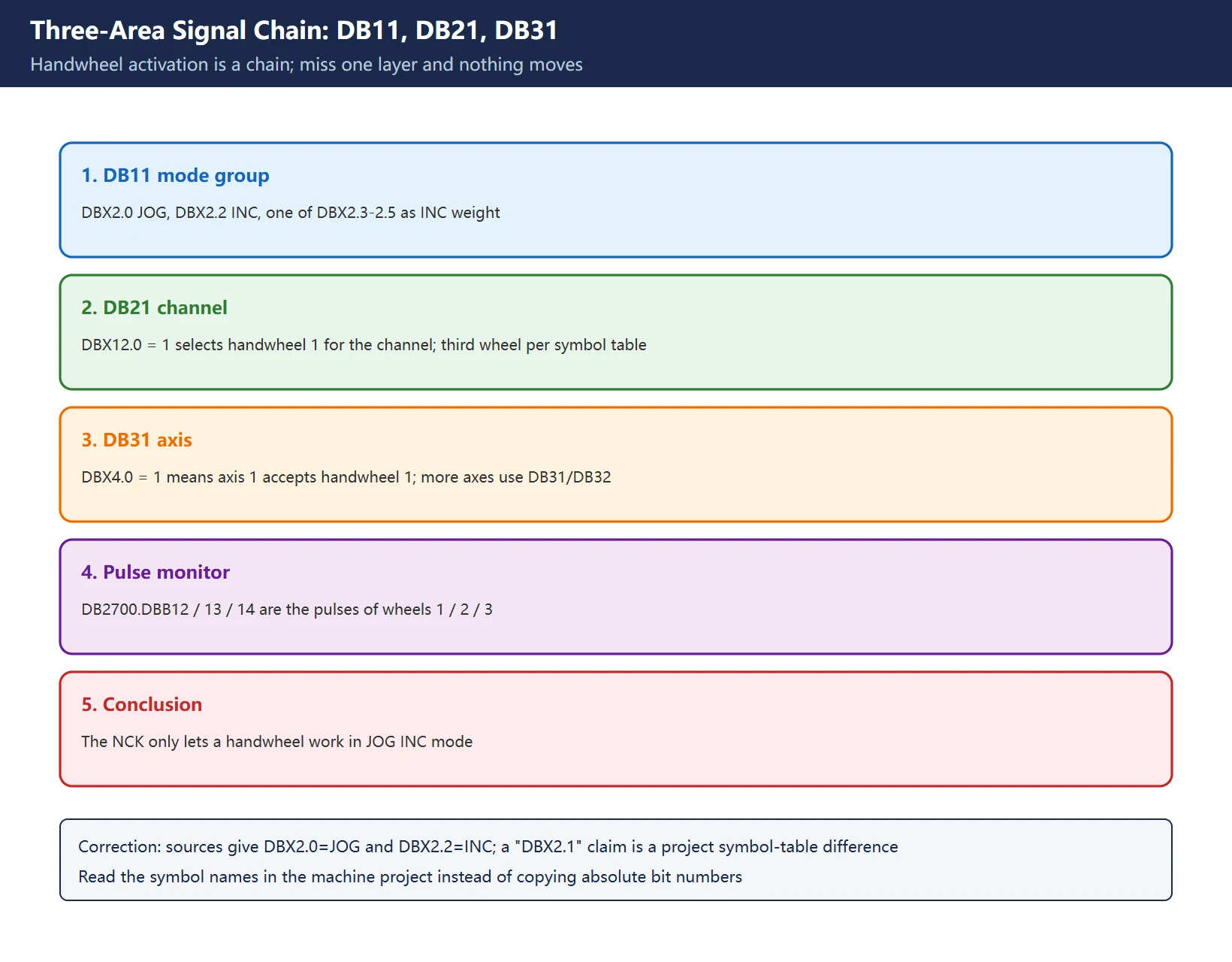
Handwheel activation is a chain — all three areas are required:
- DB11 (mode group):
DB11.DBX2.0 = 1(JOG),DB11.DBX2.2 = 1(INC), and one ofDB11.DBX2.3 - DBX2.5(INC weighting, e.g. ×1 / ×10 / ×100). - DB21 (channel):
DB21.DBX12.0 = 1selects handwheel 1 for the channel; the third wheel uses other bits in the channel area — confirm in the project symbol table. - DB31 (axis):
DB31.DBX4.0 = 1means axis 1 accepts handwheel 1; further axes use DB31 / DB32 and so on. - Pulse monitor:
DB2700.DBB12 / DBB13 / DBB14carry the pulse values of handwheels 1 / 2 / 3 — check here first to see whether the wheel is arriving at all.
🚨 Correction: sources (including the brief for this article) often say “DB11.DBX2.1 is set but DBX2.2 is not”. The commissioning material we checked gives DBX2.0 = JOG and DBX2.2 = INC. The disagreement means these absolute bit numbers are project-version dependent: open the machine’s own project and read the symbol names (JOG / INC / INC weight) instead of copying another machine’s bits. The conclusion stands: the NCK only lets a handwheel work in JOG INC mode.
⚠️ If two wheels select the same axis, the control raises no alarm but the axis will not move. Clear every other wheel selection before a single-wheel test.
Table 4 The three-area chain and monitoring points
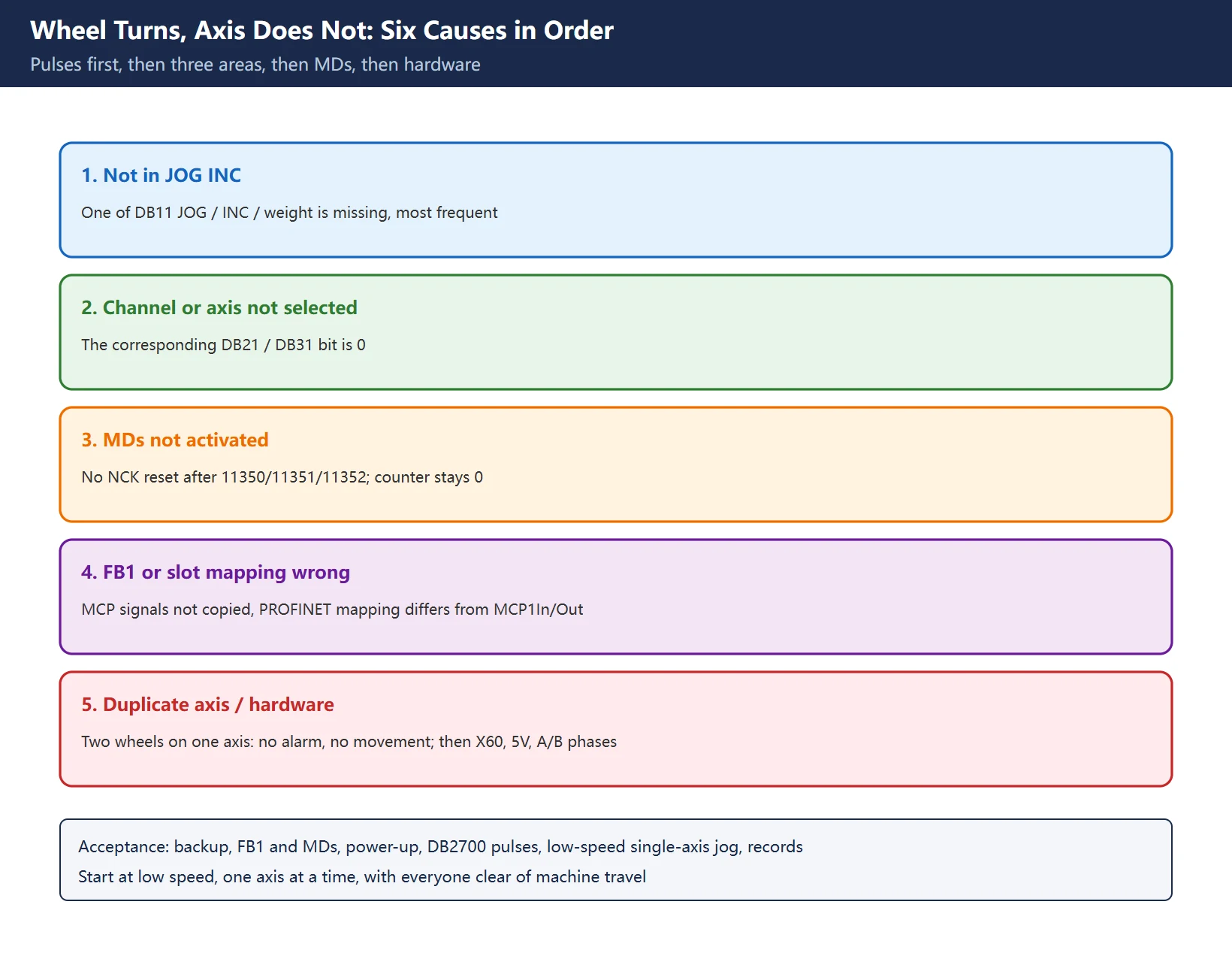
5. Wheel turns, axis does not: six causes
In “software first, signals before parameters” order:
- Mode group not in JOG INC (most frequent): DB11 is missing JOG, INC or the weighting bit.
- Channel / axis not selected: the DB21 or DB31 bits are 0.
- MDs not activated: no NCK reset after changing
11350/11351/11352; counter stays 0. - FB1 parameters wrong: MCP signals not copied into the PLC, or PROFINET slot mapping does not match
MCP1In/Out. - Two wheels selecting one axis: no alarm, no movement.
- Hardware: X60 wiring, Mini HHU cable, enable / E-stop chain, the wheel’s 5V and A/B phases.
A sensible order: watch
DB2700.DBB1xfor pulses → check DB11 / DB21 / DB31 → check MDs and NCK reset → only then open the hardware. Replacing the wheel first is usually wasted effort.
Table 5 Six causes and what to observe
6. Mini HHU selector switches and the German mnemonic trap
The axis and override selector switches on a Mini HHU do not drive an axis directly: their states go into the PLC interface area, and the PLC program maps them to the handwheel-selection bits in DB31 / DB32... and the weighting bits in DB11. So “switch turned but wrong axis moves” is almost always a switch byte/bit mapping table problem, not a pulse problem.
⚠️ German mnemonic trap (community experience, verify per project): the minibhg.zip standard blocks shipped in some Toolbox versions use German mnemonics, and an English STEP 7 may report syntax errors compiling blocks such as FC76. The usual workaround is to switch STEP 7 mnemonics to German for the compile, then back. TIA Portal V19 has matching MiniBHG documentation and blocks that avoid the issue.
The Toolbox import path is often quoted as 8x0D20607BSP_PROGminibhg.zip; 🚨 that path changes with the Toolbox and software version, so we do not treat it as fixed. The action is: search minibhg inside your own Toolbox BSP_PROG and use the copy matching your software version. For the mechanism behind basic program blocks, read the FB1-in-OB100 call in the machine’s PLC project; the DB2 bit-tracing approach for PLC user alarms is covered in our 840D PLC user alarm guide.
Table 6 Mini HHU switch mapping and the compile trap
7. Import, power-up and acceptance
- Back up first: export the PLC project, NC data and machine data; keep a pre-change copy of parameters and programs.
- Import the BSP: take the
minibhgdefault configuration matching the Toolbox version, and check the mnemonic issue. - Set FB1 and MDs: fill
MCPNum/MCP1In/MCP1Out/MCP1BusAdr/MCPBusType/BHG, set11350/11351/11352, then download and power up again (FB1 runs once in OB100). - Verify signals:
DB2700.DBB14(third wheel) changes as it turns → DB11 JOG + INC + weight → DB21 channel → DB31 axis. - Jog each axis: select one axis at a time, test ×1 / ×10 / ×100 for direction and weighting, and confirm no duplicate axis selection.
- Record and hand over: archive before/after projects, the MD list, symbol-table bit assignments and the acceptance log.
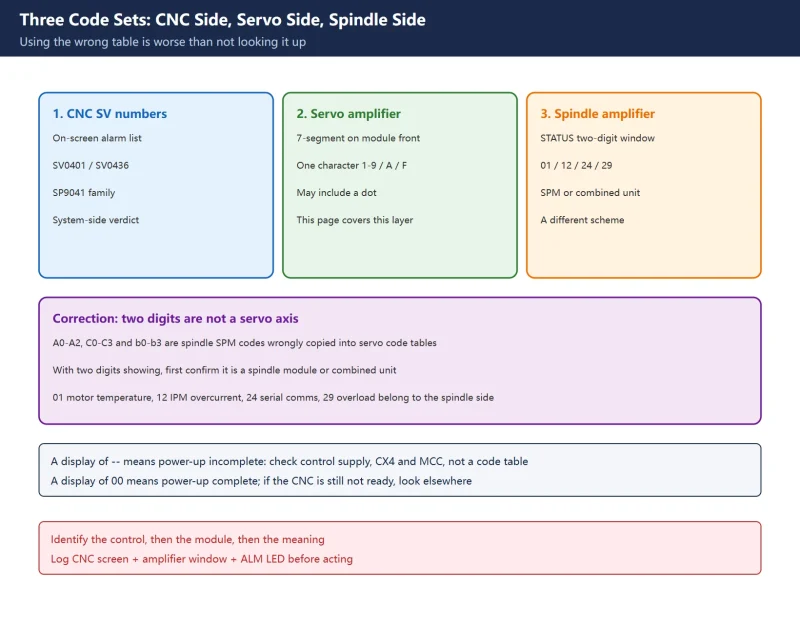
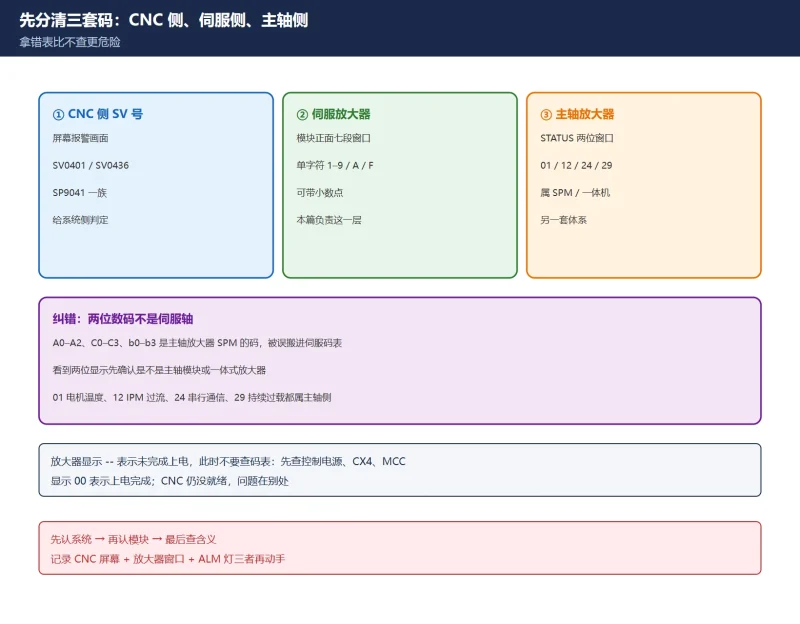
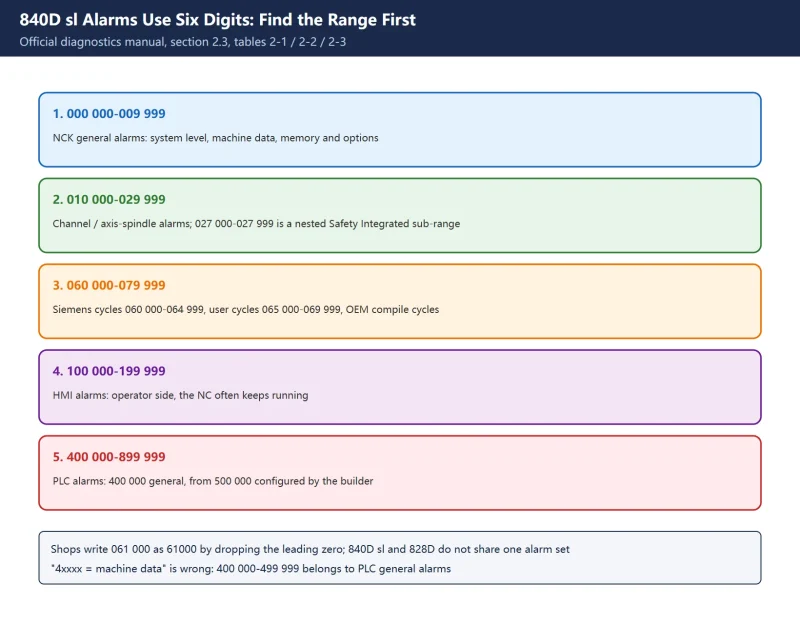
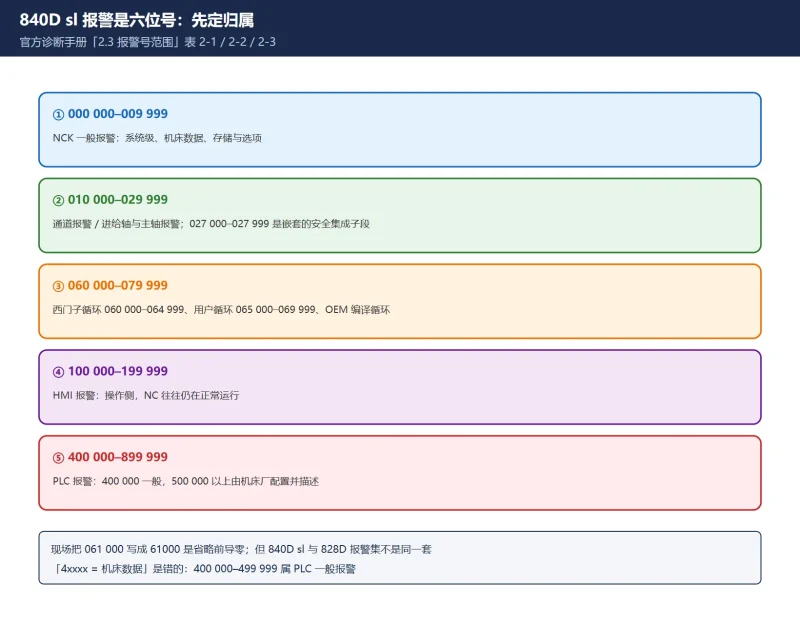
Safety: clear everyone from machine travel, start at low speed, one axis at a time. On machines with Safety Integrated or shared dual handwheels, never extend enable conditions yourself. For alarm text and number ranges see the 840D sl alarm ranges and the 828D alarm overview.
Table 7 Six-step import and acceptance checklist
Frequently Asked Questions
How do I connect a third handwheel to a SINUMERIK 828D?
From SW 04.05.SP2 an 828D supports three handwheels: the first two on PPU X143, the third on the MCP X60. Set MD11350 $MN_HANDWHEEL_SEGMENT = 5, MD11351 = 1, MD11352 = 1, then perform an NCK reset or power cycle. In the PLC, configure FB1’s MCP parameters and set DB11 (JOG + INC + weighting), DB21 (channel selection) and DB31 (axis selection). An 840D sl PROFINET MCP uses different values, commonly MD11350 = 7 — do not copy them across.
Why does a SINUMERIK handwheel turn but the axis not move?
Work through six causes: the mode group is not in JOG INC (one of DB11 JOG / INC / weight is missing), channel or axis not selected (DB21 / DB31), no NCK reset after an MD change, wrong FB1 parameters or PROFINET slot mapping, two wheels selecting the same axis (no alarm, no movement), or X60 wiring and handwheel hardware. Check DB2700.DBB12/13/14 for pulses first, then work down the chain.
How do I commission a Mini HHU?
Find the minibhg default configuration matching your Toolbox / software version (an English STEP 7 may fail on German-mnemonic blocks; switch mnemonics temporarily or use the matching TIA Portal documentation). Configure FB1 with MCPBusType := B#16#55 and make the PROFINET slot mapping agree with MCP1In/Out, set the MDs and power up again. Finally verify how the Mini HHU axis and override switches map into PLC bits, and jog each axis at low speed to confirm direction and weighting.
Last updated: 2026-11-09
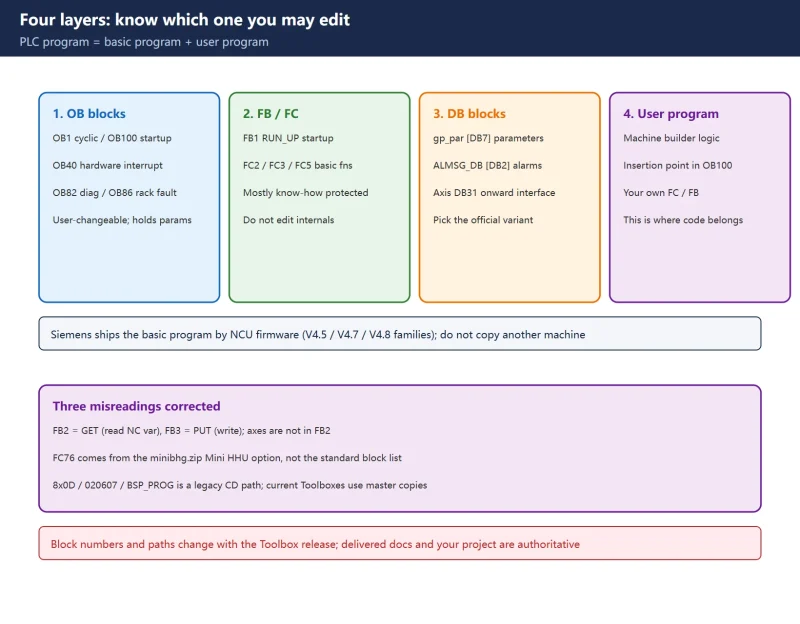
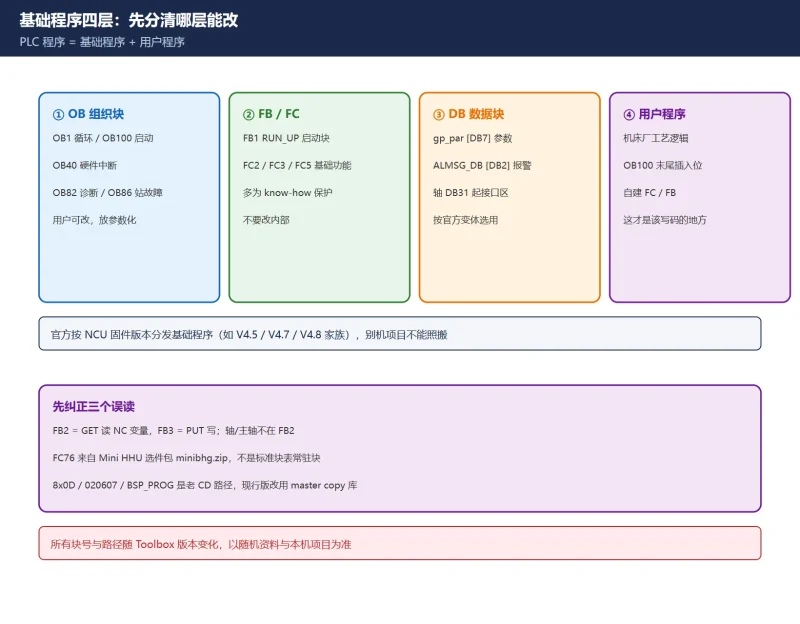
Where the PLC basic program comes from: FB1, FB2, OB100 and the Toolbox master copies
Where to go next
- FANUC Troubleshooting — the full guide library: alarms, diagnosis numbers, servo, spindle, PMC and electrical faults, organised by symptom.
- CNC Repair Tools — which instrument measures what: multimeters, clamp meters, insulation testers and oscilloscopes, with the specification that actually matters.
- Remote Technical Support — have the readings reviewed with you: alarm reverse lookup, PMC ladder analysis and servo tuning advice by call. Repair companies and integrators welcome.
Read the guide, get the right instrument, or walk the diagnosis through with someone — pick whichever you need.
The original Chinese version — same procedure, with the full field notes.




















暂无评论内容