



最新发布第17页
排序
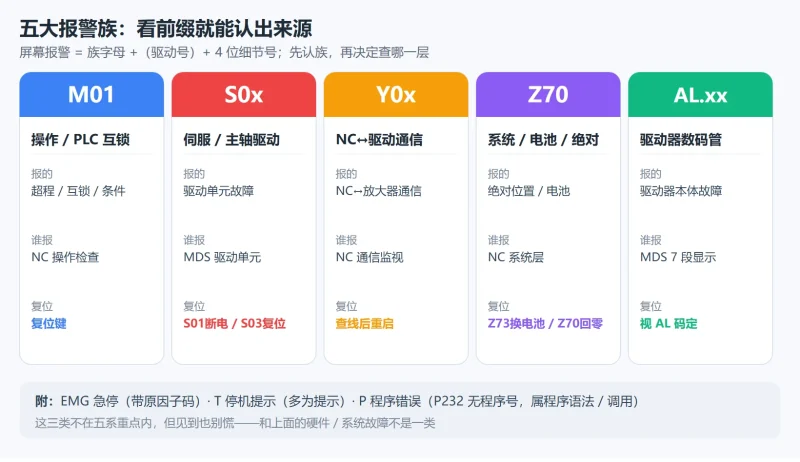
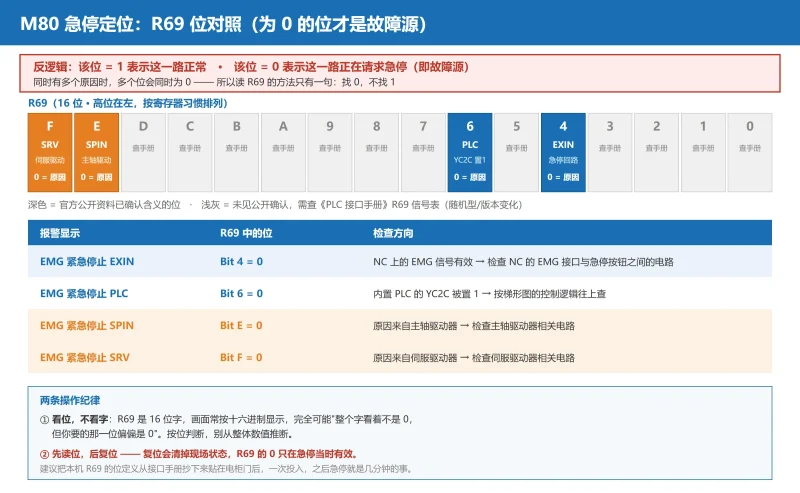
三菱 M80/M70 报警代码怎么读?M01/S/Y/Z/AL 五系族谱 + 4 位细节号(0032/0050/0052)判定与复位等级
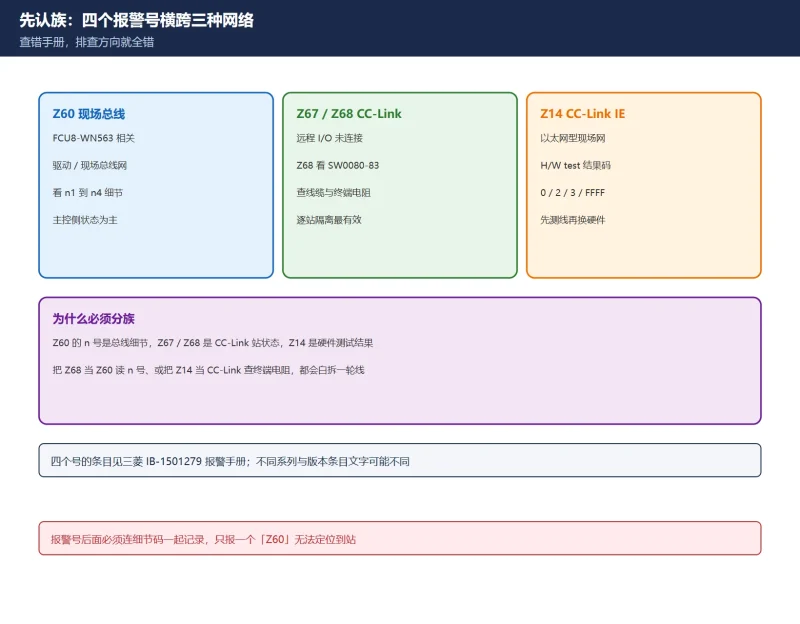
三菱 M80/M70 报警按 M01/S/Y/Z/AL 五族划分,4 位细节号才是真正的故障身份证:S01 0032 过流要断电重启、S03 0050 过载按复位键、Z70 丢绝对位置必须回零、换电池必须通电时换。一张复位等级...

 10天前
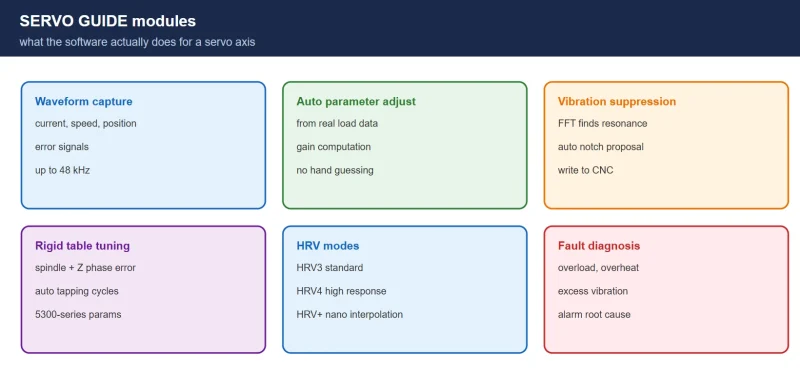
FANUC SERVO GUIDE: Waveform Analysis, Vibration Suppression and Rigid Tapping
A field guide to FANUC SERVO GUIDE: what it does, which controls it supports, how to install and connect over Ethernet, and the four workflows that solve most servo problems.
昨天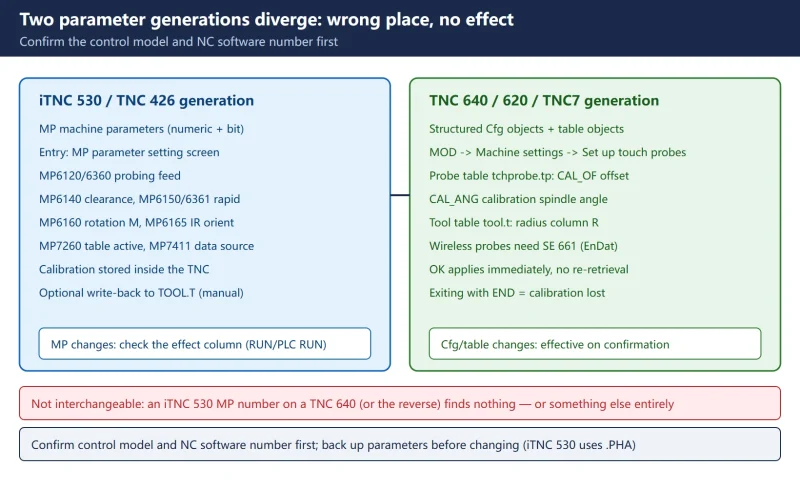
Heidenhain Touch Probe Calibration: iTNC 530 Uses MP, TNC 640/TNC7 Uses Cfg — Calibrate in the Right Place
The complete Heidenhain touch probe calibration and in-machine measurement reference: the iTNC 530 versus TNC 640/620/TNC7 parameter generations, 3-D and touch-trigger probe calibr...
昨天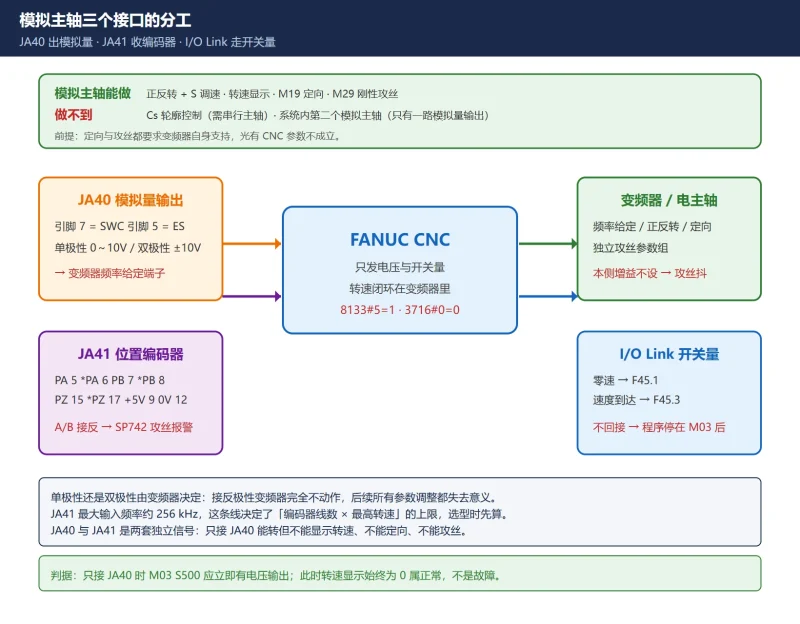
FANUC 模拟主轴调试全流程:8133#5/3716#0/3717 启用链 + 3730/3731 电压标定 + JA40/JA41 接线
模拟主轴的坑不在参数多,而在启用链顺序错、3730 与 3731 填反、JA41 编码器 A/B 接错。本文按接线→启用链→电压标定→功能验证四步走:给出 3717 填 0 时无报警却不转的原因、3731 先 3730 ...
20天前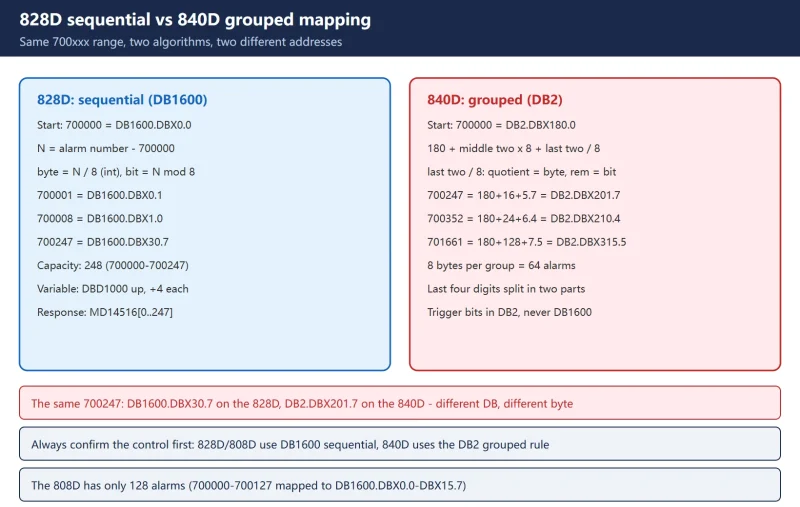
SINUMERIK 828D User Alarm Bits: DB1600 Sequential Mapping and Extended 701000-701999
The SINUMERIK 828D user alarm bit address reference: the DB1600 sequential mapping contrasted item by item with the 840D DB2 grouped algorithm (700247 is DB1600.DBX30.7 on the 828D...
前天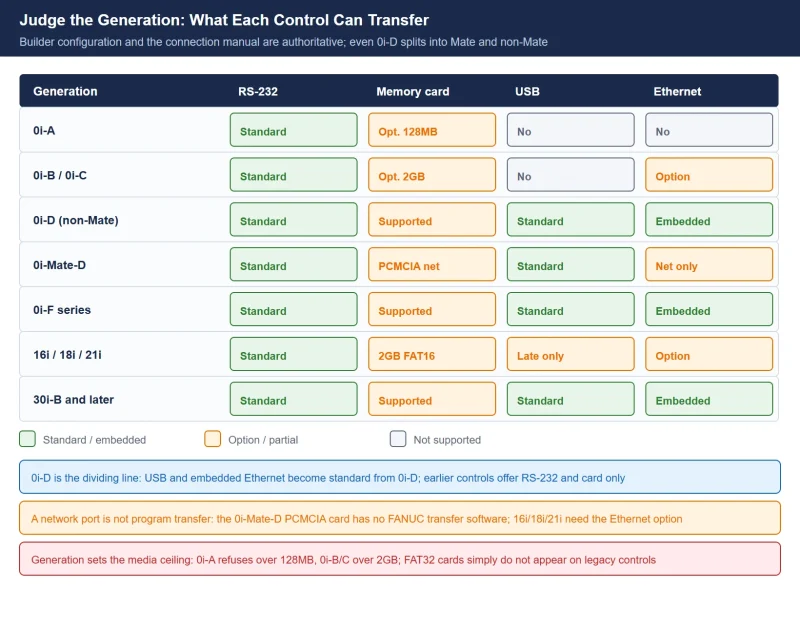
FANUC Program Transfer: RS-232, Memory Card, USB, Ethernet and DNC — Pinout, Parameters and Troubleshooting
Transferring a program into a FANUC control fails for four recurring reasons: wrong cable pinout, wrong 0020 I/O channel, mismatched serial frame settings, or a media format the co...
6天前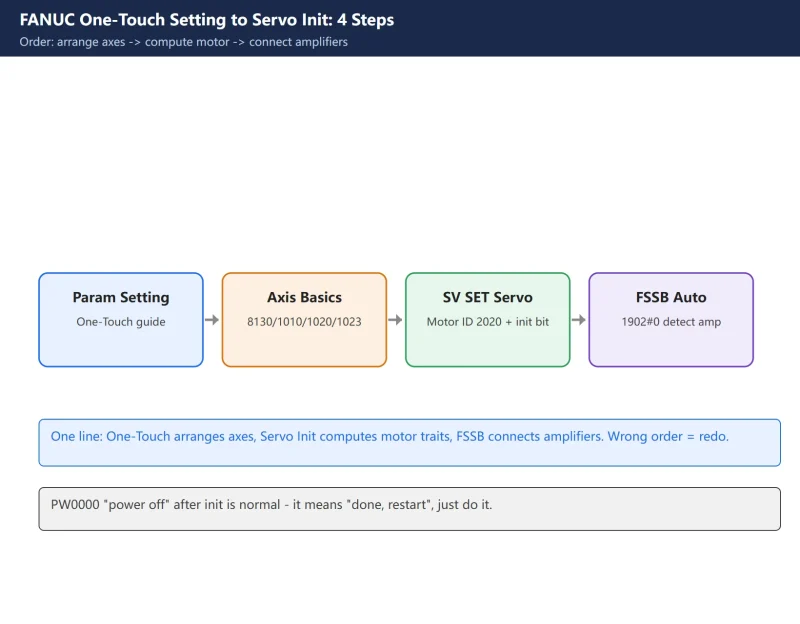
How to Use FANUC One-Touch Setting & Servo Initialization – Parameter Setting Support (8130/1010/1020/1023) + SV SET (2020/2000#1/1820/2084-2085)
FANUC One-Touch Setting (Parameter Setting Support) sets axis count/name/assignment at once; Servo Initialization (SV SET) computes pulses/gear/direction from motor ID 2020; FSSB a...
20天前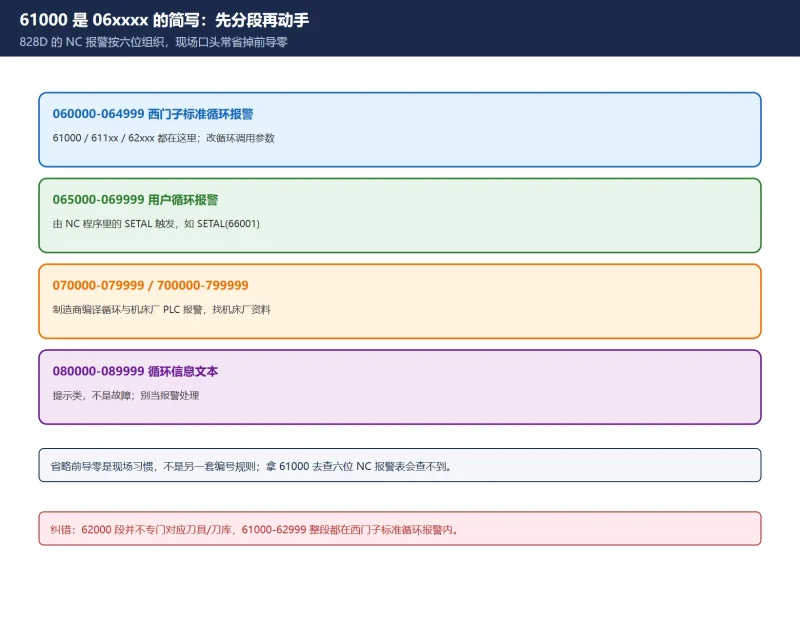
SINUMERIK 828D 循环报警 61000/62000/65xxx 怎么查?六位号段判定 + 61000 无刀补 + 循环参数校验排错
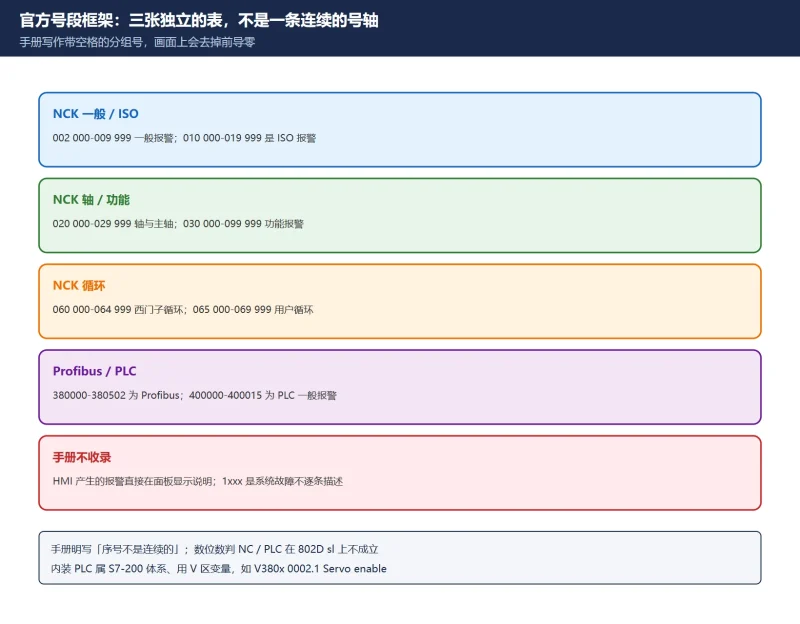
828D 的 61000/62000 是六位报警号 06xxxx 段的简写,两者同属西门子标准循环报警;065000–069999 才是用户循环报警。本文给号段判定表、61000「无刀具补偿激活」的含义、从报警文本到循环参数...
10天前
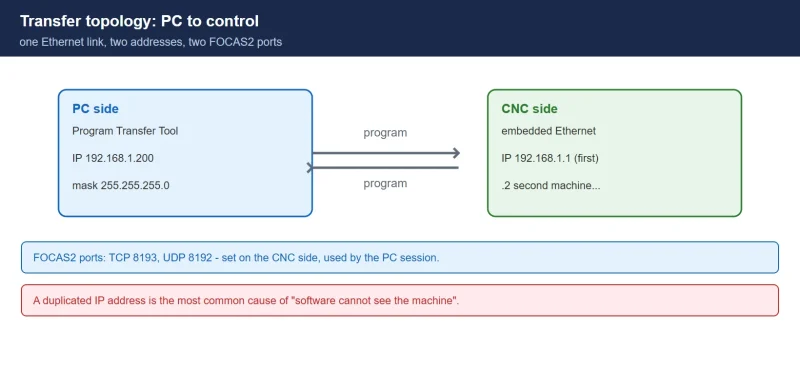
FANUC Program Transfer Tool V18: Ethernet Setup and Program Transfer
How to install FANUC Program Transfer Tool V18 and move part programs over Ethernet: supported controls, IP planning, CNC-side FOCAS2 settings, session setup and the drag-and-drop ...
21天前






扫一扫,添加我的微信