


Sister article: SINUMERIK 828D / 840D sl Tool Management DB Interface Quick Reference; related: 828D PLC Programming Tool: FB1/FB2/OB100, 828D Extended User Alarms: DB9913, 828D User Alarm Bits: DB1600.
20.1 First: who decides in tool management
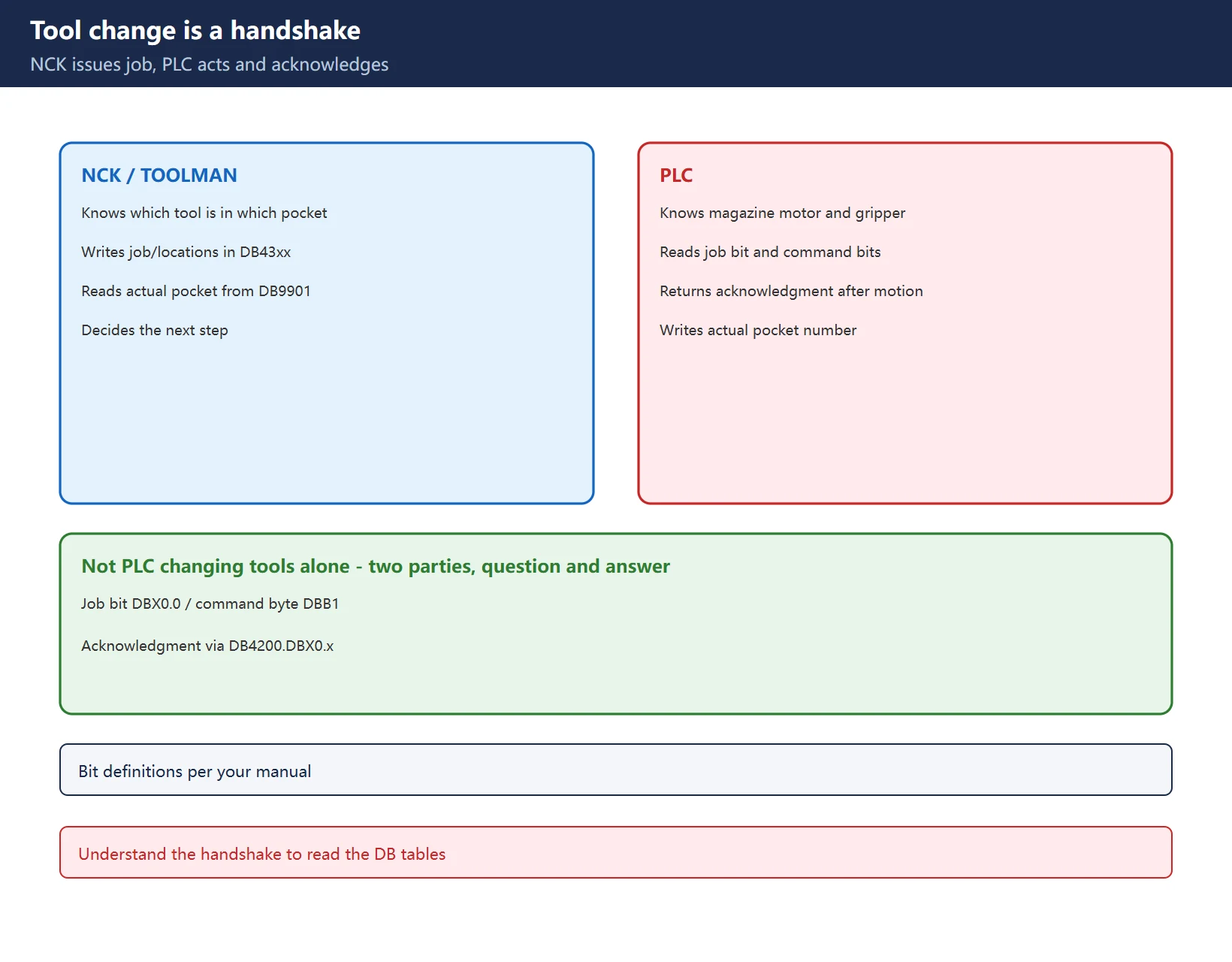
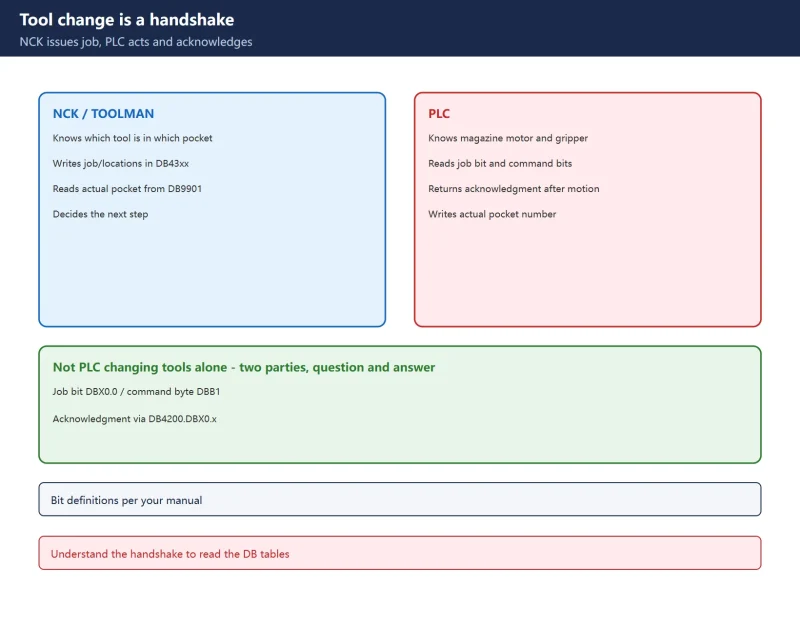
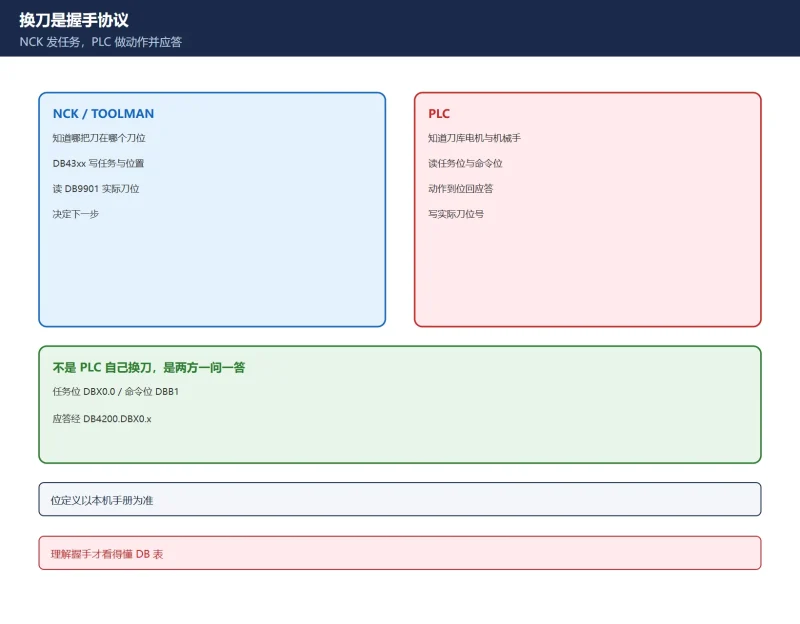
A tool change is a handshake in which the NCK’s tool management (TOOLMAN) issues the job and the PLC performs the motion and returns an acknowledgment – the PLC does not change tools by itself. The NCK knows “which tool is in which pocket”; the PLC knows “how to rotate the magazine and how the gripper grabs” – they exchange information through the DB interface. Understand this and every DB falls into place:
- NCK to PLC: write the job bit, command bits, new-tool source location and old-tool target location in DB43xx;
- PLC to NC: after motion completes, write the actual pocket number into the DB9901 variable table and set an acknowledgment bit telling TOOLMAN “this step is done”;
- TOOLMAN updates the magazine view and tool state, then decides the next step.
20.2 NC-to-PLC job interface DB4300: job bit and command bits
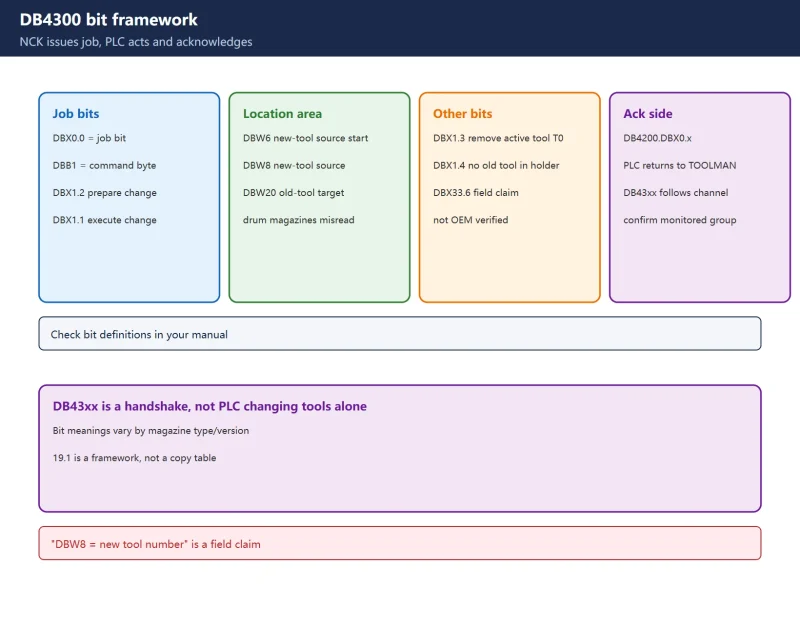
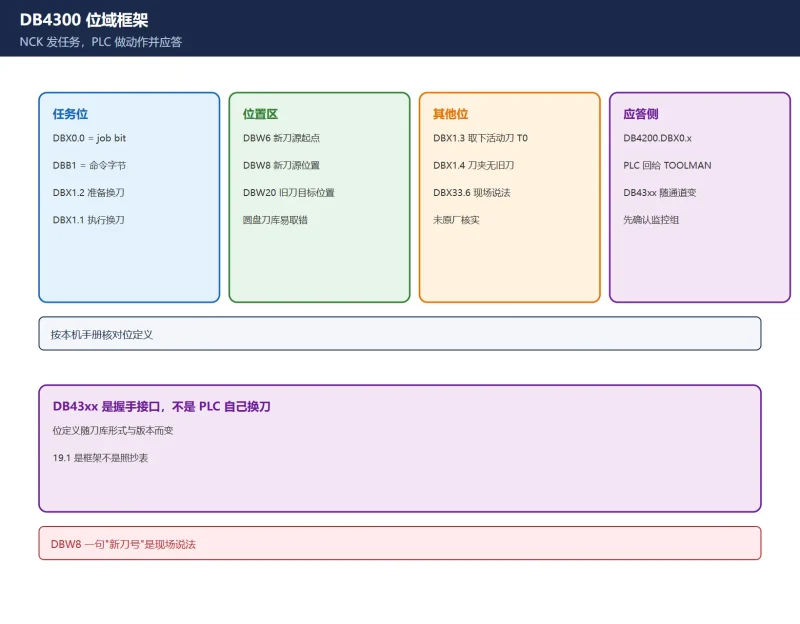
DB43xx is numbered by channel/magazine (DB4300 is the first group). Key fields (from the 828D commissioning manual section 9.8 tool-change example):
Table 1 DB4300 job-side key fields (per your manual)
| Field | Meaning | Role |
|---|---|---|
DBX0.0 | Job bit | NCK sets 1 to issue a tool-change job |
DBX1.2 | Prepare change | Prepare bit in the command byte DBB1 |
DBX1.1 | Execute change | Execution job triggered by M206 |
DBW6 to DBW20 | New-tool source / old-tool target locations | Official 9.8: DBW8 = new-tool source location, DBW20 = old-tool target location |
DBX1.3 | Remove active tool (T0) | Whether the old tool in the spindle must be removed |
Warning: DBW8 and DBW20 are easily mixed up on drum magazines (see 20.6 recap): field sources describe DBW8 as the “new tool number”, differing from the official 9.8 “location number” wording – confirm against your manual and the online monitor.
20.3 1:1 exchange versus two-step change: criterion is source equals target
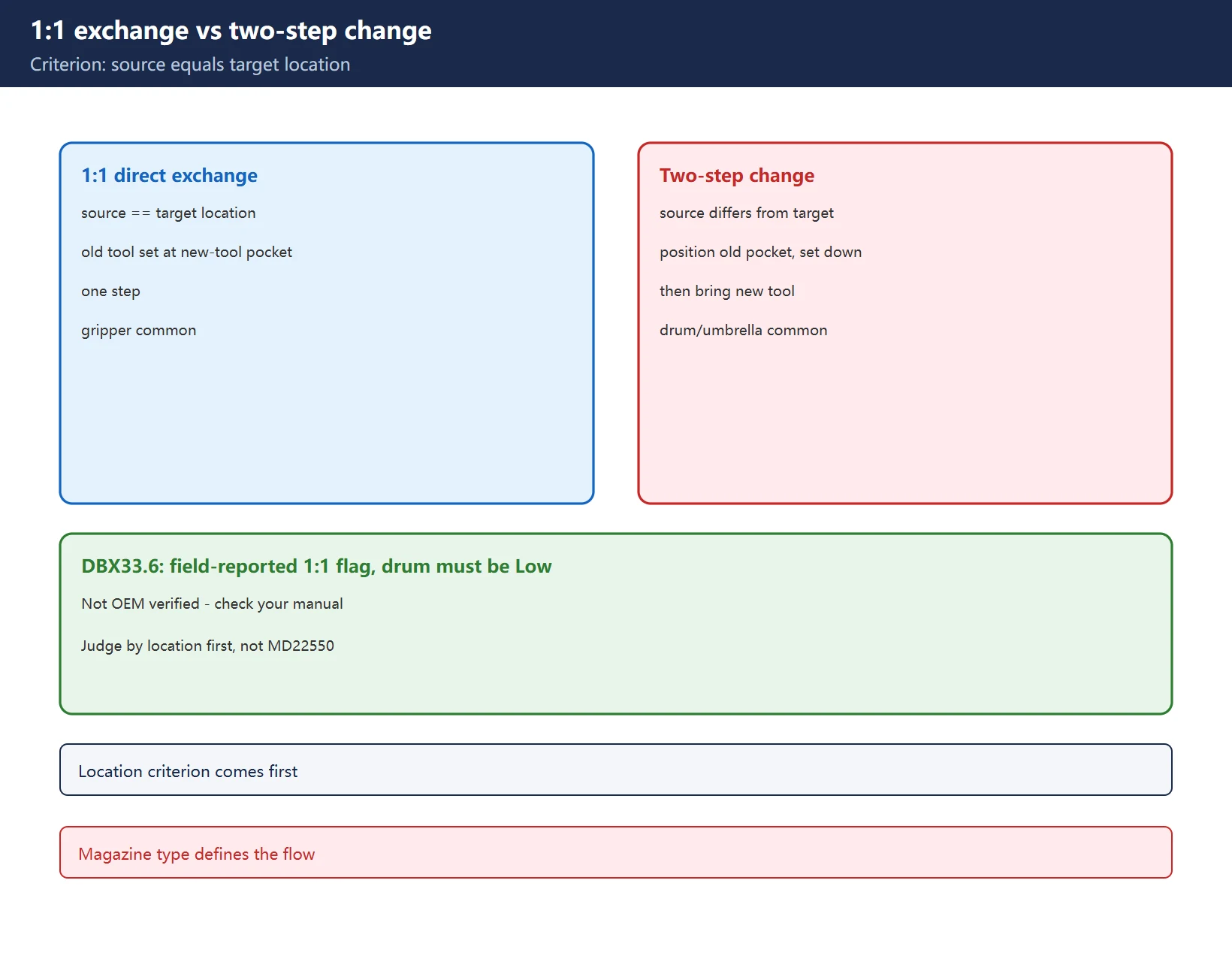
- 1:1 direct exchange: new-tool source location equals old-tool target location – the old tool is set back at the new tool’s pocket, done in one step (common on gripper magazines).
- Two-step change: source differs from target – the magazine first positions the old-tool pocket at the change point and sets the old tool down, then brings the new tool to the spindle (common on drum/umbrella magazines).
DBX33.6: field notes call it the 1:1 exchange request flag; drum magazines are reported to require it Low throughout. This bit was not directly verified in the original manual – treat it as field reference only, per your manual.
Criterion priority: first check whether source equals target, then the DBX33.6 state, then the flow defined for your magazine type – do not start by changing MD22550.
20.4 PLC-to-NC acknowledgment: the three transfer tables and step numbers
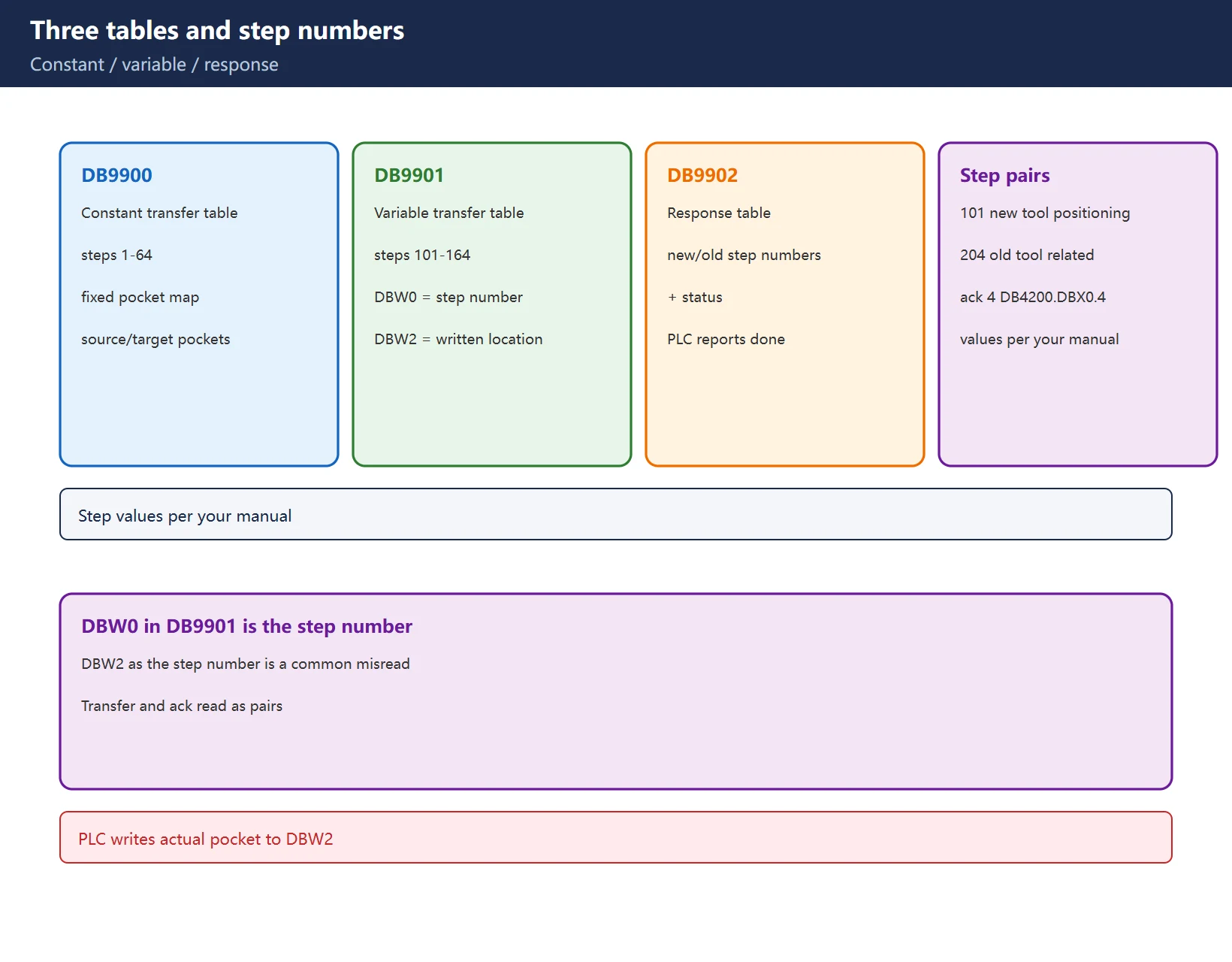
All three tables live on the PLC side and define all states of tools or magazines:
Table 2 DB9900 / DB9901 / DB9902 roles and step numbers
| Table | Name | What it governs |
|---|---|---|
| DB9900 | Constant transfer table | Fixed pocket mapping, steps 1-64 |
| DB9901 | Variable transfer table | Variable pockets during a change, steps 101-164; DBW0 = step number, DBW2 = actual location written for that step |
| DB9902 | Response table | Step number + new/old step to acknowledge + status |
Step numbers come in pairs: in the example, request steps 101 (new tool positioned at change point) and 204 (old-tool related), with acknowledgment step 4 given by DB4200.DBX0.4. The PLC writes the actual pocket number into DB9901.DBW2 and TOOLMAN updates the magazine view. ★ In DB9901 it is DBW0 that is the step number and DBW2 the written-back location – treating DBW2 as the step number is a common misread. Example step values are subject to your manual.
20.5 Mag_conf.mpf: when it must run, and whether to keep it
Mag_conf.mpf (some sources write MAG_CONF_MPF.mpf) is a magazine-configuration example program that writes tool management parameters and state once:
- When it must run: first-time magazine configuration, after changing the magazine type (drum/chain/gripper), or after a tool-management state fault (see 20.6);
- How to run: copy it to any NC program directory (MPF.DIR, etc.), select it in AUTO mode and press Cycle Start once;
- Can be deleted: after successful execution and confirming the parameters in the tool management screens, it can be deleted – no need to keep it;
- Division of labour: the magazine-initialization article (Chinese only, no English version) covers the entry point and pockets 9998/9999, while this page covers the interface implementation after initialization.
Warning: the file comes from the 828D Toolbox / Siemens Support – this site does not provide file downloads; obtain it through official channels.
20.6 ★ Field case: wrong tool number on the second change, drum magazine
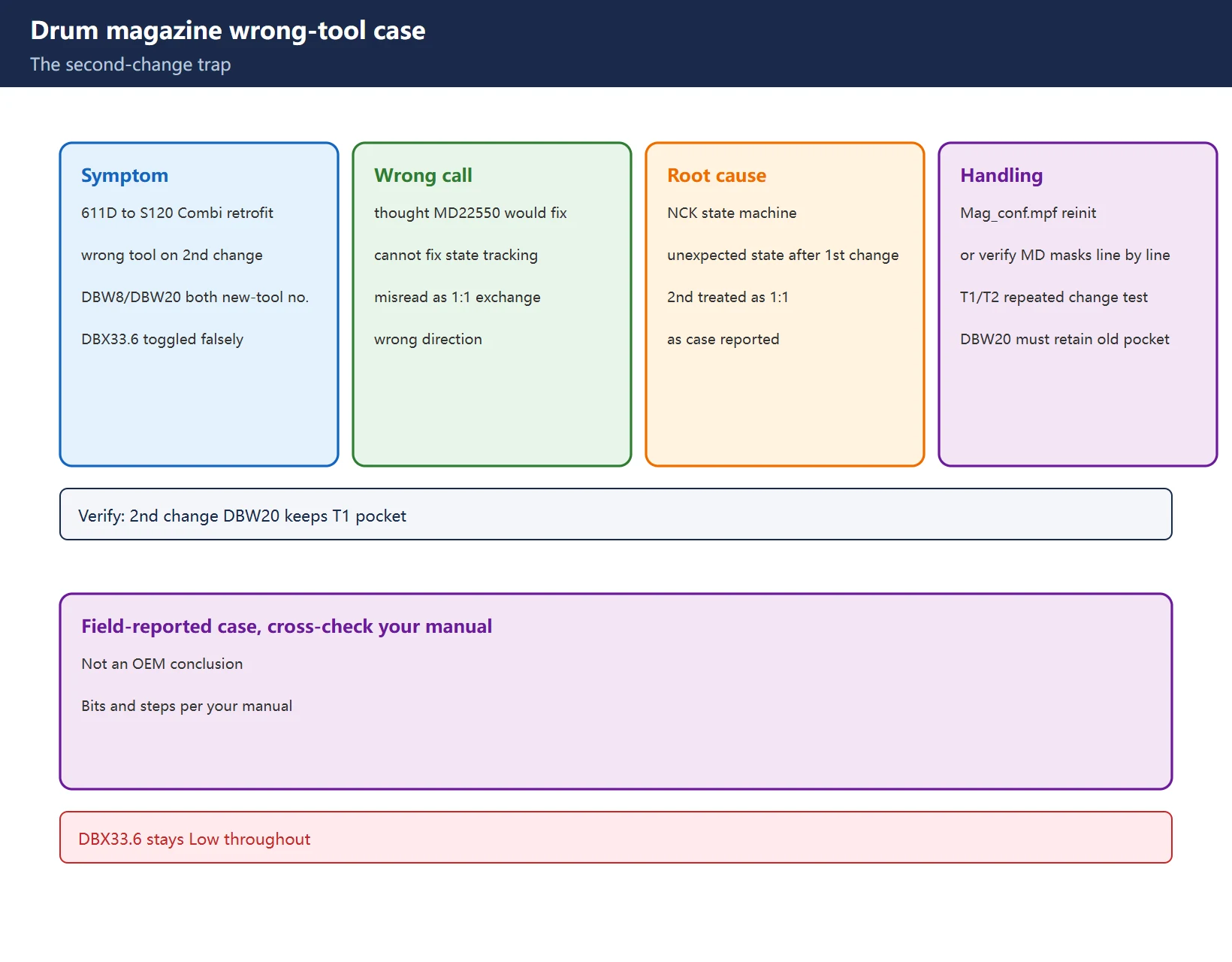
A field case (third-party compilation) reports: after a 611D to S120 Combi retrofit, the second change wrote both DBW8 and DBW20 with the new-tool number, DBX33.6 toggled falsely and the event was misread as a 1:1 exchange.
- Wrong judgment: assuming MD22550 (change mode) would fix it – it will not; MD22550 does not change tool management’s internal state tracking;
- Root cause (as reported): the NCK tool management state machine entered an unexpected state after the first change and treated the second request as 1:1;
- Handling: run Mag_conf.mpf to reinitialize the tool management state, or verify MD18080 / MD22550 / magazine type mapping line by line;
- Verification: run T1 – machine – T2 – machine, monitor that the first change updates DBW6/DBW20 correctly, and on the second change DBW20 retains T1’s pocket number rather than T2’s with DBX33.6 Low throughout.
Warning: this is a field-reported case to cross-check against your own manual, not an original-manufacturer conclusion; bits and step numbers are per your manual.
20.7 Related machine data (bit-coded, verify line by line in your manual)
MD22550 (change mode), MD18080 (tool management function mask, bit-coded), MD22560/22562 (change M code), MD10715/10716 (M code / subprogram name that calls the change subprogram, e.g. L6), MD20310 (channel-level tool management mask), MD52270 (tool management function mask, bit-coded) – meanings vary by magazine type; this page only lists “what it governs”, bit definitions are strictly per your manual. See the machine data index in the tool management DB quick reference.
20.8 Commissioning order and acceptance
- Single-step the two-step change first: watch all DB4300 bits, confirm the timing of job bit, command bits and location fields;
- Then run the 1:1 change: confirm the direct exchange path when source equals target;
- Empty buffer test and “transfer from buffer to magazine”;
- Repeated-change stress test: cycle multiple T commands and watch for a wrong tool from the second change onward (20.6);
- Throughout, use your manual and the online monitor as the authority – do not copy any single “standard value”.
Frequently Asked Questions
Which DB blocks must the PLC implement for 828D tool management, and what does each do?
The core is a DB43xx job/acknowledgment interface block (e.g. DB4300, the NCK-to-PLC handshake) plus three tables: DB9900 constant transfer table, DB9901 variable transfer table and DB9902 response table. DB4300 carries jobs and locations; the three tables carry steps and acknowledgments. Addresses and bit definitions vary by magazine type and version – check your manual.
What are DBW8 and DBW20 in DB4300, and why is the wrong tool picked?
In the official 9.8 example DBW8 is the new-tool source location and DBW20 the old-tool target location; field sources describe DBW8 as the “new tool number”, a different wording. On drum magazines, if DBW20 is written with the new-tool number on the second change (instead of retaining the old pocket), the wrong tool is picked – confirm field meanings against the online monitor and your manual.
When must Mag_conf.mpf be run once, and does it need to be kept?
It must be run once (Cycle Start in AUTO mode) on first-time magazine configuration, after changing the magazine type, or after a tool-management state fault. After successful execution and confirming the parameters in the tool management screens, it can be deleted – no need to keep it. Obtain the file through official channels (Toolbox / Siemens Support); this site does not provide downloads.
Last updated: 2026-11-19
Where to go next
- FANUC Troubleshooting — the full guide library: alarms, diagnosis numbers, servo, spindle, PMC and electrical faults, organised by symptom.
- CNC Repair Tools — which instrument measures what: multimeters, clamp meters, insulation testers and oscilloscopes, with the specification that actually matters.
- Remote Technical Support — have the readings reviewed with you: alarm reverse lookup, PMC ladder analysis and servo tuning advice by call. Repair companies and integrators welcome.
- Buying & Ownership Decisions — refurbished vs new, used-machine checks, software licensing and manuals: spend with the field facts in hand.
Read the guide, get the right instrument, or walk the diagnosis through with someone — pick whichever you need.


















暂无评论内容