


Sister article: FANUC M98 / M99 subprogram calls and 076/077/078 troubleshooting – the Chinese guide; related: Fanuc Macro B guide, Fanuc PMC functional instruction (SUB) quick reference, Fanuc tool setter / probe calibration. The Chinese guide on this site also covers the O9001 tool-change macro and the Macro B tutorial.
18.1 M98 / M99 in one sentence
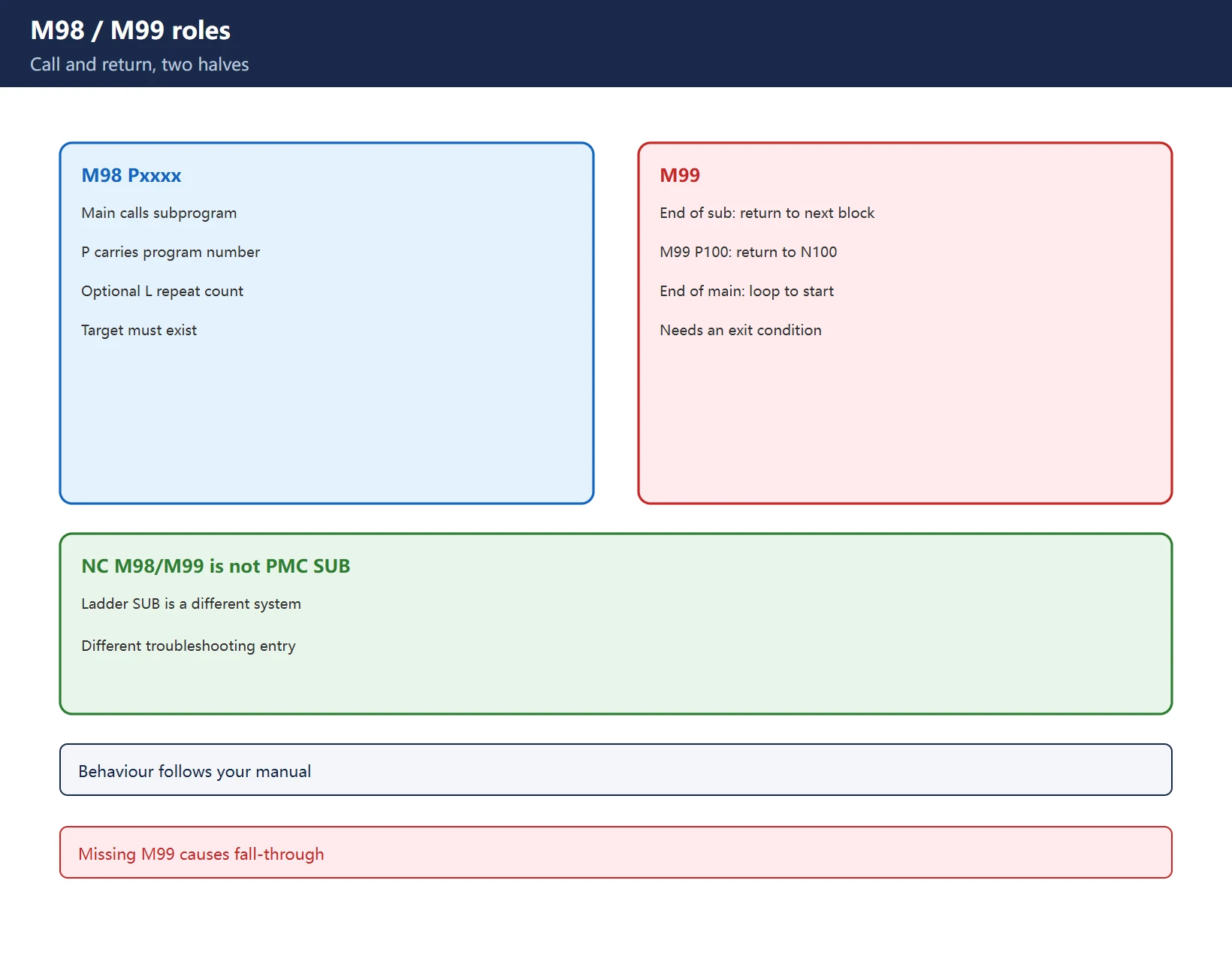
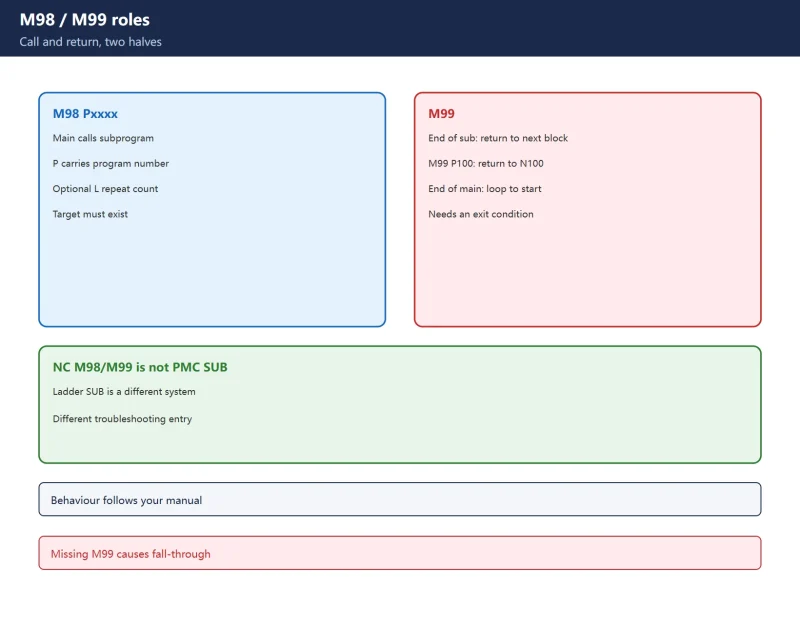
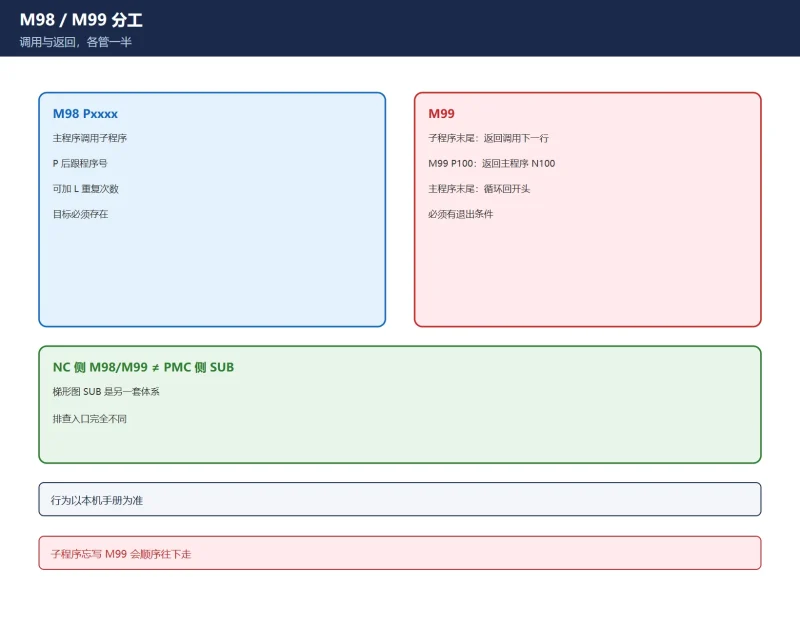
- M98 Pxxxx: the main program calls a subprogram. P carries the called program (or sequence) number.
- M99: at the end of a subprogram it returns to the block after the call; written alone in the main program it loops back to the start.
Table 1. M98 / M99 roles (behaviour follows your manual)
18.2 P-number formats: four common forms
| Form | Meaning | Typical use |
|---|---|---|
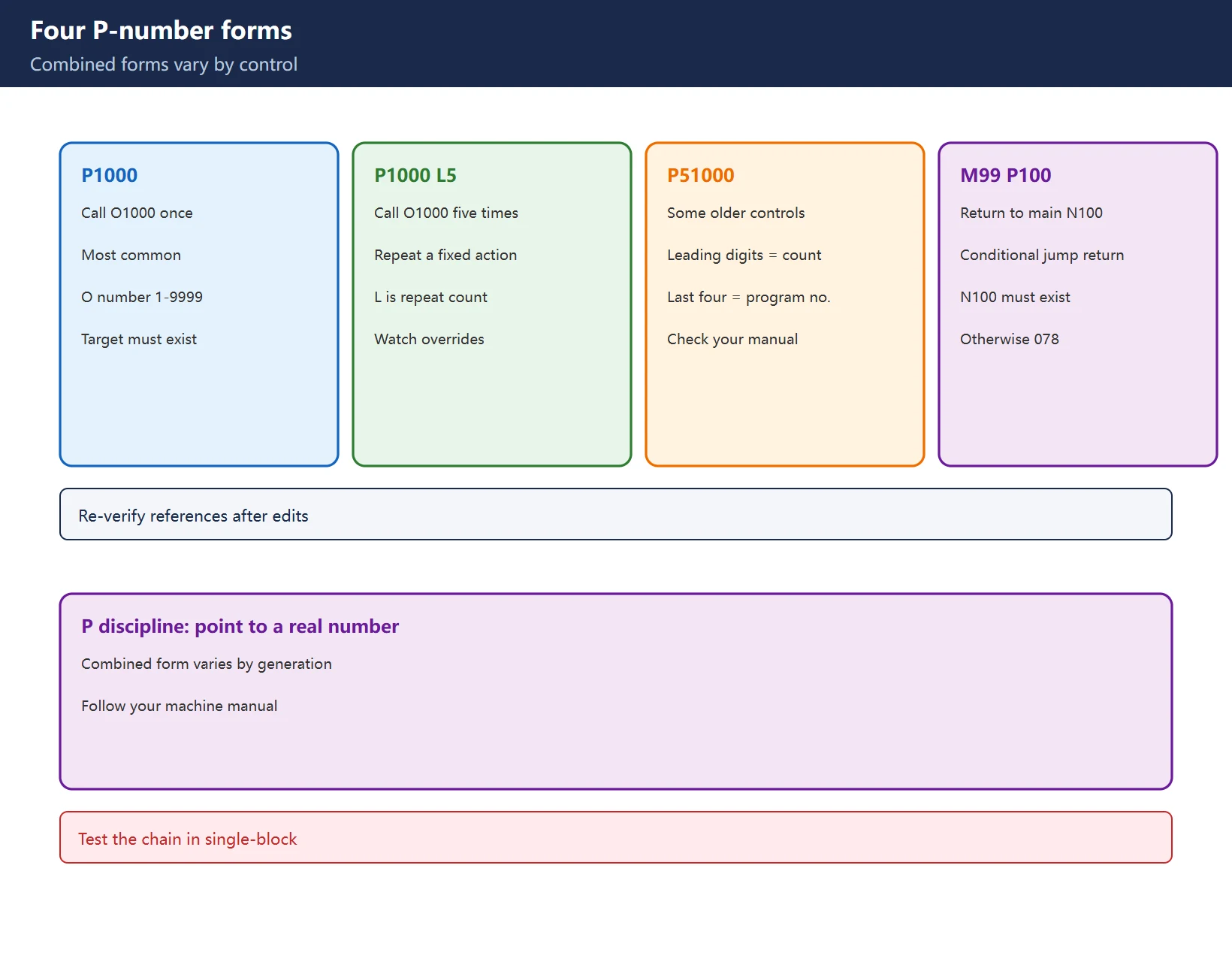
M98 P1000 | Call subprogram O1000 once | Most common |
M98 P1000 L5 | Call O1000 five times | Repeating a fixed action |
M98 P51000 | On some systems, leading digits are the repeat count and the last four are the program number | Legacy format, ⚠️ varies by system |
M98 P1000 with M99 P100 | Return to sequence N100 in the main program | Conditional jump return |
Table 2. P formats (⚠️ combined forms vary by generation; check your manual)
P-number discipline: P must point to a program or sequence number that actually exists; O numbers are normally in the 1-9999 range; a missing target raises 078. Re-check every P reference after editing a program.
18.3 Two separate layers: NC M98/M99 versus PMC SUB
One layer is the NC program M98/M99 subprogram call (this guide); the other is the PMC ladder SUB function instruction (subprogram call / jump). They only share a name – address systems, call methods and troubleshooting entry points are completely different. For the PMC side see the functional instruction SUB reference and the ladder diagram beginner tutorial.
18.4 Nesting limit: ⚠️ three sources, three numbers
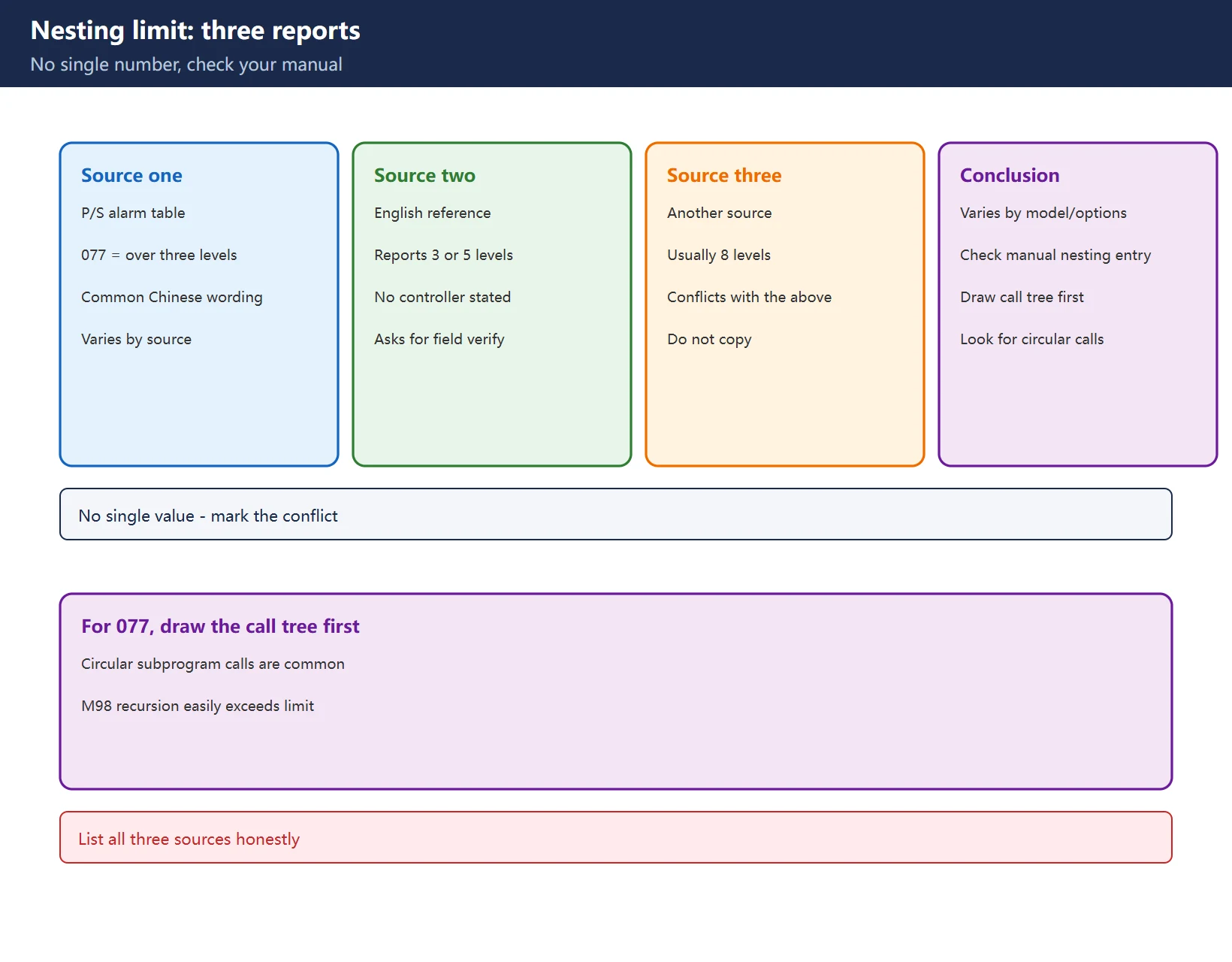
- One P/S alarm table: 077 = subprogram nesting exceeds three levels;
- Another English source: reports 3 or 5 levels and explicitly says “the source gives two limits without stating which controller they apply to – verify on your control”;
- A further source says usually 8 levels.
Conclusion: the nesting limit varies by machine and options, so this article gives no single value. When 077 appears, check the “subprogram nesting” entry in your own manual. Common root causes are subprograms calling each other in a loop, or using M98 recursion to implement a loop.
Table 3. Three reported nesting limits (follow your manual)
18.5 Troubleshooting path for the three P/S alarms
| Alarm | Official meaning | First check |
|---|---|---|
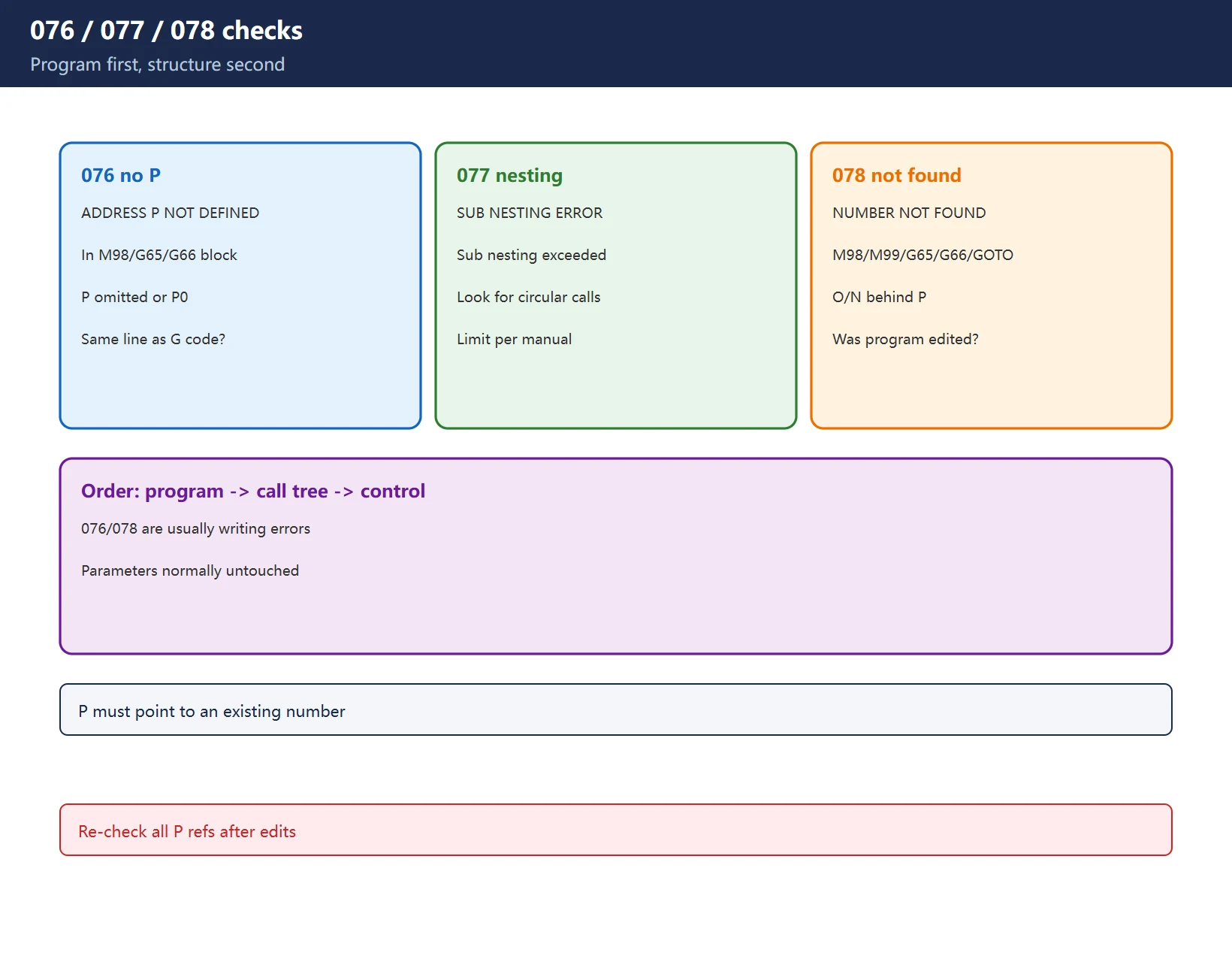
| 076 | ADDRESS P NOT DEFINED – P address invalid or missing in an M98 / G65 / G66 block | P omitted, written P0, or not on the same line as the G code |
| 077 | SUB PROGRAM NESTING ERROR – nesting limit exceeded | Subprograms calling in a loop; limit per your manual |
| 078 | NUMBER NOT FOUND – program or sequence specified with M98/M99/G65/G66/GOTO not found | Does the O/N number behind P exist? Was the program edited? |
Table 4. Alarm reverse lookup (verify exact wording in your manual)
Order of investigation: program text first (P number, same line, target exists) -> nesting structure (draw the call tree) -> only then suspect the control. 076 and 078 are almost always program-writing issues, not parameter issues.
18.6 Three uses of M99 and their traps
- M99 at the end of a subprogram -> return to the block after the call;
M99 P100inside a subprogram -> return to sequence N100 in the main program (the sequence must exist or 078);- M99 at the end of the main program -> loop to the beginning (used for continuous production – make sure an exit condition exists).
Traps: forgetting M99 at the end of a subprogram makes execution fall through into the next block; an M99 P number pointing to a nonexistent sequence raises 078.
18.7 Where M98/M99 ends and G65/G66 begins
M98 calls a plain subprogram (Oxxxx); G65/G66 call a macro program and can pass arguments (A, B, C…). Alarms 076/078 apply to both. Macro variable partitions and G65/G66/G67 usage are covered in the Macro B guide.
18.8 M98/M99 in the tool-changer macro O9001
Builder tool-change macros often use M98 to call a change subprogram and M99 to return, with parameters 6071/6080 and PMC signals (G54.x). In these programs P numbers are tightly bound to signal timing – back up the original program before editing. The Chinese guide on this site covers the O9001 tool-change macro in detail.
18.9 Commissioning and verification
- Single-block through the call chain and watch M98 -> subprogram -> M99;
- Draw a call tree (main -> sub 1 -> sub 2…) and check its depth;
- Re-verify every P reference after program edits;
- Validate the path in dry run / graphic simulation before cutting.
18.10 Related but separate: PMC SUB instructions
Once more: the SUB function instructions in PMC ladder (e.g. SUB1 subprogram call, SUB2 return) are a different system, and the troubleshooting entry point is online ladder monitoring, not the NC program. See the PMC SUB quick reference.
Frequently Asked Questions
How do I write the P number for a FANUC M98 subprogram call, and what does M98 P1000 L5 mean?
P carries the called program number: P1000 calls O1000 once; L5 repeats the call five times. Some older controls use a combined form where leading digits are the count and the last four are the program number (e.g. P51000), but that varies by generation – check your manual. P must point to an existing program or 078 is raised.
What is the FANUC 077 subprogram nesting limit?
Sources disagree: three levels, 3 or 5 levels, and usually 8 levels all appear. The limit depends on the control model and options, so use the “subprogram nesting” entry in your own manual. When 077 fires, draw the call tree first and look for subprograms calling each other in a loop instead of rewriting blindly.
What is the difference between alarm 076 and 078? Should I check the program or parameters?
076 means the P address in an M98/G65/G66 block is invalid or missing (omitted, P0, not on the same line as G). 078 means the program or sequence number behind P cannot be found. Both are nearly always program-writing problems – check the program text and whether the P target exists, then draw the nesting tree, and only then suspect the control. Parameters normally need no change.
Last updated: 2026-11-19
Where to go next
- FANUC Troubleshooting — the full guide library: alarms, diagnosis numbers, servo, spindle, PMC and electrical faults, organised by symptom.
- CNC Repair Tools — which instrument measures what: multimeters, clamp meters, insulation testers and oscilloscopes, with the specification that actually matters.
- Remote Technical Support — have the readings reviewed with you: alarm reverse lookup, PMC ladder analysis and servo tuning advice by call. Repair companies and integrators welcome.
- Buying & Ownership Decisions — refurbished vs new, used-machine checks, software licensing and manuals: spend with the field facts in hand.
Read the guide, get the right instrument, or walk the diagnosis through with someone — pick whichever you need.
The original Chinese version — same procedure, with the full field notes.



















暂无评论内容