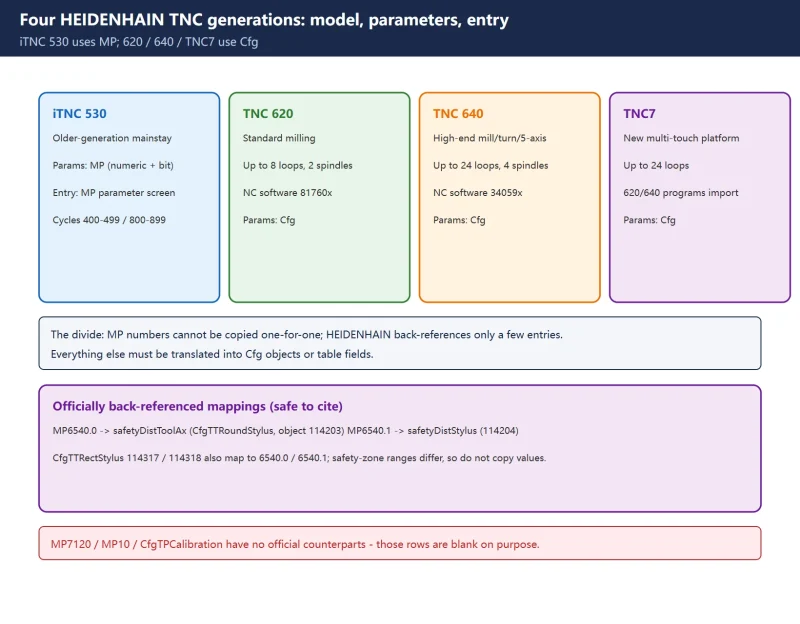



🚨 An honest caveat: most “MP number to Cfg path” tables circulating online (MP10/MP20/MP7120/MP7230, CfgTPCalibration and similar) come from AI content farms and have no counterpart in official HEIDENHAIN documentation. This page lists only the few mappings that official parameter documents explicitly annotate – mainly the TNC7 parameter documentation’s back-references to iTNC 530. Every other cell says “check the machine’s own manual” instead of inventing a number.
30-second check
1. Four generations and parameter systems
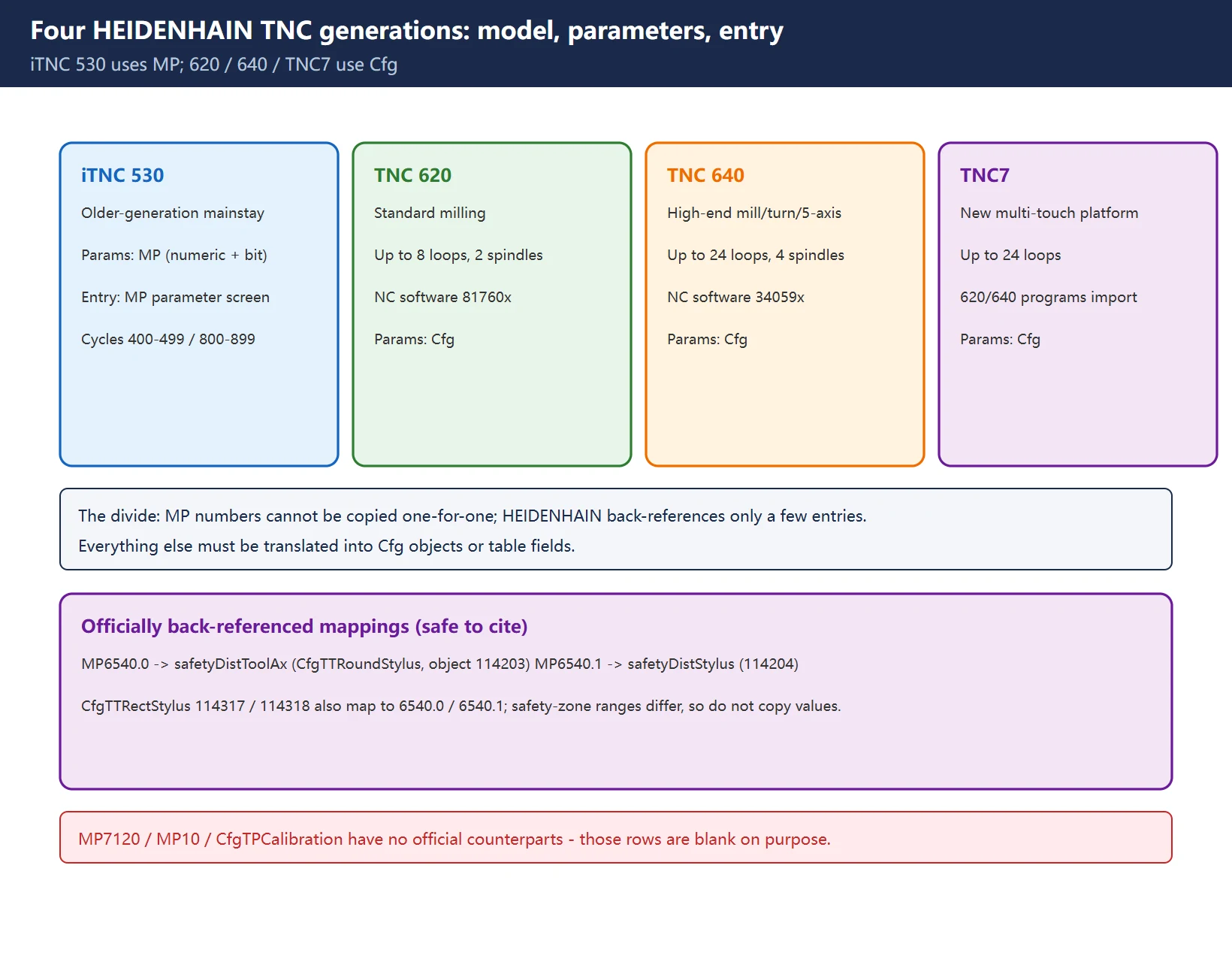
Table 1 Generation positioning and parameter form
| Control | Official positioning | Control loops | NC software | Parameters | Entry |
|---|---|---|---|---|---|
| iTNC 530 | Previous-generation mainstay, common on older machines | Per machine config | From nameplate | MP (numeric + bit) | “MP parameter setting” screen |
| TNC 620 | Standard milling / simple machining centres | Up to 8 (max 2 spindles) | 81760x | Cfg | Edit parameters -> Machine configuration |
| TNC 640 | High-end milling / mill-turn / grinding / HSC / 5-axis | Up to 24 (max 4 spindles) | 34059x | Cfg | Edit parameters -> Machine configuration |
| TNC7 | New platform, task-focused multi-touch UI | Up to 24 | From nameplate | Cfg | Edit parameters -> Machine configuration |
TNC7 also ships as
TNC7 select(5-axis package),TNC7 basic(up to 8 loops, 3+2 axes) andTNC7 go(up to 6 loops, simple mills / training / retrofit). Although 620 and 640 both have touchscreens, FK free contour programming is an option on the 620 but standard on the 640, and DCM / fixture monitoring / KinematicsComp are available only on the 640 side.
2. MP to Cfg: mappings HEIDENHAIN actually documents
Table 2 Officially back-referenced entries (TNC7 parameter docs annotate “iTNC 530: xxxx”)
Every row in this section has an official source, so it can be cited safely. Conversely, any claim that “MP7120 = CfgTouchProbe” or “MP10 = CfgAxisPos” is not listed here – no such one-for-one relationship exists in the official parameter documentation.
3. Functions by generation: what transfers, what must be rebuilt
Table 3 Function matrix across generations (blank = no reliable public source)
4. Cycle and function compatibility: three layers
Table 4 Three compatibility layers and how to handle them
The official HEIDENHAIN TNC Transition course lists the iTNC 530 -> TNC 640 differences as: TestRun mode, probe parameters, work offset table, cutting data calculator, OCM functions, manual touch-probe functions, and connecting controls for program transfer with TNCremo. That course outline is itself a reliable migration checklist.
5. Why circulating MP lists cannot be copied
Table 5 Common claims and how this page handles them
| Claim | Problem | Handling |
|---|---|---|
| “MP7120 / MP7230 / MP7240 configure the probe interface” | Aggregator blog; no matching official parameter entries | Not listed |
| “MP10 / MP20 / MP30 … MP80 are axis feedback parameters, mapping one-for-one to CfgAxisPos” | Number ranges and “typical values” largely fabricated, and using Cfg on an iTNC 530 confuses generations | Not listed |
| “CfgTPCalibration / CfgTouchProbe are standard TNC7 objects” | Not found in official parameter documentation | Not listed |
| “MP changes always need a reboot / Cfg changes are always immediate” | Over-generalised; depends on entry and model | Only “check the machine manual” |
| “One table converts every 530 MP into a 640 Cfg path” | Official documents back-reference only a few entries | Replaced with a “how to check” procedure |
If you cite this table, cite this caveat with it: the blanks are deliberate, not omissions.
6. Lookup and migration sequence
- Record the control model and NC software number from the About screen and identify the exact 530 / 620 / 640 / TNC7 variant;
- Use Table 1 to confirm the parameter system and entry – do not hunt for MP numbers on a Cfg machine;
- Treat only Table 2’s officially back-referenced entries as comparable; look up everything else in the machine’s shipped parameter manual;
- Follow Table 3’s order: backup -> import tables (tool, pocket, probe) -> verify fields -> import programs -> finally check presets and the work offset table;
- Walk the three layers of Table 4 for cycles and options;
- Accept via simulation -> dry run -> single block -> first part, and exercise every builder-defined M-function individually.
Further reading: four generations and migration, two-generation parameter comparison, TCH PROBE 31/481 parameter comparison, tool management tool_p.tch / TOOL.T.
Frequently Asked Questions
Which Cfg path corresponds to an MP parameter on a TNC 640?
There is no universal conversion. HEIDENHAIN explicitly annotates only some entries – for example the TNC7 parameter documentation notes “iTNC 530: 6540.0 / 6540.1” under safetyDistToolAx (object 114203) / safetyDistStylus (114204), and the same 6540.0 / 6540.1 back-reference on CfgTTRectStylus objects 114317 / 114318. Everything else must be translated item by item into the new generation’s configuration objects or table fields. Confirm the control model and NC software number on the About screen first, and keep a full backup of the old control.
Can a TNC 620 run cycle programs written for a TNC 640?
Do not assume so. The official statement is that existing NC programs and tool tables from the TNC 640 and TNC 620 can be easily imported into the TNC7 – not that any two generations are interchangeable. The 620 and 640 differ in options: FK free contour programming is an option on the 620 but standard on the 640, and DCM / fixture monitoring / KinematicsComp are available only on the 640 side. Moving a program from a more capable control to a less capable one is more dangerous; after import, check CYCL DEF numbers and parameter fields item by item and complete simulation-to-first-part acceptance.
How do probe cycle parameters differ across the four generations?
Four layers: entry (530 uses “MP parameter setting”; 620/640/TNC7 use “Edit parameters -> Machine configuration”, with probes also via MOD), parameter form (MP numeric/bit vs Cfg objects plus table objects), where data lives (inside the TNC, or TOOL.T when MP7411 bit0=1, vs the tool.t radius column R plus tchprobe.tp CAL_OF/CAL_ANG), and write method (530 allows FN 17: SYSWRITE, while on newer controls NC programs can only CFGREAD and writing requires PLC modules 9430/9432/9433). Calibration values should not simply be copied – radius, centre offset and spindle angle are best re-confirmed.
Last updated: 2026-11-07
Where to go next
- FANUC Troubleshooting — the full guide library: alarms, diagnosis numbers, servo, spindle, PMC and electrical faults, organised by symptom.
- CNC Repair Tools — which instrument measures what: multimeters, clamp meters, insulation testers and oscilloscopes, with the specification that actually matters.
- Remote Technical Support — have the readings reviewed with you: alarm reverse lookup, PMC ladder analysis and servo tuning advice by call. Repair companies and integrators welcome.
Read the guide, get the right instrument, or walk the diagnosis through with someone — pick whichever you need.
The original Chinese version — same procedure, with the full field notes.
















暂无评论内容