


This covers the two roles, the connection types (Ethernet LSV2 / RS-232 / USB), PC-side network setup, the TNCremo connection steps, the TNCcmd command file, and the troubleshooting order when it will not connect.
Based on common TNC 640 / TNC 620 / iTNC 530 models. An OEM may password-protect the Ethernet parameter page – follow the machine builder’s documentation.
1. What TNCremo and TNCcmd are
| Tool | Form | Use |
|---|---|---|
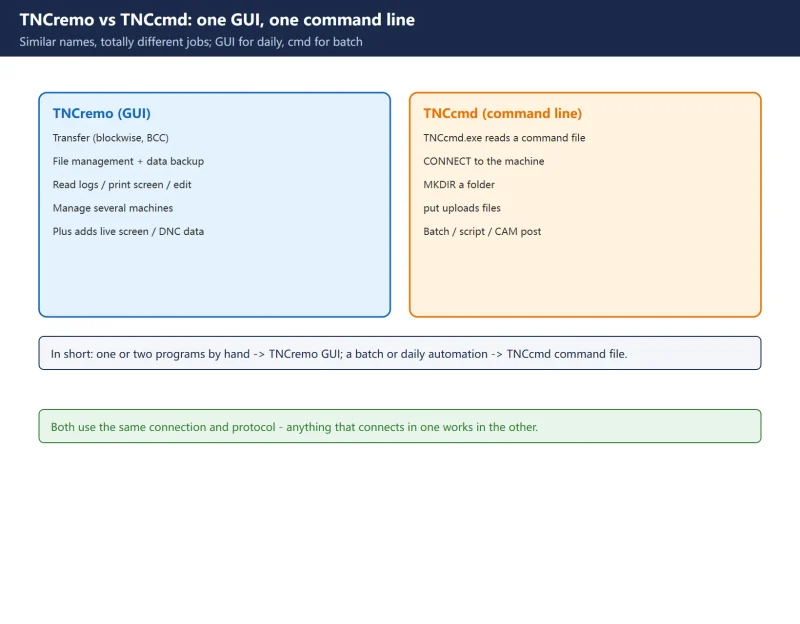
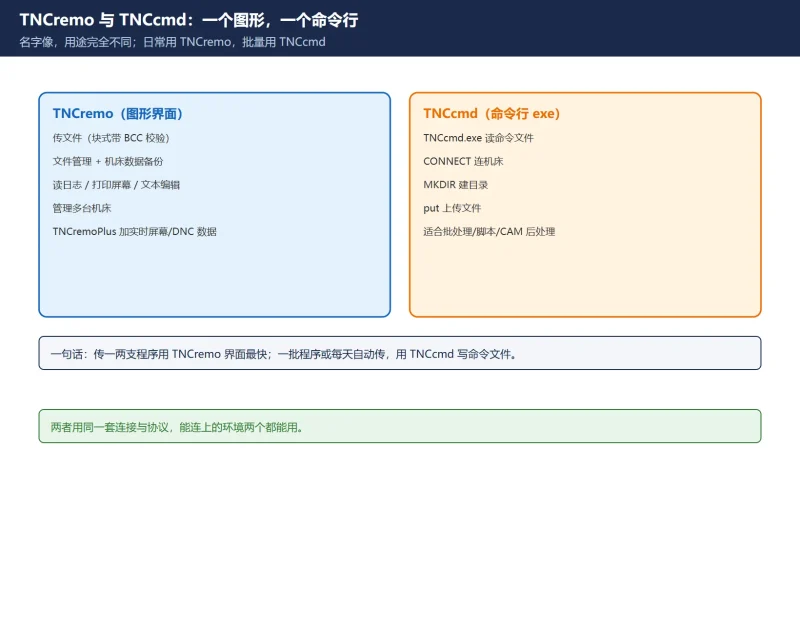
| TNCremo | Windows GUI | File transfer (blockwise with BCC), file management and machine data backup, read logs, print screen, text editor, manage several machines |
| TNCremoPlus | Upgraded | Adds “live screen”, DNC data (uptime, run time, spindle time, pending errors), and targeted overwrite of tool data from a presetter |
| TNCcmd | Command-line TNCcmd.exe | Reads a command file and runs CONNECT / MKDIR / put to transfer files in batch – easy to script |
In short: use the TNCremo GUI for one or two programs; use a TNCcmd command file for a batch or automation.
2. Three connection types
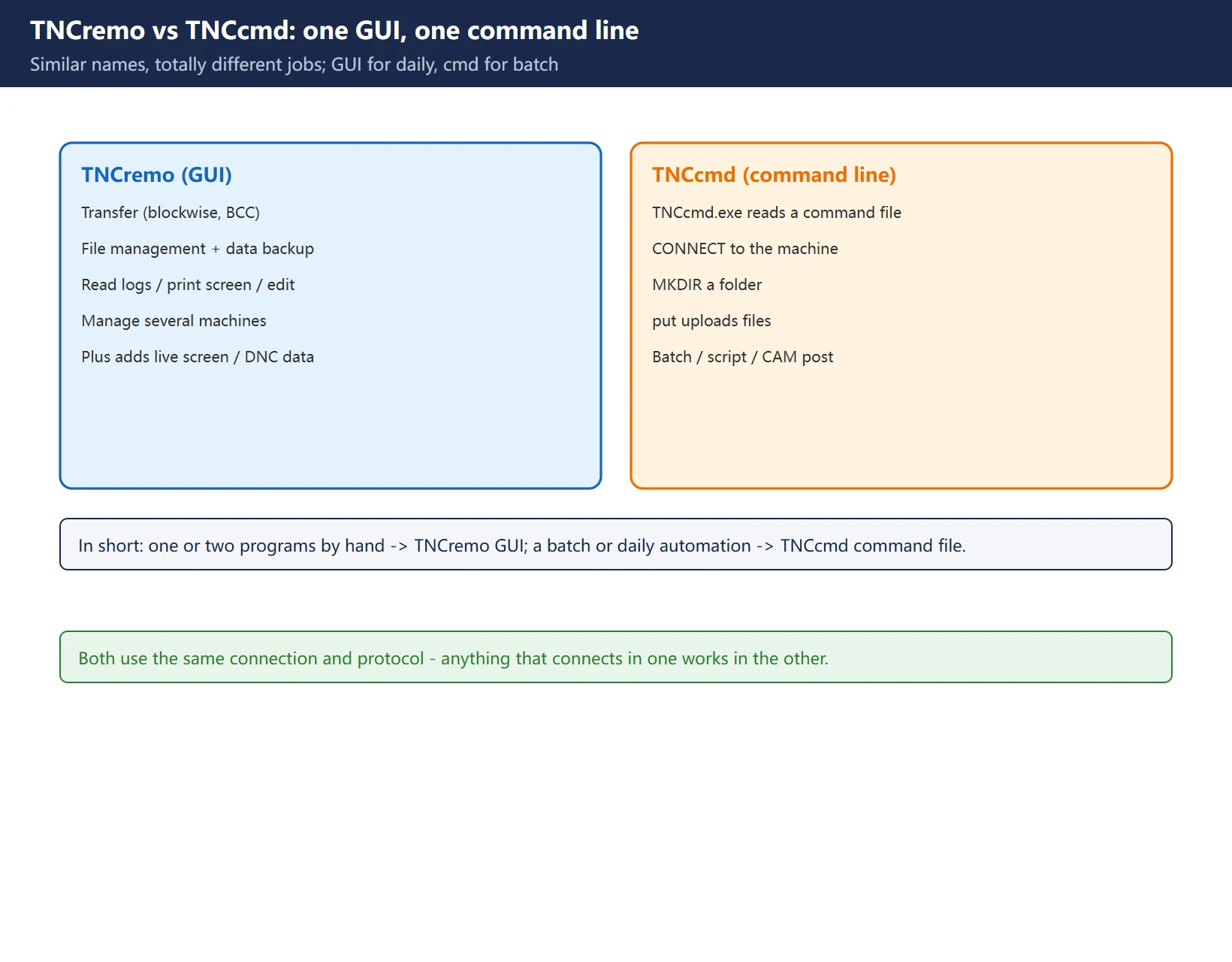
- Ethernet (most common): the TNC’s 1000BASE-T port over TCP/IP. NC transfer uses LSV2 (bidirectional per DIN 66 019), default TCP port 19000. Also supports NFS file servers and Windows (SMB) shares.
- RS-232 / V.24: for older models or special cases, max about 20 m; baud rates from 115200 down to 110; protocols include standard (character), blockwise (with BCC) and LSV2.
- USB: copy programs directly with a USB stick at the machine, no network.
For beginners, Ethernet + LSV2 is the simplest.
3. Set up the PC network first (cannot skip this)
TNCremo often fails silently – it just shows an amber “not connected” – so verify the IP layer first:
- Set the PC NIC to a static IP in the same subnet as the TNC. Common convention: TNC =
192.168.1.1, PC =192.168.1.2, mask255.255.255.0; leave the gateway blank for a direct connection. ping 192.168.1.1works -> layer 3 is up.- Confirm port 19000 is open (firewall open both ways). Verify with
Test-NetConnection 192.168.1.1 -Port 19000(PowerShell). - If the PC got
169.254.x.x, it did not get DHCP (APIPA fallback) – set a static IP manually.
Modern NICs auto-negotiate MDI/MDX, so a cross-over cable is rarely needed; only older units require a switch or cross-over.
4. Connect and transfer with TNCremo (official steps)
- Download the current TNCremo from HEIDENHAIN (check OS compatibility), unzip, run
Setup.exe. - Launch TNCremo, use the Connection tab to create a new connection with a recognisable name (e.g.
TNC640 Prog). - In the Settings tab, enter the TNC IP; for a programming station (VirtualBox) choose “local programming station VirtualBox” and confirm the address.
- Back on the Connection tab, click connect -> the TNCremo split view and the
TNC:partition appear, so it is up. - Select the file in the local pane, select the target folder under
TNC:in the right pane, and send/copy.
After connecting, check the partition:
NC:is the active NC program area,TNC:is machine memory; an empty folder often means you are sitting on something likeC:PLC.
5. TNCcmd: script the transfer
TNCcmd has no interactive UI – it reads a text command file and runs it line by line:
CONNECT 192.168.1.1
MKDIR "TNC:PARTJOB123"
put "C:ncO1234.H" "TNC:PARTJOB123O1234.H"
put "C:ncO1235.H" "TNC:PARTJOB123O1235.H"
Then run: TNCcmd.exe C:nctnccmd.txt.
CONNECT: connect to the machine (or127.0.0.1for the local programming station).MKDIR "TNC:...": create the folder in machine memory first.put "local" "TNC:target": upload one file.
So a batch of programs on a daily schedule can be a .bat, or generated directly by a CAM post-processor.
![图片[3]-HEIDENHAIN TNCremo / TNCcmd Program Transfer: Ethernet LSV2 Port 19000-CNCShare | 数控电气技术中心](https://www.cncshare.com/wp-content/uploads/2026/11/TR-en-03.webp)
6. When it will not connect: five traps
- Wrong subnet / APIPA: PC on
169.254.x.xor a different subnet -> set a static IP. - Port 19000 blocked: firewall or security software blocks LSV2 -> open both ways.
- Wrong partition: connected but folder is empty -> switch the address bar to
NC:. - OEM password: indicator turns green but any operation says “access denied” – likely the builder password-protected the Ethernet page -> ask the builder.
- Wrong protocol/check mode: on older units (e.g. 426 series) enabling binary transfer that is unsupported fails with a Blockcheck error after ~100 blocks -> disable binary and select LSV2.
Troubleshooting order is always: IP (ping) -> port (19000) -> partition -> permission/protocol. Do not reinstall the software first.
![图片[4]-HEIDENHAIN TNCremo / TNCcmd Program Transfer: Ethernet LSV2 Port 19000-CNCShare | 数控电气技术中心](https://www.cncshare.com/wp-content/uploads/2026/11/TR-en-04.webp)
7. After transfer: backup and version check
- Do not delete the local copy right away – check the file size/block count on the machine matches the local file.
- Periodically use TNCremo’s backup/sync to push a copy of
TNC:to a network share, guarding against the machine HDD failing. - After changing machine or NC software version, confirm the TNCremo version matches before bulk transfer.
Frequently Asked Questions
TNCremo shows connected, but the folder is empty – why?
Most likely you are on a partition like C:PLC (PLC files, shown empty to operators). Switch the address bar to NC: (active NC program area) or TNC: and the programs appear. If still empty, check for an OEM permission restriction.
TNCcmd or TNCremo – which should I use?
For one or two programs by hand, the TNCremo GUI is fastest; for a batch or a daily automated transfer, write a TNCcmd command file (CONNECT/MKDIR/put) and run it. Both use the same connection and protocol, so anything that connects in one works in the other.
Ethernet or RS-232?
Prefer Ethernet + LSV2 (port 19000): faster, longer distance, and can mount network shares. RS-232 suits only older machines without a network port or special cases – mind the cable length (generally <= 20 m) and match baud rate and parity to the control.
Last updated: 2026-11-01
HEIDENHAIN TNC conversational programming
HEIDENHAIN TNC tool management
Where to go next
- FANUC Troubleshooting — the full guide library: alarms, diagnosis numbers, servo, spindle, PMC and electrical faults, organised by symptom.
- CNC Repair Tools — which instrument measures what: multimeters, clamp meters, insulation testers and oscilloscopes, with the specification that actually matters.
- Remote Technical Support — have the readings reviewed with you: alarm reverse lookup, PMC ladder analysis and servo tuning advice by call. Repair companies and integrators welcome.
Read the guide, get the right instrument, or walk the diagnosis through with someone — pick whichever you need.
The original Chinese version — same procedure, with the full field notes.






























暂无评论内容