


This article uses the Mitsubishi M80 / M80V series. Menu names vary slightly by software version and builder customisation; the core path is under MAINTE.
1. Correction: MPARA is a password, not a file format
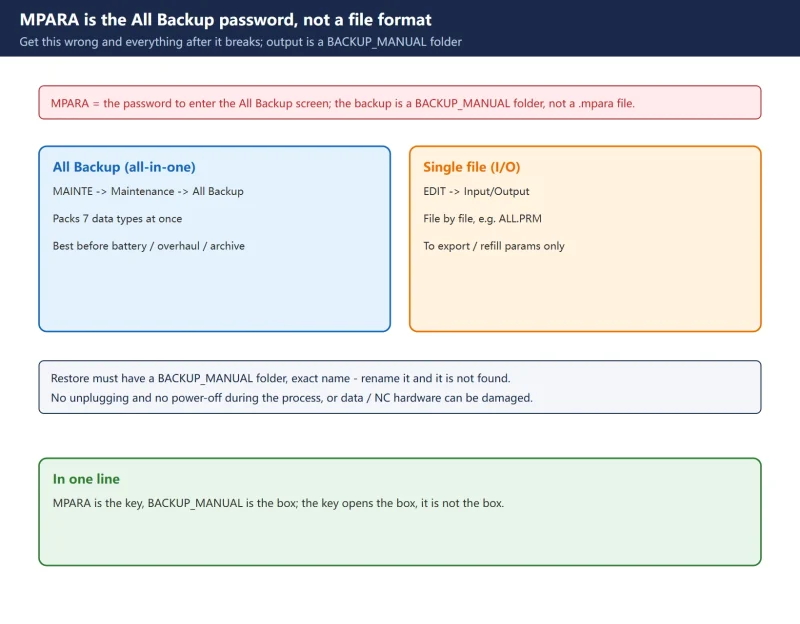
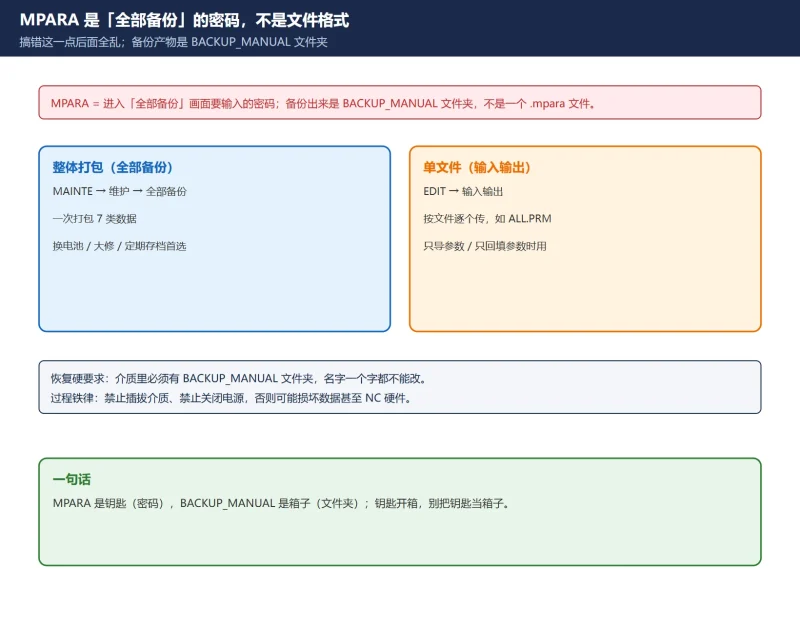
- What MPARA is: on the All Backup screen the system asks for a password. That password is MPARA. Only with it can you select the device and start a backup or restore.
- Not a file extension: the backup is not some “xxx.mpara” file. It is a folder named
BACKUP_MANUAL, inside which the data is split into several files (see section 3). - Hard requirement on restore: the card must contain a
BACKUP_MANUALfolder, and the name must not be changed at all, or the system will not find it and cannot restore.
2. Two methods: all-in-one vs single file
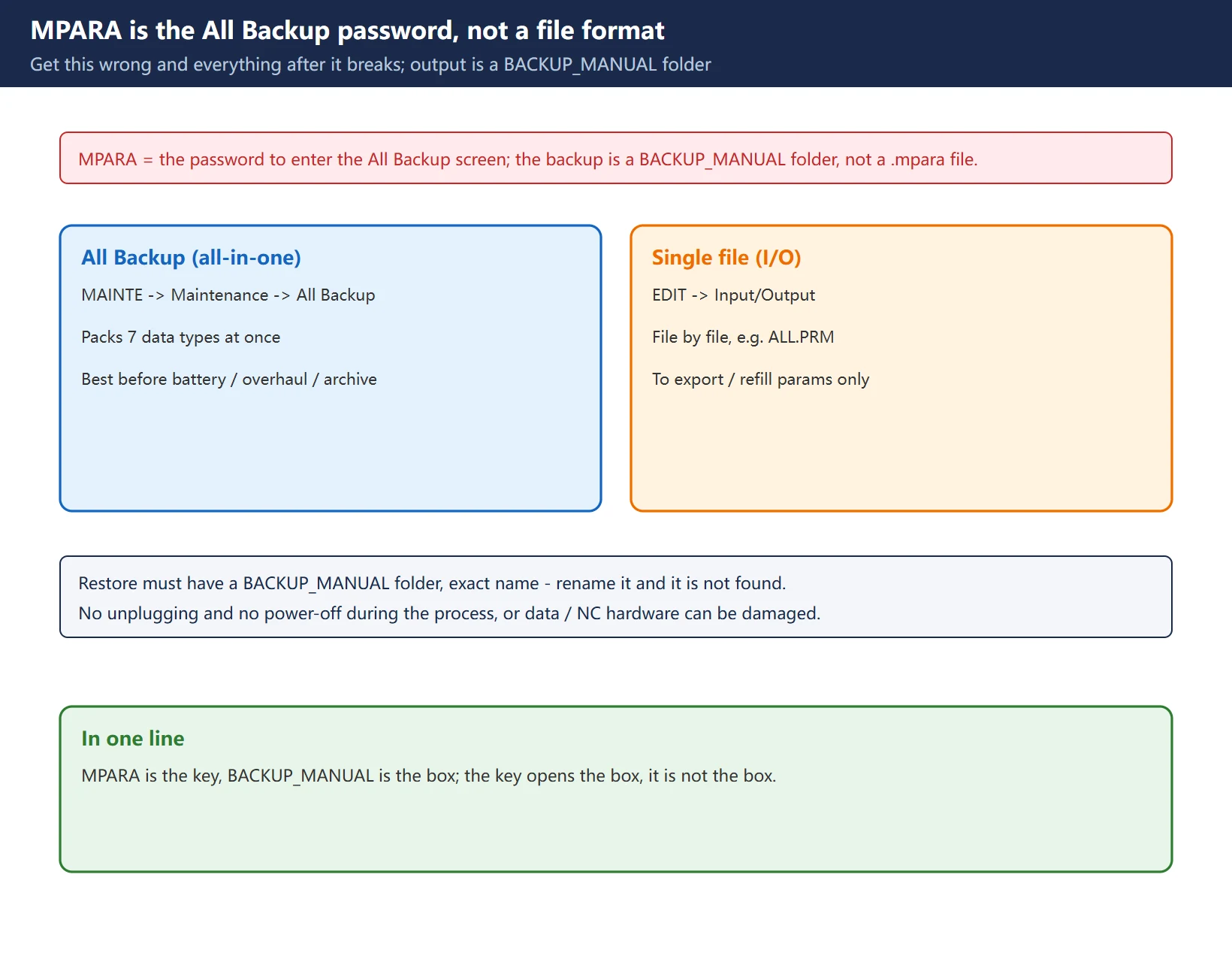
The M80 offers two backup routes for different purposes:
| Method | Entry | Character | When to use |
|---|---|---|---|
| All Backup | MAINTE -> Maintenance -> All Backup | Packs system data / ladder / safety params / custom data into one BACKUP_MANUAL folder | Before battery change, overhaul, or periodic archiving (recommended) |
| Single file (I/O) | EDIT -> Input/Output | Transfers file by file; the parameter file is typically ALL.PRM | Send just the parameters to someone, or refill parameters only |
For routine maintenance use All Backup – it takes the ladder, R registers and safety parameters along, and single-file backups easily miss those.
3. The 7 files in an All Backup
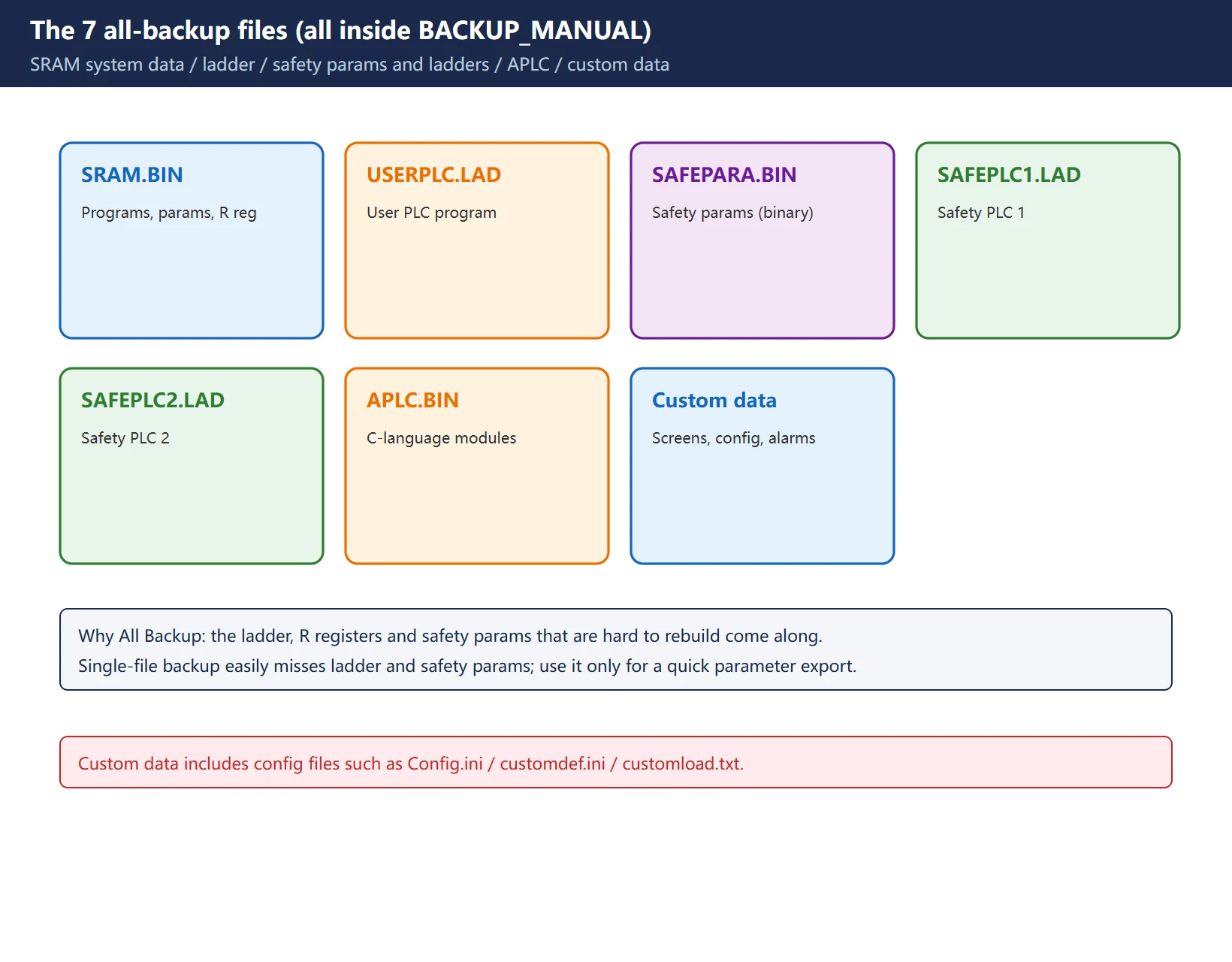
After entering MPARA, an All Backup packs these 7 data types into BACKUP_MANUAL:
| File | Data type | Content |
|---|---|---|
SRAM.BIN | System data | Programs, parameters, R registers, etc. (SRAM binary) |
USERPLC.LAD | Ladder | User PLC program |
SAFEPARA.BIN | Safety parameters | Safety parameters (binary) |
SAFEPLC1.LAD | Safety ladder 1 | Safety PLC program 1 |
SAFEPLC2.LAD | Safety ladder 2 | Safety PLC program 2 |
APLC.BIN | APLC data | User-created C-language modules |
| Custom data | Custom screen data | Custom screen modules, config files (Config.ini/customdef.ini/customload.txt), PLC alarm messages, etc. |
4. All Backup procedure
Follow this order; do not skip steps:
- Insert the SD card / USB drive (FAT/FAT32) into the slot or USB port on the display unit.
- Press MAINTE -> Maintenance -> All Backup.
- On the All Backup screen, enter the password MPARA.
- Press Device select and choose your SD card / USB drive.
- Press Backup, enter Y when prompted; the system shows “backup in progress”.
- When “Backup complete” appears, remove the media and copy the whole
BACKUP_MANUALfolder to a PC.
During backup, do not unplug the media and do not power off. Improper handling can corrupt data or even damage the NC hardware.
5. Restore procedure and three rules
The restore path is almost the same; the difference is step 3, where you select “Manual”:
- MAINTE -> Maintenance -> All Backup -> enter MPARA -> Device select (the media holding
BACKUP_MANUAL). - Move the cursor to Manual, press Restore, enter Y when prompted.
- When “Restore complete” appears, remove the media.
Three rules:
- Back up before restoring: always back up the machine’s *current* data first, so you can fall back if the restore package is wrong.
- Do not rename the folder: the media must have
BACKUP_MANUAL; rename it and it will not be found. - No power-off, no unplugging during the process: same as backup; a mid-way error can damage the NC.
![图片[3]-Mitsubishi M80 Data Backup & Restore: MPARA Is a Password, Not a File-CNCShare | 数控电气技术中心](https://www.cncshare.com/wp-content/uploads/2026/11/BK-en-03.webp)
6. Single-file parameter I/O + formatting
To export just the parameters, use Input/Output:
- EDIT -> Input/Output.
- Set device A to memory card; select file name
ALL.PRM(or your parameter file), press INPUT. - Switch the area to device B; set device B to memory, directory to parameters.
- Press Transfer A->B to execute the parameter input.
Set #1037 cmdtyp before formatting: for the M series set 1 or 2 by tool-compensation type; for the L series choose 3-8 by G-code series. Get this wrong and the file system / parameters break after formatting.
Names like
ALL.PRMare the common convention on the M70/M80 family; follow your software version. When unsure, fall back to All Backup.
7. Batteries: the other half of backup
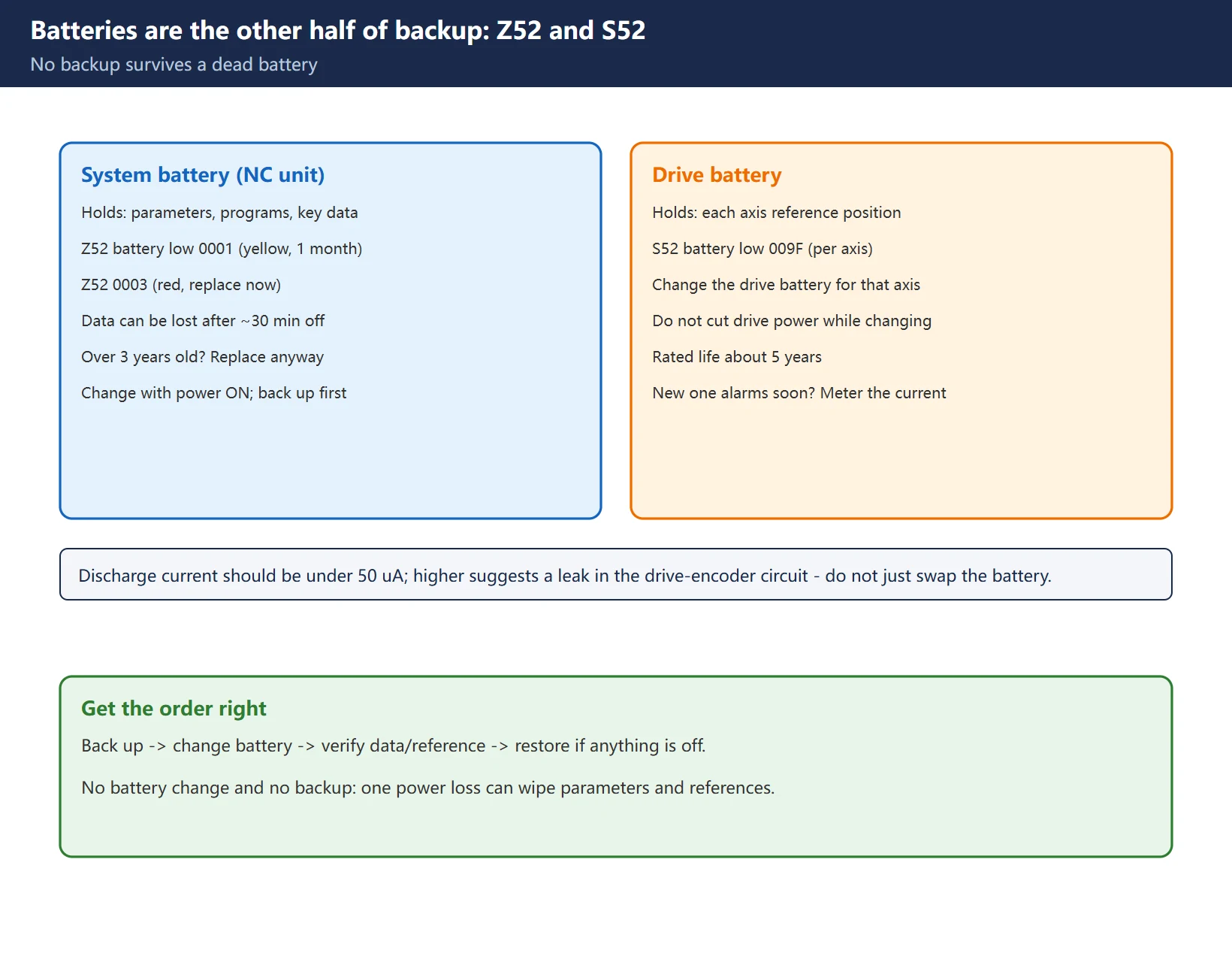
No backup survives a dead battery. The M80 has two battery sets, covering different things:
| Battery | What it holds | Alarm | Handling |
|---|---|---|---|
| System battery (in the NC unit) | Parameters, programs and other key data | Z52 battery low 0001 (yellow, replace within a month) / 0003 (red, replace now) | Replace with power ON; back up first |
| Drive battery | Each axis's machine-reference position | S52 battery low 009F (per axis) | Replace the drive battery for the alarmed axis; do not cut drive power while changing |
- System battery: with power off for more than about 30 minutes, data can be lost; if it is over 3 years old, replace before a long shutdown even without an alarm.
- Drive battery: rated life about 5 years; if a new battery alarms again soon, measure the discharge current (should be under 50 uA) – too high means a possible leak in the drive-encoder circuit.
Frequently Asked Questions
What exactly is an MPARA backup file?
It is not a file – it is a password. MPARA is what you enter to access the M80 All Backup screen. The output is a folder named BACKUP_MANUAL containing SRAM.BIN, USERPLC.LAD, safety parameters, APLC.BIN, custom data and so on. Treating MPARA as a file format is a common misconception.
Should I back up to an SD card or a USB drive? Any requirements?
Either works – use the card slot or USB port on the display unit. The key requirements: the media should be FAT/FAT32, capacity need not be large; for restore it must contain a BACKUP_MANUAL folder with the exact name. After backing up, copy the whole folder to a PC – a backup that only lives in the cabinet is not a backup.
After restoring, why do I still need to check reference points and travel?
What you restored is parameters and data, but the machine reference, soft limits and pitch-error compensation must match the actual machine. Do not move an axis right away – check soft limits, stored stroke and pitch compensation against the builder’s commissioning sheet, then return each axis to reference, or the first move can crash.
Last updated: 2026-11-01
Mitsubishi M80 tool magazine out-of-order
Where to go next
- FANUC Troubleshooting — the full guide library: alarms, diagnosis numbers, servo, spindle, PMC and electrical faults, organised by symptom.
- CNC Repair Tools — which instrument measures what: multimeters, clamp meters, insulation testers and oscilloscopes, with the specification that actually matters.
- Remote Technical Support — have the readings reviewed with you: alarm reverse lookup, PMC ladder analysis and servo tuning advice by call. Repair companies and integrators welcome.
Read the guide, get the right instrument, or walk the diagnosis through with someone — pick whichever you need.
The original Chinese version — same procedure, with the full field notes.






























暂无评论内容