


Chinese version: 840D sl / S7-1500 NCVAR guide; related reading: 828D to S7-1200/1500: PN/PN coupler versus GET/PUT, 828D PLC Programming Tool and basic blocks, Setting Data vs Machine Data on 828D, 840D sl alarm number ranges and manual index.
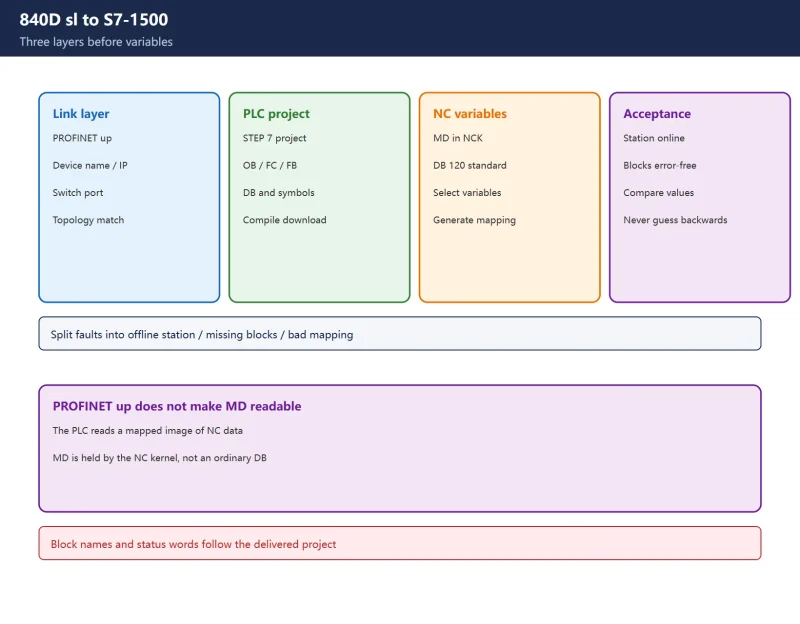
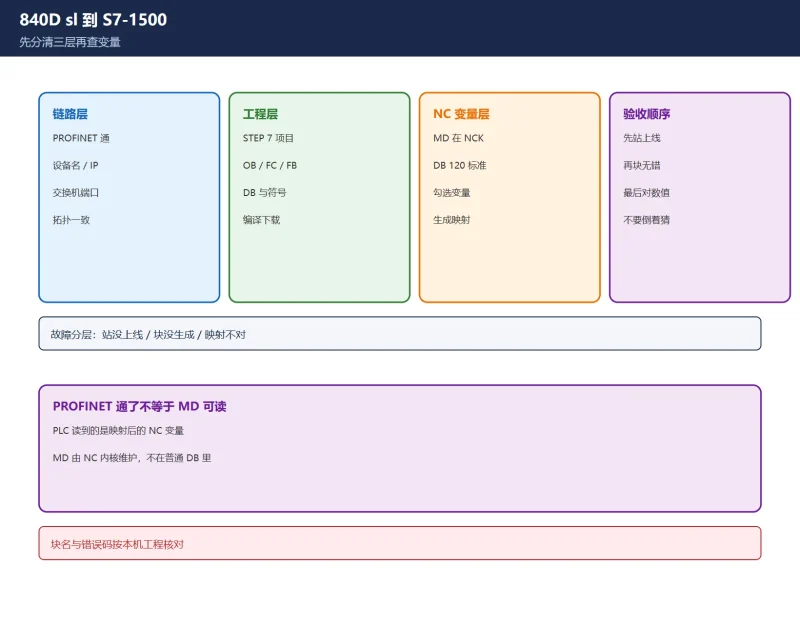
10.1 Three layers: link, PLC project, NC variables
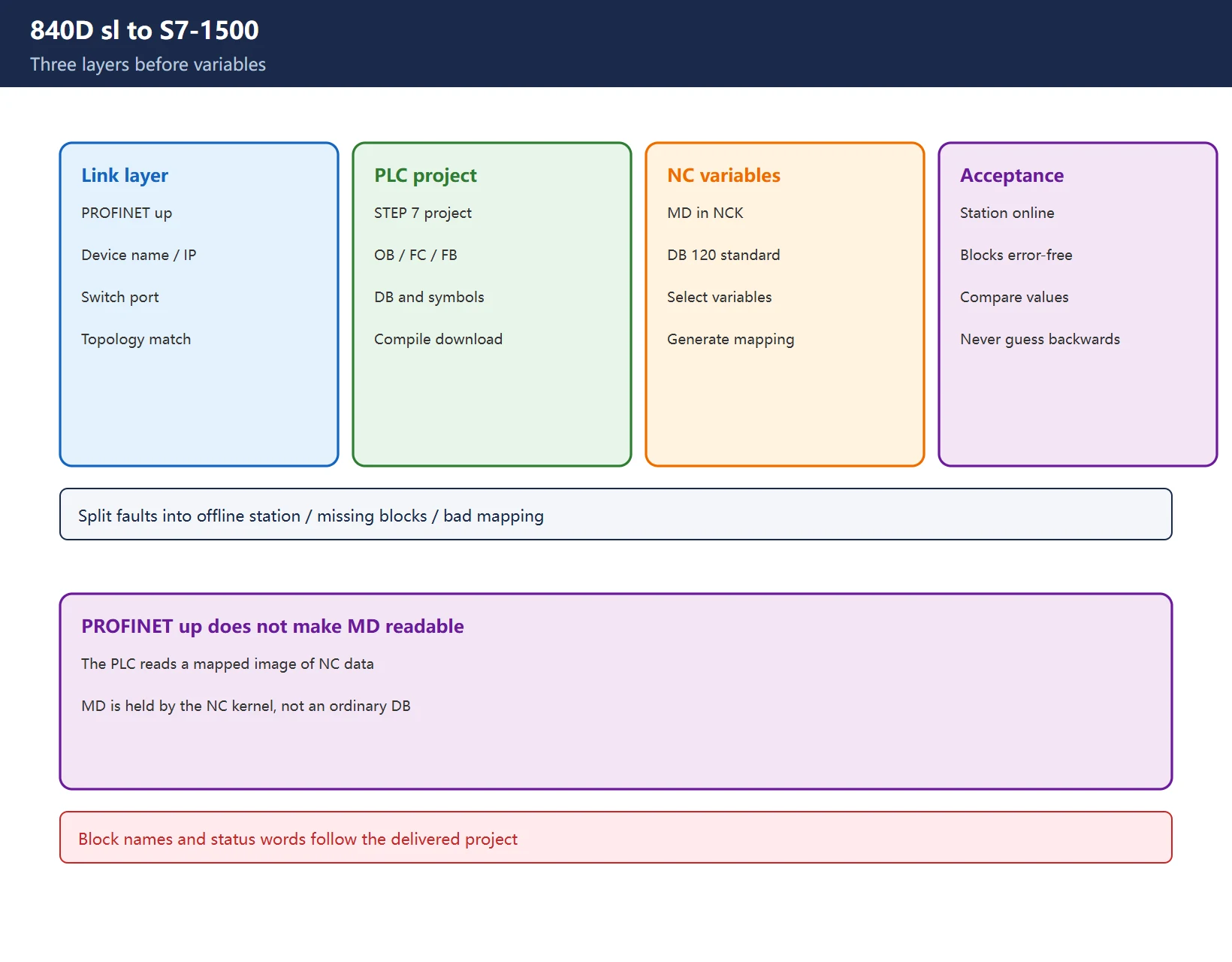
| Layer | Owner | Typical objects | Still fails when |
|---|---|---|---|
| Link | PROFINET / Industrial Ethernet | Device name, IP, switch, CPU port | Name not assigned, station mismatch, topology or port fault |
| PLC engineering | STEP 7 / TIA Portal | Hardware configuration, OB/FC/FB, DB | Wrong project version, blocks not downloaded, inconsistent compile |
| NC variables | NCK + NCVAR Selector | MD, R parameters, interface signals, system variables | Variable not selected, DB offset mismatch, symbols not imported |
Table 1: PROFINET connectivity does not grant direct access to NC variables
Siemens’ SINUMERIK 840D sl / 828D basic functions documentation confirms three points: the latest NC-VAR-Selector can be used with every NC software version, DB 120 is the standard variable DB whose information content is independent of software version, and variables selected on an older NC version do not have to be selected again after an upgrade. The practical conclusion is narrow but important: the NC owns the data; the PLC receives a mapped image.
10.2 Six-step NCVAR Selector workflow
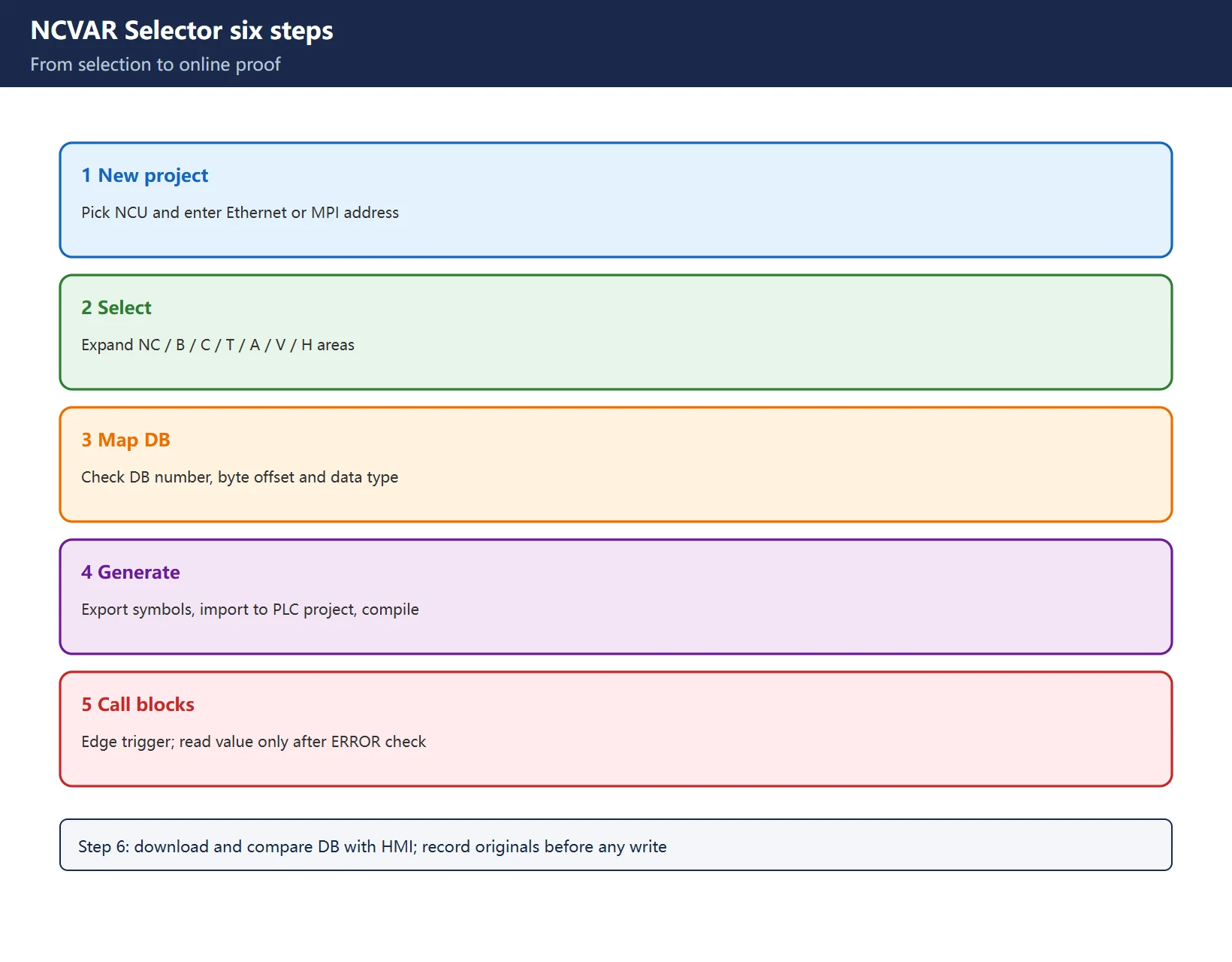
The following is the common field workflow. Menu names and generated block names vary by tool release and must be checked against the installation on your machine.
- Create a Selector project. Choose the NCU as target and enter its Ethernet or MPI address. Confirm the NCU is powered and visible before selecting variables.
- Browse the variable tree. NC variables are grouped by area: NC (whole control), B (mode group), C (channel), T (tool), A (axis/spindle), V/H (feed/main drive). Select by area instead of searching only for a parameter number.
- Assign target DB and offsets. Specify the PLC DB number, byte offset and data type. A BOOL/INT/DINT/REAL/STRING mismatch appears on site as implausible or rapidly changing values.
- Generate symbols and interface blocks. Field projects commonly export XML or SDF, import it into a STEP 7 project and compile. Keep the export with the project archive.
- Call the generated blocks in the PLC. Trigger reads and writes on an edge or at a controlled cycle, not on every scan. Check BUSY and ERROR before trusting the payload.
- Download and verify online. Compare a known NC value with the HMI display, then test a write only on an agreed variable and record the original value.
Scope note:
FC100,FB450,FB451,SUSV_0and status words such as16#0001 / 0002 / 0004are widely circulated field examples. They are not confirmed here as a universal official interface. Use the blocks generated by your own Selector version and the machine builder’s documentation.
10.3 The TIA Portal trap
Field sources consistently describe NCVAR Selector as a classic STEP 7 v5 / Simatic Manager add-on rather than a built-in TIA Portal feature. The usual route is to generate and compile symbols in the v5 environment, then migrate the resulting blocks into the Portal project. Exact support depends on Selector release, STEP 7 version and NCU firmware; do not assume one machine’s route transfers to another.
Before travelling to site, confirm the NC software version, PLC type and engineering software version. If the machine builder already created a mapping, locate the existing DB and symbol table first; creating a second mapping with different DB numbers is a reliable way to create ambiguous data.
10.4 Using the generated blocks: trigger, parameter, status, poll
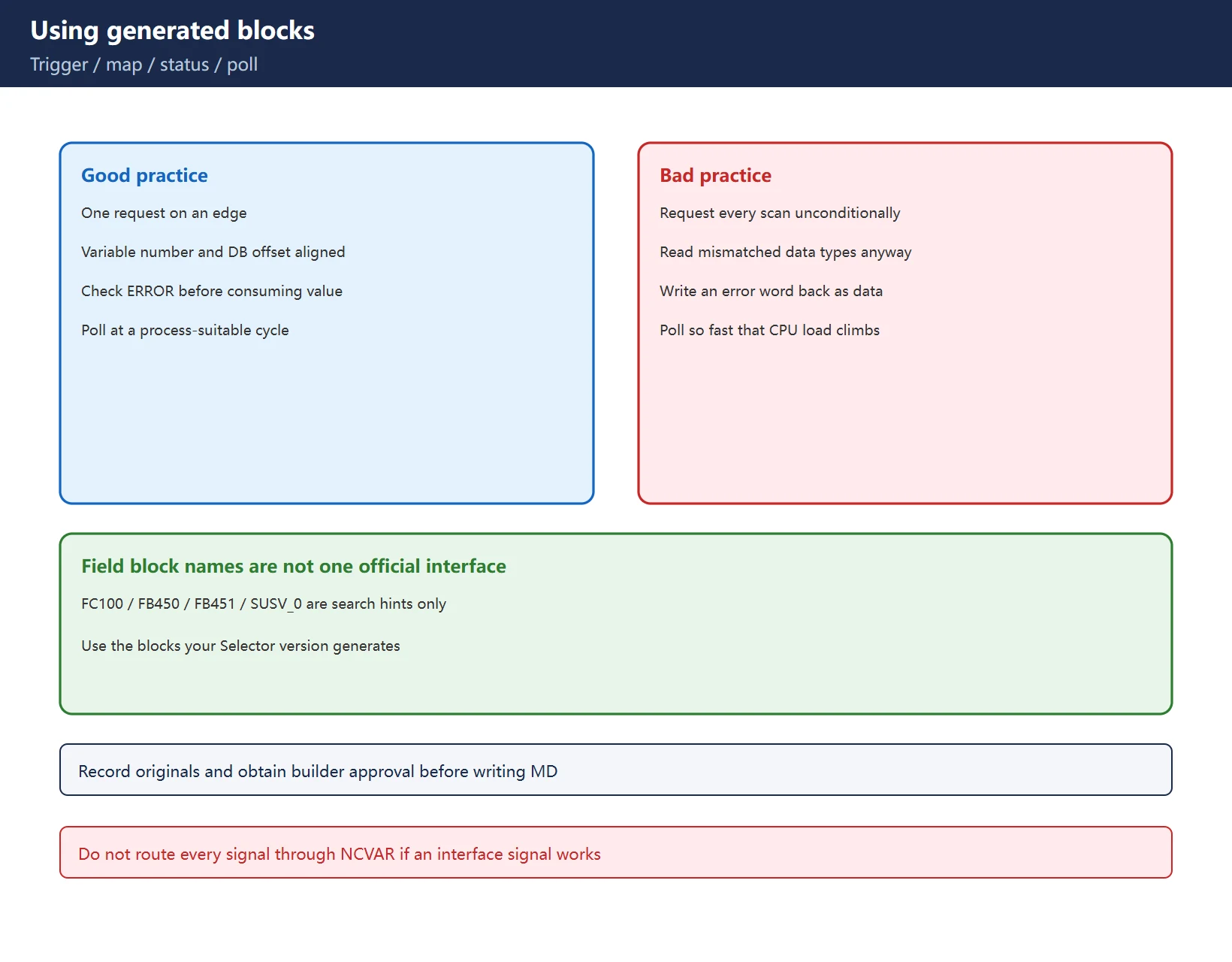
| Checkpoint | Field practice | Failure signature |
|---|---|---|
| Trigger | Edge-trigger one read/write request | Permanent BUSY and rising CPU load |
| Parameters | Verify variable number, target DB and byte offset | Reading the neighbouring variable and blaming NC drift |
| Status | Evaluate ERROR / STATUS before consuming data | Error word mistaken for process data and written back |
| Polling | Choose a cycle that matches the process | Too fast consumes resources; too slow hides transitions |
Table 2: Four checkpoints for NC variable access
For a small number of cyclic status bits, an existing interface signal or DB mapping may be sufficient. NCVAR is a commissioning and integration tool, not a reason to route every signal through it.
10.5 PROFINET device names after a CPU swap
After replacing a CPU or PN interface module, or restoring a project, a station can revert to its default device name. A name that differs from the engineering project by spelling, hyphenation or case will not produce a healthy station.
- Read the configured device name from the project and record it exactly.
- Locate the physical station by MAC address with a topology or scan tool; do not guess from cabinet position.
- Assign the device name character for character as configured.
- Power-cycle or force the station to re-attach and confirm that the name mismatch diagnostic clears.
- Only then return to the generated NC variable blocks.
A correct device name means the station can be found. It does not prove that the NC variable mapping is correct. Accept both layers separately.
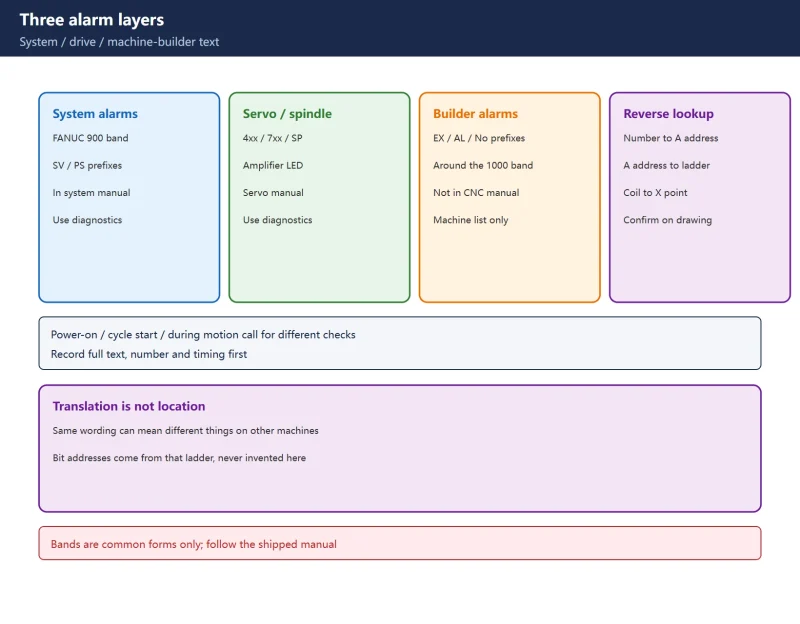
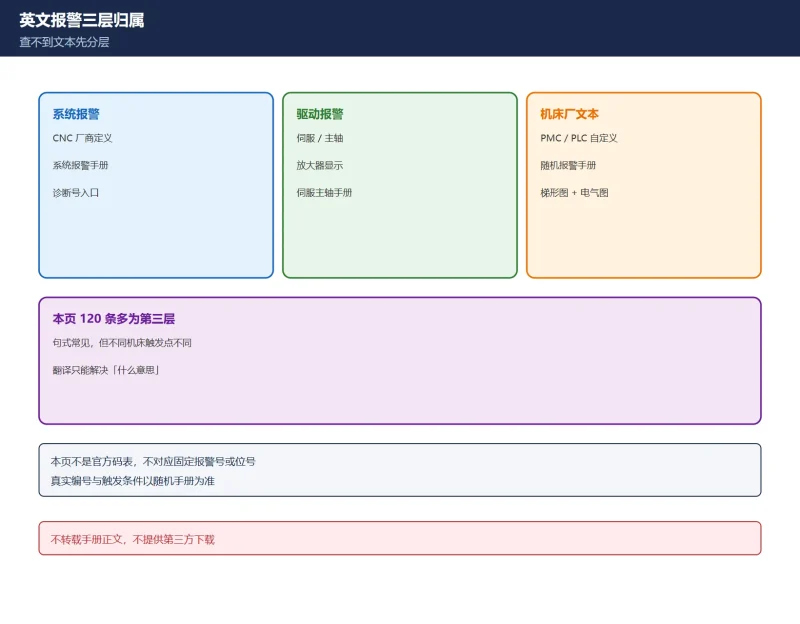
10.6 Alarm 150202 is not automatically a PROFINET name fault
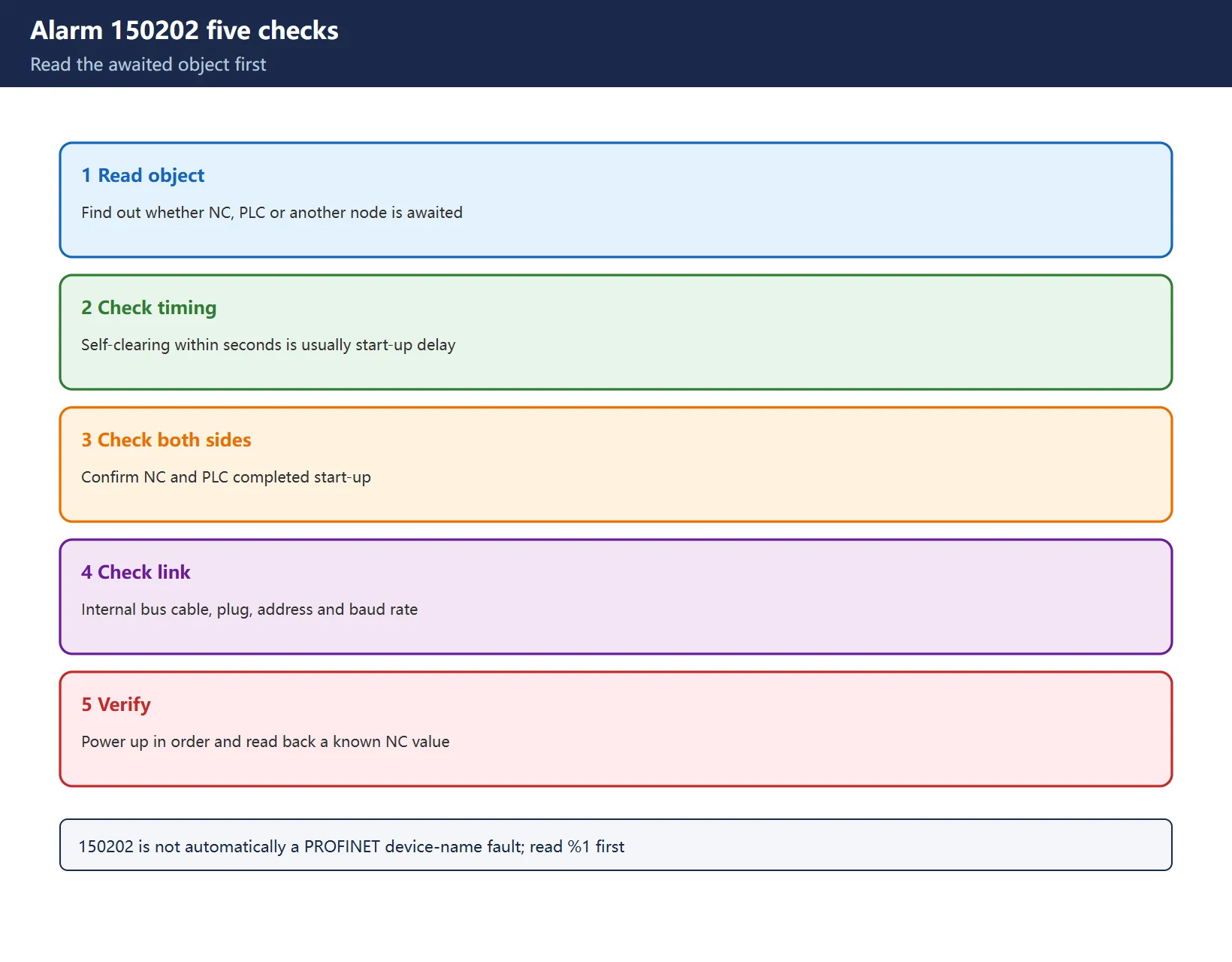
In the SINUMERIK HMI alarm context, 150202 reads “Waiting for a connection to %1”. The placeholder is the useful part: it may name the NC, the PLC or another internal bus node. It is not a synonym for a PROFINET device-name error and it is not specific to S7-1500.
| Step | Action | Acceptance |
|---|---|---|
| 1 Read the object | Capture the complete text and identify %1 | You know which component is awaited |
| 2 Check timing | Normal start-up delay versus persistent alarm | Self-clearing within seconds is usually start-up sequencing |
| 3 Check NC/PLC | Confirm both sides reached RUN / finished start-up | A stalled partner keeps the other waiting |
| 4 Check the link | Inspect internal bus cabling, plugs, node address and baud rate | Recent swaps or parameter restores are common triggers |
| 5 Re-verify | Power up in order, then read back a known NC variable | Alarm gone but stale data is not a pass |
Table 3: triage 150202 by the awaited object, not by a keyword guess
Field recipes such as clearing PLC RUN, replacing a PN switch, renaming the station, restoring machine data or restarting the CPU may all appear in one successful repair, but none is a universal first step. Identify %1 and the topology first.
10.7 Four backups before changing any mapping
Keep at least four separate backups: NCK start-up data including parameters and compensations; the complete PLC project with symbols and comments; SINAMICS drive parameters; and a full machine image or disk backup. A PLC-only backup still leaves a machine with programs but no NC data after a board swap.
Acceptance sequence: station online under the correct name, no active NC/PLC alarms, generated blocks report no ERROR, readback matches the HMI, a controlled write changes only the agreed variable, mapping survives a power cycle, and the archive records the exact software versions.
10.8 Scope and compliance
- The statements that MD is maintained by the NC, DB 120 is the standard variable DB and the latest Selector works across NC software versions come from Siemens’ SINUMERIK 840D sl / 828D basic functions documentation. Variable-area grouping follows the Siemens NC variables and interface signals list manual.
- The six-step workflow, block names, error words and TIA migration guidance are field/second-source practice, not a single official procedure. Verify them against the delivered tools, project versions and machine builder documentation.
- No manual text is reproduced, and no cracked software, key generator, third-party drive link or bundled manual archive is offered. Writing MD, modifying a PLC project or restarting a control must be performed by qualified personnel under the machine builder’s procedure.
Frequently Asked Questions
What does NCVAR Selector do, and why cannot the PLC read 840D MD directly?
It creates a mapping between NC variables and PLC address space. MD belongs to the NC kernel; without a generated symbol and DB mapping, the PLC sees an online station but has no address from which to read the datum.
Does alarm 150202 always mean a wrong PROFINET device name?
No. The decisive information is the awaited component in %1. Check start-up timing, internal bus, node settings and device name in that order. A device-name fault is one possible cause, not the definition of the alarm.
Can NCVAR Selector be used directly inside TIA Portal?
Field sources describe a classic STEP 7 v5 workflow: generate symbols and blocks there, then migrate them into a Portal project. Exact support depends on tool and firmware versions, so verify against the delivered documentation and a live project.
Last updated: 2026-11-16
Where to go next
- FANUC Troubleshooting — the full guide library: alarms, diagnosis numbers, servo, spindle, PMC and electrical faults, organised by symptom.
- CNC Repair Tools — which instrument measures what: multimeters, clamp meters, insulation testers and oscilloscopes, with the specification that actually matters.
- Remote Technical Support — have the readings reviewed with you: alarm reverse lookup, PMC ladder analysis and servo tuning advice by call. Repair companies and integrators welcome.
- Buying & Ownership Decisions — refurbished vs new, used-machine checks, software licensing and manuals: spend with the field facts in hand.
Read the guide, get the right instrument, or walk the diagnosis through with someone — pick whichever you need.
The original Chinese version — same procedure, with the full field notes.



















暂无评论内容