


35.1 What TCPM is: the upgraded M128, with four switches instead of defaults
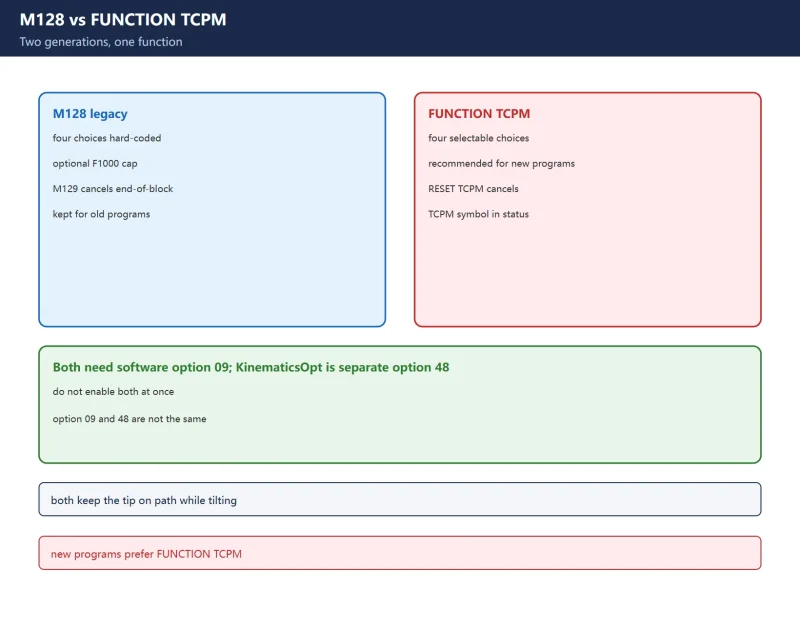
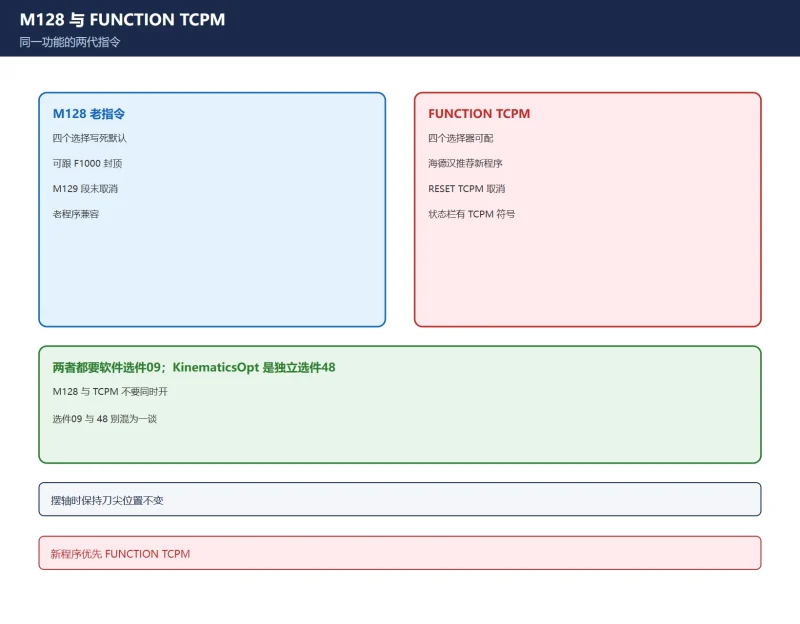
Start with the relationship. Both commands do the same job — keep the tool tip stationary relative to the workpiece while tilting axes move. The control normally positions the tool reference point (near the gauge line); the tip is a lever-arm away. Without compensation, tilting swings the tip off the programmed contour. M128/TCPM makes the linear axes compensate that offset.
| Form | Syntax | Behaviour choices | Status |
|---|---|---|---|
| Legacy | M128 (optionally F1000 cap) | all four choices hard-coded | kept for compatibility, common in old programs |
| Modern | FUNCTION TCPM + four selectors | all four selectable | recommended for new programs |
| Cancel | M129 (for M128) / FUNCTION RESET TCPM (for TCPM) | — | modal-residue risk point |
Both require software option 09 (the 5-axis interpolation / 3-D machining option on TNC 640, tagged #09). Note that KinematicsOpt is a separate option 48 (probe cycles for inspecting and optimising machine accuracy) — it serves geometry calibration and is not part of TCPM; conflating options 09 and 48 is a common error. When FUNCTION TCPM is active, the position display shows a TCPM symbol — the first field check that the feature is really on. The cycle-parameter family is covered in the TNC fixed cycle parameter reference.
35.2 Selector one: feed reference F TCP vs F CONT
The first selector decides what your programmed F value actually means:
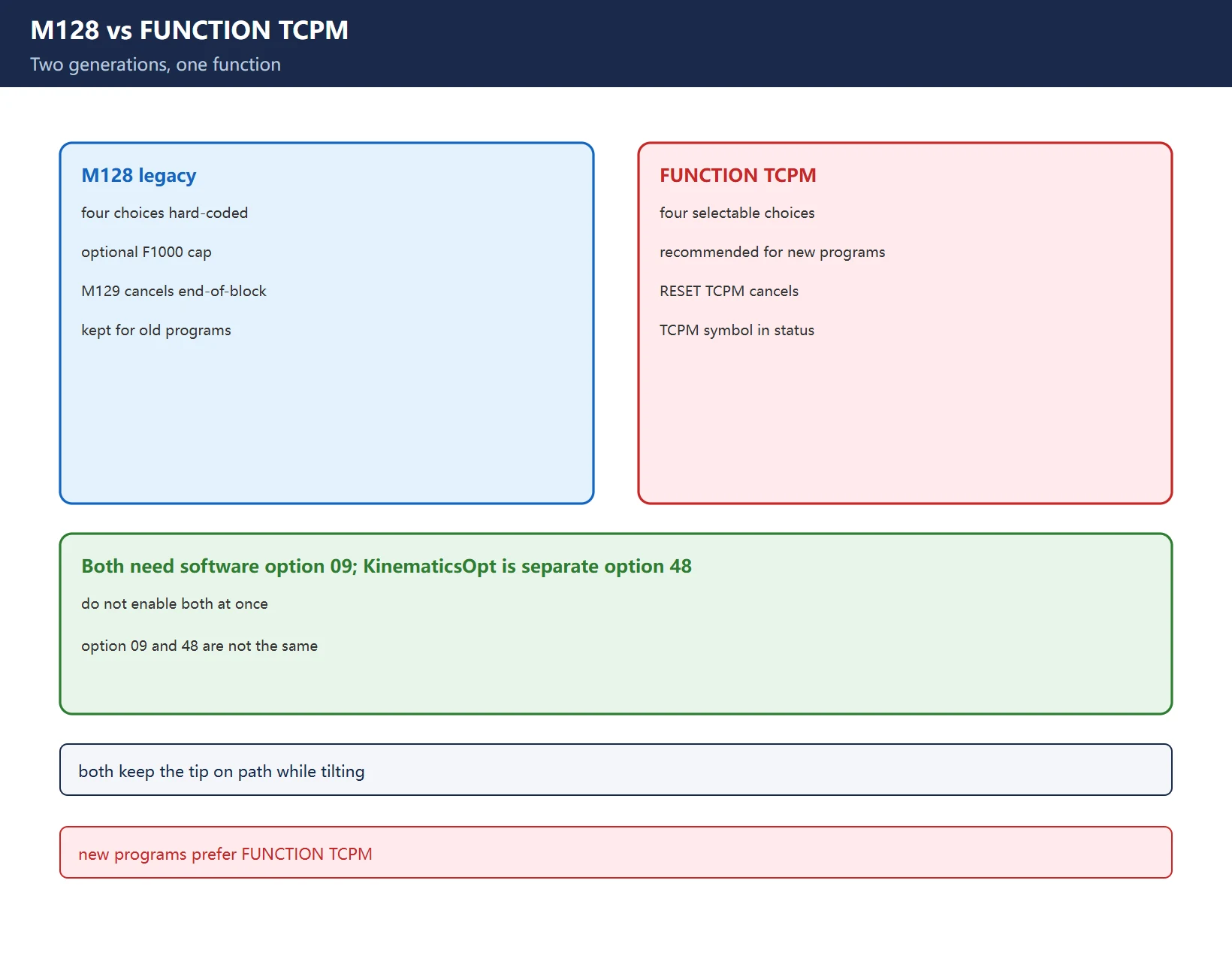
- F TCP: interprets feed as the actual cutting speed of the tool tip relative to the part. Recommended — real tip feed on a surface matches your F, so surface finish is predictable.
- F CONT: interprets feed as the contour feed rate. When rotaries swing violently, F TCP can demand runaway axis speed and trip limits or alarms; F CONT is more stable for roughing segments with large attitude changes.
Field criterion: surface finishing requiring constant tip speed → F TCP; violent attitude changes with axis-speed alarms → F CONT. Legacy M128 can also take a feed value to cap compensating-axis motion (M128 F1000), but that is a global cap, not a distinction of feed semantics like F TCP/F CONT.
35.3 Selector two: rotary interpretation AXIS POS vs AXIS SPAT
The second selector decides how rotary angles in the program are understood:
- AXIS POS: reads programmed rotary coordinates as physical axis positions (actual A/B/C angles of the machine). Use for conventional machines with rotary axes perpendicular to linear axes, when the post outputs physical angles.
- AXIS SPAT: reads them as spatial angles relative to the active coordinate system — more portable across machines, but with a hard rule: in the first positioning block after switching, all three angles must be written, even if 0°. Omitted axes carry over the old value and the attitude is wrong.
Field criterion: one fixed machine with physical-angle post output → AXIS POS; one program across machines of different structure → AXIS SPAT with all three angles in the first block. That “write all three” rule is the most common AXIS SPAT pitfall.
35.4 Selector three: interpolation PATHCTRL AXIS vs PATHCTRL VECTOR
The third selector decides how tool attitude is interpolated between blocks:
- PATHCTRL AXIS: linearly interpolates the rotary axes between block ends. Smooth motion, suitable for small per-block attitude changes in finishing, and for face and peripheral milling. Heidenhain recommends it as the default.
- PATHCTRL VECTOR: holds the tool-orientation vector within the block, for large attitude changes and side-milling — where axis interpolation would make the tip path deviate.
Field criterion: small continuous angle changes, face/peripheral milling → PATHCTRL AXIS; large attitude flips, side milling → PATHCTRL VECTOR. A wrong choice shows up as a systematic deviation of the swept surface, not random chatter.
35.5 Selector four: REFPNT — the subtlest, most systematic dimension error
Table 1 The three REFPNT options and matching cutters
The fourth selector decides which point is the positioning reference and which is the centre of rotation:
| Option | Positioning reference | Centre of rotation | Use case |
|---|---|---|---|
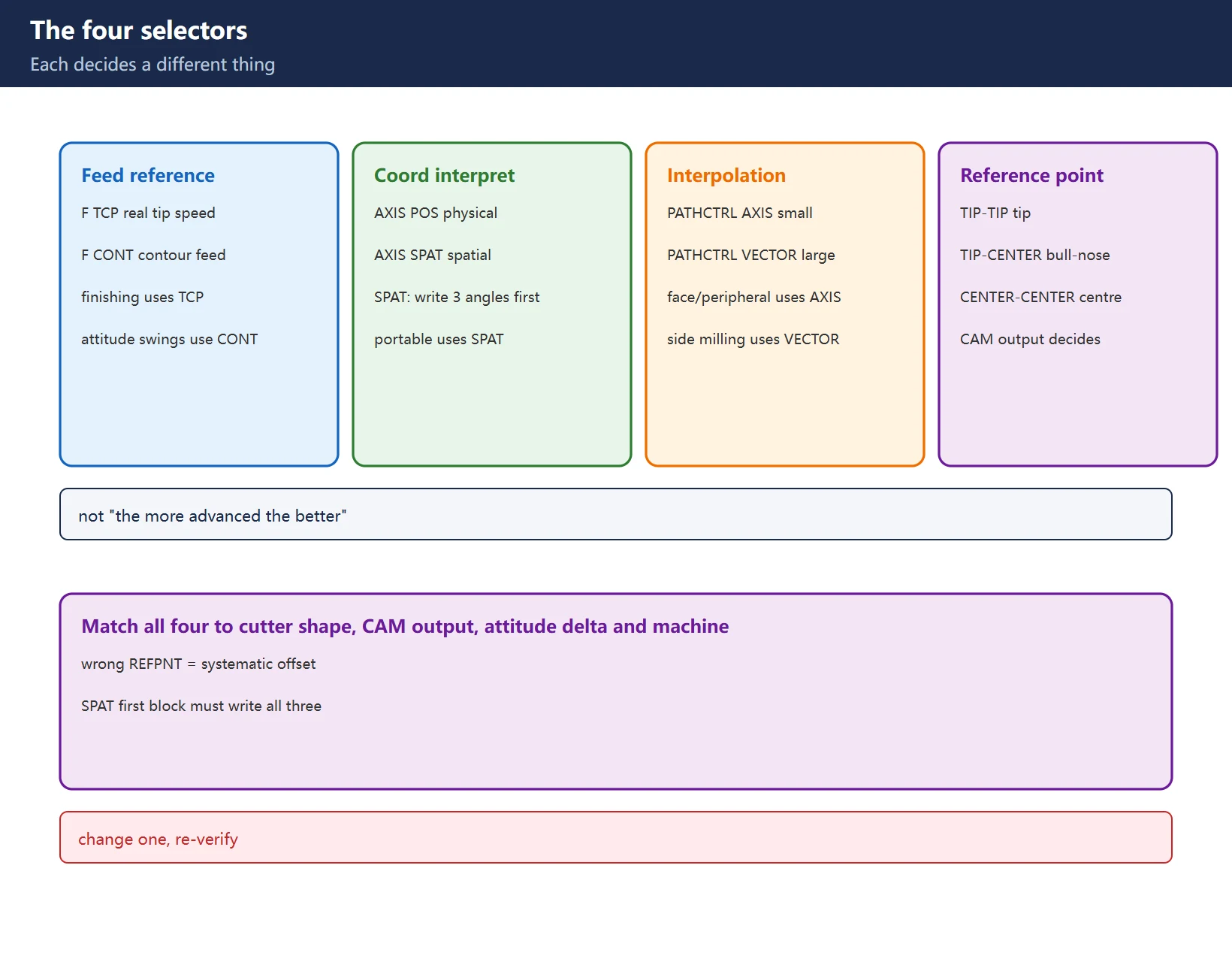
| REFPNT TIP-TIP | theoretical tip | also the theoretical tip | when the tip is the machining point |
| REFPNT TIP-CENTER | tip for positioning | rotates about the cutting-edge radius centre | with 3-D tool compensation, bull-nose/ball cutters |
| REFPNT CENTER-CENTER | cutting-edge radius centre as reference | also the cutting-edge radius centre | typical for CAM outputting cutter-centre points |
This is the subtlest of the four: choose the wrong REFPNT with a ball or bull-nose cutter and the tool rotates about the wrong centre, producing a systematic dimension error — a same-direction offset at all angles, not an intermittent variation. Criterion: is the CAM outputting tool-tip points or cutter-centre points? Is the cutter flat, ball or bull-nose? The combination determines REFPNT. FANUC has no explicit equivalent selector (it is implicit in kinematics parameters and the tool-length datum), which makes this the most often-missed dimension when switching brands.
35.6 Full syntax and cancellation: FUNCTION RESET TCPM and modal residue
A complete definition block chains the four selectors (syntax per your machine manual):
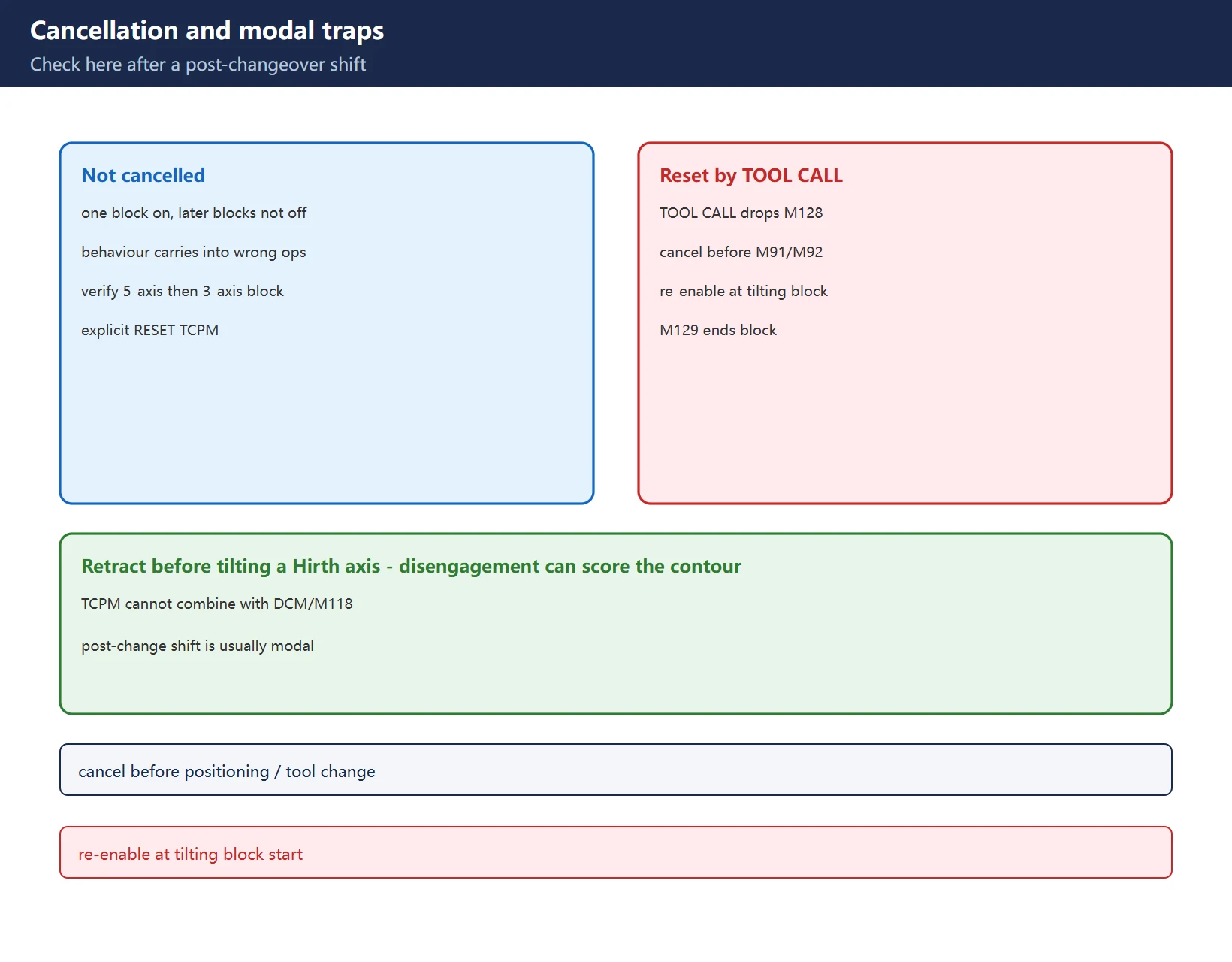
FUNCTION TCPM F TCP AXIS POS PATHCTRL VECTOR REFPNT TIP-CENTER ...Cancel with FUNCTION RESET TCPM. The M128 generation uses M129, which takes effect at the end of the block; some resets (e.g. a new TOOL CALL) drop M128 automatically. This creates two modal traps:
- Not cancelled when it should be: one block enables TCPM, following blocks do not explicitly cancel, and the behaviour carries into operations that should not use it.
- Cancelled by a reset: TOOL CALL or M91/M92 positioning drops M128, so a later tilting block runs “uncompensated” — the symptom is a sudden dimension shift after a tool change.
Discipline: cancel TCPM/M128 explicitly before M91/M92 positioning and before a TOOL CALL; re-enable at the start of the tilting block if needed.
35.7 Compatibility with M128/M129 and the feed-cap semantics
M128 is not obsolete — it remains in many existing programs. Key points:
- M128 F1000: the F value caps compensating linear-axis motion — when tilting, the linear axes must move to keep the tip in place, and this F limits how fast. It prevents axis-speed alarms during violent attitude changes, at the cost of the tip briefly not following the path.
- M129 is end-of-block: unlike M128’s start-of-block effect, cancellation only takes effect when the block finishes — allow for that timing in the program.
- No DCM / M118 combination: TCPM/M128 cannot be used together with dynamic collision monitoring (DCM) or handwheel superimposition (M118); manuals list these as incompatible.
- Hirth-coupled axes: on a axis with a Hirth coupling, retract the tool before disengaging and tilting — otherwise the tip can score the contour as the teeth disengage. This is a safety red line independent of the selectors.
35.8 Head-head vs table-table: the same TCPM, two behaviours
The same TCPM statement behaves differently on two mechanical structures, with different calibration priorities:
- Head/head (tool rotation): rotaries change tool direction, workpiece fixed. The priority is the geometry between the tool rotation centre and the tool axis (the class of FANUC 19709–19711). On Heidenhain this geometry is fixed in the builder’s kinematics; the user applies calibration compensation rather than editing it directly.
- Table/table (workpiece rotation): rotaries change workpiece attitude, tool direction fixed. The priority is the table rotation centre (the class of FANUC 19700–19702).
Both share the same sequence: first confirm the feature is active (TCPM symbol), then confirm tool-length datum and REFPNT, and only then fine-tune attitude-dependent items. Model families and parameter migration are covered in iTNC 530 vs TNC 620 / 640 / TNC7; work zero and presets in TNC presets and work zero.
35.9 Three field checks and a one-page cross-brand comparison
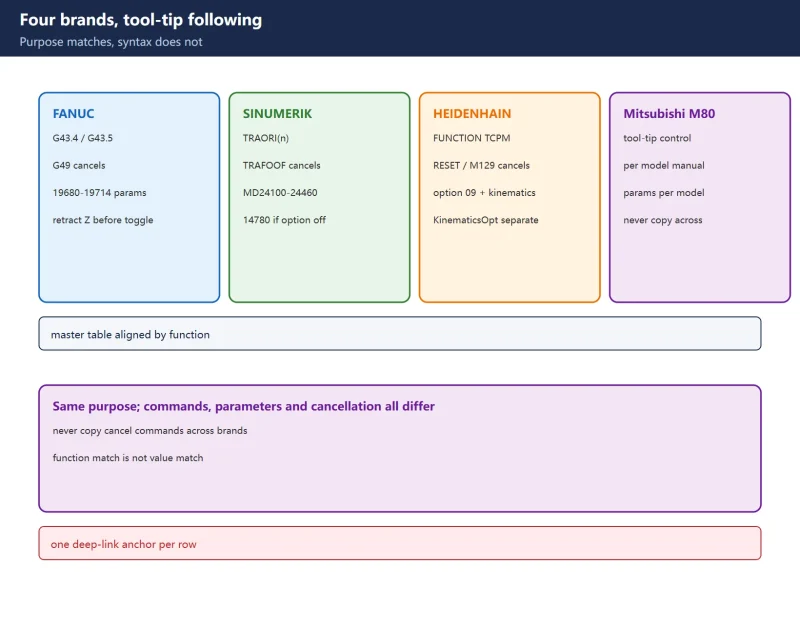
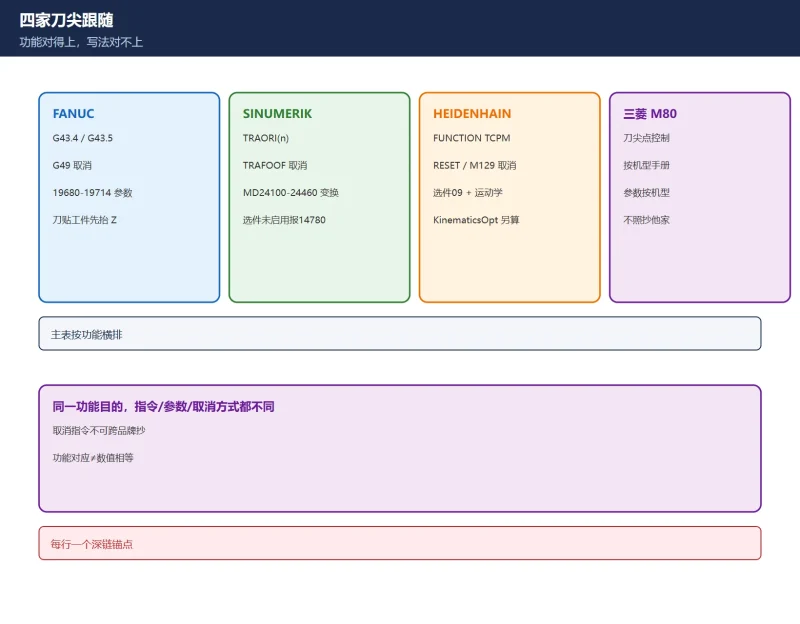
Table 2 One-page cross-brand tool-tip comparison (function to function, not interchangeable)
| Item | FANUC | SINUMERIK | HEIDENHAIN |
|---|---|---|---|
| Enable | G43.4 / G43.5 | TRAORI(n) | FUNCTION TCPM / M128 |
| Cancel | G49 (retract Z first) | TRAFOOF | FUNCTION RESET TCPM / M129 |
| Feed semantics | TCP behaviour params set by MTB | tip programmed position + pole limits | F TCP / F CONT |
| Attitude description | direction codes 19682/19687 | ORIEULER/ORIVECT/LEAD/TILT | AXIS POS / AXIS SPAT + PATHCTRL |
| Reference point | implicit in kinematics + length datum | ORIWKS / ORIMKS | three REFPNT options (explicit) |
| Rotation centre | 19680–19714 (fillable params) | transformation + measurement data | builder-fixed geometry + KinematicsOpt (option 48) |
Three field checks: ① dial-indicator static tilt, tip displacement ≤0.01 mm (a shop figure, follow your machine spec); ② single-block dynamic interpolation, watch for alarms or speed anomalies; ③ follow the five-axis block with a three-axis block to verify TCPM was correctly cancelled (the modal trap). For the row-by-row cross-brand expansion see the cross-brand tool-tip reference; for the FANUC parameter side see FANUC G43.4 / RTCP.
35.10 Selector quick reference and discipline
| Scenario | F reference | Coordinate interpretation | Interpolation | Reference point |
|---|---|---|---|---|
| Surface finishing, constant tip speed | F TCP | AXIS POS | PATHCTRL AXIS | REFPNT by cutter shape |
| Roughing with large attitude changes | F CONT | AXIS POS | PATHCTRL VECTOR | TIP-TIP or TIP-CENTER |
| One program across machines | F TCP | AXIS SPAT (all three angles first block) | by attitude delta | by CAM output point |
| Side milling / large attitude | F CONT | AXIS POS | PATHCTRL VECTOR | CENTER-CENTER (if CAM outputs centre) |
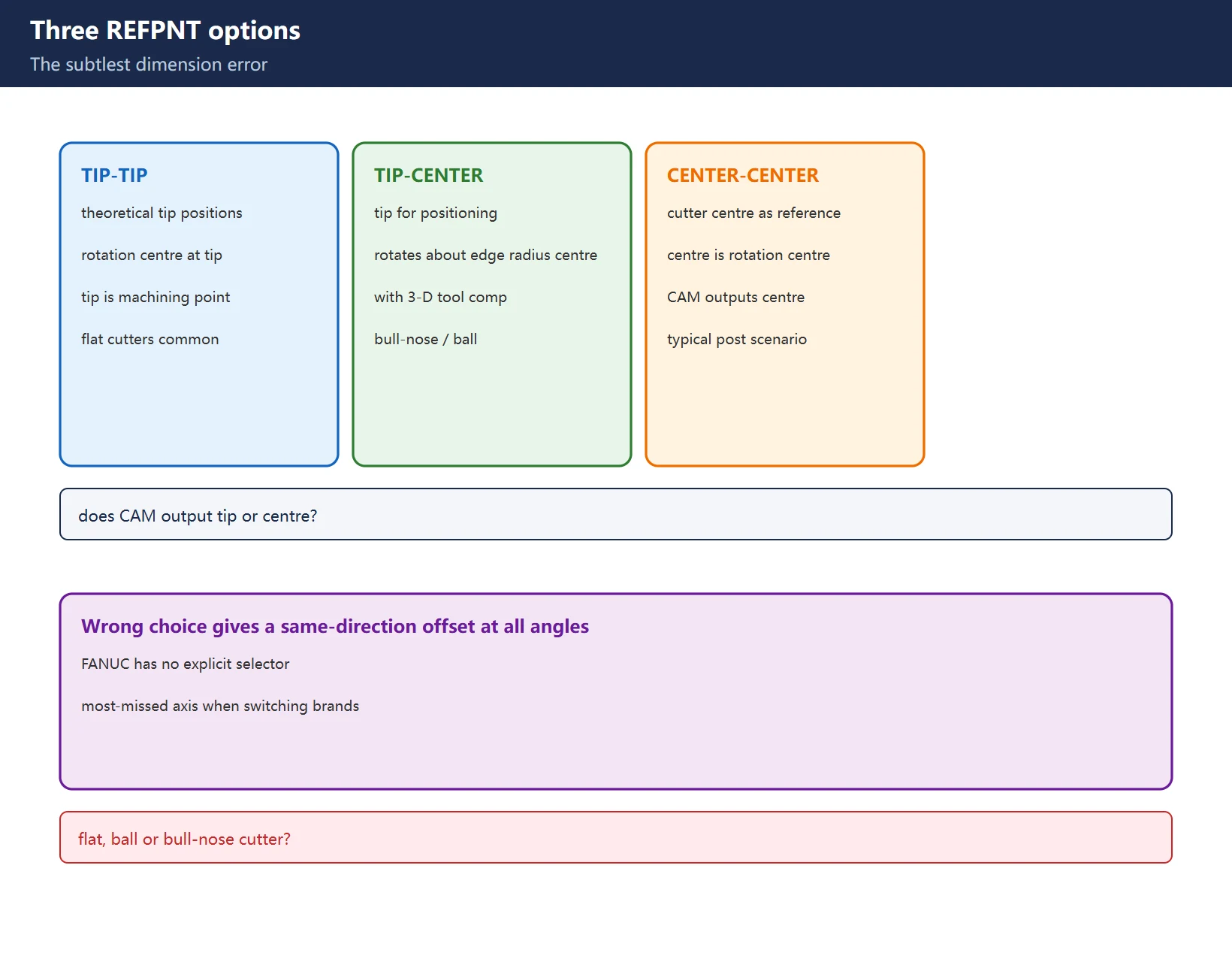
Discipline: the selectors are not “the more advanced the better” — they must match cutter shape, CAM output point, attitude delta and machine structure; change any one and repeat the dial-indicator static check and a single-block trial cut. Basic block syntax is in the TNC block quick reference.
Frequently Asked Questions
Can TCPM and M128 be used at the same time — do the functions stack?
No, and there is no reason to. FUNCTION TCPM is the upgraded M128; they are two generations of the same function, so enabling both is meaningless and behaviour is undefined. Use FUNCTION TCPM for new programs (four selectable choices), keep M128 in legacy programs, and when switching, explicitly cancel the other (FUNCTION RESET TCPM or M129).
The five-axis path keeps chattering — should I change PATHCTRL or REFPNT?
Distinguish the symptom: periodic shape deviation with attitude points to PATHCTRL (interpolation between blocks); a systematic same-direction dimension offset points to REFPNT (wrong reference point) or the tool-length datum; high-frequency chatter is usually mechanical/cutting parameters, not either selector. Check in order: length datum → REFPNT → PATHCTRL.
After a tool change, must RTCP be re-calibrated — when is re-calibration needed?
Not every tool change — rotation centre is machine geometry and does not change with the cutter. After a tool change, do two things: confirm TOOL CALL did not reset TCPM/M128 (a sudden dimension shift after changeovers usually comes from this), and confirm the new tool’s length datum and REFPNT match the cutter shape (especially ball/bull-nose). Re-calibrate with KinematicsOpt (option 48) only when machine geometry was altered, after a crash, or when an accuracy check exceeds tolerance.
Last updated: 2026-11-24
Where to go next
- FANUC Troubleshooting — the full guide library: alarms, diagnosis numbers, servo, spindle, PMC and electrical faults, organised by symptom.
- CNC Repair Tools — which instrument measures what: multimeters, clamp meters, insulation testers and oscilloscopes, with the specification that actually matters.
- Remote Technical Support — have the readings reviewed with you: alarm reverse lookup, PMC ladder analysis and servo tuning advice by call. Repair companies and integrators welcome.
- Buying & Ownership Decisions — refurbished vs new, used-machine checks, software licensing and manuals: spend with the field facts in hand.
Read the guide, get the right instrument, or walk the diagnosis through with someone — pick whichever you need.




















暂无评论内容