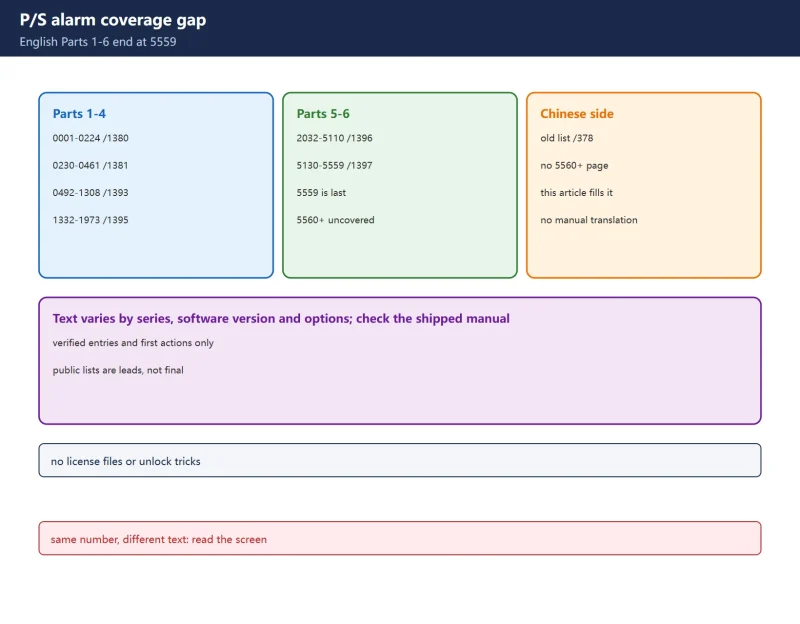



Compliance boundary first: this page gives alarm numbers, verified meanings and first actions only. It does not translate the manual page by page, and it provides no license files, unlock tricks or download links. FANUC alarm text changes with control series, software version and installed options. Public lists, including the sources cited here, are leads only – the manual shipped with your machine and the text on your screen are final. For general number-to-parameter-to-diagnostic method, see the English cross-reference guide.
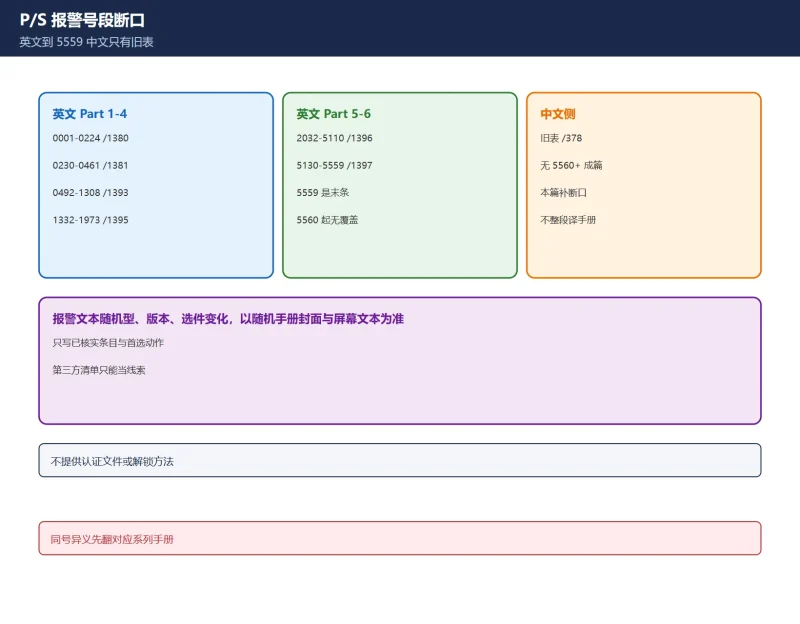
43.1 The coverage gap: Parts 1-6 end at 5559
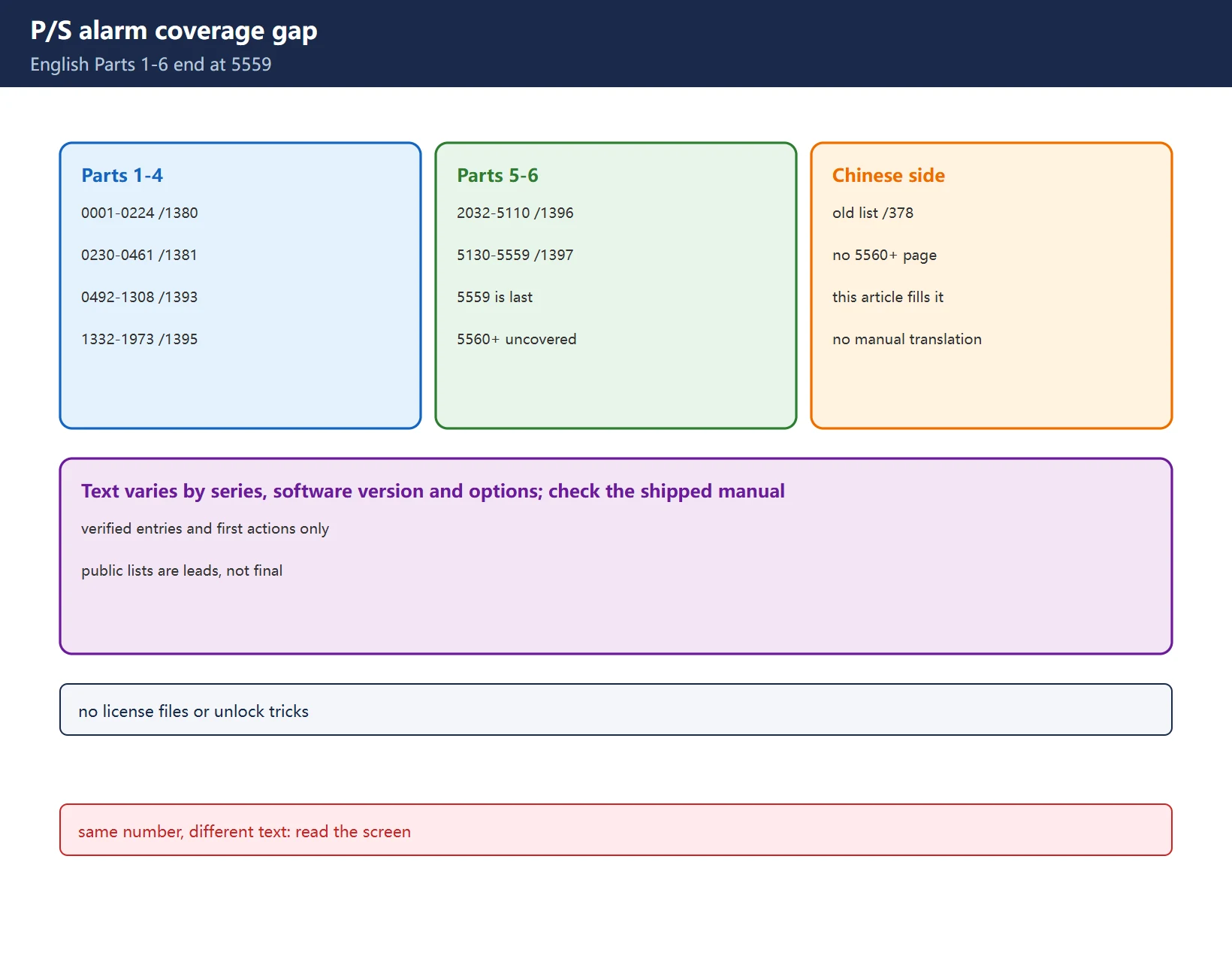
The six English parts divide the range as follows: Part 1 = 0001-0224, Part 2 = 0230-0461, Part 3 = 0492-1308, Part 4 = 1332-1973, Part 5 = 2032-5110, Part 6 = 5130-5559. 5559 is the last entry; there is no English page for 5560+. That is a concrete dead end: a technician with PS5560 or PS4523 can search all six parts and find nothing.
The Chinese side is different again: the old list covers earlier numbers but never followed the series into 5560+. So this page is a gap filler, not a translation of the six English parts.
One more caution: P/S means Program/Format. The same four digits can carry different text on different series. Read the complete screen text first, then open the manual for that series – never act on the number alone. The same-number-different-meaning guide explains why this matters on 0i-Mate / 0i-D machines.
43.2 PS5560: two real texts, one root cause
This is the most misreported alarm in the group. Public sources show two genuine versions of PS5560:
| Source / scenario | Screen text or description | Trigger |
|---|---|---|
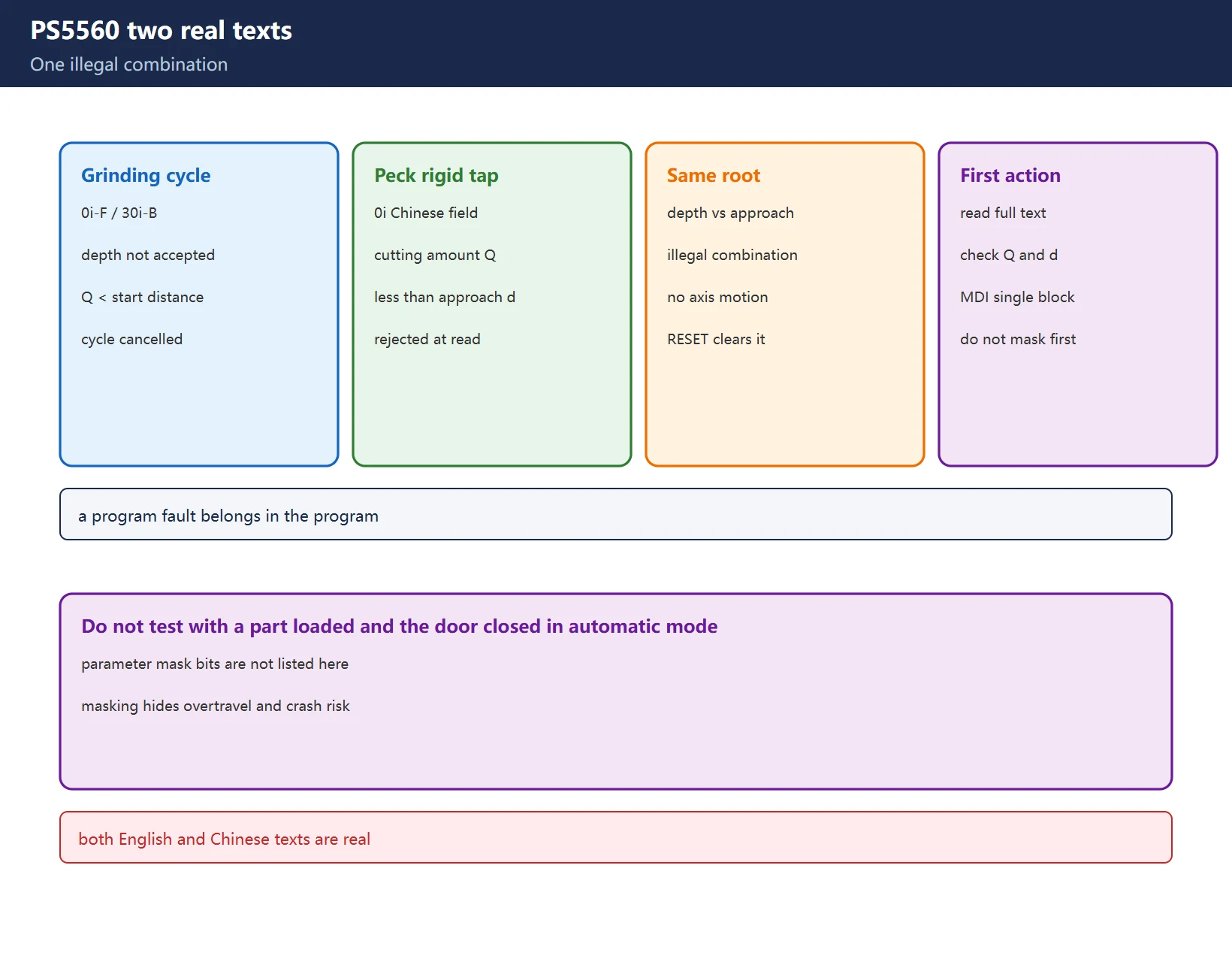
| 0i-F / 30i-B English material | ILLEGAL DEPTH OF CUT CANCEL CANNED GRINDING CYCLE | The canned grinding cycle contains a depth-of-cut value the control will not accept; the cycle is cancelled |
| 0i Chinese field reports and FANUC Q&A | “illegal cutting amount” | In high-speed peck rigid tapping, the programmed cutting amount Q is smaller than the approach/return amount d |
The root is the same in both cases: the combination of “depth per cut” and “already declared approach distance” is illegal. The control rejects the block at read time, so no axis motion takes place and nothing has been cut. RESET clears it, but the alarm returns unless the program is corrected.
First actions, in order:
- Record the complete screen text and decide whether this is a grinding cycle or a peck tapping cycle – do not work from the digits 5560 alone.
- Open the alarming block and check the cycle arguments. For peck tapping, compare Q (depth of cut) with d (return/approach amount). For grinding, check depth against start distance.
- Check for a wrong address, a misplaced decimal point or a negative sign. CAM post output often swaps Q and d.
- Verify the corrected block in MDI / single block with no workpiece loaded. Do not test with a part in the machine and the door closed in automatic mode.
Third-party material mentions a temporary parameter mask. This article does not list the parameter bits: they differ by series, and masking hides a genuinely illegal combination that can become an overtravel or a crash. A program fault belongs in the program.
43.3 The 45xx macro family: where 4534 and 4535 get flattened
These are not ordinary Macro B call alarms. They mainly appear in nibbling-type canned cycles and U/V/W macro storage. FANUC manual appendices (0i-C, 16i/18i/21i-B and others) agree closely:
| No. | Manual meaning (paraphrased) | First check |
|---|---|---|
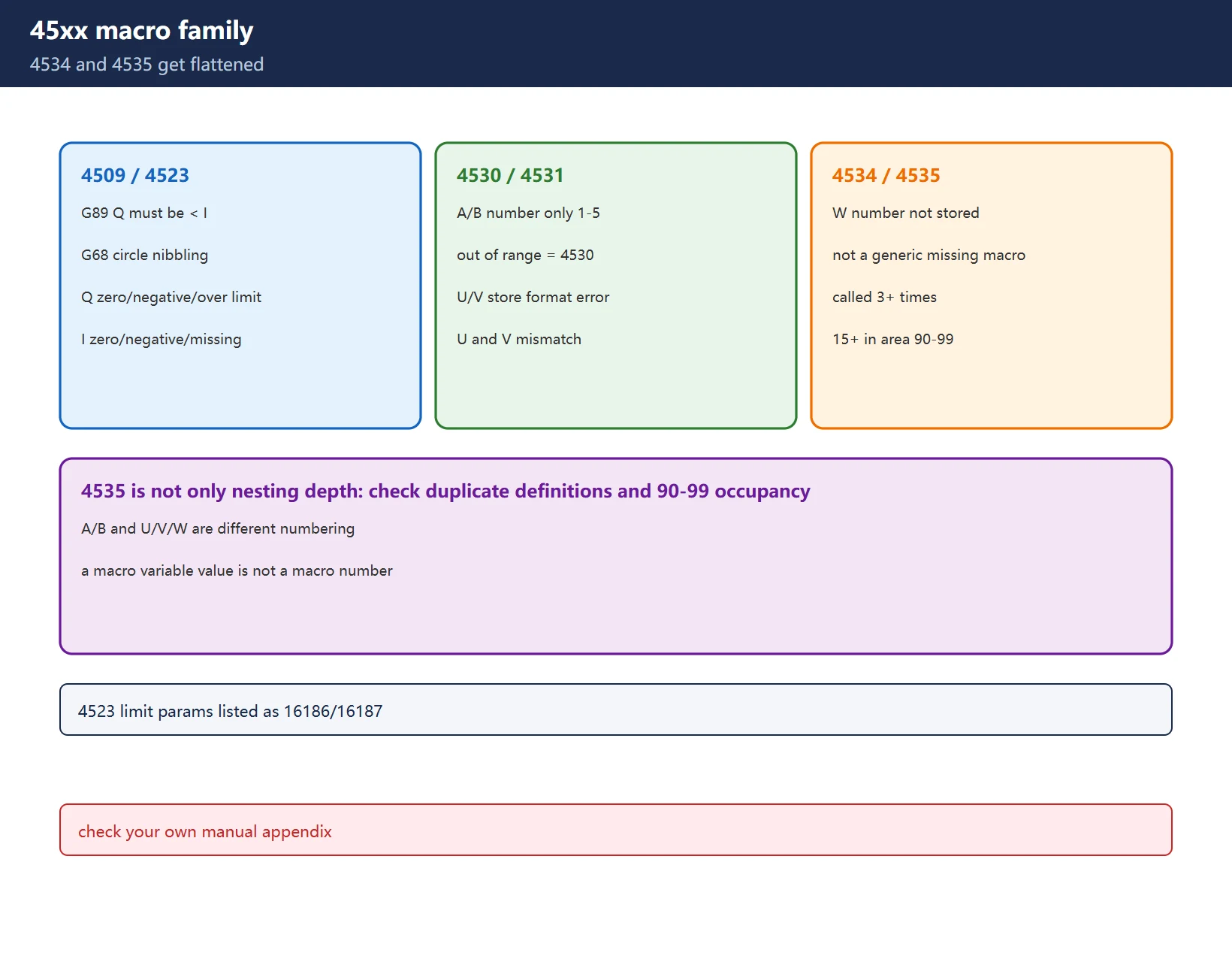
| 4509 | CUT AT ANGLE (G89): Q is zero, negative or >= length I; or I/J/P/Q missing | Check address completeness and Q < I |
| 4523 | CIRCLE NIBBLING (G68): Q zero, negative or over the limit; radius I zero or negative; I/J/K/P/Q missing | Check G68 Q and I against the limit parameters (listed as No. 16186/16187 in the manuals, verify locally) |
| 4530 | A/B MACRO NUMBER ERROR: A/B macro storage or call number outside 1-5 | Check whether a computed value pushed the macro number out of 1-5 |
| 4531 | U/V MACRO FORMAT ERROR: storing another macro during a U/V store; V specified outside store; U and V numbers do not correspond | Check U/V pairing and timing |
| 4532 | IMPROPER U/V MACRO NUMBER: an inhibited macro number (outside 01-99) was specified | Check the number range; no zero, no three digits |
| 4534 | W MACRO NUMBER NOT FOUND: the W number named in a U/V macro command is not stored | Not a generic “macro missing” – the specific W number is absent from storage |
| 4535 | U/V MACRO NESTING ERROR: calling a macro defined three times or more, or storing 15 or more macros in the 90-99 area | Not simply “nesting too deep” – check duplicate definitions and the 90-99 occupancy |
List-style summaries often reduce 4534 to “macro not found” and 4535 to “nesting too deep”. The direction is right but the boundary is wrong. Following the vague version sends you chasing nesting levels while the real cause is an unstored W number or an overflowed 90-99 area.
Another frequent trap: using a macro variable value directly as a macro number. If #100 evaluates to 8 and is fed into an A/B macro number slot, 4530 fires because A/B only allows 1-5. Macro variables and macro numbers are separate systems; clamp the range before use. Variable partitions and G65/G66/G67 calls are covered in the Fanuc Macro B guide.
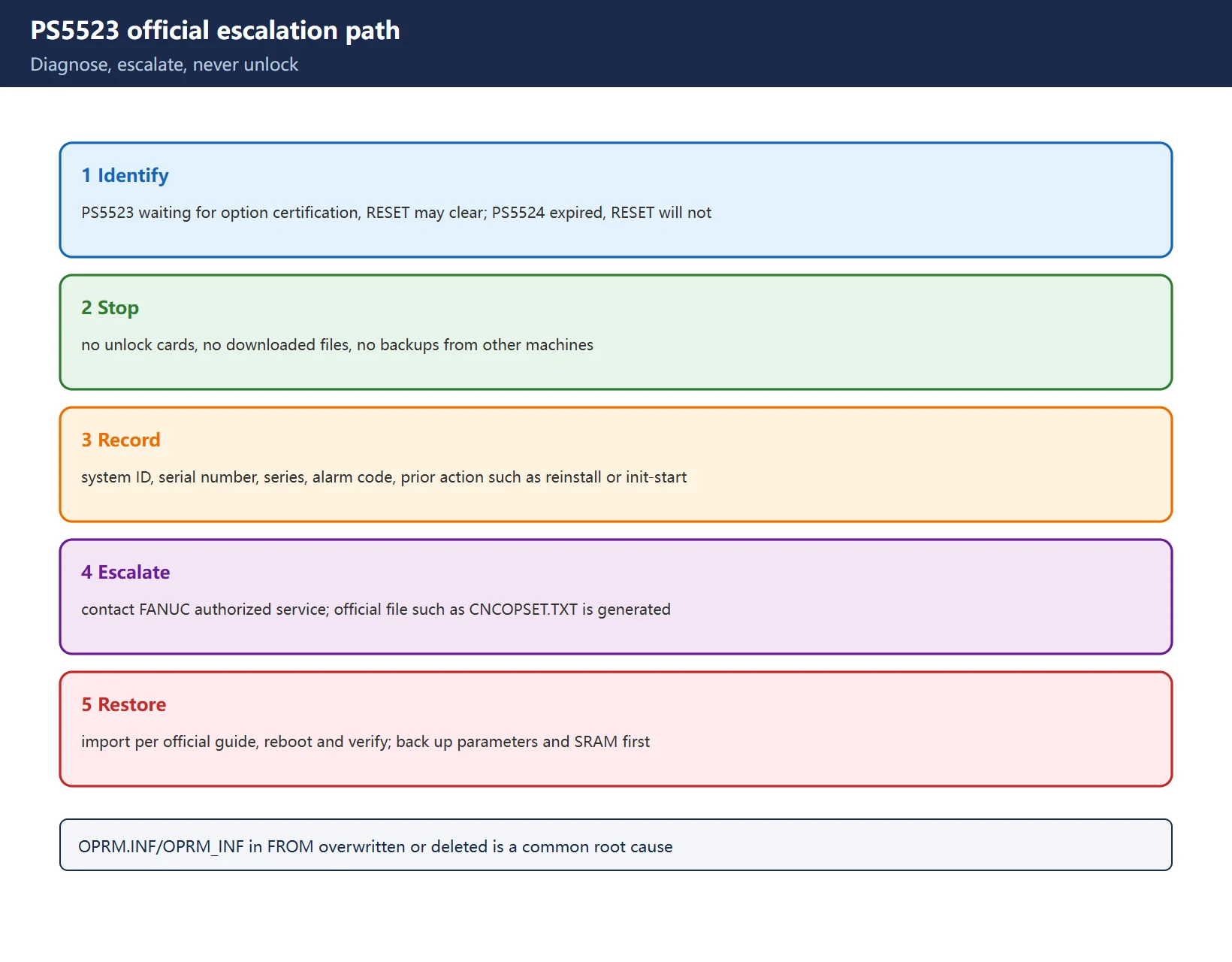
43.4 PS5523/5524: diagnose, escalate, never “unlock”
This pair is not a program fault. It is an option-certification fault:
- PS5523 commonly displays
WAITING THE OPTION CERTIFICATION. Public material and FANUC Q&A both point to the same frequent root cause: the OPRM.INF configuration file inside FROM memory has been overwritten or deleted (some sources write OPRM_INF or OPER.INF). This typically follows a system reinstall, restoring a backup from another machine, or an init-start. RESET often clears it temporarily and basic operation returns, but the root cause remains. - PS5524 is
CERTIFICATION EXPIRE, normally after the 30-day grace period. RESET will not clear it. Stop pressing RESET.
There is only one correct path: record -> escalate -> official import -> reboot.
- Record the system ID, serial number, series, complete alarm code, and what happened before the alarm (reinstall, restore, init-start, board replacement).
- Contact FANUC or the authorized regional service and provide that information. The official side generates a certification file bound to that machine ID (a common filename in public cases is CNCOPSET.TXT).
- Import the file following the official procedure, then power-cycle as instructed and confirm that 5523/5524 are gone and the options work.
- Back up parameters and SRAM before any of this. Do not experiment with FROM system files on your own.
The red line is firm: no “one-click unlock cards”, no downloaded certification packages. Certification files are bound to machine serial numbers. An unknown file may simply fail, or make the option configuration worse. That is not conservatism – it is a device and compliance boundary.
43.5 One pattern behind all three groups
These groups sit together because they represent three different responses:
| Group | Category | Does RESET clear it? | Who owns it |
|---|---|---|---|
| PS5560 | Program format | Yes, but it returns unchanged | Programming / process or post-processor owner |
| 45xx family | Program format | Yes, but it returns unchanged | Macro program owner |
| PS5523/5524 | System certification | 5523 temporarily; 5524 no | FANUC authorized service |
Ask three questions when an alarm appears: was it rejected at read time or during execution? Does RESET clear it? Does the same program reproduce on another machine of the same series? Those three questions eliminate most misclassification – treating a format fault as a hardware failure, or a certification fault as lost parameters. What a field technician calls a “grinding machine alarm” is often just a program block format fault.
43.6 When RESET clears it but the alarm comes back
- Bad post-processor output. The CAM post swaps cycle arguments or omits addresses. An operator fixes it once at the control; the next program brings it back. Fix the post template, not each occurrence.
- Macro variable used as a macro number. An unclamped computed value lands in an A/B/U/V/W macro number slot, raising 4530/4532/4534. See 43.3 and the Macro B guide.
- Cycle arguments out of sync with state. After a cycle is cancelled or restarted, remaining depth and approach distance no longer match the current state; calling the same block again raises 5560. Tool-tip-control preparation is a separate topic – see the same-number-different-meaning guide for how to separate families; do not mix it with these cycle alarms.
The test is simple: clear the alarm, change nothing in the program or configuration, run it again. If it reproduces, the root cause is still there. The “intermittent” behavior of these alarms is almost always an illusion.
43.7 Mapping to the English Parts 1-6
| Page | Range | Overlap with this article |
|---|---|---|
| 0001-0224 | None | |
| Part 2 | 0230-0461 | None |
| Part 3 | 0492-1308 | None |
| Part 4 | 1332-1973 | None |
| Part 5 | 2032-5110 | None |
| 5130-5559 | Ends at 5559 | |
| This page | 5560+ and the 45xx / 5523 gap | Fills it |
Chinese readers do not need to work through every English part; the table is for cross-reference only. Chinese pages link to Chinese pages, English pages link to English pages – that is the standing rule for this site. For full cross-referencing method, use the English cross-reference guide.
43.8 Shop-floor quick card
- PS5560 -> record the full text, then check Q versus d (or depth versus start distance). Fix the program; do not touch parameters first.
- 45xx -> decide whether it is a G68/G89 cycle or a U/V/W macro. 4509/4523: addresses and limits. 4530: macro number 1-5. 4534: is the W number stored? 4535: duplicate definitions and the 90-99 area.
- PS5523/5524 -> stop trial and error. Record ID and serial number, go through FANUC authorized service, never download a certification file.
- Any P/S alarm -> separate “rejected at read time” from “alarm during execution”. The former is almost always a format fault.
43.9 Scope: this is not the official manual
This article uses the parts of public material and manual appendices that agree across sources. It does not translate the manual entry by entry and does not claim to cover every item from 5560 to 5999. That is deliberate: the same number can carry different text on 0i-F, 30i-B and 31i-B Plus, and software updates change entries. Publishing a third-party list as a complete code table would send people down the wrong path.
What does transfer is this: read the complete screen text, open the manual for your series, separate program / certification / hardware, and remember that a clearable alarm is not a fixed alarm. With those four rules you can take the right first step even on a number this article never mentions.
Frequently Asked Questions
Is PS5560 a program problem or a grinding-machine hardware problem?
Check the full screen text. ILLEGAL DEPTH OF CUT ... CANNED GRINDING CYCLE means the control rejected a grinding canned-cycle block at read time – a program format fault. The Chinese field wording “illegal cutting amount” refers to Q being smaller than the approach amount d in high-speed peck rigid tapping – also a program argument fault. Neither produces axis motion or points to a wheel or servo problem. Open the alarming block and compare Q/d or depth/start distance, then verify in MDI with no workpiece.
What is the difference between 4530 A/B macro number error and 4534 W macro number not found?
4530 is a range fault: the A/B macro storage or call number is outside 1-5, usually because a computed value was used directly as a macro number. 4534 is an existence fault: the manual says W MACRO NUMBER NOT FOUND, meaning the W number named in a U/V macro command is absent from storage. One needs range clamping; the other needs you to verify that the macro is stored and that the numbers correspond.
Can I fix PS5523 myself?
No, not by yourself. The frequent root cause is the OPRM.INF/OPRM_INF configuration file in FROM being overwritten or deleted; RESET only clears it temporarily and does not restore certification. Record the system ID, serial number, alarm code and the action before the alarm, then contact FANUC authorized service. The official side generates a certification file for that machine, which you import and reboot per their procedure. Do not download “unlock files” and do not restore a backup from another machine.
Last updated: 2026-11-25
Where to go next
- FANUC Troubleshooting — the full guide library: alarms, diagnosis numbers, servo, spindle, PMC and electrical faults, organised by symptom.
- CNC Repair Tools — which instrument measures what: multimeters, clamp meters, insulation testers and oscilloscopes, with the specification that actually matters.
- Remote Technical Support — have the readings reviewed with you: alarm reverse lookup, PMC ladder analysis and servo tuning advice by call. Repair companies and integrators welcome.
- Buying & Ownership Decisions — refurbished vs new, used-machine checks, software licensing and manuals: spend with the field facts in hand.
Read the guide, get the right instrument, or walk the diagnosis through with someone — pick whichever you need.
The original Chinese version — same procedure, with the full field notes.



















暂无评论内容