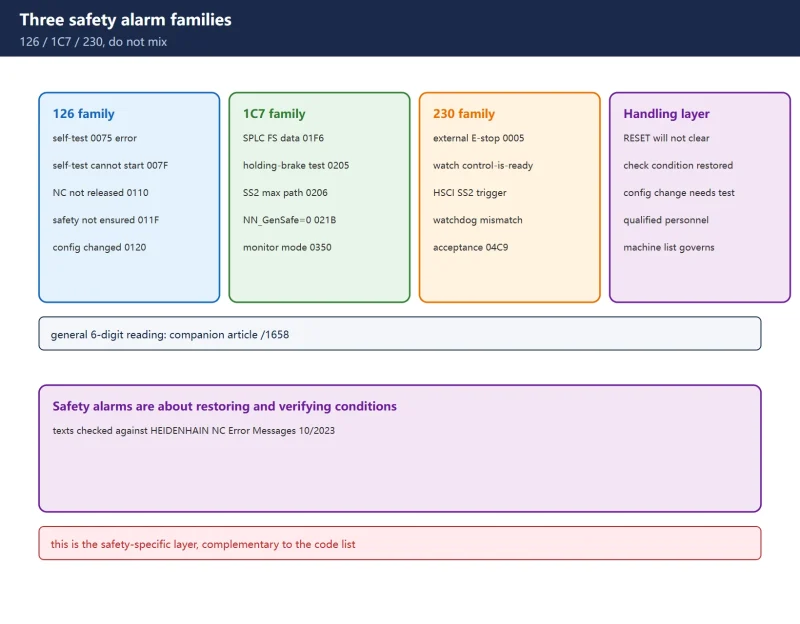



55.1 First, separate safety alarms from functional alarms
| Aspect | Functional alarm | Safety alarm |
|---|---|---|
| Meaning | A general function or process condition is not met | A safety function has tripped, or the safety system has a fault |
| Effect | May alarm without stopping | Stops axes, inhibits drives, blocks the safe operating state |
| Reset | Often clears with RESET | RESET often will not clear it, or clears it with the condition unmet |
| Action | Check program, parameters, signals | Check safety inputs, wiring, configuration; acceptance test if needed |
| Work | Routine | De-energize and lock out; qualified personnel only |
Table 55-1 Functional alarm versus safety alarm
Remember one line: a safety alarm is about condition restoration and verification, not about making the message go away.
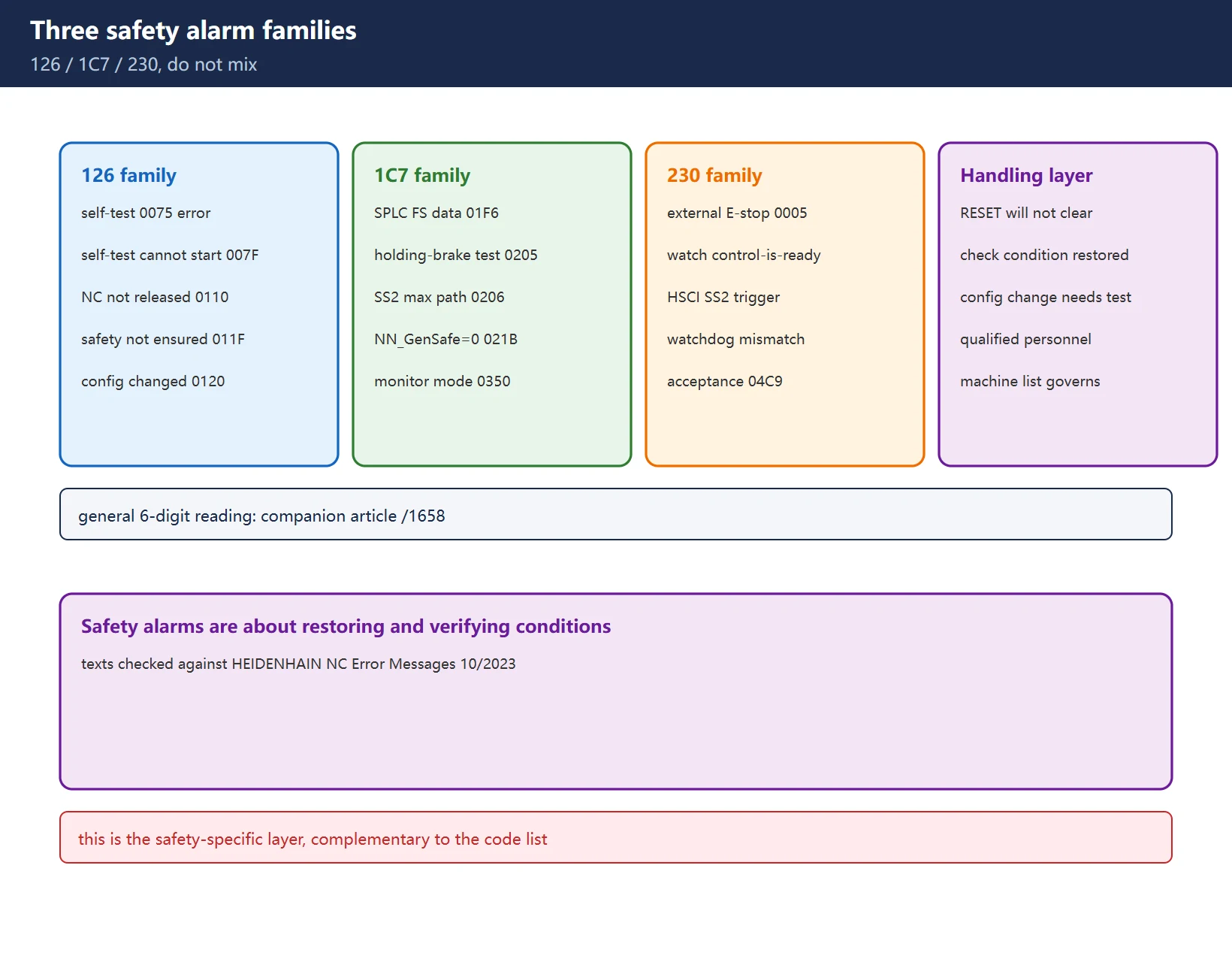
55.2 Three families: do not mix 126, 1C7 and 230
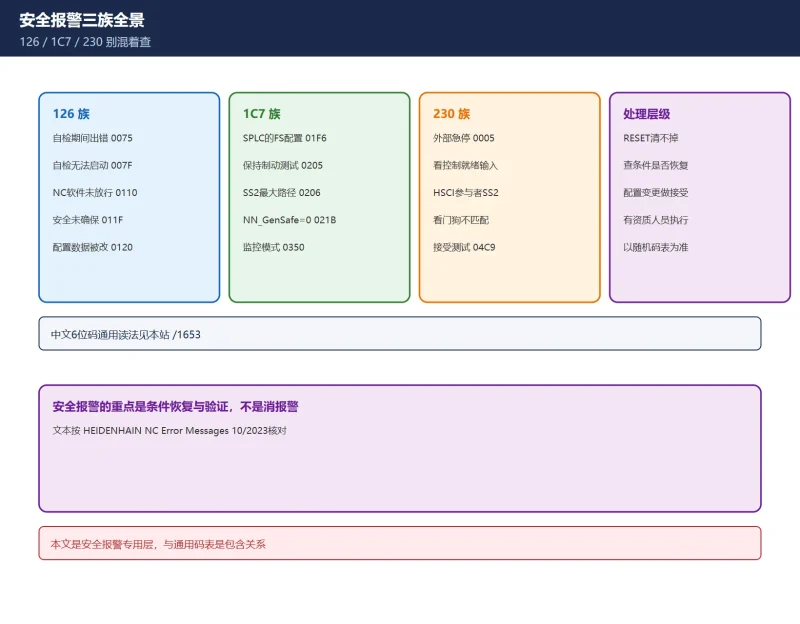
- 126 family: self-test and safety configuration. Error during self-test, self-test cannot be started, NC software not released for FS applications, safety not ensured, safe configuration data changed.
- 1C7 family: MC (motion control) drive enable and FS configuration data. Typical cases are NN_GenSafe = 0 inhibiting MC drives, the data record for the FS configuration of the SPLC program, and the maximum time for the motor holding-brake test.
- 230 family: external emergency stop and HSCI safety state. 230-0005 external emergency stop is the most common; the family also includes HSCI participants triggering SS2 and watchdog mismatches.
The companion article Heidenhain TNC Error Code List: How to Read 6-Digit Codes covers the general 6-digit reading method across the 120/125/130/140/230 families. This article is the safety-alarm-specific layer — the two are complementary, not duplicates.
55.3 The 126 family, code by code: self-test and configuration
Official texts, code by code (TNC7/640/620/320/128):
| Code | Official text (English) | On-site meaning |
|---|---|---|
| 126-0075 | Error during self-test | Error during the self-test |
| 126-0076 | Error during self test | Self-test error (another same-family text) |
| 126-007F | Self-test cannot be started | Self-test cannot be started |
| 126-0110 | NC software not released for FS applications | NC software not released for functional-safety applications |
| 126-011F | Safety not ensured | Safety not ensured |
| 126-0120 | Safe configuration data changed | Safe configuration data has been changed |
Table 55-2 126-family safety alarms, code by code (texts checked against the official English list)
The point of 126-011F: the official cause is that safety-related configuration data has been changed and not yet accepted. The correction is not a reset — with the relevant parameter set active, carry out a functional-safety acceptance test for the system per the OEM guidelines, and on power-down confirm that functional safety was successfully tested and accepted. That is why RESET will not clear it: the system wants one formal acceptance action, not one keystroke.
126-0110 usually points to the NC software release itself not being enabled for FS applications — it involves the software/option layer, so do not limit the investigation to wiring.
55.4 The 1C7 family, code by code: MC drive enable and FS configuration
| Code | Official text (English) | On-site meaning |
|---|---|---|
| 1C7-01F6 | Data record for the FS configuration of the SPLC program | FS configuration data record of the SPLC program |
| 1C7-0205 | Max. time until the test of the motor holding-brakes | Maximum time until the motor holding-brakes are tested |
| 1C7-0206/0207/0208 | Maximum path with SS2 reaction | Maximum path with SS2 reaction |
| 1C7-021B | MC drives cannot be switched on: NN_GenSafe = 0 | MC drives cannot be switched on: NN_GenSafe = 0 |
| 1C7-0350 | Mode of nominal/actual value monitoring (optional) | Mode of nominal/actual value monitoring (optional) |
Table 55-3 1C7-family safety alarms, code by code
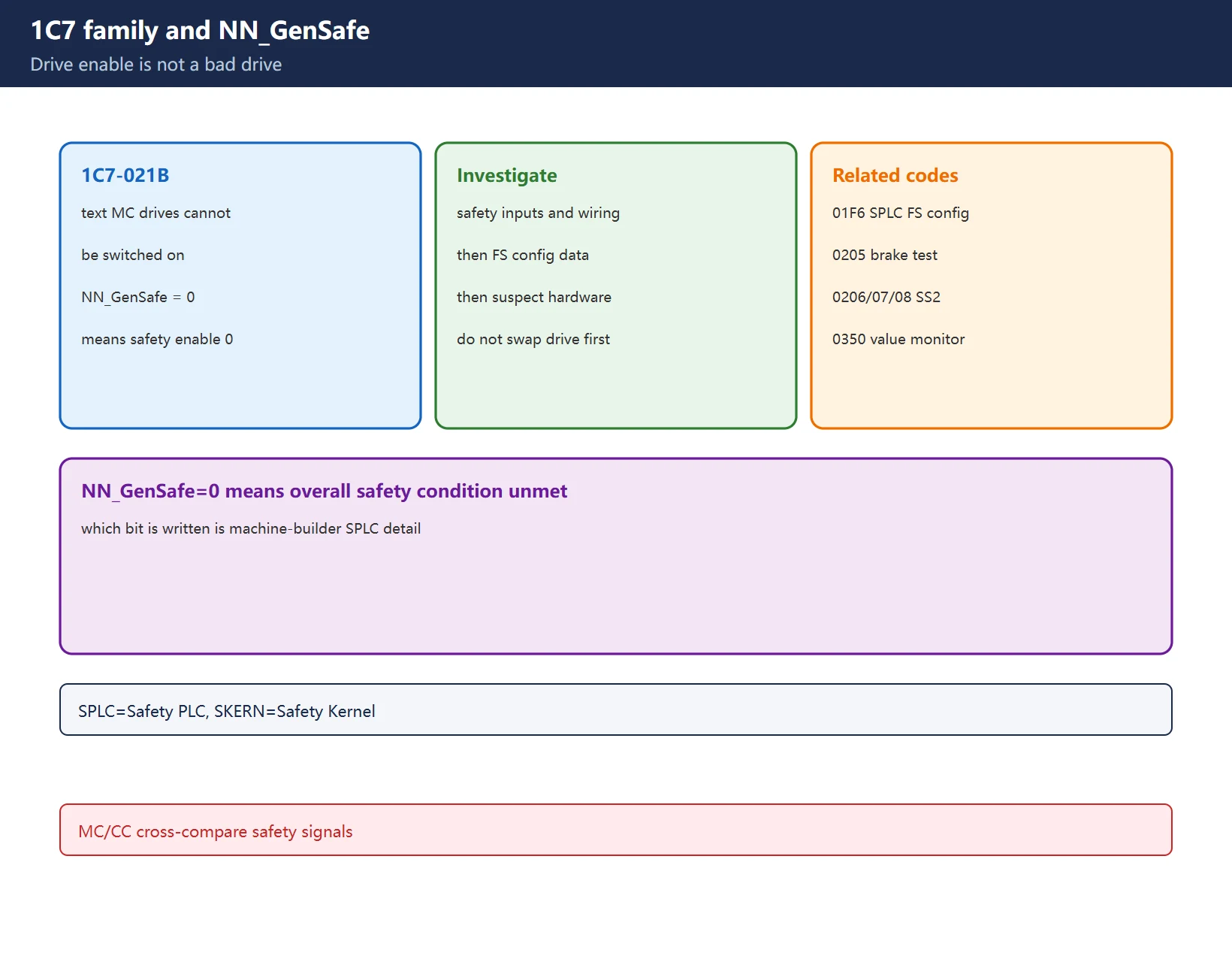
1C7-021B is the one most often asked about: it says NN_GenSafe = 0, so MC drives cannot be switched on. The on-site instinct is “a bad drive”, but it more often points to safety enable = 0 — safety conditions not closed, incorrect safety configuration/data records, or a safety chain not made up. Order of investigation: check safety inputs and wiring first, then the FS configuration data record, and only then suspect drive hardware.
55.5 230-0005 external emergency stop: it watches the “control-is-ready” input
Official text: 230-0005 External EMERGENCY STOP.
- Cause: the PLC input for control-is-ready is invalid; the emergency-stop circuit has been interrupted manually or by the system.
- Correction: release the emergency-stop button, switch on control voltage, acknowledge the message; check the emergency-stop circuit (E-stop pushbutton, axis limit switches, wiring, etc.).
Key field insight (from MTT): the system monitors the “control-is-ready” input, not the button itself. So even if every button looks released, the alarm appears as soon as any point in the safety circuit is open or the control voltage has dropped. That is the usual reason for “external emergency stop with no one pressing E-stop”.
Related codes in the same family include 230-04C9 “Acceptance testing of safety-relevant parameters required” and 231-4003/4004 messages during the E-stop test. Seeing these means the machine is inside a safety-test flow — do not treat them as ordinary faults and start pressing reset.
55.6 What NN_GenSafe really is: SPLC + SKERN dual channels
A group of names recurs across several official texts: SPLC, SKERN, MC, CC.
- SPLC: Safety PLC. The machine builder writes safety logic here (1C7-01F6 in Table 55-3 is the “data record for the FS configuration of the SPLC program”).
- SKERN: Safety Kernel. Several alarms reference clock or consistency comparisons between SKERN and MC (for example 330-0093, system clock of MC not equal to SKERN MC).
- MC / CC: components related to motion control and central control, across which safety signals are compared.
NN_GenSafe is a generated/overall safety signal in this architecture; when it is 0, the overall safety condition is not met and MC drives get no enable. Beyond that meaning, which specific bit is written by whom and at what timing is machine-builder safety-program detail and is not invented here — consult the machine’s SPLC program and delivered documentation.
55.7 What an acceptance test is and why it is mandatory
The official correction for 126-011F already makes the role of the acceptance test clear: after safety configuration is changed, the system requires a functional-safety acceptance test per OEM guidelines, with confirmation of success, before the safety state is recognized.
Key points:
- When: after replacing a mainboard or drive, changing safety-related parameters, changing the SPLC program, or changing safe configuration data (126-0120 / 126-011F / 230-04C9).
- Who: qualified personnel following the machine builder/OEM procedure — de-energize and lock out, then verify E-stop, door interlocks, STO and so on item by item.
- If skipped: the safety state is not accepted, the related safety alarms keep returning, and the machine is not permitted back into production — this cannot be bypassed by “clearing the alarm”.
- Relation to the safety circuit: stop categories, STO/SS1 and PL levels are covered in Machine Safety Circuits: STO vs SS1, Stop Categories and in the dedicated ISO 13849-1 PL article (Chinese-language page, linked from the Chinese version of this article).
55.8 Seven-step troubleshooting order and safety work red lines
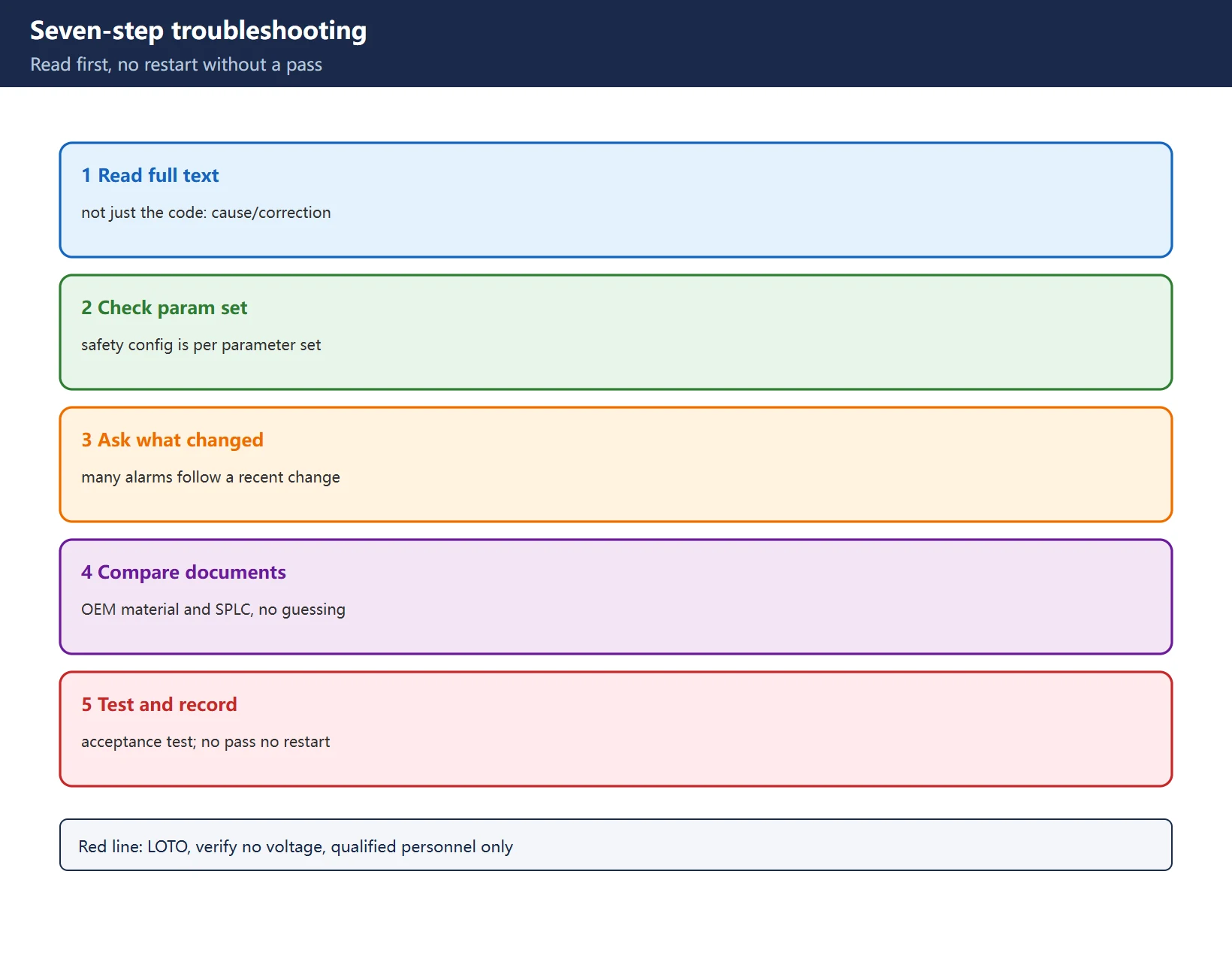
- Read the full alarm text: not just the code — read the full text and its cause/correction.
- Confirm the active parameter set: safety configuration is managed per parameter set; establish which one is active now.
- Ask what changed last: who changed what, before and after — a large share of safety alarms follow “someone just touched something”.
- Compare with machine-builder documentation: check against the delivered material and the SPLC program; do not guess bit addresses from experience.
- Run the acceptance test: for configuration-change cases, perform the functional-safety acceptance test per the OEM procedure.
- Record everything: what was found, changed and tested.
- No pass, no restart: never “start it and see” while safety conditions are unconfirmed.
Safety work red lines: de-energize, lock out and tag (LOTO), verify absence of voltage, and allow only qualified personnel into the electrical cabinet. Safety-circuit changes and acceptance testing are not ordinary electrician work.
55.9 How to use the official error-list PDF + content map
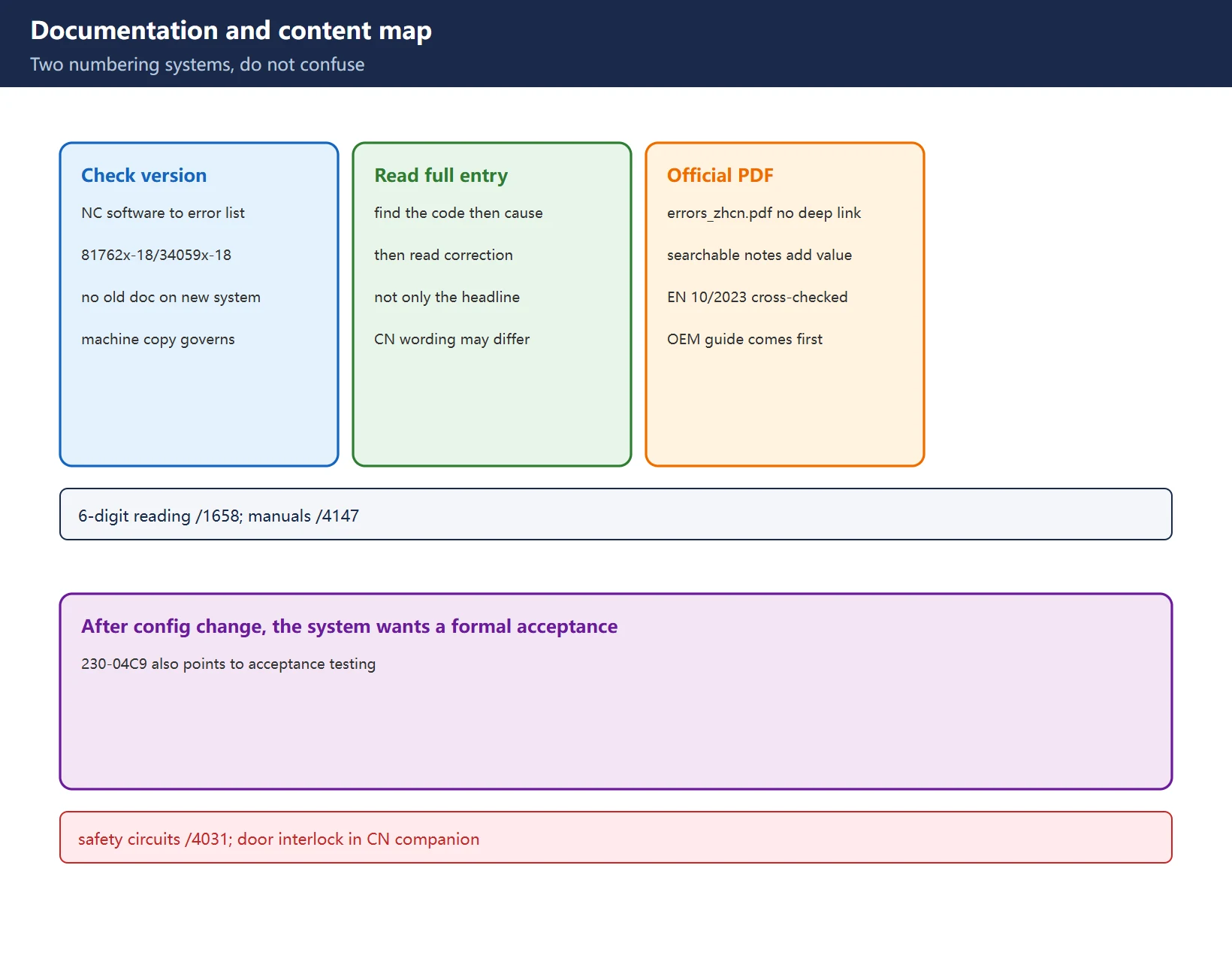
What Chinese-speaking users most often receive is HEIDENHAIN’s official errors_zhcn.pdf (error list, version numbers such as 81762x-18 / 34059x-18, varying with the NC software version). It is a PDF that cannot be deep-linked or searched effectively — which is exactly why a searchable interpretation like this is useful. How to use it:
- First confirm the error-list version matching your NC software number; do not use an old document on a new system.
- Once you have the code, read the full cause / error correction, not only the headline.
- The texts in this article’s three families are checked against the English HEIDENHAIN NC Error Messages (10/2023); wording in the Chinese delivered material may differ slightly, so the version delivered with your machine governs.
Content map: general 6-digit reading in Heidenhain TNC Error Code List; the two numbering systems for TNC manuals and NC software/document numbers in HEIDENHAIN iTNC 530 Manuals; the four-layer safety-chain location for “door not closed” is covered in the Chinese companion article; STO/SS1 and PL levels in Machine Safety Circuits.
Frequently Asked Questions
Why does Heidenhain 126-011F “Safety not ensured” not clear with RESET?
Because the official cause is not an ordinary fault but “safety-related configuration data has been changed and not yet accepted”. The correction requires a functional-safety acceptance test per the OEM guidelines and confirmation on power-down that functional safety was successfully tested and accepted. The system wants one formal acceptance action, not one reset keystroke.
For TNC 1C7-021B with MC drives not enabling, is it a bad drive or an unclosed safety circuit?
The official text is “MC drives cannot be switched on: NN_GenSafe = 0” — NN_GenSafe = 0 means the overall safety condition is not met, so this is a safety-enable issue rather than a failed drive. Investigate in this order: safety inputs and wiring, then the FS configuration data record (such as the SPLC FS configuration), and only then suspect drive hardware.
Is an acceptance test required after replacing a TNC mainboard or drive? What happens if it is skipped?
When safety-related parameters or configuration change (mainboard/drive replacement, SPLC program change, safe configuration data changed), the system requires a functional-safety acceptance test per the OEM procedure with confirmed success. If skipped, the safety state is not accepted, related alarms such as 126-011F and 230-04C9 keep returning, and the machine is not permitted back into production. The acceptance test must be performed by qualified personnel.
Last updated: 2026-11-26
Where to go next
- FANUC Troubleshooting — the full guide library: alarms, diagnosis numbers, servo, spindle, PMC and electrical faults, organised by symptom.
- CNC Repair Tools — which instrument measures what: multimeters, clamp meters, insulation testers and oscilloscopes, with the specification that actually matters.
- Remote Technical Support — have the readings reviewed with you: alarm reverse lookup, PMC ladder analysis and servo tuning advice by call. Repair companies and integrators welcome.
- Buying & Ownership Decisions — refurbished vs new, used-machine checks, software licensing and manuals: spend with the field facts in hand.
Read the guide, get the right instrument, or walk the diagnosis through with someone — pick whichever you need.
The original Chinese version — same procedure, with the full field notes.


















暂无评论内容