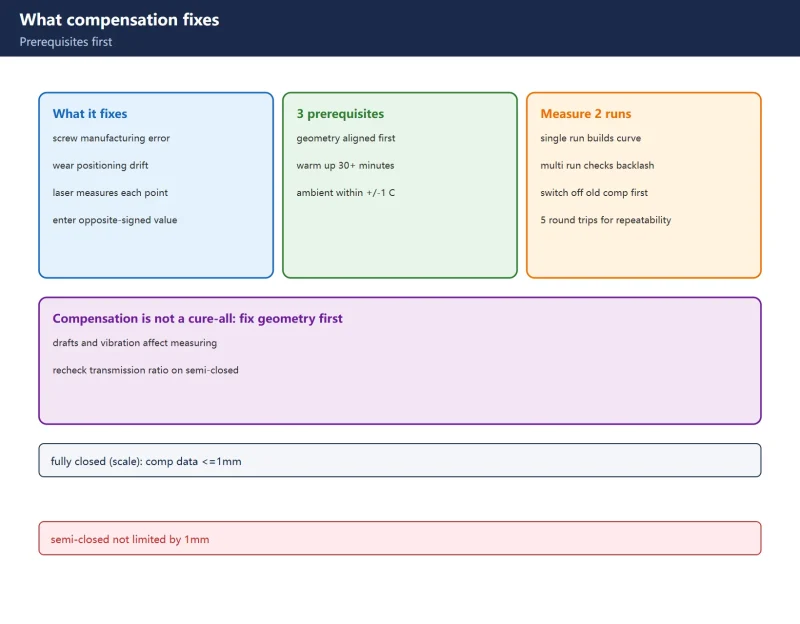



54.1 What lead screw compensation fixes and prerequisites
Lead screw (pitch error) compensation – CEC for bidirectional or EEC for single direction – corrects the positioning error from the screw’s own manufacturing error and long-term wear. A laser interferometer measures the deviation at each position and you enter the opposite-signed compensation value, so the control corrects that point automatically.
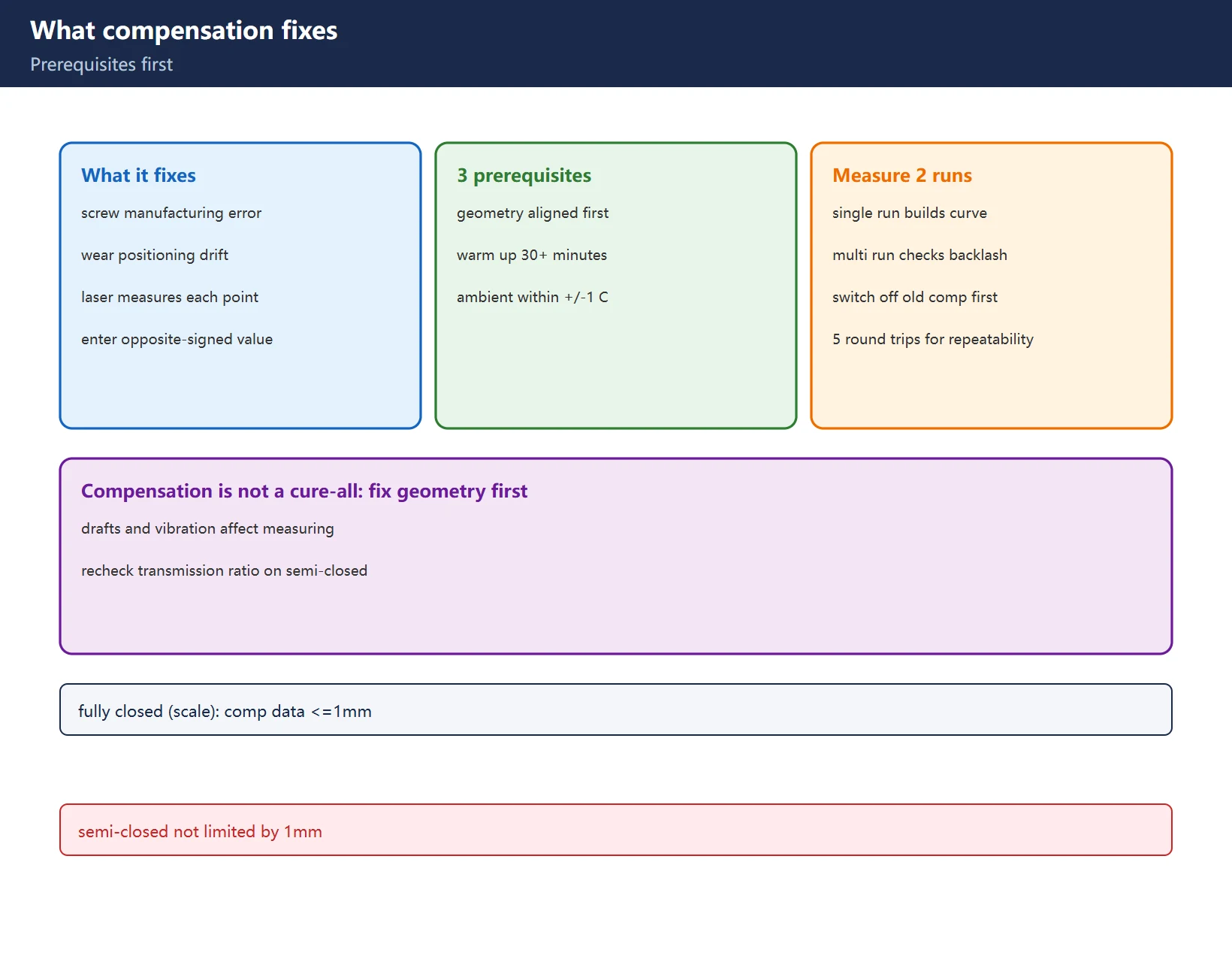
Three prerequisites:
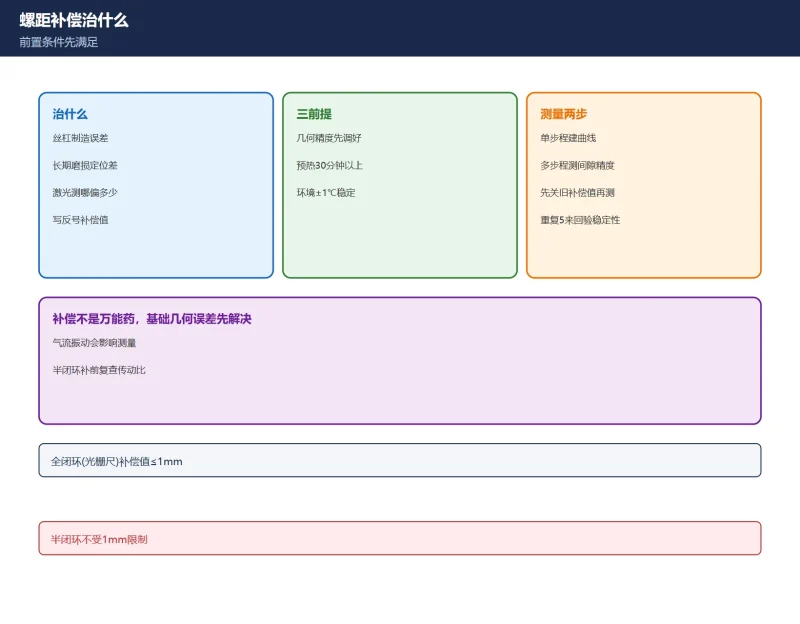
- Set geometric accuracy first: compensation is not a cure-all. If guideways, squareness and datum errors are not corrected, compensation only freezes the error in place. See the machine geometric accuracy framework article.
- Warm-up and measuring environment: run the machine at typical working speed for at least 30 minutes, keep ambient temperature stable (commonly within plus or minus 1 degree C), avoid drafts and vibration.
- Switch off old compensation before measuring: if compensation already exists, turn it off before measuring positioning error, otherwise you measure the already-compensated result and cannot derive the true error curve.
54.2 Four-step overview: measure, calculate points, edit table, enable
| Step | Action | Key point |
|---|---|---|
| 1 Measure | Laser measurement of positioning error, generate error table | Single run builds the curve; multi run checks backlash and repeatability |
| 2 Calculate | Set a start, b end, c interval; compute n | n = 1 + (b-a)/c; cycles p = n-2 |
| 3 Edit table | Set MD38000, back up, edit compensation table, enter values | MD38000 change triggers SRAM reorganization (M4400) |
| 4 Enable | Set MD32700, NCK reset, return to reference, verify | View compensation values in the service axis screen |
Table 54-1 Four-step lead screw compensation flow
Order matters: do not change MD38000 before the compensation table plan is ready. Best practice is to set it during initial commissioning; on an older machine you must add the backup-and-restore protection cycle.
54.3 Calculating point count: n = 1 + (b-a)/c
With start point a, end point b and interval c, the compensation point count is:
n = 1 + (b - a) / c
Field example (PAMA phi-140 boring machine, X axis): travel -50 to 5870 mm, start a=0, end b=5800, interval c=200, so n = 1 + 5800/200 = 30 points and cycles p = n-2 = 28.
Hard constraints on MD38000 MM_ENC_COMP_MAX_POINTS (from official Siemens Chinese material):
- Each compensation point uses 8 bytes of SRAM – more points use more SRAM, so set only what you need.
- Maximum value 5000.
- Because it affects memory allocation, set it during the initial commissioning stage if possible.
MD38000 is only the container size (how many points are allowed). The actual start, end and interval are configured in the compensation table setup screen, corresponding to $AA_ENC_COMP_MIN, $AA_ENC_COMP_MAX and $AA_ENC_COMP_STEP inside the compensation file.
54.4 Handling M4400 correctly: back up first, do not reset
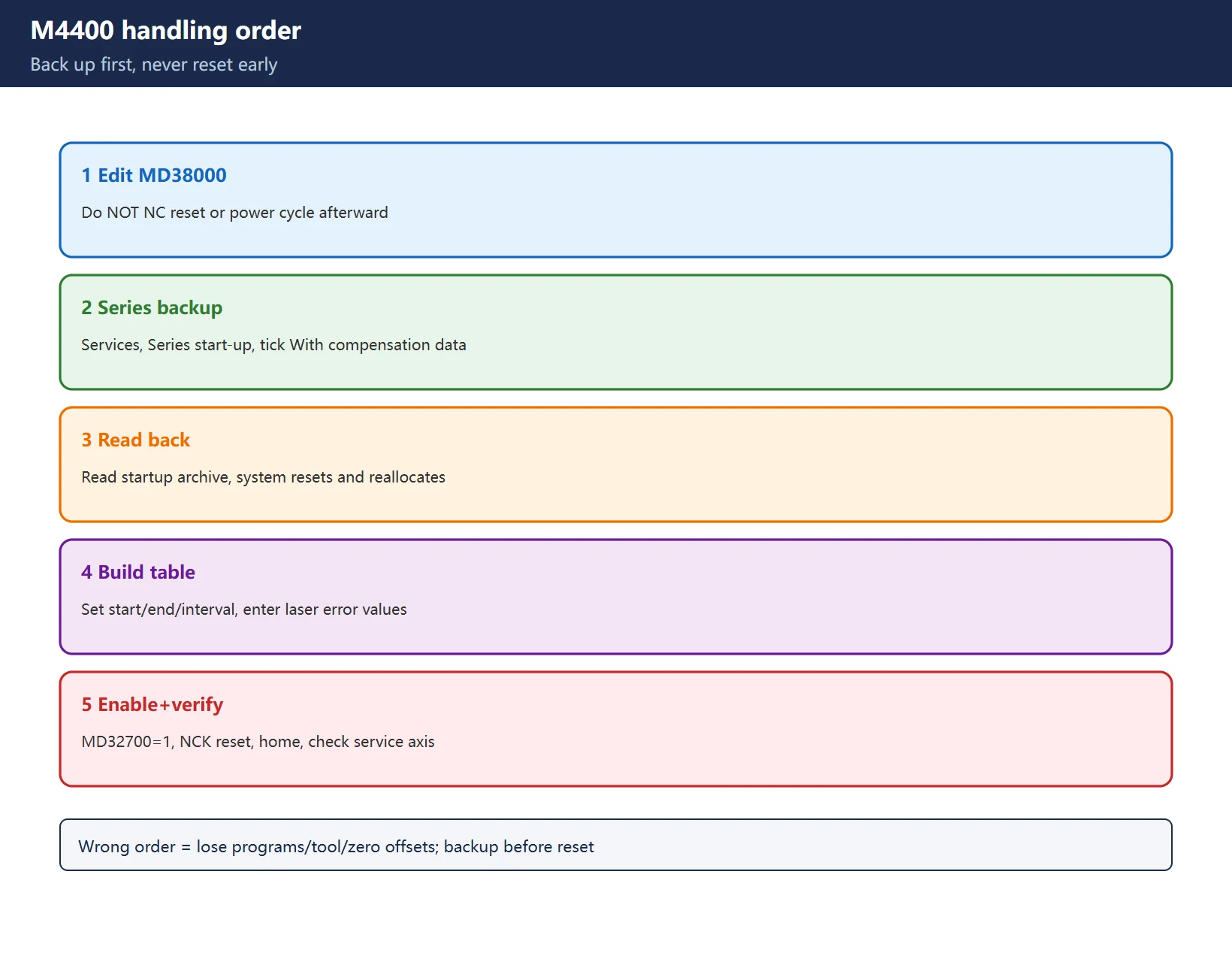
This is the most important section. After changing MD38000, the control raises M4400:
MD alteration will cause reorganization of buffered memory (loss of data!)
That means the change causes buffered memory to be reorganized and data may be lost – part programs, tool offsets, zero offsets, drive data and compensation tables.
Correct order (do not swap steps):
- After changing MD38000, do not NC reset and do not power cycle (this is the red line).
- Enter the manufacturer password, go to the Services area, extension keys, Series start-up, select NC and tick With compensation data, enter a file name and Archive to create a series backup.
- Use Read startup archive to read that backup back, so the system performs SRAM reorganization and restores the data (it resets itself several times).
- Only then continue building the compensation table and entering values.
If you reverse steps 1 and 2 – reset right after changing MD38000 – SRAM reorganization clears the buffer and programs, tool offsets and zero offsets are lost. The backup must happen before the reset.
54.5 Editing the CEC table: screen method and file method
Two approaches; pick one.
Screen method (Sinumerik Operate): Commissioning, NC, Lead screw pitch error, select axis, modify configuration, set start position, end position, interval and measuring system, activate (the control prompts an NCK restart, confirm), then enter each laser-measured error value (signed absolute difference) in the compensation table values screen and activate. Compensation type is single-turn EEC or bidirectional CEC; bidirectional usually needs a license.
File method (edit the compensation file): export the “measuring system error compensation, axis N” file from NC active data to a USB stick (with CR+LF punched-tape format), edit and re-import. The file looks like:
$AA_ENC_COMP[0,0,AX1]=0.024
$AA_ENC_COMP_STEP[0,AX1]=100.0
$AA_ENC_COMP_MIN[0,AX1]=-100.0
$AA_ENC_COMP_MAX[0,AX1]=1200.0
$AA_ENC_COMP_IS_MODULO[0,AX1]=0
M17
Two file-method traps: (1) delete the checksum when editing or the import is rejected; (2) the compensation file can only be written to the NC when MD32700 = 0; at 1 the compensation array is write-protected.
Enter the laser-measured error value directly with its sign: when the laser positive direction matches machine travel, a positive error gets a positive compensation and a negative error gets a negative one.
54.6 Enable and verify: MD32700 is the master switch
- MD32700 ENC_COMP_ENABLE = 0: allows writing the compensation table (write protection off).
- MD32700 = 1: compensation enabled and array write-protected; do one NCK reset, return the axis to reference point and the new values apply.
Verify in Diagnostics, Service display, Service Axis – check that the absolute compensation value field changes with position. After compensation, repeat the laser measurement for five round trips and check curve repeatability. Large curve variation means unstable measuring conditions (temperature, vibration, alignment) or a mechanical problem (looseness, stick-slip); fix that before compensating again.
The 1 mm limit on compensation data applies only to fully closed loop (linear scale as measuring system); semi-closed loop (motor encoder) is not limited this way. On older machines, re-check the motor transmission ratio with the laser before compensating to reduce error from gear wear.
54.7 Difference from FANUC compensation: same function, different numbers
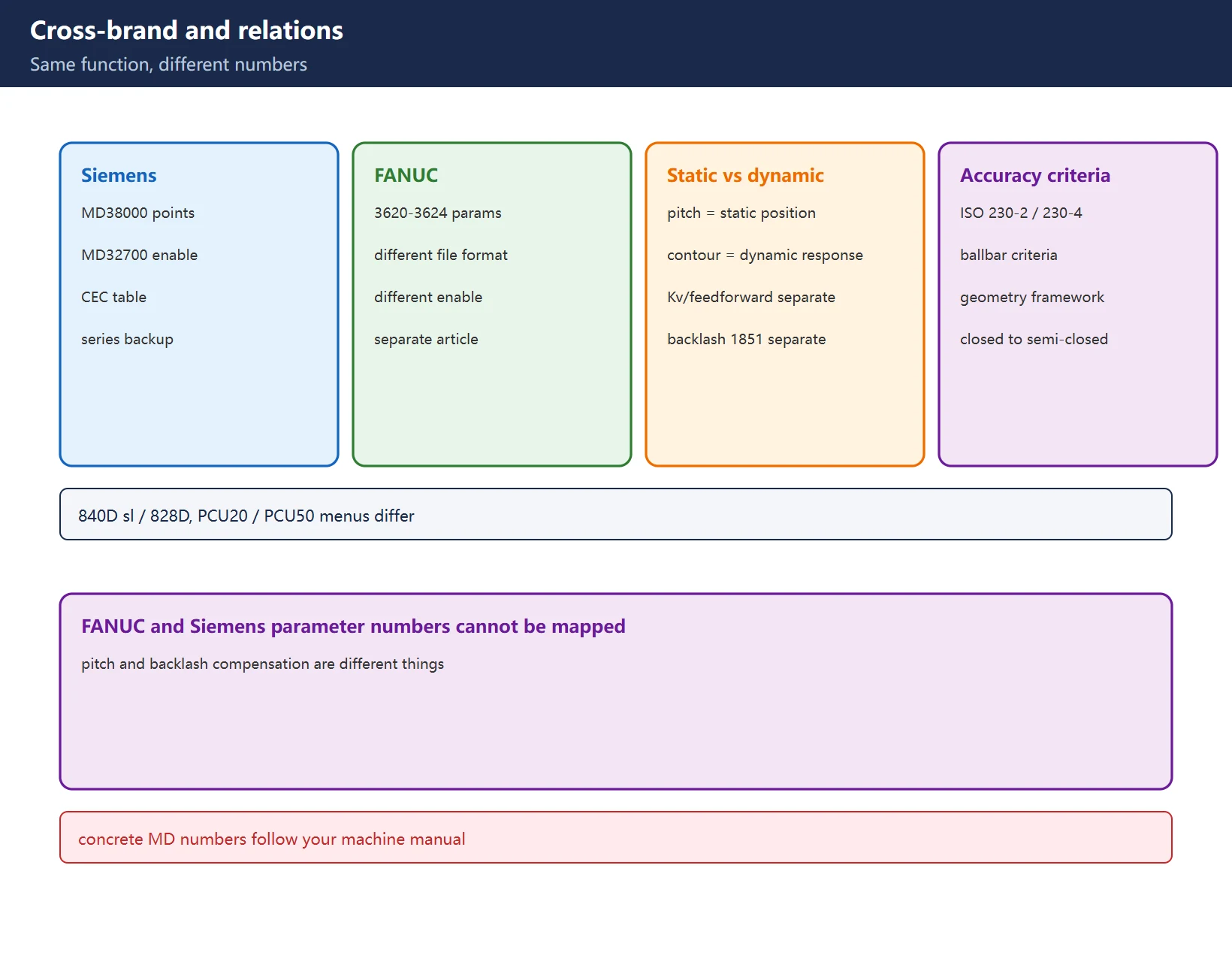
FANUC lead screw compensation uses the 3620-3624 parameter set. The idea is similar (measure, calculate points, fill table, enable) but the parameter numbers, compensation file format and enable mechanism are completely different – never map one to the other. See the FANUC pitch error compensation 3620-3624 article.
Internal relations:
- Backlash compensation 1851 has its own article – pitch compensation and backlash compensation are different things.
- Accuracy criteria (ISO 230-2 / 230-4, ballbar) and the geometric accuracy framework have their own articles.
- Converting fully closed loop to semi-closed loop, including masking the scale and handling backlash, is covered separately.
- Contour and following error tuning (Kv factor, feedforward) is dynamic response; pitch compensation is static positional error – keep them separate.
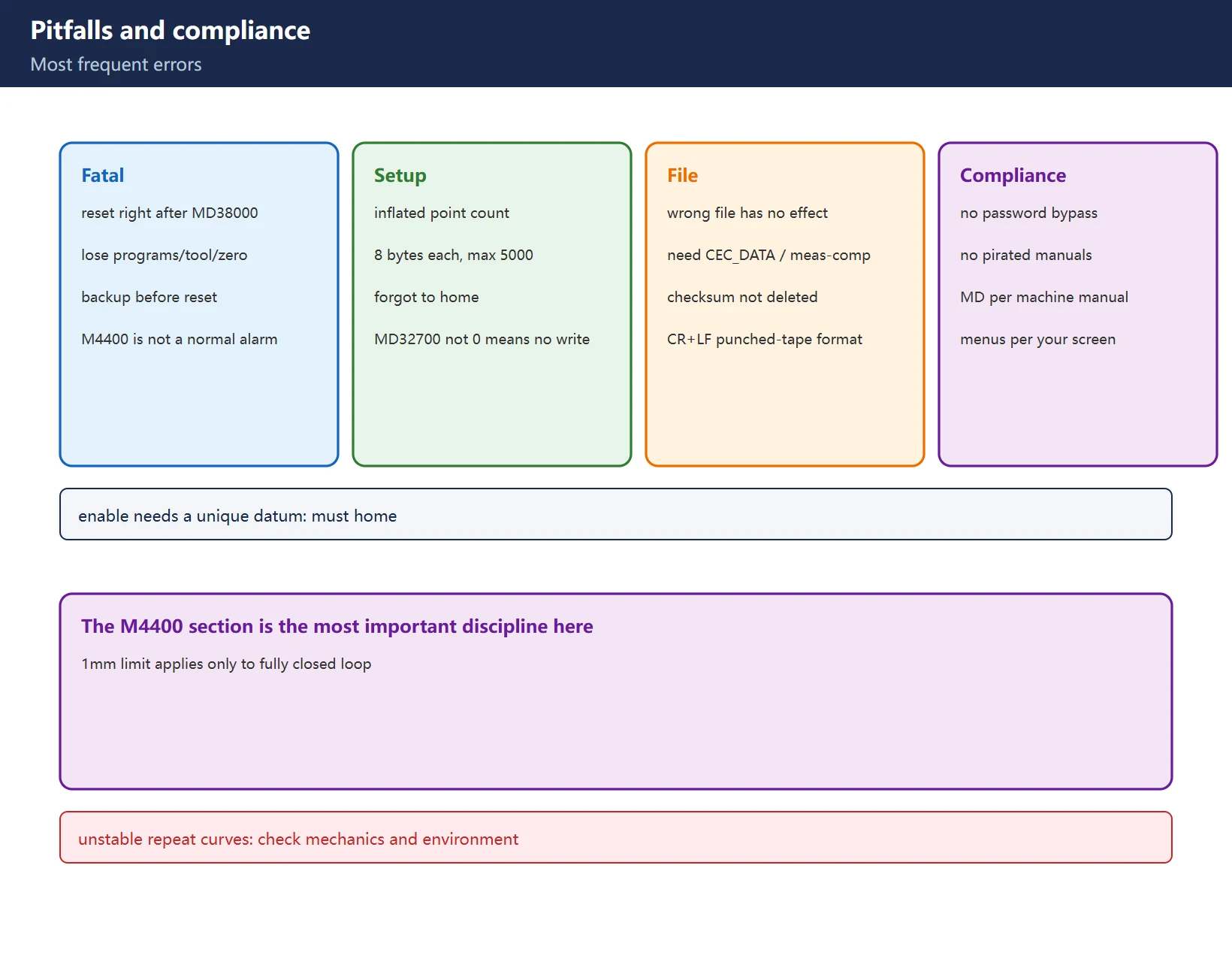
54.8 Common pitfalls and compliance boundary
- Resetting right after changing MD38000 – most common and most damaging; back up first.
- Too many compensation points – 8 bytes each; inflated point counts waste SRAM and slow the control.
- Forgetting to return to reference – compensation needs a unique datum; without homing the start point is wrong.
- Exporting the wrong file – it must be the measuring-system-error-compensation / CEC_DATA file.
- Not deleting the checksum – the import is rejected.
- Trying to write the table with MD32700 not set to 0 – write protection blocks it.
- Applying the fully-closed 1 mm limit to semi-closed loop – the condition is reversed.
Compliance boundary: this article explains parameter mechanism and operation order. Concrete MD numbers follow your machine manual and official SINUMERIK documentation; menu paths differ across versions (840D sl / 828D, PCU20 / PCU50.3) – follow your actual screen. No passwords, bypasses or pirated manuals are provided.
Frequently Asked Questions
After changing MD38000 I get M4400. Can I just do an NC reset to apply it?
No. M4400 means the change causes buffered memory reorganization and possible data loss (programs, tool offsets, zero offsets). Correct order: after changing MD38000 do not reset; create a series startup backup with compensation data included (Series start-up, tick With compensation data), then read that backup back so the control completes reorganization and restores the data. The backup must be made before the reset.
How is point count n calculated and what is the maximum for MD38000?
n = 1 + (b-a)/c, where a is the start position, b the end and c the interval. For a=0, b=5800, c=200, n=30. MD38000 maximum is 5000; each point uses 8 bytes of SRAM, so set only what you need and ideally fix it during initial commissioning.
Compensation on an 828D does not take effect. Which step was missed?
Three common misses: (1) MD32700 was not changed from 0 to 1 (0 allows writing the table, 1 enables compensation); (2) no NCK reset after setting MD32700=1; (3) no return to reference point after the reset – compensation requires a unique datum. Also check that you exported the measuring-system-error-compensation / CEC_DATA file and deleted the checksum when editing.
Last updated: 2026-11-26
Where to go next
- FANUC Troubleshooting — the full guide library: alarms, diagnosis numbers, servo, spindle, PMC and electrical faults, organised by symptom.
- CNC Repair Tools — which instrument measures what: multimeters, clamp meters, insulation testers and oscilloscopes, with the specification that actually matters.
- Remote Technical Support — have the readings reviewed with you: alarm reverse lookup, PMC ladder analysis and servo tuning advice by call. Repair companies and integrators welcome.
- Buying & Ownership Decisions — refurbished vs new, used-machine checks, software licensing and manuals: spend with the field facts in hand.
Read the guide, get the right instrument, or walk the diagnosis through with someone — pick whichever you need.
The original Chinese version — same procedure, with the full field notes.

























暂无评论内容