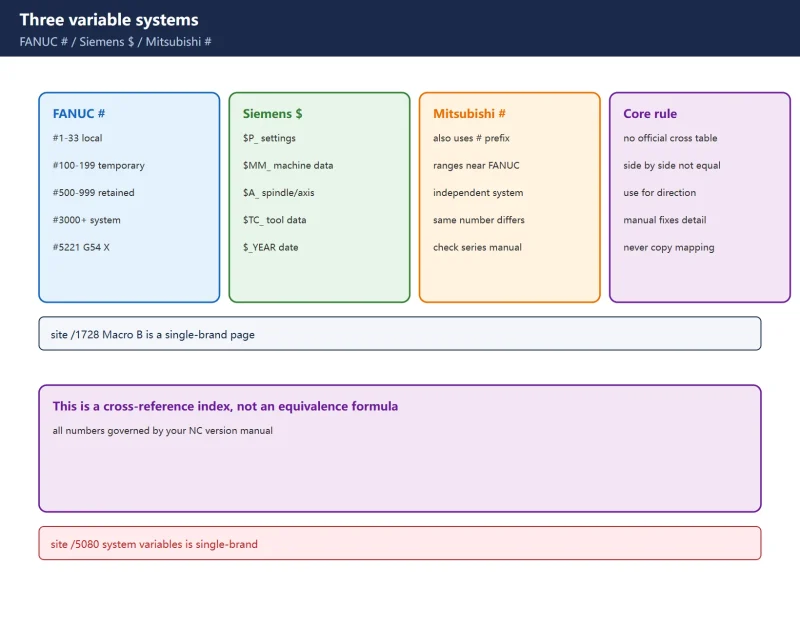



56.1 Why this table: the middle layer single-brand pages cannot fill
| Scenario | Without this table | What this table solves |
|---|---|---|
| Cross-brand program migration | #5221 means G54 X on FANUC, but the other brand writes it differently | Same-purpose numbers from three brands, side by side |
| PLC-to-NC data exchange | PMC/PLC must read tool compensation and offsets but has no variable entry point | Gives each brand's read/write system variable |
| Writing a retrofit proposal or training | Official manuals are per brand; nobody supplies the cross mapping | One-page quick reference you can actually cite |
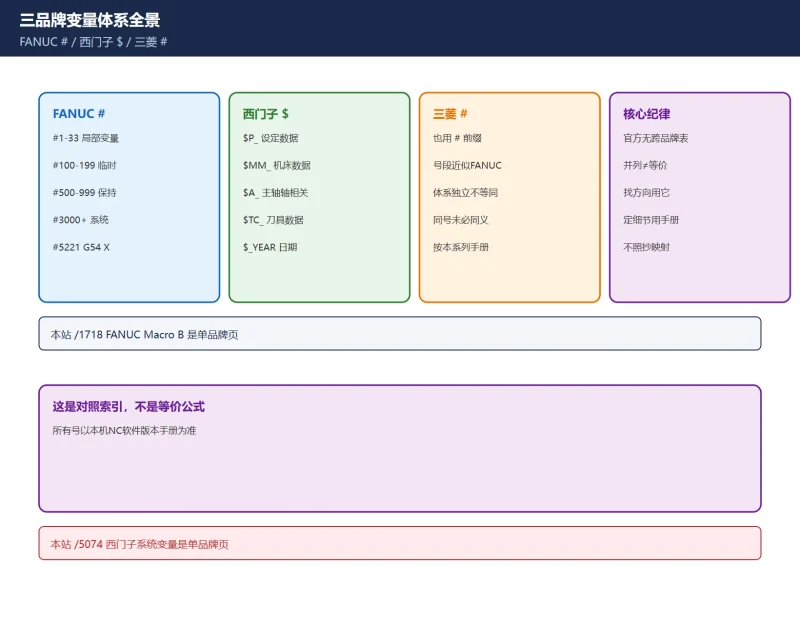
The site’s FANUC Macro B Guide and SINUMERIK System Variables Quick Reference are both single-brand pages. This article fills the “cross-brand migration” layer — complementary, not duplicate.
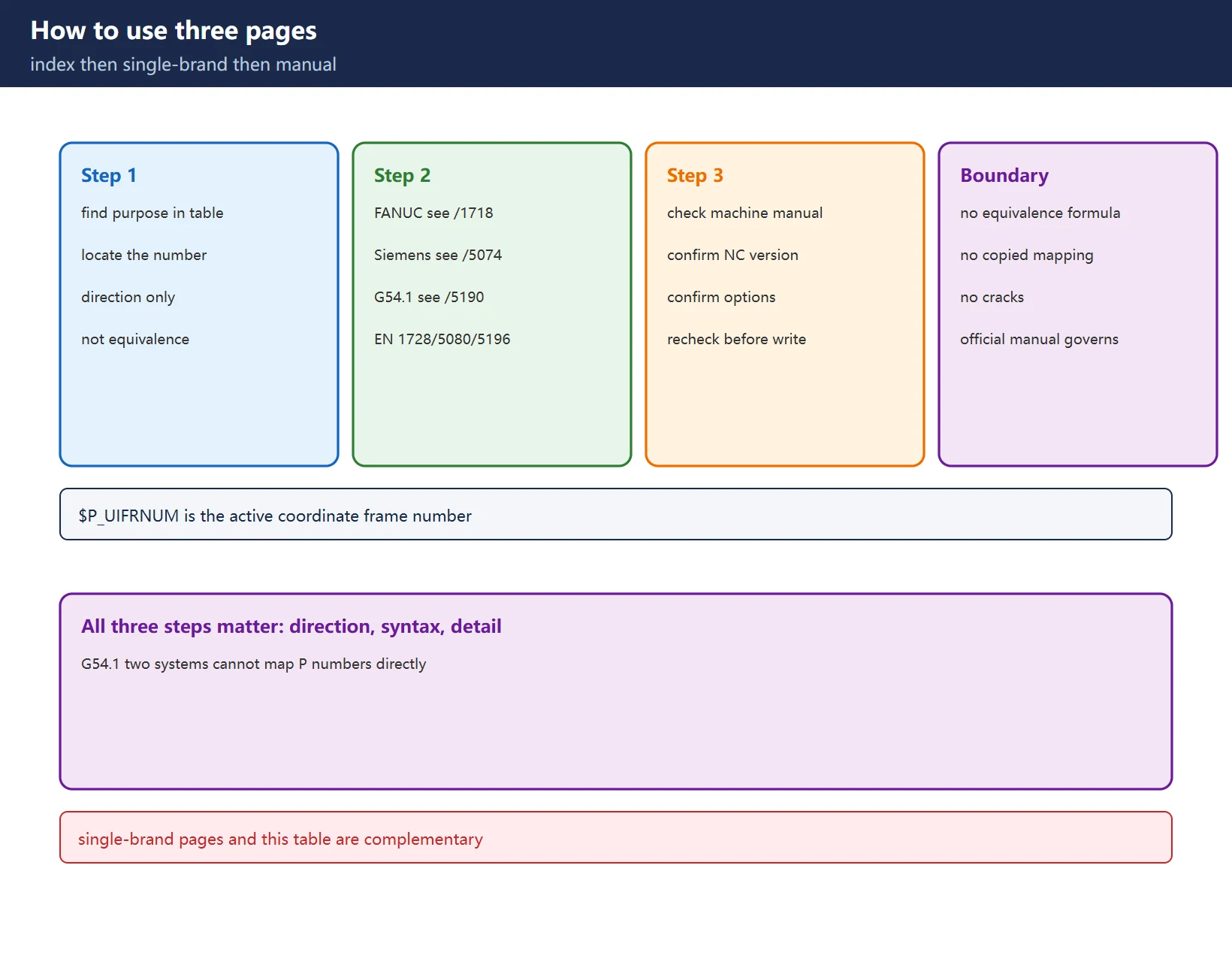
Remember one line: this is a cross-reference index, not an equivalence formula; use it to find direction, use the machine manual to fix the detail.
56.2 Date and time variables
| Purpose | FANUC / Mitsubishi | SINUMERIK | Note |
|---|---|---|---|
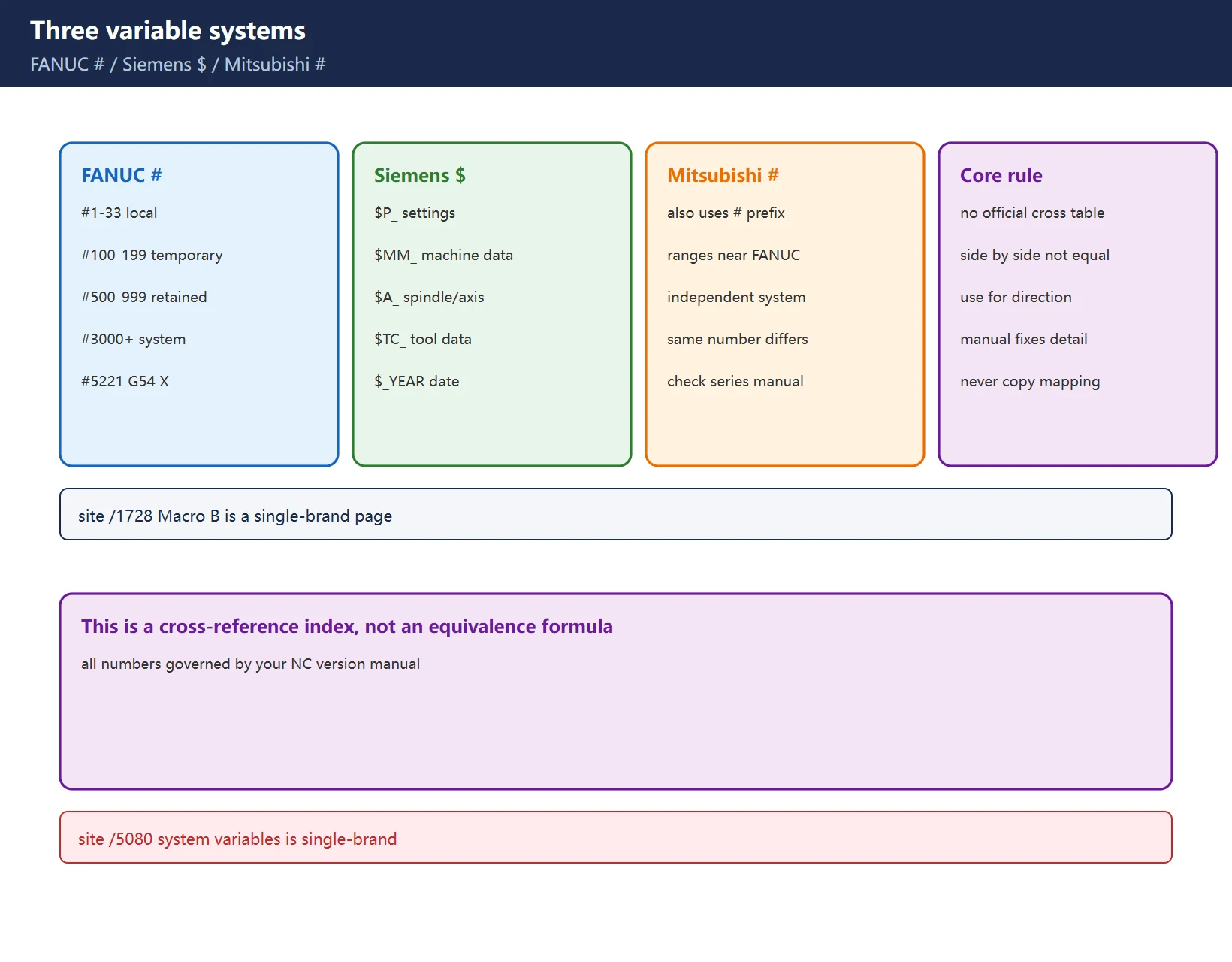
| Date | #3011, 8 digits YYYYMMDD (e.g. 20261126) | $_YEAR / $_MONTH / $_DAY (three separate variables) | FANUC packs one number, Siemens splits into three |
| Time | #3012, 6 digits HHMMSS (e.g. 063000) | $_HOUR / $_MINUTE / $_SECOND | Same idea; watch leading zeros |
Table 56-1 Date and time variables (numbers checked against public brand references)
⚠️ Mitsubishi also uses #3011/#3012, but not every series matches FANUC number for number; Mitsubishi’s macro system is similar but not identical. Confirm against your series manual — never assume “same number means same meaning”.
56.3 Tool length and tool compensation variables
| Purpose | FANUC / Mitsubishi | SINUMERIK | Note |
|---|---|---|---|
| T01 tool length (geometry) | #2001 | $TC_DP3[1,1] | Brackets are [tool no., cutting edge no.] |
| T01 tool compensation (radius) | #2201 | $TC_DP6[1,1] | Same indexing |
| T02 length / compensation | #2002 / #2202 | $TC_DP3[2,1] / $TC_DP6[2,1] | And so on |
Table 56-2 Tool length and compensation variables
🔴 The single most error-prone line (the original reference table flags it too): the second index of $TC_DP3 is the cutting-edge number (edge), not wear; $TC_DP6 is likewise not radius wear. If a tool uses multiple cutting edges, the edge index in the brackets will be off, and copying the single-edge form reads the wrong edge. The exact DP3/DP6-to-wear relationship and whether indexing starts at 0 or 1 must be checked against your version’s manual.
56.4 G54–G59 work coordinate variables
| Coordinate | FANUC / Mitsubishi | SINUMERIK |
|---|---|---|
| G54 | #5221(X) / #5222(Y) / #5223(Z) | $P_UIFR[1,X,TR] / [1,Y,TR] / [1,Z,TR] |
| G55 | #5241 / #5242 / #5243 | $P_UIFR[2,axis,TR] |
| G56 | #5261 / #5262 / #5263 | $P_UIFR[3,axis,TR] |
| G57 | #5281 / #5282 / #5283 | $P_UIFR[4,axis,TR] |
| G58 | #5301 / #5302 / #5303 | $P_UIFR[5,axis,TR] |
| G59 | #5321 / #5322 / #5323 | $P_UIFR[6,axis,TR] |
Table 56-3 G54–G59 work coordinate variables (trailing 1/2/3 = X/Y/Z)
The FANUC-side pattern: each step of 100 in the number moves one coordinate system (#5221 → #5241 → #5261…), and the trailing 1/2/3 is X/Y/Z. Easy to remember on site, but before writing confirm that this system’s coordinate variables have not been extended by options.
🔴 Two things must be clear on the SINUMERIK side:
$P_UIFRNUMis what tells you “which coordinate set is active” — G500 returns 0, G54 returns 1, G55 returns 2, G599 returns 99. To know “am I in G54 or G55”, read$P_UIFRNUM, not$P_UIFR.$P_UIFR[n,axis,TR]reads the stored offset, not the axis’s current position. Using an offset as a live position is the most common logic error in migrations.
56.5 G54.1 additional work offsets: two systems, no direct P-number mapping
On the FANUC side: G54.1 P1 X/Y/Z are #7001/#7002/#7003, P2 is #7021/#7022/#7023 — each P step adds 20 in the number. The site’s FANUC G54.1 Additional Work Coordinates covers its boundaries (out-of-range P alarm, no other P use in the same block).
🔴 The widely copied claim that “$P_UIFR[7/8/9] is G54.1 P1/P2/P3” is an oversimplification — do not copy it. Per SINUMERIK official sources (CNC4YOU and the 840D programming manual), $P_UIFR[n] accesses the settable frame n within the G54–G599 range; G54.1 additional work offsets on the Siemens side follow a different mechanism involving frame-number extension and options, not a direct substitution of P1 with [7]. During migration, this section must be reconfirmed against your machine’s NC software version and options — do not carry over the FANUC P-number correspondence.
56.6 Common reserved variables: temporary / retained / system areas
| Partition | FANUC | SINUMERIK | Note |
|---|---|---|---|
| Temporary common variables | #100–#199 | R parameters (e.g. R1) or local variables | Lost on power-off |
| Retained common variables | #500–#999 | via data block / retained area | Survives power-off |
| System variable area | #3001+ (#3001 ms timer, #3011 date, #4000 main program no., #4120 current tool no.) | $P_ / $MM_ / $A_ prefix families | Read-only or controlled write |
Table 56-4 Common reserved variable partitions
⚠️ SINUMERIK $ prefixes cannot be judged by counting dollar signs — $A_, $V_ are single-$ yet relate to main processing; $P_ is setting data, $MM_ is machine data. Whether a variable is writable and when it takes effect must be checked one by one in the variable reference manual; do not use a shortcut like “single $ = preprocessing, double $$ = main processing”.
56.7 Syntax differences: fix syntax first, then numbers
- FANUC / Mitsubishi:
#prefix —#1–#33local,#100–#199temporary,#500–#999retained,#3000+system. - SINUMERIK:
$prefix plus a namespace —$P_(settings),$MM_(machine data),$A_(spindle/axis related),$TC_(tool),$_YEARetc. R parameters fill much of the role of FANUC common variables. - Mitsubishi: number ranges resemble FANUC but the system is independent; same number is not guaranteed to mean the same thing.
- Comparison operators: FANUC macro uses
EQ/NE/GT/GE/LT/LE; SINUMERIK programming uses==/<>/>symbols — a single=assigns, it does not compare. That is a high-frequency migration bug.
56.8 Five pitfalls when migrating
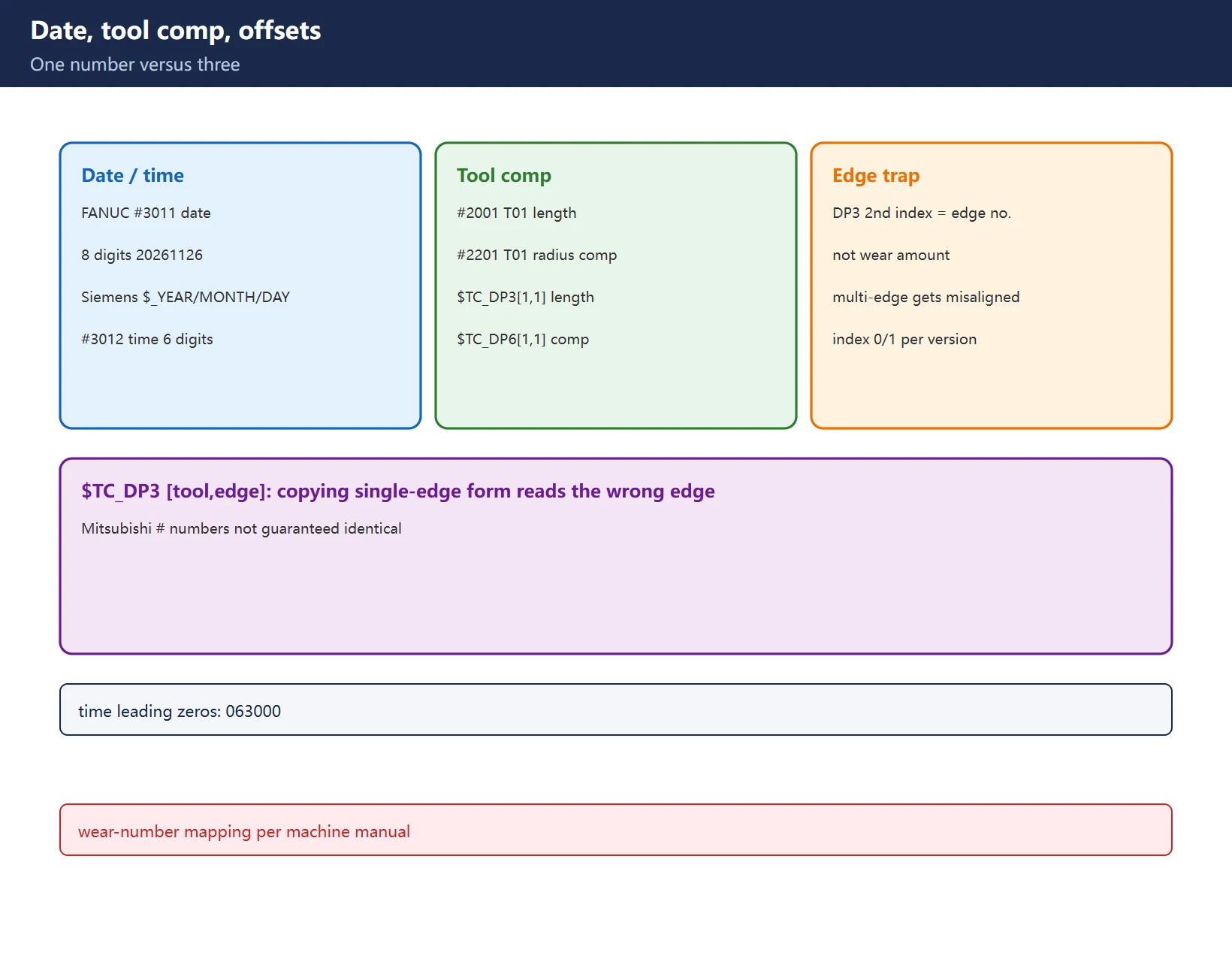
- Treating
$P_UIFR[n]as the current position — it reads the stored offset; use a position-class system variable for live position. - Confusing
$P_UIFRNUMwith$P_UIFR— the former is “which set is active”, the latter is “the content of set n”. $TC_DP3/DP6edge index mismatch — multi-edge tools must verify the edge index; do not copy the single-edge form.- Mapping G54.1 P numbers straight to
$P_UIFR[7..]— two different systems; reconfirm against options and version. - Forgetting compare versus assign — in SINUMERIK
=assigns; use==for conditions.
Compliance boundary: this article covers variable-number cross-referencing and syntax differences only. It provides no cracks, password bypasses, pirated manuals or download mirrors; each brand’s variable definitions are governed by the machine manual and official variable reference.
56.9 Site cross-references and how to use this
- FANUC Macro B single-brand tutorial: /1718; English /1728.
- SINUMERIK system variables single-brand reference: /5074; English /5080.
- FANUC G54.1 additional work coordinates: /5190; English /5196.
Recommended workflow: find the purpose-to-number mapping here, go back to the corresponding single-brand page for syntax details, then confirm on your machine with the manual. All three steps matter.
Frequently Asked Questions
Are FANUC #5221 and SINUMERIK $P_UIFR[1,X,TR] fully equivalent?
No. Both point to G54’s X offset, but only in purpose: #5221 is a FANUC system variable number, while $P_UIFR[1,X,TR] is Siemens’ “settable frame 1, X-axis rough offset” form. Numbering rules, writability and index origin (0 or 1, version dependent) all differ. This is a cross-reference index, not an equivalence formula; the machine manual governs.
Why do some sources say $P_UIFR[7] is G54.1 P1, while this article says not to copy it?
Because that is an oversimplification of Siemens frames. Per SINUMERIK official sources, $P_UIFR[n] accesses settable frames n in the G54–G599 range, and “which set is active” is read from $P_UIFRNUM (G54=1, G500=0). G54.1 additional work offsets on the Siemens side follow a different mechanism involving options and frame extension, so FANUC’s P1 cannot simply become [7]. Reconfirm against your NC version during migration.
If I want to know whether the machine is in G54 or G55, which variable do I read?
Read $P_UIFRNUM; it returns the number of the active settable frame (G54=1, G55=2, G500=0). Do not read $P_UIFR[n] — that is the offset value stored in set n, and certainly not the axis’s current position. For conditions use ==, not =.
Last updated: 2026-11-26
Where to go next
- FANUC Troubleshooting — the full guide library: alarms, diagnosis numbers, servo, spindle, PMC and electrical faults, organised by symptom.
- CNC Repair Tools — which instrument measures what: multimeters, clamp meters, insulation testers and oscilloscopes, with the specification that actually matters.
- Remote Technical Support — have the readings reviewed with you: alarm reverse lookup, PMC ladder analysis and servo tuning advice by call. Repair companies and integrators welcome.
- Buying & Ownership Decisions — refurbished vs new, used-machine checks, software licensing and manuals: spend with the field facts in hand.
Read the guide, get the right instrument, or walk the diagnosis through with someone — pick whichever you need.
The original Chinese version — same procedure, with the full field notes.





















暂无评论内容