


Many electricians and new commissioning engineers freeze the moment they open a CNC machine’s electrical schematic: circles and crosses everywhere, dense wire numbers and sheet numbers, no obvious place to start. In fact a schematic speaks a common “reading language” – learn the symbols, learn the wire numbers, then walk the path “power circuit → control circuit → ladder,” and any drawing becomes readable quickly.
This article does not cover one specific machine’s drawings (every builder has its own legend). It teaches the universal reading method and coordinate system, so you can apply the same routine to any CNC schematic – and finally trace an alarm number back to the exact wire on the drawing.
One-line rule: read a loop left-to-right, follow a wire top-to-bottom; first find the supply and ground, then read the power circuit (who feeds the motor), then the control circuit (who energizes the contactor), and finally map the PMC address in the ladder back to the I/O point and wire number on the schematic. Wire and sheet numbers are the drawing’s GPS.
1. What an Electrical Schematic Actually Is (vs wiring and layout drawings)
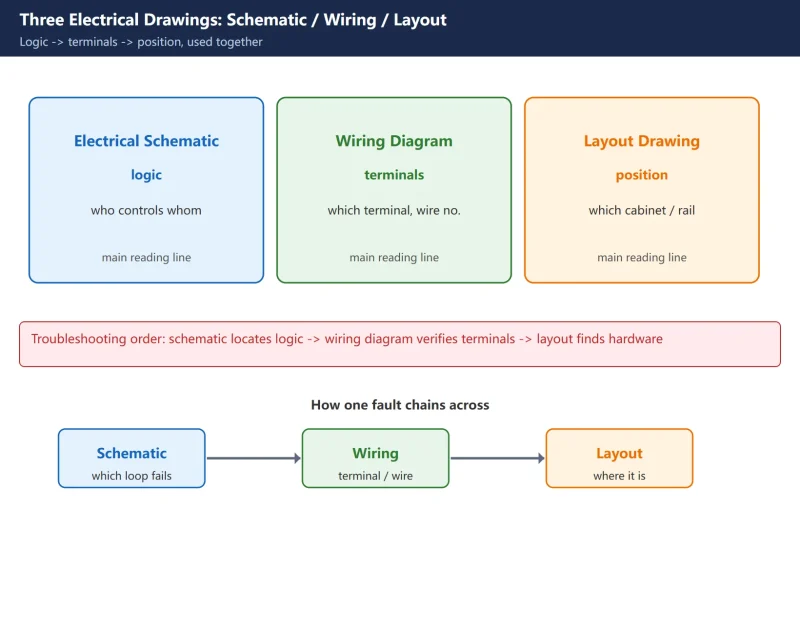
A CNC machine’s electrical documentation usually comes as three drawings, and beginners mix them up most:
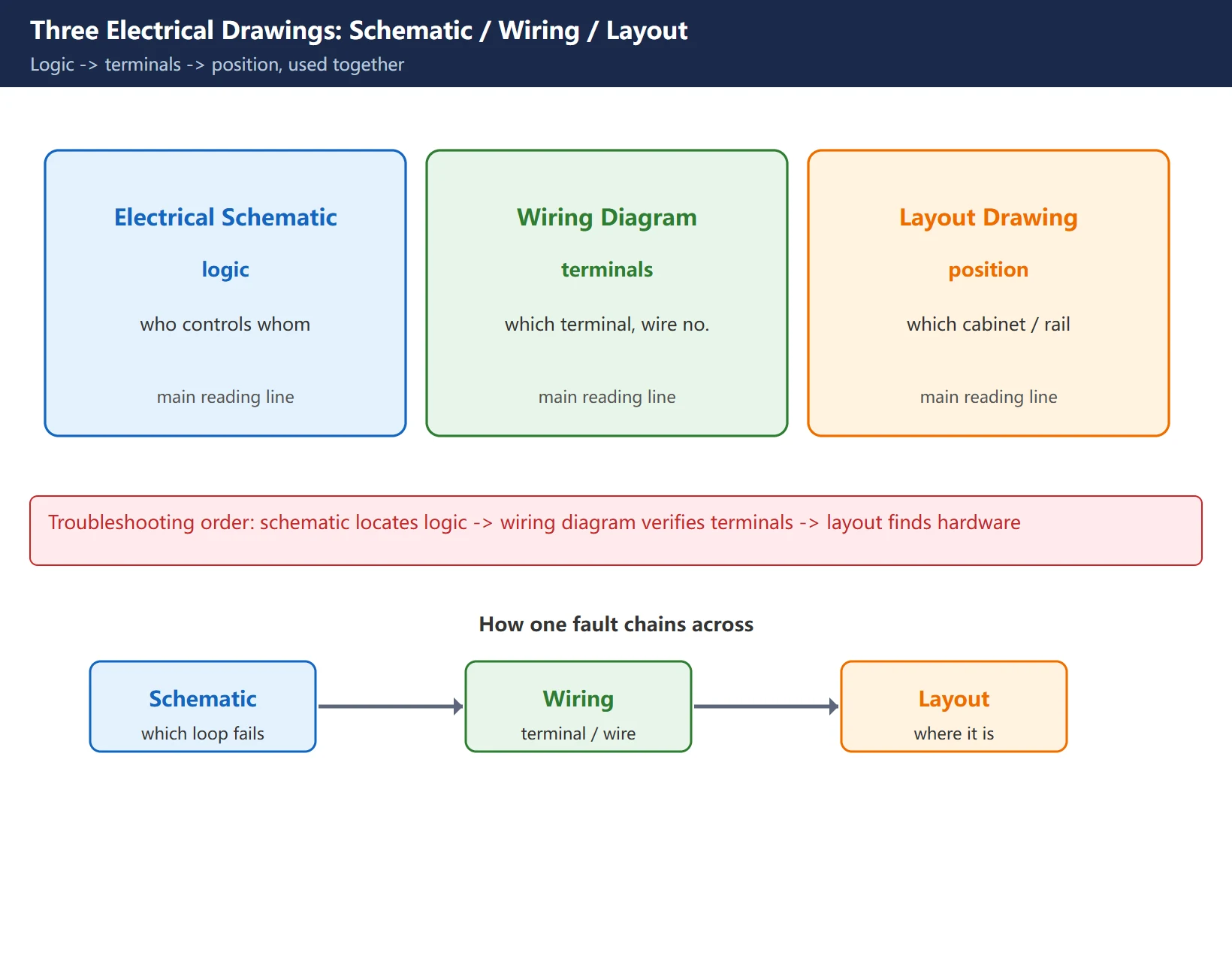
- Electrical schematic (circuit diagram): shows only the electrical logic; it does not care how the wire is physically routed or where the component sits. It is the main reading line.
- Wiring diagram (terminal diagram): shows each component’s terminal numbers and actual connections; used for build and wire checking, but not for logic.
- Layout drawing (mounting-position diagram): shows which cabinet, which row, which rail a component is mounted in; used to find the physical part.
When troubleshooting, the correct order is: use the schematic to locate the faulty loop logically, the wiring diagram to verify terminals, and the layout drawing to find the physical component in the cabinet.
Table 1: Schematic vs wiring vs layout
| Drawing | Answers | Shows | Does not show |
|---|---|---|---|
| Electrical schematic | how the circuit is logically connected | symbols + wire numbers + logic | physical routing, position |
| Wiring diagram | which terminal this wire goes to | terminal no. + cable no. | control logic |
| Layout drawing | where the component is mounted | cabinet row + rail position | circuit relations |
2. Read the Symbols First: Common Electrical Graphical Symbols and Designations
Every component on the schematic is a standard graphical symbol with a text designation beside it. The Chinese standard (GB/T 4728) and IEC 60617 use essentially the same symbols. Memorize this highest-frequency set first:
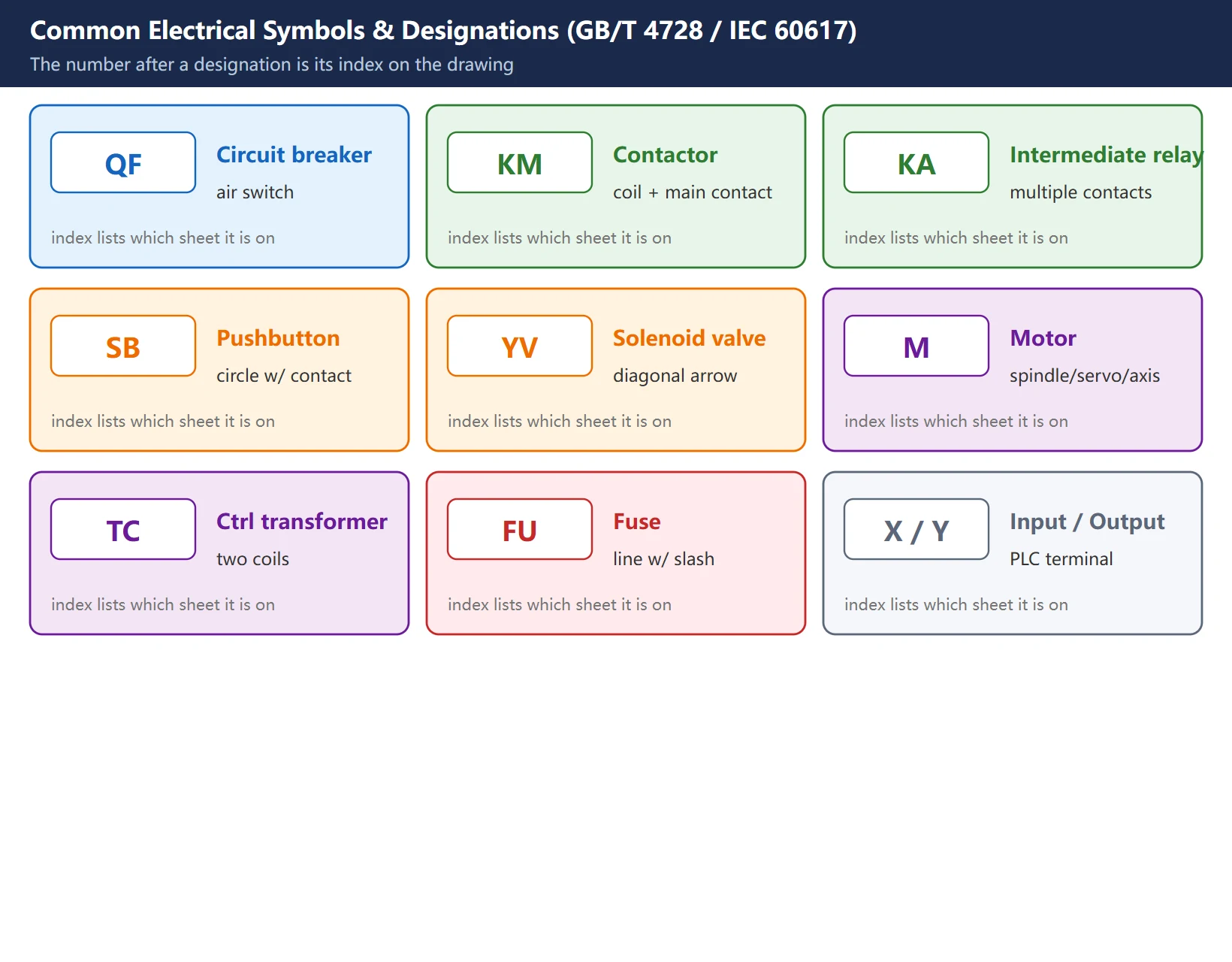
Table 2: Common component designations (GB/T 7159)
| Desig. | Component | Typical shape on the drawing |
|---|---|---|
| QF | circuit breaker / air switch | box with X or switch blade |
| KM | AC contactor | coil + main contact + auxiliary contact |
| KA | intermediate relay | small rectangle coil + multiple contacts |
| SB | pushbutton | circle with contact symbol |
| YV | solenoid valve / valve magnet | box with diagonal arrow |
| M | motor (spindle / servo / axis) | circle with M |
| TC | control transformer | two coils |
| FU | fuse | line with slash |
| X / Y | input / output point (to PLC) | terminal block |
Reading tip: the number after the same designation is its index on the drawing. KM1 is contactor #1, KA3 is relay #3. The drawing index (next to the title block) usually lists these designations and the sheet each appears on.
3. Wire Numbers and Sheet Numbers: the Drawing’s Coordinate System
This is the most important – and most overlooked – step. A schematic often spans dozens of sheets, located by two things:
- Sheet number: the page number at the top-right or bottom of each sheet, e.g.
Sheet 12 of 40. Cross-references say “see sheet 18”. - Wire number: every wire has a number, e.g.
W1,201,X10.3. When the same wire appears in two places, the number is identical – find it at both ends and you have “reconnected” the broken drawing.
Experience: when a wire breaks off mid-drawing and its end is tagged → sheet 18 / wire 305, turn to sheet 18 and find wire 305 to keep reading – that is the other end of this wire. Most “can’t read the drawing” cases are just failing to follow the wire number across sheets.
4. Reading the Power Circuit: Supply → Breaker → Drive → Motor
The power circuit is the “high-current path”: from the incoming main supply, through the main breaker and filter, to the servo / spindle drive, and finally to the motor. Read it as one continuous line:
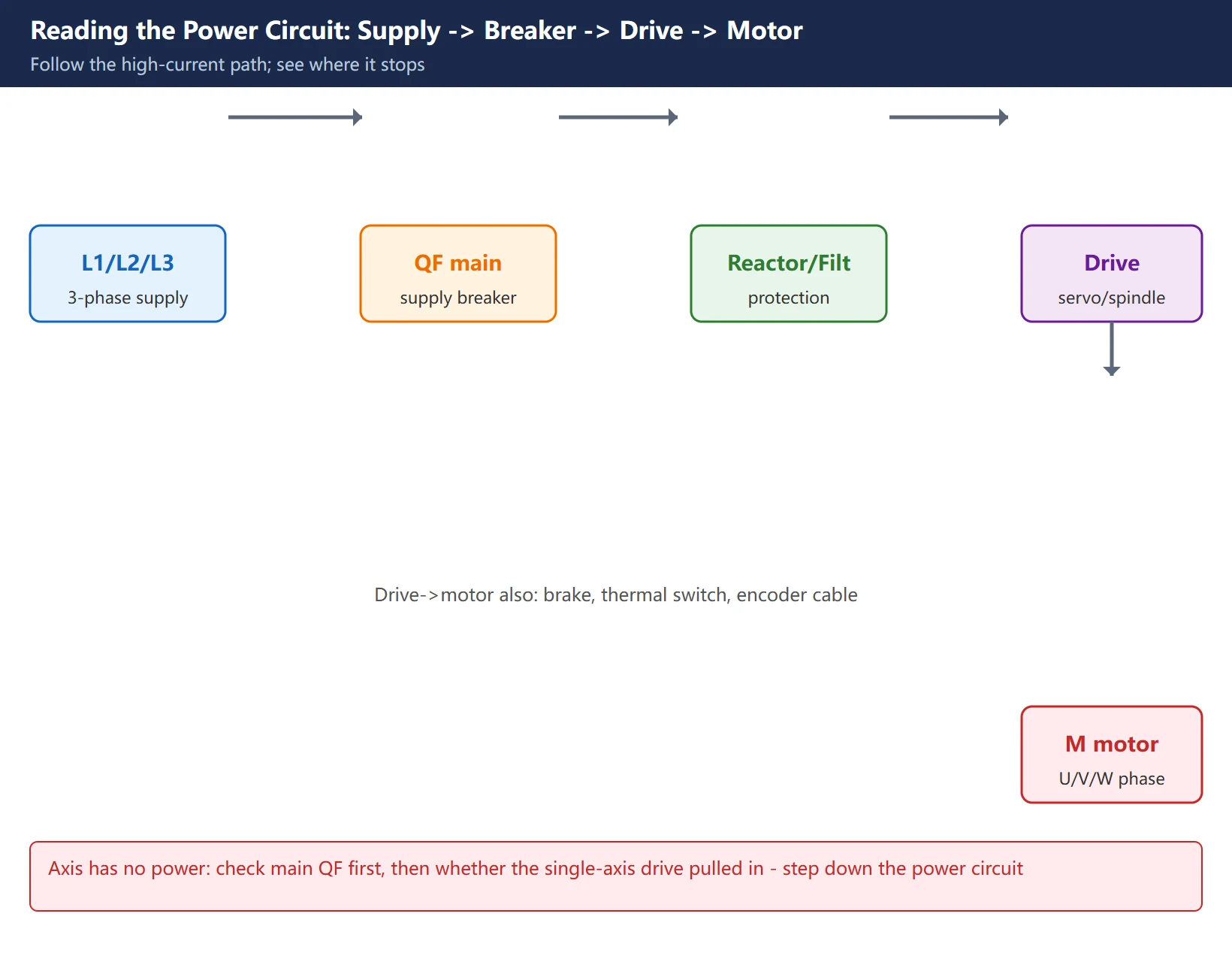
- Find the 3-phase supply L1/L2/L3 and the main supply breaker
QF. - Going down, see which protective devices it passes (breaker, fuse, reactor).
- Find the servo / spindle drive input and output terminals.
- The output goes to the motor M; note the U/V/W phase order from drive to motor, plus附属 wires like the brake and thermal switch.
Once the power circuit reads through, you know “where the power comes from and which stage it stops at” – if an axis has no power, first check in the power circuit whether the main breaker tripped or a single-axis drive did not pull in.
5. Reading the Control Circuit: Coil-and-Contact Causality
The control circuit is the lower-voltage loop that “makes the power circuit move.” Its core rule: a coil energizes → its contacts act.
- A contactor
KM1‘s coil is drawn in the control circuit; it controls the main contact ofKM1in the power circuit. - One coil can be controlled by several contacts in series/parallel (e.g. “E-stop not pressed AND door not open AND ready” to pull in).
- A relay’s auxiliary contact often lights an indicator or feeds the PLC as a status signal.
When reading the control circuit, build the habit: first find the coil you want to control, then trace upward to “what conditions make it energize.” That chain of conditions is your suspect list for troubleshooting.
6. PMC Addresses ↔ Real I/O Points ↔ the Schematic
The CNC’s “brain” is the CNC + PMC (programmable machine controller). The X/Y addresses used in the ladder must map back to real I/O points on the schematic, or you change the ladder and still cannot find the hardware:
- X address (input): comes from external elements like limit switches, pushbuttons, relay contacts. On the drawing the other end of these elements usually goes to +24V or 0V (COM); the X point reads the level change.
- Y address (output): drives external loads like relay coils, solenoids, indicators. When Y acts, the corresponding
KA/YVon the drawing energizes. - R address (internal relay): an internal ladder variable; there is no physical part on the drawing, it exists only in the ladder.
Troubleshooting routine: an alarm says “axis limit” – first find that limit’s X address in the ladder, then search the schematic for the same-numbered I/O point to see which limit switch, wire number, and position it connects to. Logic (ladder) and hardware (schematic) are now linked.
7. Hands-on: Trace an Alarm Back to the Exact Wire on the Drawing
Chain the previous steps into one full trace. Suppose the system alarms “tool magazine door not closed (alarm XXX)”:

- Alarm → ladder: check the alarm table, find the condition in the ladder (usually an
Xinput not present, or aYnot output). - Ladder → schematic: note that
X/Yaddress, search the schematic for the same-numbered I/O point. - Schematic → wire/sheet: follow that point’s wire number to the component it connects to (e.g. door switch
SQ, relayKA). - Schematic → hardware: use the layout drawing to find that switch in the cabinet/machine, measure continuity, and confirm whether the switch failed, the wire broke, or the PLC did not supply power.
Going full circle, the fault point changes from “an unreadable alarm” to “sheet N, wire X, switch Y.”
Frequently Asked Questions
What is the difference between an electrical schematic and a wiring diagram?
The schematic shows only logic (who controls whom, how the loop connects); it does not show actual routing or component position, and is the main reading line. The wiring diagram shows terminal numbers and actual connections for build and wire checking. The layout drawing shows physical mounting position to locate the part. Troubleshooting order: schematic locates the logic → wiring diagram verifies terminals → layout drawing finds the hardware. The three are used together.
I can’t read the wire numbers and sheet numbers – what do I do?
Wire and sheet numbers are the drawing’s coordinates. Each sheet has a sheet number (e.g. “Sheet 12/40”); a cross-reference says “see sheet 18”. Each wire has a wire number (e.g. 305); the same wire shows the same number wherever it appears, so following the number reconnects the broken drawing. If you are lost, open the component index next to the title block – it lists every designation and the sheet it appears on.
How do the X/Y addresses in the ladder map to real electrical components?
X is input (from limit switches, pushbuttons, etc.); Y is output (to relays, solenoids, indicators); R is an internal ladder relay with no physical part on the drawing. Troubleshooting: alarm → the corresponding X/Y address in the ladder → search the schematic for the same-numbered I/O point → follow the wire number to the real component → use the layout drawing to locate the hardware. Logic (ladder) and hardware (schematic) are linked this way.
Last updated: 2026-10-29
Where to go next
- FANUC Troubleshooting — the full guide library: alarms, diagnosis numbers, servo, spindle, PMC and electrical faults, organised by symptom.
- CNC Repair Tools — which instrument measures what: multimeters, clamp meters, insulation testers and oscilloscopes, with the specification that actually matters.
- Remote Technical Support — have the readings reviewed with you: alarm reverse lookup, PMC ladder analysis and servo tuning advice by call. Repair companies and integrators welcome.
Read the guide, get the right instrument, or walk the diagnosis through with someone — pick whichever you need.
The original Chinese version — same procedure, with the full field notes.























暂无评论内容