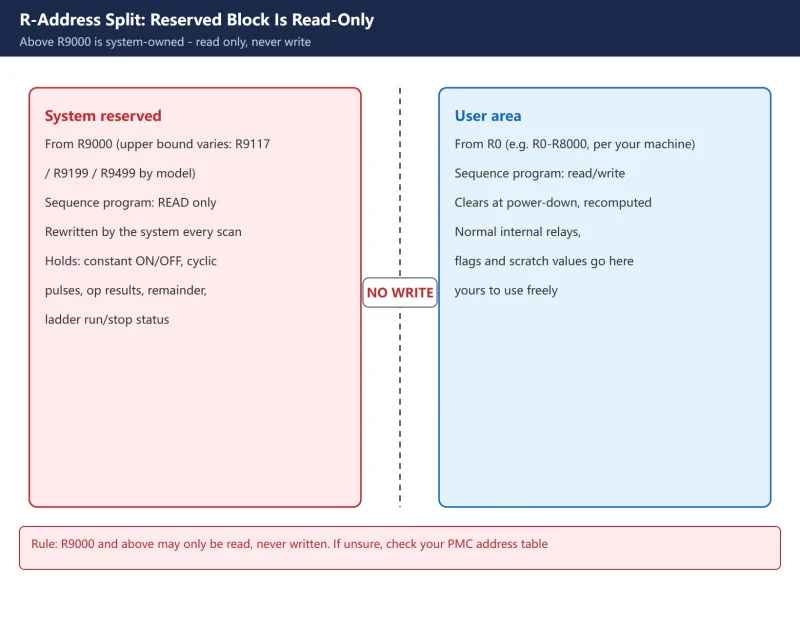



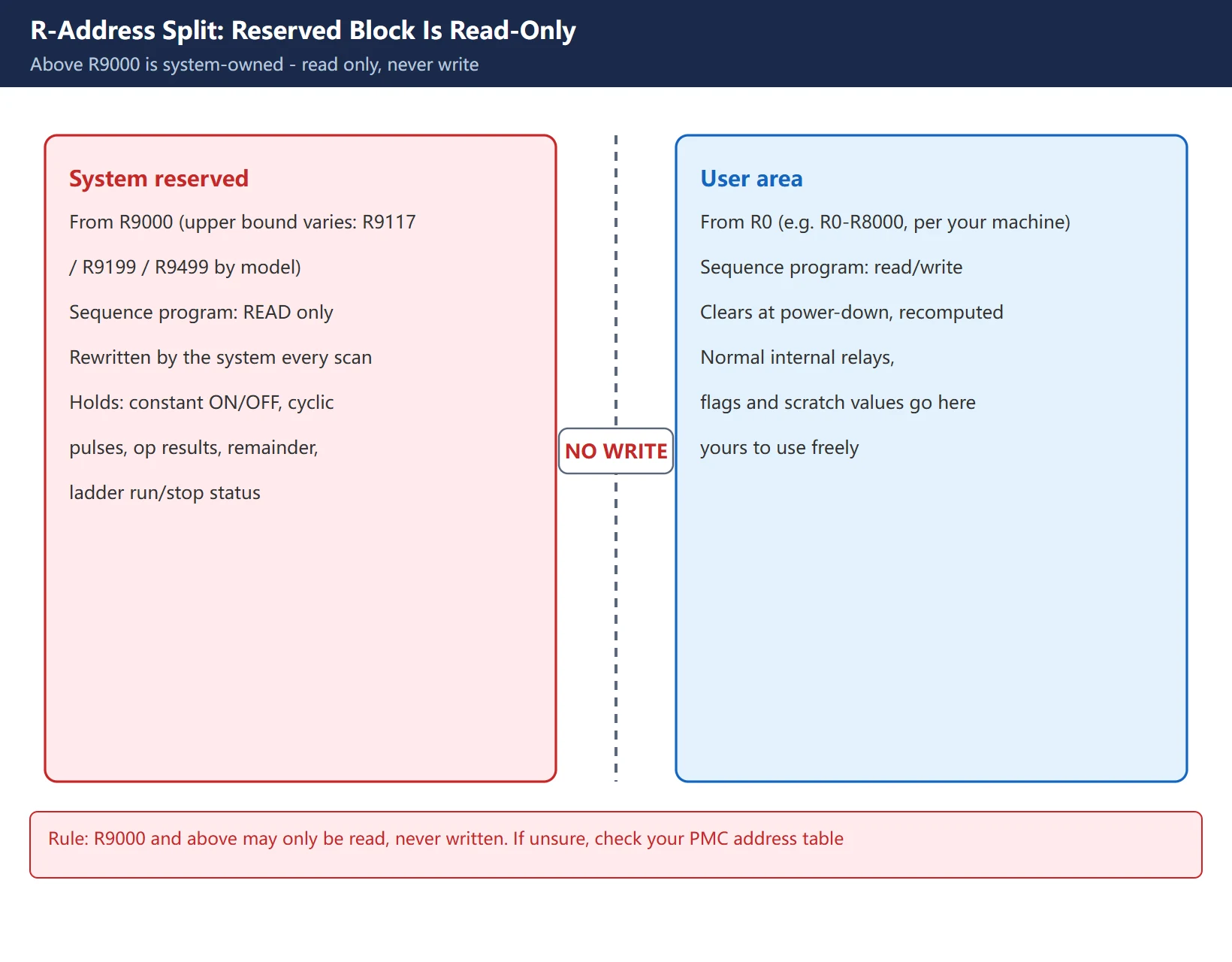
On a Fanuc PMC, R addresses split into two blocks: the user area (from R0, cleared at power-down, freely read/written) and the system-reserved area from R9000 upward (owned by the PMC system software – your ladder can read it but must never write it). A surprising number of field faults trace back to someone treating R9000 like an ordinary internal relay: the function-instruction results get clobbered, or the constant-ON/OFF signals get accidentally overwritten.
This article covers what the R9000 reserved block means, a four-category quick reference, model-to-model range differences, practical uses, and the common misuses – all in one place.
The short version: R9000-R9xxx is a read-only system-reserved block – never put a coil on it in your ladder. What you actually use are the free signals it provides: constant ON (R9091.0), constant OFF (R9091.1), the 200 ms / 1 s cyclic pulses (R9091.5 / R9091.6), plus the arithmetic results in R9000 and the division remainder in R9002-R9005. The upper bound of the reserved block varies by model – check your own PMC signal table.
1. Why the R9000 Reserved Block Is Not a Normal Relay
A normal R address (say R100) is an “internal relay”: you drive the coil, it changes state, it clears at power-down, and it is recomputed from logic on the next power-up. R9000 and above is completely different: this range is owned by the PMC system software, every bit has a fixed meaning assigned by the system, and the sequence program rewrites it every scan.
You can read it in your ladder – for example, to find out whether an addition overflowed, whether a comparison came out larger or smaller, or whether a 200 ms square wave is currently high or low – but you must never write it. The moment you put a coil on R9000 or a bit of R9091, you fight the system for the same address: at best your write is overwritten every scan; at worst you corrupt the function-instruction result bits and break the whole comparison/arithmetic chain.
2. Four Categories of Reserved Signals
Among the reserved signals, the ones you meet most often fall into four categories – easier to remember by purpose than by address.
Table 1: Four categories of R9000 system-reserved signals
| Category | Address | Meaning | Field use |
|---|---|---|---|
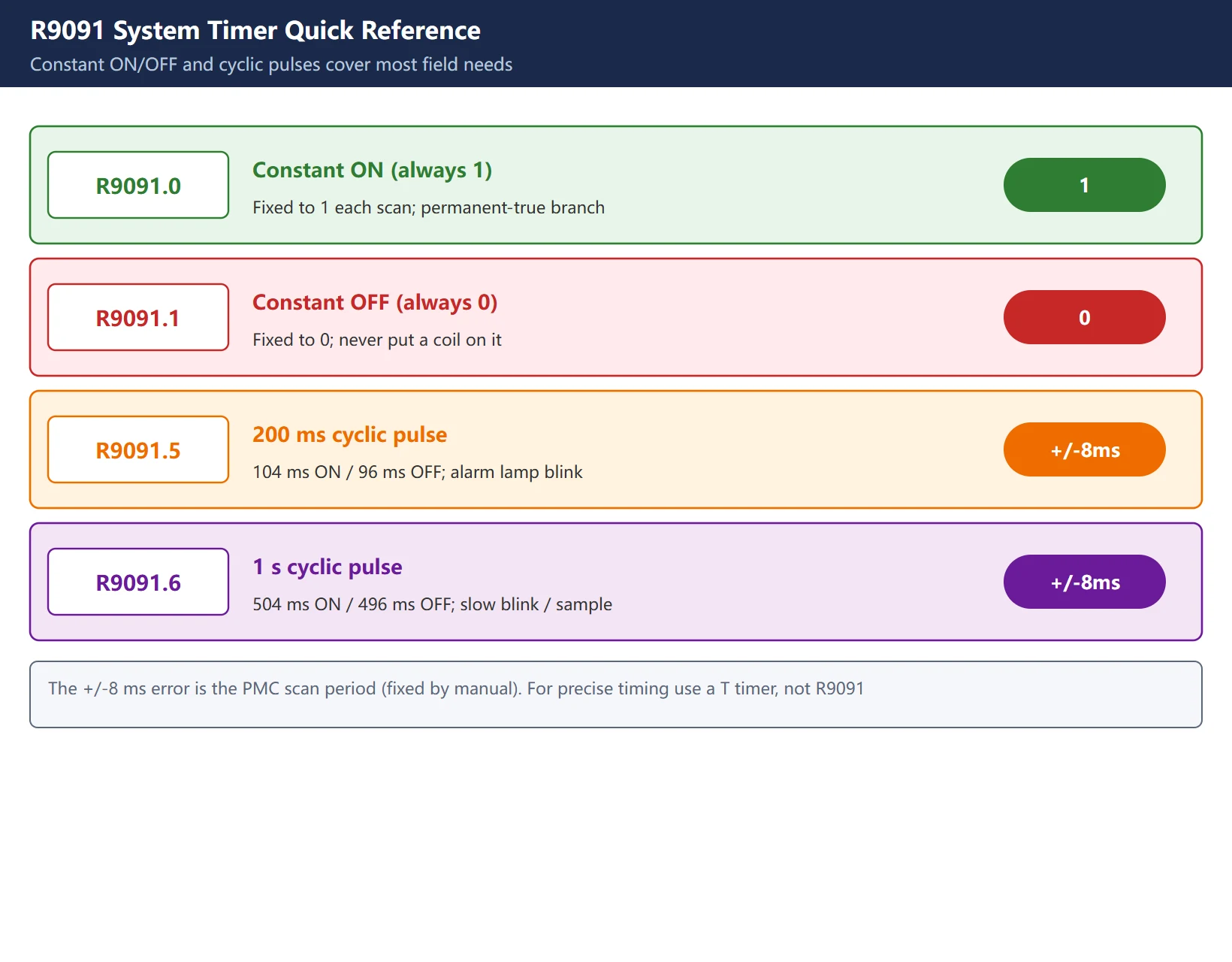
| Constant ON / OFF | R9091.0 (constant ON, always 1)<br />R9091.1 (constant OFF, always 0) | Fixed 1 and 0 set by the system each scan | Constant ON for a “permanently true” branch; constant OFF as a “permanently false” placeholder |
| Cyclic pulse | R9091.5 (200 ms: 104 ms ON / 96 ms OFF)<br />R9091.6 (1 s: 504 ms ON / 496 ms OFF) | Fixed-period square wave | Lamp blink, alarm beep cadence, periodic sampling |
| Operation result | R9000 (bit definitions below) | Result of ADDB/SUBB/MULB/DIVB/COMPB | Detect overflow, compare greater/less/equal |
| Division remainder | R9002-R9005 | Remainder of the DIVB instruction | Modulo logic, remainder checks |
| Ladder status | R9015 family (run/stop bits, model-dependent) | Ladder start/stop and run status | Diagnose ladder freeze or dead loop |
One important caveat: the +/-8 ms error on R9091.5 / R9091.6 is written into the manual as fixed – it comes from the PMC scan period, not from a bug in your program. So it is fine for a rough cadence, but not for precise timing (use a T timer instruction for that).
3. What the Operation-Result Bits in R9000 Actually Say
R9000 is the “operation result register” for function instructions. After an ADDB (add), SUBB (subtract), MULB (multiply), DIVB (divide), or COMPB (compare) executes, the state of the result is written into the bits of R9000:
- R9000.0 = 1: result is zero (Z zero flag)
- R9000.1 = 1: result is negative (N negative flag)
- R9000.5 = 1: result overflowed (V overflow flag)
Separately, when instructions like EXIN / WINDR / WINDW (window compare, data read/write) error out, R9000.0 also goes to 1 to mean “execution error”.
Table 2: R9000 bit definitions (function-instruction results)
| Bit | Meaning |
|---|---|
| R9000.0 | Result is zero / instruction execution error |
| R9000.1 | Result is negative (less than) |
| R9000.5 | Result overflowed |
R9002-R9005 are the remainder registers for the DIVB division: a 1-byte division puts the remainder in R9002, a 2-byte division in R9002-R9003, a 4-byte division in R9002-R9005. PMC handles integers only; the fractional part of the quotient is dropped, and the remainder lands here – use it for modulo logic.
4. Range Differences Across Models
The upper bound of the reserved block is not uniform – it changes with the model and PMC type:
- Older 15-MODEL B family: roughly R9000-R9117
- 0i series (0i-C / 0i-D / 0i-MODEL D, etc.): commonly R9000-R9199; some 0i-D manuals list R9000-R9499
- The rest of the R addresses (on the order of R0-R8000) are the user area; the exact upper limit is per your PMC specification
🚨 One hard rule: R9000 and above may only be read, never written. To tell whether an address is usable, first check whether it falls inside the reserved block; if unsure, look it up in your machine’s PMC address allocation table rather than guessing from experience.
5. Three Practical Examples
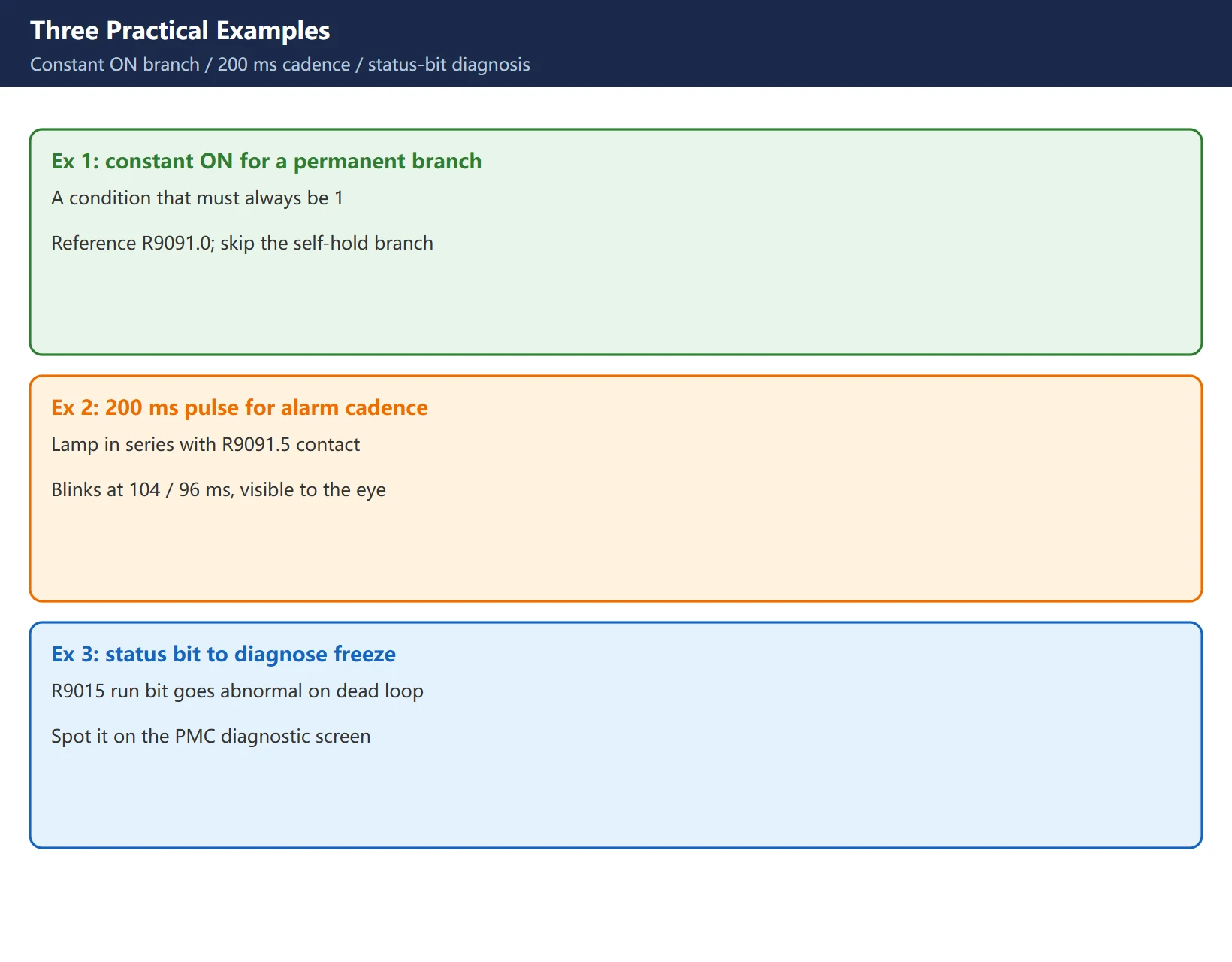
Example 1: a “permanently true” branch with constant ON. Some logic needs a condition that is always 1 – to parallel a normally-closed contact, or to feed a constant enable to a function instruction. Just reference R9091.0 (constant ON); you do not need to build a self-holding branch.
Example 2: an alarm cadence with the 200 ms pulse. To make an alarm lamp “blink” instead of staying solid, put a normally-open contact of R9091.5 (200 ms cycle) in series with the lamp’s output coil – the lamp now flashes at 104 ms on / 96 ms off. Remember its +/-8 ms jitter; do not use it as a precision timer.
Example 3: diagnosing a freeze with the ladder-status bits. When the ladder flies off, hits a dead loop, or a level hangs, the run/stop bits of the R9015 family (exact bit definitions vary by model – see the manual) go abnormal. Watching that bit on the PMC diagnostic screen quickly tells you whether it is a logic dead loop or the ladder simply is not scanning.
6. K Reserved Area vs R Reserved Area
K is a keep relay (retained at power-down); R is a normal internal relay (cleared at power-down). Both have reserved areas, but at different positions:
- K900 and above (some models up to K919) is a system-occupied block with fixed bit meanings – do not use it in your ladder. Normal keep relays use K0-K99 or a larger user area.
- The R reserved area starts at R9000, and does not overlap with K.
In short: K remembers through a power loss, R clears on power-down; but both reserve their high-numbered ranges, and both are read-only.
7. Two Common Misuses
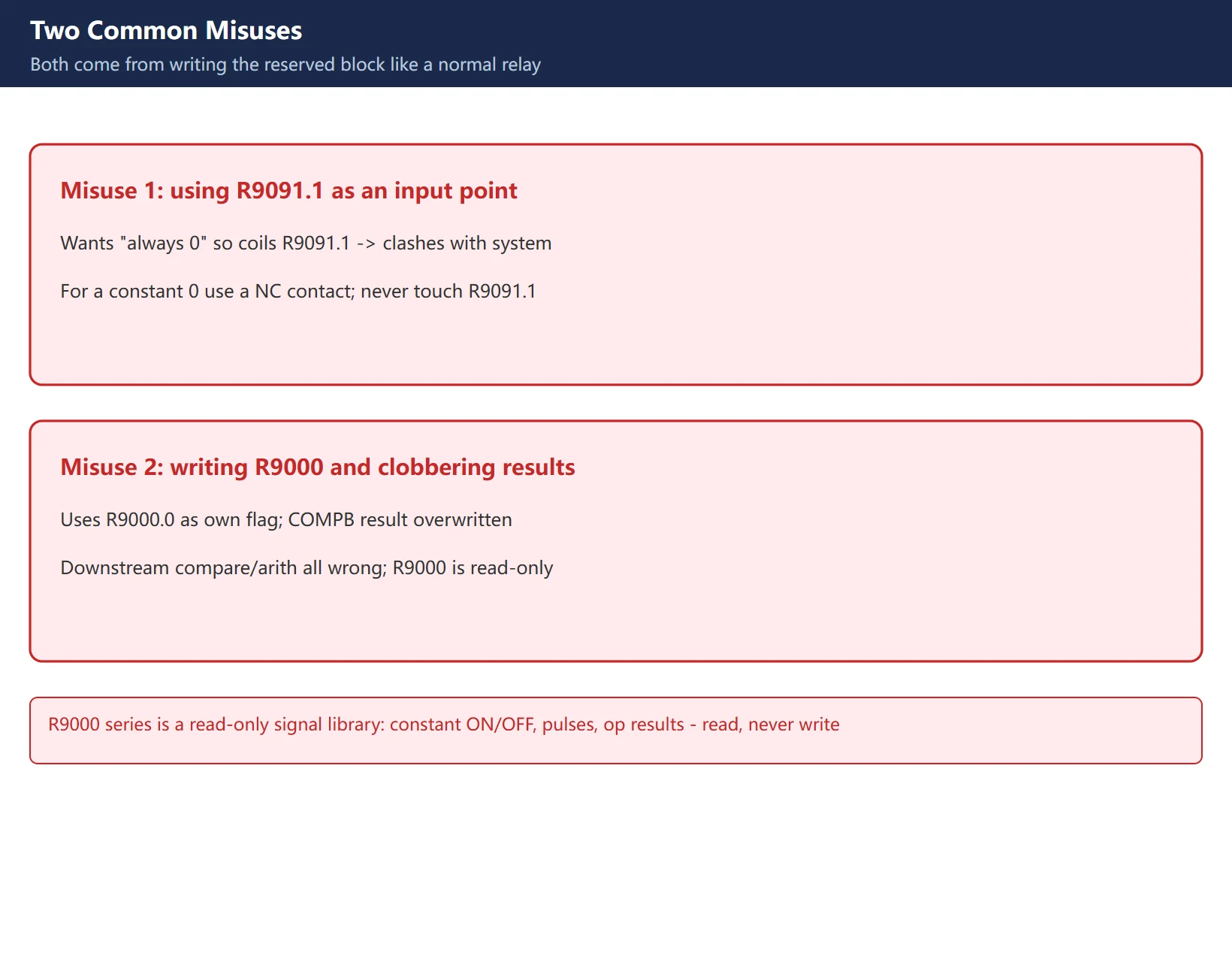
Misuse 1: using R9091.1 (constant OFF) as an input point. Someone wants “a point that is always 0” and puts a coil on R9091.1. It is a system-fixed constant 0; writing to it collides with the system – at best it is silently overwritten, at worst it disturbs other logic that depends on it. For a constant 0, use a normally-closed contact or a no-op; never touch R9091.1.
Misuse 2: writing R9000 in the user ladder and clobbering function results. This is the sneakier trap. Suppose you casually use R9000.0 as your own intermediate flag in one section, while another section uses COMPB – the comparison result writes into R9000.0, your flag vanishes, and the comparison logic breaks. R9000 is a system result bit; user programs read it only.
One line: R9000 series is the PMC’s “free system signal library” – constant ON/OFF, cyclic pulses, operation results and division remainders all live here, and you read them but never write them. Driving a coil on it in your ladder is one of the most easily-overlooked operations that causes the strangest field faults.
Frequently Asked Questions
Can I use Fanuc PMC R9000 as a normal internal relay?
No, and you absolutely should not. R9000 and higher numbers are a reserved block owned by the PMC system software; the sequence program can only read them, not write them. Every bit has a fixed meaning (R9000 is the function-instruction result register, R9091 is the system-timer signals). If you put a coil on R9000 in your ladder, it collides with the system’s per-scan rewrite: at best your write is overwritten, at worst you corrupt the zero/negative/overflow bits of a comparison or arithmetic result and the whole downstream logic misjudges. Need an internal relay? Use the normal R area from R0.
How do I use the R9091.0 constant-ON signal in a ladder?
R9091.0 is the “constant ON” signal the system fixes to 1 at the start of every scan – it feeds a constant 1 to any condition that must always be true. In practice, put a normally-open contact of R9091.0 in series or parallel with the branch you want permanently true – for example to provide a constant enable to a function instruction, or to drive a logic that should always be on, saving you from building a self-holding branch. Note that it pairs with R9091.1 (constant OFF, always 0); do not confuse the two – for a constant 0 use a normally-closed contact or a no-op, and never write R9091.1.
Why does my ladder give wrong function-instruction results after I wrote R9000?
Because R9000 is a system operation-result register that user programs may read but not write. When you use a bit of R9000 (say R9000.0) as your own intermediate flag in one section, while another section runs a function instruction (ADDB/SUBB/MULB/DIVB/COMPB, etc.), the system writes the result back into R9000 every scan – the two overwrite each other. Either your flag is lost, or the zero/negative/overflow flags of the comparison/arithmetic are rewritten and every downstream decision that depends on them goes wrong. When troubleshooting, first check whether any user coil lands inside the R9000-R9xxx reserved block, and if so move them all to the normal R area.
Last updated: 2026-10-28
Where to go next
- FANUC Troubleshooting — the full guide library: alarms, diagnosis numbers, servo, spindle, PMC and electrical faults, organised by symptom.
- CNC Repair Tools — which instrument measures what: multimeters, clamp meters, insulation testers and oscilloscopes, with the specification that actually matters.
- Remote Technical Support — have the readings reviewed with you: alarm reverse lookup, PMC ladder analysis and servo tuning advice by call. Repair companies and integrators welcome.
Read the guide, get the right instrument, or walk the diagnosis through with someone — pick whichever you need.
The original Chinese version — same procedure, with the full field notes.


















暂无评论内容