 cncshare

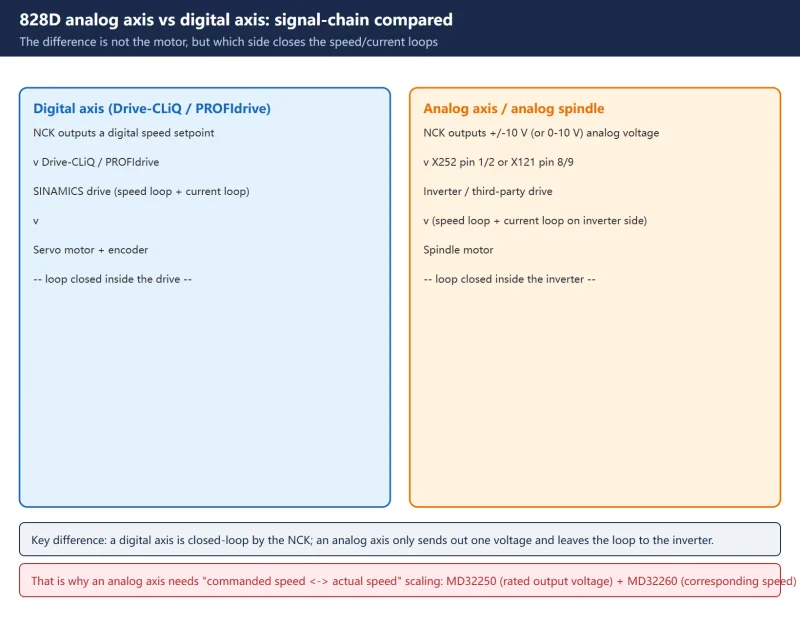
How to Configure an Analog Spindle / Analog Axis on SINUMERIK 828D: MD30100–31050, X252 Wiring, MD32250/32260 Scaling
When an 828D drives an inverter or analog drive, the axis must be configured as an analog (analog setpoint output) axis rather than a digital one. This guide gives the values for M...
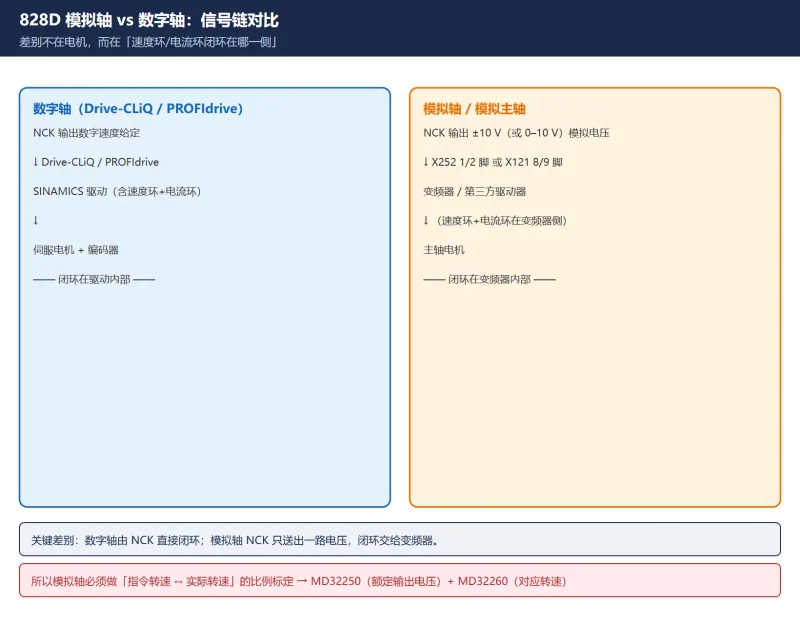
西门子 828D 模拟主轴 / 模拟轴怎么配置:MD30100–31050 参数组 + X252 接线 + MD32250/32260 量程标定
828D 接变频器 / 模拟驱动时,要把轴配成「模拟轴(模拟量给定输出)」而不是数字轴。本文给出 MD30100 / 30110 / 30120 / 30130 / 30134 与 MD30200 / 30220 / 30230 / 30240 的取值口径,X252...
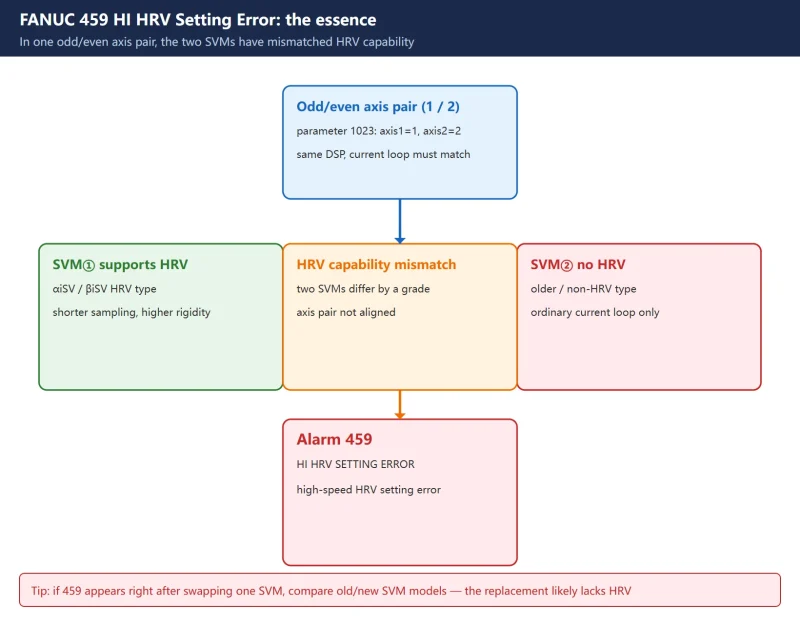
FANUC Alarm 459 HI HRV Setting Error: Odd/Even Axis-Pair SVM Mismatch (Root Cause & Fix)
FANUC alarm 459 'HI HRV SETTING ERROR' is raised when two axes whose servo axis numbers (parameter 1023) are an odd/even pair have mismatched high-speed HRV capability — one SVM s...
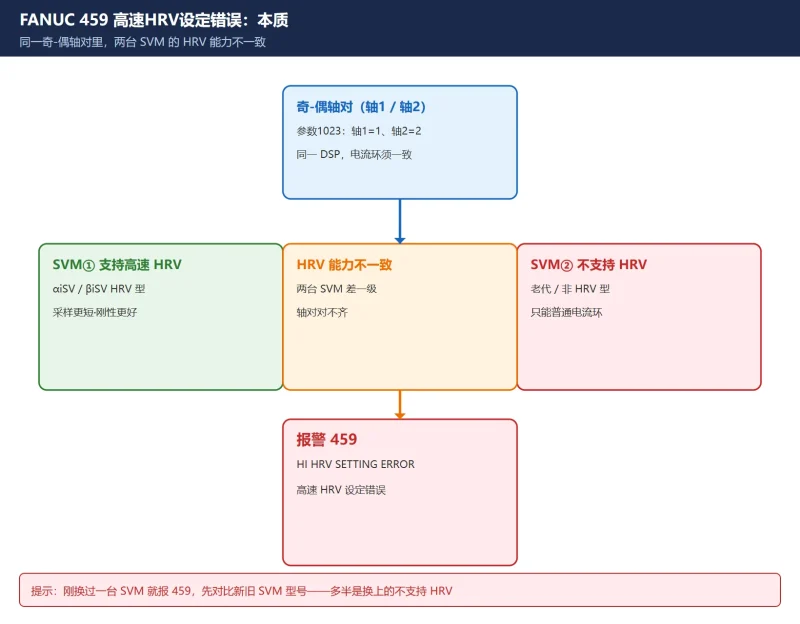
FANUC 459 报警(HI HRV 设定错误)怎么处理:奇-偶轴对 SVM 不一致的根因与排查步骤
FANUC 报警 459「HI HRV SETTING ERROR / 高速 HRV 设定错误」由伺服轴号(参数 1023)相邻的奇-偶轴对引起:一台 SVM 支持高速 HRV、另一台不支持。本文讲清根因、定位方法、处理步骤,并区分 ...
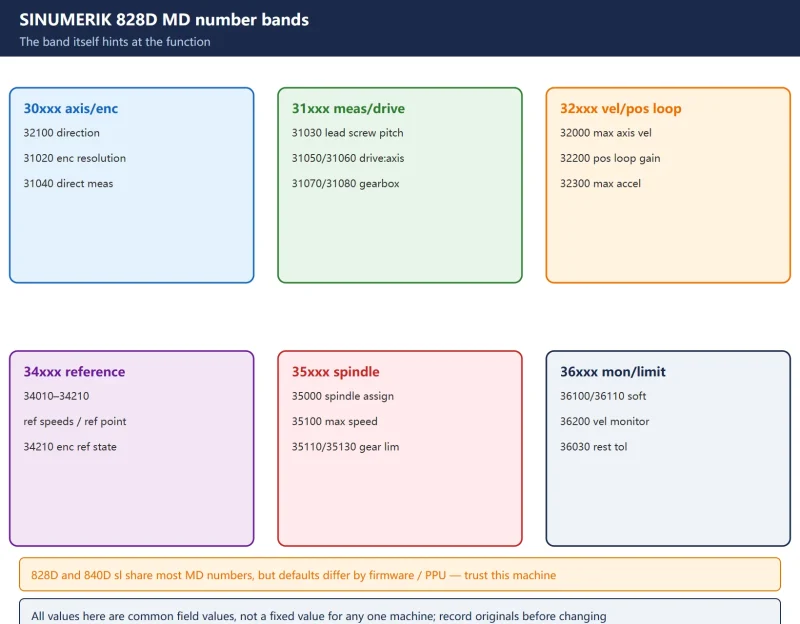
SINUMERIK 828D Common Machine Data (MD) Quick Reference — Axis / Spindle / Referencing / Soft Limits
The machine data (MD) most often changed when commissioning a SINUMERIK 828D, grouped by function: axis setup 32100/31020/31030/31040/31050/31060, velocity/acceleration/jerk 32000/...
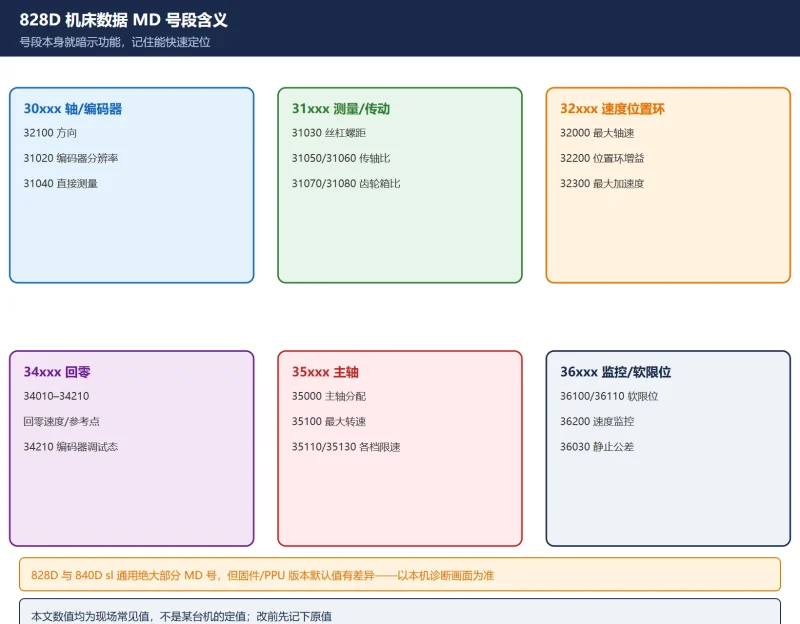
西门子 828D 常用机床数据 MD 速查:轴 / 主轴 / 回零 / 软限位分组对照
西门子 828D 调试现场最常改的机床数据(MD)按功能分组对照:轴基本配置 32100/31020/31030/31040/31050/31060、速度加速度与加加速度 32000/32010/32020/32200/32300/32431、主轴 35000/35010...
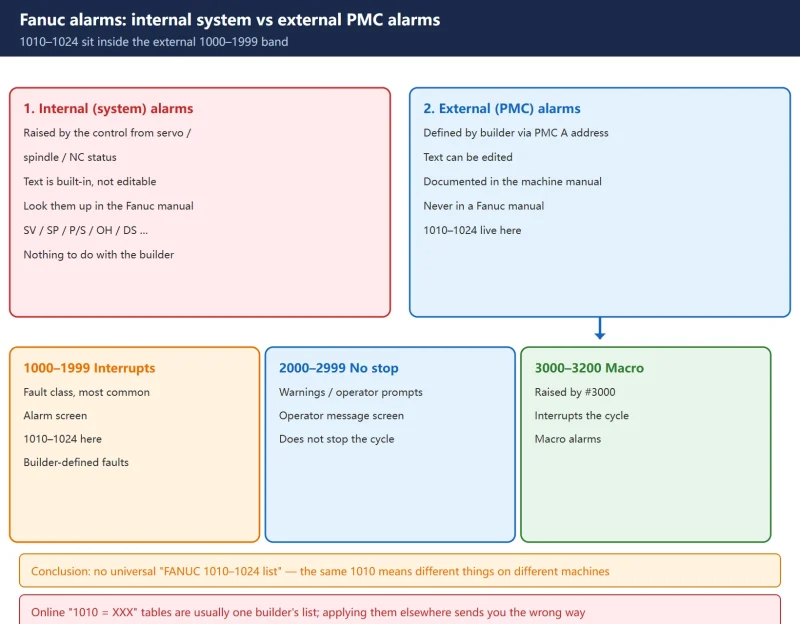
FANUC ATC Alarms 1010–1024 — Why They Are Not in the Fanuc Manual, and How to Trace Them
Why tool changer / ATC alarms 1010–1024 cannot be found in any Fanuc manual: they are machine-tool-builder external alarms driven by PMC A addresses. This guide covers the alarm n...
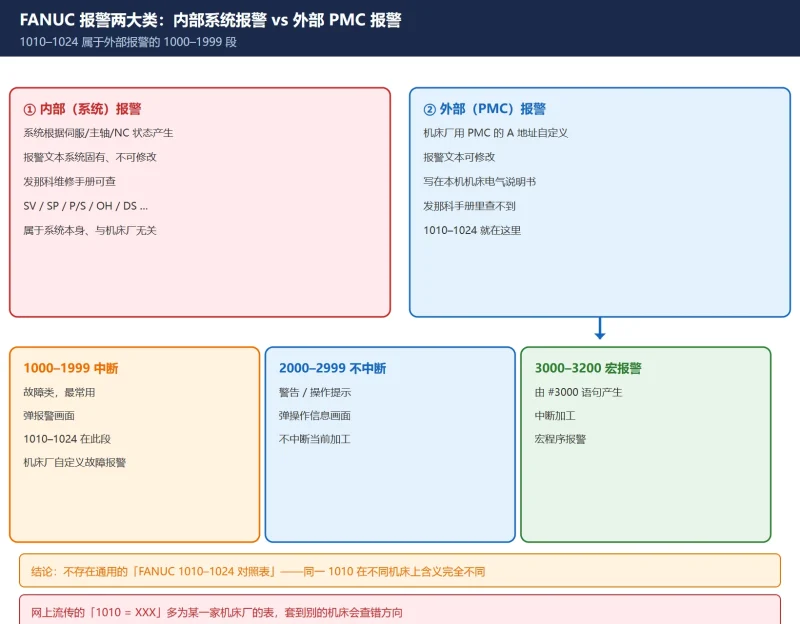
FANUC ATC 报警 1010–1024 速查:机床厂自定义报警的反查方法与真实对照
加工中心刀库/ATC 报警 1010–1024 为什么在发那科原厂手册里查不到?因为它们是机床厂用 PMC 的 A 地址自定义的外部报警。本文给出报警号段划分、A 地址映射、四步反查法,以及四个真实机床厂...
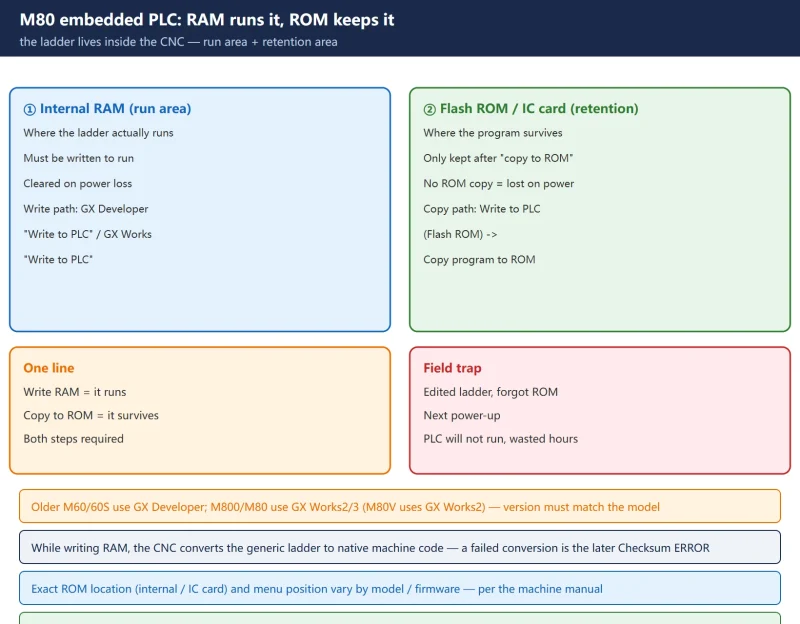
How to Write Mitsubishi M80 Ladder Logic into the CNC — RAM Write, ROM Copy and Checksum ERROR
How to write the Mitsubishi M80 / M800 ladder logic (the embedded PLC sequence program) into the CNC — the GX Developer / GX Works2·3 RAM write flow, why you must 'copy to ROM', ...
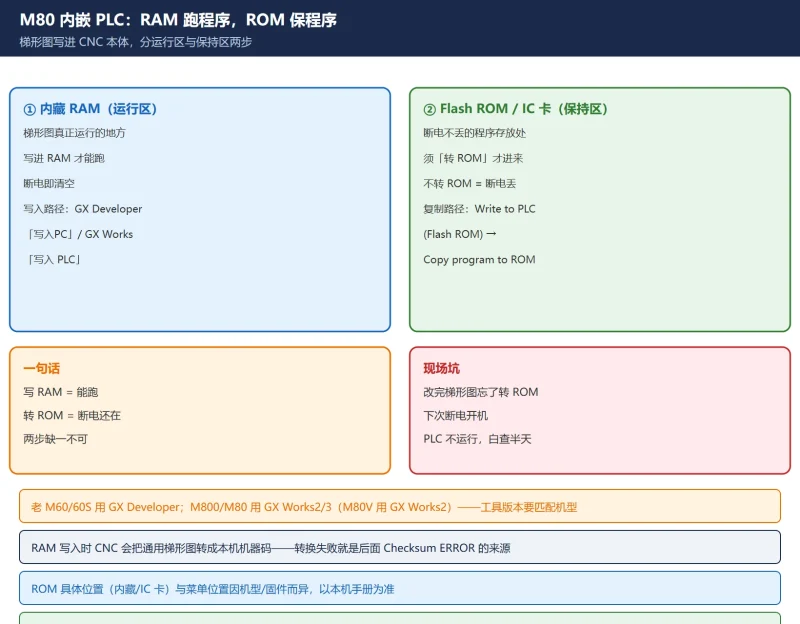
三菱 M80 梯形图怎么写进 CNC?GX Developer 写 RAM、转 ROM 与 Checksum ERROR 排查
三菱 M80 / M800 的梯形图(内嵌 PLC 序列程序)怎么写进 CNC:GX Developer / GX Works2·3 写入内藏 RAM 的流程、为什么必须'转 ROM'固化、以及 Checksum ERROR 的根因(转换错误把出错步变 N...